


Key RequiredUniversal
-- Load the Orion UI Library
local OrionLib = loadstring(game:HttpGet("https://raw.githubusercontent.com/shlexware/Orion/main/source"))()

-- Create the UI Window
local Window = OrionLib:MakeWindow({
    Name = "Real-Time Clock",
    HidePremium = false,
    SaveConfig = true,
    ConfigFolder = "OrionClock",
    IntroText = "Real-Time Clock",
    Draggable = true -- Make the window draggable
})

-- Create a Tab for the Clock
local Tab = Window:MakeTab({
    Name = "Clock",
    Icon = "rbxassetid://4483345998",
    PremiumOnly = false
})

-- Create a Section for the Clock
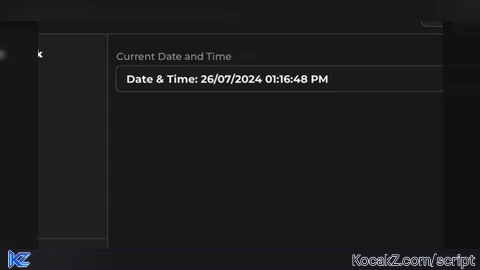
local ClockSection = Tab:AddSection({Name = "Current Date and Time"})

-- Add a label for displaying the clock
local ClockLabel = ClockSection:AddLabel("Time: Loading...")

-- Function to format the real time
local function FormatTime()
    local currentTime = os.date("*t")
    local hour = currentTime.hour
    local amPm = "AM"

    if hour >= 12 then
        amPm = "PM"
        if hour > 12 then
            hour = hour - 12
        end
    elseif hour == 0 then
        hour = 12
    end

    local formattedTime = string.format("%02d:%02d:%02d %s", hour, currentTime.min, currentTime.sec, amPm)
    local formattedDate = string.format("%02d/%02d/%04d", currentTime.day, currentTime.month, currentTime.year)

    return formattedDate .. " " .. formattedTime
end

-- Function to update the clock with rainbow effect
local function UpdateClock()
    local hue = 0

    while true do
        local startTime = tick()

        -- Update the clock label
        ClockLabel:Set("Date & Time: " .. FormatTime())

        -- Calculate the RGB color based on hue
        hue = hue + 0.01
        if hue > 1 then
            hue = 0
        end

        local color = Color3.fromHSV(hue, 1, 1)
        ClockLabel.TextColor3 = color

        -- Wait for the remaining time until the next second
        local elapsedTime = tick() - startTime
        wait(1 - elapsedTime)
    end
end

-- Start updating the clock
spawn(UpdateClock)

-- Show a notification when the script loads
OrionLib:MakeNotification({
    Name = "Script Loaded",
    Content = "Real-Time Clock is now active.",
    Image = "rbxassetid://4483345998",
    Time = 5
})


chatgpt generated