


Key RequiredUniversal
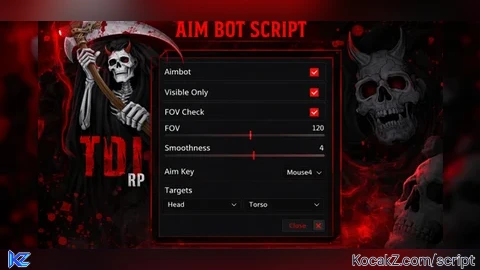
--[[
    Script Hub: Aimbot Automático (Câmera) + ESP
    - Aimbot sempre ativo quando toggle ligado (sem apertar tecla)
    - Mira no ângulo da sua visão (círculo FOV)
    - ESP com caixa, tracers, vida, nomes
]]

if not game:IsLoaded() then game.Loaded:Wait() end

local Rayfield = loadstring(game:HttpGet('https://sirius.menu/rayfield'))()

local Window = Rayfield:CreateWindow({
    Name = "✨ Meu Super Hub ✨",
    Icon = 0,
    LoadingTitle = "Carregando Hub...",
    LoadingSubtitle = "by Criador",
    Theme = "Default",
    ConfigurationSaving = { Enabled = true, FolderName = "MeuSuperHub", FileName = "Configuracoes" },
    KeySystem = false,
})

-- =============================== CONFIGURAÇÕES ===============================
local LocalPlayer = game:GetService("Players").LocalPlayer
local Camera = game:GetService("Workspace").CurrentCamera
local RunService = game:GetService("RunService")

-- Controles
local aimbotEnabled = false       -- Quando true, mira sozinho
local espEnabled = true
local tracerEnabled = true
local boxEspEnabled = true
local healthBarEnabled = true
local nameEspEnabled = true
local fovCircleEnabled = true

-- Configurações de mira (ângulo em graus)
local aimFOV = 60                 -- Ângulo máximo para mirar
local aimSmoothness = 0.3
local aimPart = "Head"            -- "Head" ou "HumanoidRootPart"

-- Objetos de desenho
local drawings = {}
local tracerLines = {}
local fovCircle = nil

-- =============================== FUNÇÕES ===============================
local function getCharacterHitbox(character)
    local rootPart = character:FindFirstChild("HumanoidRootPart")
    if not rootPart then return nil, nil end
    return rootPart.Position, rootPart.Size
end

-- Desenha o círculo de FOV
local function drawFOVCircle()
    if not fovCircleEnabled then
        if fovCircle then fovCircle:Remove() fovCircle = nil end
        return
    end
    if not fovCircle then
        fovCircle = Drawing.new("Circle")
        fovCircle.Thickness = 1.5
        fovCircle.NumSides = 64
        fovCircle.Filled = false
        fovCircle.Visible = true
    end
    local screenWidth = Camera.ViewportSize.X
    local screenHeight = Camera.ViewportSize.Y
    local radius = (aimFOV / 120) * math.min(screenWidth, screenHeight) * 0.8
    fovCircle.Radius = math.clamp(radius, 30, 400)
    fovCircle.Position = Vector2.new(screenWidth/2, screenHeight/2)
    fovCircle.Color = Color3.new(1, 1, 0) -- amarelo
end

-- Desenho da caixa 3D
local function drawBox(position, size, color, onScreen)
    if not onScreen then return end
    local points3D = {
        position + Vector3.new(-size.X/2, size.Y/2, -size.Z/2),
        position + Vector3.new( size.X/2, size.Y/2, -size.Z/2),
        position + Vector3.new(-size.X/2, size.Y/2,  size.Z/2),
        position + Vector3.new( size.X/2, size.Y/2,  size.Z/2),
        position + Vector3.new(-size.X/2, -size.Y/2, -size.Z/2),
        position + Vector3.new( size.X/2, -size.Y/2, -size.Z/2),
        position + Vector3.new(-size.X/2, -size.Y/2,  size.Z/2),
        position + Vector3.new( size.X/2, -size.Y/2,  size.Z/2)
    }
    local points2D = {}
    local allOnScreen = true
    for _, p in pairs(points3D) do
        local sp, on = Camera:WorldToScreenPoint(p)
        if not on then allOnScreen = false break end
        table.insert(points2D, Vector2.new(sp.X, sp.Y))
    end
    if not allOnScreen then return end
    local connections = {{1,2},{2,4},{4,3},{3,1},{5,6},{6,8},{8,7},{7,5},{1,5},{2,6},{3,7},{4,8}}
    for _, conn in pairs(connections) do
        local line = Drawing.new("Line")
        line.From = points2D[conn[1]]
        line.To = points2D[conn[2]]
        line.Color = color
        line.Thickness = 1.5
        line.Visible = true
        table.insert(drawings, line)
    end
end

local function drawTracer(screenPosition, color)
    local center = Vector2.new(Camera.ViewportSize.X / 2, Camera.ViewportSize.Y)
    local tracer = Drawing.new("Line")
    tracer.From = center
    tracer.To = screenPosition
    tracer.Color = color
    tracer.Thickness = 1.5
    tracer.Visible = true
    table.insert(tracerLines, tracer)
end

local function drawHealthBar(screenPosition, healthPercent, color)
    local barWidth = 50
    local barHeight = 6
    local barX = screenPosition.X - barWidth/2
    local barY = screenPosition.Y - 35
    local bg = Drawing.new("Square")
    bg.Position = Vector2.new(barX, barY)
    bg.Size = Vector2.new(barWidth, barHeight)
    bg.Color = Color3.new(0,0,0)
    bg.Filled = true
    bg.Visible = true
    table.insert(drawings, bg)
    local fill = Drawing.new("Square")
    fill.Position = Vector2.new(barX, barY)
    fill.Size = Vector2.new(barWidth * healthPercent, barHeight)
    fill.Color = color
    fill.Filled = true
    fill.Visible = true
    table.insert(drawings, fill)
end

local function drawName(screenPosition, name, color)
    local text = Drawing.new("Text")
    text.Text = name
    text.Position = Vector2.new(screenPosition.X, screenPosition.Y - 45)
    text.Color = color
    text.Size = 14
    text.Center = true
    text.Outline = true
    text.Visible = true
    table.insert(drawings, text)
end

local function clearDrawings()
    for _, d in pairs(drawings) do d:Remove() end
    drawings = {}
    for _, t in pairs(tracerLines) do t:Remove() end
    tracerLines = {}
end

-- ========== FUNÇÃO QUE ESCOLHE O ALVO PELO ÂNGULO DA CÂMERA ==========
local function getClosestTargetByAngle()
    local closestTarget = nil
    local smallestAngle = aimFOV  -- ângulo máximo permitido (graus)
    local cameraLook = Camera.CFrame.LookVector
    local cameraPos = Camera.CFrame.Position

    for _, player in pairs(game:GetService("Players"):GetPlayers()) do
        if player ~= LocalPlayer and player.Character then
            local targetPart = player.Character:FindFirstChild(aimPart)
            if targetPart then
                local directionToTarget = (targetPart.Position - cameraPos).unit
                local angle = math.deg(math.acos(cameraLook:Dot(directionToTarget)))
                if angle < smallestAngle then
                    smallestAngle = angle
                    closestTarget = player
                end
            end
        end
    end
    return closestTarget
end

-- Aimbot suavizado (mira automática)
local function aimAt(target)
    if not aimbotEnabled or not target or not target.Character then return end
    local targetPart = target.Character:FindFirstChild(aimPart)
    if not targetPart then return end
    local targetPos = targetPart.Position
    local currentPos = Camera.CFrame.Position
    local direction = (targetPos - currentPos).unit
    local newCFrame = CFrame.new(currentPos, currentPos + direction)
    Camera.CFrame = Camera.CFrame:Lerp(newCFrame, aimSmoothness)
end

-- =============================== INTERFACE ===============================
local EspTab = Window:CreateTab("👁️ Visual ESP", 4483362458)
local AimbotTab = Window:CreateTab("🎯 Aimbot", 4483362458)
local InfoTab = Window:CreateTab("ℹ️ Informações", 4483362458)

-- Aba ESP
EspTab:CreateSection("Controle Visual")
EspTab:CreateToggle({Name = "Ativar ESP Completo", CurrentValue = espEnabled, Flag = "ToggleESP", Callback = function(v) espEnabled = v if not v then clearDrawings() end end})
EspTab:CreateToggle({Name = "Caixa 3D (Box ESP)", CurrentValue = boxEspEnabled, Flag = "ToggleBoxESP", Callback = function(v) boxEspEnabled = v end})
EspTab:CreateToggle({Name = "Linhas (Tracers)", CurrentValue = tracerEnabled, Flag = "ToggleTracers", Callback = function(v) tracerEnabled = v end})
EspTab:CreateToggle({Name = "Barra de Vida", CurrentValue = healthBarEnabled, Flag = "ToggleHealthBar", Callback = function(v) healthBarEnabled = v end})
EspTab:CreateToggle({Name = "Nome do Jogador", CurrentValue = nameEspEnabled, Flag = "ToggleNameESP", Callback = function(v) nameEspEnabled = v end})

-- Aba Aimbot (agora sem tecla)
AimbotTab:CreateSection("Controle de Mira (Automático)")
AimbotTab:CreateToggle({Name = "Ativar Aimbot (sempre ativo)", CurrentValue = aimbotEnabled, Flag = "ToggleAimbot", Callback = function(v) aimbotEnabled = v end})
AimbotTab:CreateSlider({Name = "Ângulo de Mira (FOV em graus)", Range = {10, 120}, Increment = 5, Suffix = "°", CurrentValue = aimFOV, Flag = "AimbotFOV", Callback = function(v) aimFOV = v end})
AimbotTab:CreateSlider({Name = "Suavidade (Smoothing)", Range = {0.1, 1}, Increment = 0.05, Suffix = "", CurrentValue = aimSmoothness, Flag = "AimbotSmoothness", Callback = function(v) aimSmoothness = v end})
AimbotTab:CreateDropdown({Name = "Parte do Corpo", Options = {"Cabeça", "Tronco"}, CurrentOption = "Cabeça", Flag = "AimbotPart", Callback = function(opt)
    aimPart = (opt == "Cabeça" and "Head") or "HumanoidRootPart"
end})
AimbotTab:CreateToggle({Name = "Mostrar Círculo de Mira (FOV)", CurrentValue = fovCircleEnabled, Flag = "ToggleFOVCircle", Callback = function(v) fovCircleEnabled = v end})

-- Aba Info
InfoTab:CreateSection("Sobre o Hub")
InfoTab:CreateParagraph({Title = "✨ Meu Super Hub ✨", Content = "Versão: 2.1 - Aimbot automático\n\n- Mira sempre ativa (sem apertar tecla)\n- Mira baseada no ângulo da câmera\n- Círculo FOV na tela\n- ESP completo"})
InfoTab:CreateButton({Name = "✅ Script Carregado!", Callback = function()
    Rayfield:Notify({Title = "Hub Carregado", Content = "Aimbot automático ativo! Basta ligar o toggle.", Duration = 3})
end})

-- =============================== LOOP PRINCIPAL ===============================
RunService.RenderStepped:Connect(function()
    -- Desenha o círculo FOV
    drawFOVCircle()

    if espEnabled then
        clearDrawings()
        for _, player in pairs(game:GetService("Players"):GetPlayers()) do
            if player ~= LocalPlayer and player.Character then
                local char = player.Character
                local hum = char:FindFirstChild("Humanoid")
                local root = char:FindFirstChild("HumanoidRootPart")
                local head = char:FindFirstChild("Head")
                if hum and root and head and hum.Health > 0 then
                    local screenPos, onScreen = Camera:WorldToScreenPoint(head.Position)
                    if onScreen then
                        local screenVec = Vector2.new(screenPos.X, screenPos.Y)
                        local healthPercent = hum.Health / hum.MaxHealth
                        local espColor = (healthPercent > 0.7 and Color3.new(0,1,0)) or (healthPercent > 0.3 and Color3.new(1,1,0)) or Color3.new(1,0,0)
                        if boxEspEnabled then
                            local pos, size = getCharacterHitbox(char)
                            if pos and size then drawBox(pos, size, espColor, onScreen) end
                        end
                        if tracerEnabled then drawTracer(screenVec, espColor) end
                        if healthBarEnabled then drawHealthBar(screenVec, healthPercent, espColor) end
                        if nameEspEnabled then drawName(screenVec, player.Name, espColor) end
                    end
                end
            end
        end
    end

    -- AIMBOT AUTOMÁTICO (sem tecla, só verifica se está ligado)
    if aimbotEnabled then
        local target = getClosestTargetByAngle()
        if target then
            aimAt(target)
        end
    end
end)

Rayfield:Notify({Title = "Hub Iniciado", Content = "Aimbot automático ativo! Pressione Insert para abrir o menu.", Duration = 5})


para mas script *im entren no discord
The aim bot is not working