https://limewire.com/d/wjLTm#Du4gJGzGqg

Insert key fixed and end key fixed so now you can hide/show UI and kill it aswell as it's features and functions completely from game I recommend doing this before leaving the server and changing or exiting game.

Recommended Free Executor: https://xeno.onl/download
Features & Information
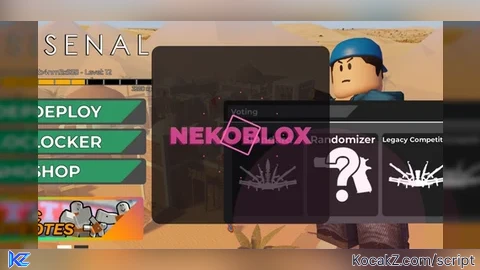
Nekoblox
Speedhack – Frame-perfect WalkSpeed override (target 118 + subtle random jitter for anti-detection). Automatically reapplies on respawn.
Shoot Fast – Dual-method rapid fire:
• Tool:Activate() spam + micro-jitter timing
• ReplicatedStorage.Weapons value patching (FireRate/Cooldown etc. → 0.01) with full original-value backup & restore
• Fallback remote event firing + ClickDetector click
Recoil Control – Real-time vertical recoil compensation on equipped guns with micro-jitter for stealth. Event-driven (no polling).
Perfect Aim – Smart raycast target selection (Head → UpperTorso priority), full team + visibility check, respects FOV Circle bounds, smooth CFrame lerp (0.32). Supports “Always On / LeftShift / LMB / RMB / Both” modes.
Visual Systems
Graphic Enhanced ESP – Dramatic neon pink boxes with dual strokes + pulsing gradient, headshot avatars, distance-based skeleton lines (color intensity shifts with range), automatic dead/enemy cleanup, 350-stud culling.
FOV Circle – Glowing pink ring with breathing pulse + RGB animated crosshair. Fully dynamic and respects screen center.
UI / UX (Dramatic Glass-Morphism Theme)
Loading Screen – Full cinematic intro with glitch-shadow title, rotating neon spinner ring, 12 orbiting particle dots, smooth fade-ins/outs.
Main Menu – Glass-morphism frame with dual neon strokes, UIGradient, smooth inertia dragging + momentum glide.
Toggles – 6 premium checkboxes with hover scale + color pulse, checkmark animation, divider, and instant on/off.
Gun Indicator – Live “⚔️ Gun Detected” badge with neon styling.
Aim Mode Selector – Clickable box cycling through 5 modes (including “Both”).
Tooltip – Follows mouse with feature descriptions.
Watermark – Pulsing “NB” with breathing transparency + stroke animation (top-right corner).
Smart Positioning – Auto-centers and clamps to screen edges on resize/respawn.
Notifications + Sounds – Roblox built-in notifications + satisfying toggle SFX.
Controls & Cleanup
Insert – Toggle entire UI visibility.
End – Full graceful shutdown (restores values, disconnects everything, destroys GUI, no memory leaks).
Anti-Detection – Randomized GUI name, jitter delays, pcall safety everywhere, original value backups.
Recommended Executor: https://xeno.onl/download
#Speedhack#ShootFast#Recoil Control#Perfect Aim#Nekoblox





Either delete my comment when copying and pasting the script or don't mess with it as it will mess up the UI appearing.
pls add right shift to hide
@m0chii Insert key to hide/show and end key completely safely removes any trace of the UI and it's feature's from your game before exit, doing this I haven't been banned since the making of Neko and my other projects since. Will take your request and add into next updates.
how do insert a key
oh nvm
@bruher98 sorry I just noticed that issue now it is fixed. Insert key and end key corrected.