


KeylessUniversal
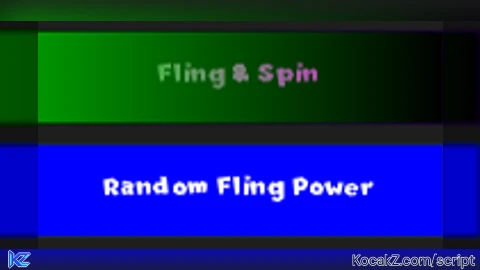
-- LocalScript in StarterPlayer -> StarterPlayerScripts

local player = game.Players.LocalPlayer
local character = player.Character or player.CharacterAdded:Wait()
local humanoidRootPart = character:WaitForChild("HumanoidRootPart")
local humanoid = character:WaitForChild("Humanoid")
local playerGui = player:WaitForChild("PlayerGui")

-- UI Elements Setup
local screenGui = Instance.new("ScreenGui")
screenGui.Parent = playerGui

local frame = Instance.new("Frame")
frame.Size = UDim2.new(0, 200, 0, 400)  -- Height set to 400
frame.Position = UDim2.new(0.5, -100, 0.5, -200)  -- Adjusted for the new height
frame.BackgroundColor3 = Color3.fromRGB(30, 30, 30)
frame.Parent = screenGui

-- Label for Fling Power Slider
local sliderLabel = Instance.new("TextLabel")
sliderLabel.Size = UDim2.new(1, 0, 0, 30)
sliderLabel.Position = UDim2.new(0, 0, 0, 10)
sliderLabel.Text = "Fling Power"
sliderLabel.TextColor3 = Color3.fromRGB(255, 255, 255)
sliderLabel.BackgroundTransparency = 1
sliderLabel.Parent = frame

-- Slider for Adjusting Fling Power
local slider = Instance.new("TextBox")
slider.Size = UDim2.new(1, -20, 0, 40)
slider.Position = UDim2.new(0, 10, 0, 40)
slider.Text = "100"
slider.TextColor3 = Color3.fromRGB(255, 255, 255)
slider.BackgroundColor3 = Color3.fromRGB(50, 50, 50)
slider.ClearTextOnFocus = false
slider.Parent = frame

-- Fling & Spin Button
local flingButton = Instance.new("TextButton")
flingButton.Size = UDim2.new(1, -20, 0, 40)
flingButton.Position = UDim2.new(0, 10, 0, 90)
flingButton.Text = "Fling & Spin"
flingButton.TextColor3 = Color3.fromRGB(255, 255, 255)
flingButton.BackgroundColor3 = Color3.fromRGB(0, 150, 0)
flingButton.Parent = frame

-- Create gradient for the button (Green to Magenta)
local gradient = Instance.new("UIGradient")
gradient.Parent = flingButton
gradient.Color = ColorSequence.new({
    ColorSequenceKeypoint.new(0, Color3.fromRGB(0, 255, 0)),
    ColorSequenceKeypoint.new(1, Color3.fromRGB(255, 0, 255))
})

-- Light-up effect on hover
flingButton.MouseEnter:Connect(function()
    gradient.Color = ColorSequence.new({
        ColorSequenceKeypoint.new(0, Color3.fromRGB(0, 255, 0)),   -- Brighter Green
        ColorSequenceKeypoint.new(1, Color3.fromRGB(255, 0, 255))  -- Brighter Magenta
    })
end)

flingButton.MouseLeave:Connect(function()
    gradient.Color = ColorSequence.new({
        ColorSequenceKeypoint.new(0, Color3.fromRGB(0, 255, 0)),
        ColorSequenceKeypoint.new(1, Color3.fromRGB(255, 0, 255))
    })
end)

-- Random Fling Button
local randomFlingButton = Instance.new("TextButton")
randomFlingButton.Size = UDim2.new(1, -20, 0, 40)
randomFlingButton.Position = UDim2.new(0, 10, 0, 140)
randomFlingButton.Text = "Random Fling Power"
randomFlingButton.TextColor3 = Color3.fromRGB(255, 255, 255)
randomFlingButton.BackgroundColor3 = Color3.fromRGB(0, 0, 255)
randomFlingButton.Parent = frame

-- Instruction Label for PC Users to Press "F"
local pressFLabel = Instance.new("TextLabel")
pressFLabel.Size = UDim2.new(1, 0, 0, 30)
pressFLabel.Position = UDim2.new(0, 0, 0, 190)
pressFLabel.Text = "Press F to Fling & Spin (PC)"
pressFLabel.TextColor3 = Color3.fromRGB(255, 255, 255)
pressFLabel.BackgroundTransparency = 1
pressFLabel.TextScaled = true
pressFLabel.Parent = frame

-- Slider for Adjusting UI Width
local widthSliderLabel = Instance.new("TextLabel")
widthSliderLabel.Size = UDim2.new(1, 0, 0, 30)
widthSliderLabel.Position = UDim2.new(0, 0, 0, 220)
widthSliderLabel.Text = "UI Width"
widthSliderLabel.TextColor3 = Color3.fromRGB(255, 255, 255)
widthSliderLabel.BackgroundTransparency = 1
widthSliderLabel.Parent = frame

local widthSlider = Instance.new("TextBox")
widthSlider.Size = UDim2.new(1, -20, 0, 40)
widthSlider.Position = UDim2.new(0, 10, 0, 250)
widthSlider.Text = "200"
widthSlider.TextColor3 = Color3.fromRGB(255, 255, 255)
widthSlider.BackgroundColor3 = Color3.fromRGB(50, 50, 50)
widthSlider.ClearTextOnFocus = false
widthSlider.Parent = frame

-- Slider for Adjusting UI Height
local heightSliderLabel = Instance.new("TextLabel")
heightSliderLabel.Size = UDim2.new(1, 0, 0, 30)
heightSliderLabel.Position = UDim2.new(0, 0, 0, 290)
heightSliderLabel.Text = "UI Height"
heightSliderLabel.TextColor3 = Color3.fromRGB(255, 255, 255)
heightSliderLabel.BackgroundTransparency = 1
heightSliderLabel.Parent = frame

local heightSlider = Instance.new("TextBox")
heightSlider.Size = UDim2.new(1, -20, 0, 40)
heightSlider.Position = UDim2.new(0, 10, 0, 320)
heightSlider.Text = "400"
heightSlider.TextColor3 = Color3.fromRGB(255, 255, 255)
heightSlider.BackgroundColor3 = Color3.fromRGB(50, 50, 50)
heightSlider.ClearTextOnFocus = false
heightSlider.Parent = frame

-- Function to adjust the frame size based on sliders
local function adjustUISize()
    local width = tonumber(widthSlider.Text) or 200  -- Default to 200 if input is invalid
    local height = tonumber(heightSlider.Text) or 400  -- Default to 400 if input is invalid
    frame.Size = UDim2.new(0, width, 0, height)
end

-- Update UI size when sliders change
widthSlider.FocusLost:Connect(adjustUISize)
heightSlider.FocusLost:Connect(adjustUISize)

-- Making the UI draggable
local dragging = false
local dragInput, dragStart, startPos

frame.InputBegan:Connect(function(input, gameProcessed)
    if gameProcessed then return end

    if input.UserInputType == Enum.UserInputType.MouseButton1 then
        dragging = true
        dragStart = input.Position
        startPos = frame.Position
    end
end)

frame.InputEnded:Connect(function(input)
    if input.UserInputType == Enum.UserInputType.MouseButton1 then
        dragging = false
    end
end)

frame.InputChanged:Connect(function(input)
    if dragging then
        local delta = input.Position - dragStart
        frame.Position = UDim2.new(startPos.X.Scale, startPos.X.Offset + delta.X, startPos.Y.Scale, startPos.Y.Offset + delta.Y)
    end
end)

-- Function to make the character sit, fling, and spin with adjusted power
local function flingAndSpin(flingPower)
    humanoid.Sit = true  -- Make sure the character is sitting
    humanoid.PlatformStand = true  -- Disable humanoid movement to prevent standing

    wait(0.1)

    -- Fling in random directions with adjustable power
    local randomX = math.random(-flingPower, flingPower)
    local randomY = math.random(50, flingPower)
    local randomZ = math.random(-flingPower, flingPower)

    local bodyVelocity = Instance.new("BodyVelocity")
    bodyVelocity.MaxForce = Vector3.new(100000, 100000, 100000)
    bodyVelocity.Velocity = Vector3.new(randomX, randomY, randomZ)
    bodyVelocity.Parent = humanoidRootPart

    -- Randomized spin (X and Y axis rotation)
    local spinSpeedX = math.random(8, 20)
    local spinSpeedY = math.random(8, 20)
    local runService = game:GetService("RunService")

    local spinConnection
    local startTime = tick()

    spinConnection = runService.Heartbeat:Connect(function()
        humanoidRootPart.CFrame = humanoidRootPart.CFrame * CFrame.Angles(math.rad(spinSpeedX), math.rad(spinSpeedY), 0)
        if tick() - startTime >= 1 then
            spinConnection:Disconnect()
        end
    end)

    wait(0.1)
    bodyVelocity:Destroy()
    humanoid.Sit = true  -- Ensure the character stays seated after the fling
    humanoid.PlatformStand = true  -- Keep PlatformStand enabled to prevent standing
end

-- Listen for key press to trigger fling and spin (e.g., press F key)
game:GetService("UserInputService").InputBegan:Connect(function(input, gameProcessed)
    if gameProcessed then return end

    if input.UserInputType == Enum.UserInputType.Keyboard and input.KeyCode == Enum.KeyCode.F then
        local flingPower = tonumber(slider.Text) or 100
        flingAndSpin(flingPower)
    end
end)

-- Button press to trigger fling and spin
flingButton.MouseButton1Click:Connect(function()
    local flingPower = tonumber(slider.Text) or 100
    flingAndSpin(flingPower)
end)

-- Random Fling Button press
randomFlingButton.MouseButton1Click:Connect(function()
    local randomFlingPower = math.random(100, 600)
    flingAndSpin(randomFlingPower)  -- Use the random fling power for the random fling button
end)


Just my weird ahh UI i made for fun.
https://scriptblox.com/script/Universal-Script-My-admin-script-cool-yay-uhh-yeah-26526
@IdontLikeKeysSoGive chatgpt final boss
Chat gpt ahh learn to code yourself