


Key RequiredUniversal
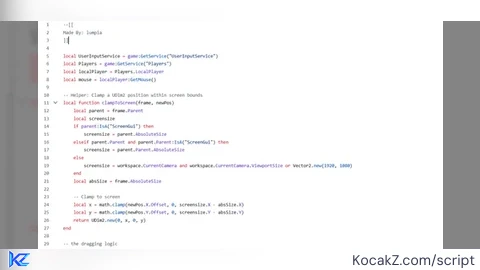
--[[
Made By: lumpia
]]

local UserInputService = game:GetService("UserInputService")
local Players = game:GetService("Players")
local localPlayer = Players.LocalPlayer
local mouse = localPlayer:GetMouse()

-- Helper: Clamp a UDim2 position within screen bounds
local function clampToScreen(frame, newPos)
    local parent = frame.Parent
    local screensize
    if parent:IsA("ScreenGui") then
        screensize = parent.AbsoluteSize
    elseif parent.Parent and parent.Parent:IsA("ScreenGui") then
        screensize = parent.Parent.AbsoluteSize
    else
        screensize = workspace.CurrentCamera and workspace.CurrentCamera.ViewportSize or Vector2.new(1920, 1080)
    end
    local absSize = frame.AbsoluteSize

    -- Clamp to screen
    local x = math.clamp(newPos.X.Offset, 0, screensize.X - absSize.X)
    local y = math.clamp(newPos.Y.Offset, 0, screensize.Y - absSize.Y)
    return UDim2.new(0, x, 0, y)
end

-- the dragging logic

local function dragToPosition(startInputPos, startFramePos, currInputPos, frame, bounds)
    local delta = currInputPos - startInputPos
    local newPos = UDim2.new(
        startFramePos.X.Scale,
        startFramePos.X.Offset + delta.X,
        startFramePos.Y.Scale,
        startFramePos.Y.Offset + delta.Y
    )
    if bounds then
        newPos = clampToScreen(frame, newPos)
    end
    frame.Position = newPos
end

-- Main drag function (call this with your frame)
local function enableDrag(frame, clampToBounds, includeChildren)
    local targets = {}
    if frame:IsA("ScreenGui") then
        for _, child in ipairs(frame:GetChildren()) do
            if (includeChildren and (child:IsA("Frame") or child:IsA("ScrollingFrame"))) or not includeChildren then
                table.insert(targets, child)
            end
        end
    else
        table.insert(targets, frame)
    end

    for _, target in ipairs(targets) do
        if not target:IsA("GuiObject") then continue end
        target.Active = true
        target.Selectable = true

        -- Connections
        local dragging = false
        local dragInput, startInputPos, startFramePos
        local moveConn, inputEndConn

        target.InputBegan:Connect(function(input)
            if input.UserInputType == Enum.UserInputType.MouseButton1 or input.UserInputType == Enum.UserInputType.Touch then
                dragging = true
                dragInput = input
                startInputPos = input.Position
                startFramePos = target.Position

                -- Move event
                moveConn = input.UserInputType == Enum.UserInputType.Touch
                    and input.TouchMoved:Connect(function(moveInput)
                        if moveInput == dragInput and dragging then
                            dragToPosition(startInputPos, startFramePos, moveInput.Position, target, clampToBounds)
                        end
                    end)
                    or UserInputService.InputChanged:Connect(function(moveInput)
                        if moveInput == dragInput and dragging then
                            dragToPosition(startInputPos, startFramePos, moveInput.Position, target, clampToBounds)
                        elseif moveInput.UserInputType == Enum.UserInputType.MouseMovement and dragging and not dragInput then
                            dragToPosition(startInputPos, startFramePos, Vector2.new(mouse.X, mouse.Y), target, clampToBounds)
                        end
                    end)

                -- End event
                inputEndConn = UserInputService.InputEnded:Connect(function(endInput)
                    if endInput == dragInput then
                        dragging = false
                        if moveConn then moveConn:Disconnect() end
                        if inputEndConn then inputEndConn:Disconnect() end
                        dragInput = nil
                    end
                end)
            end
        end)
    end
end

return enableDrag

-- Your welcome :>, happy scripting!


here github link :https://github.com/lumpiasallad/MobileSuport_Drag_UI_Script-