


KeylessUniversal
local Players = game:GetService("Players")
local UserInputService = game:GetService("UserInputService")
local RunService = game:GetService("RunService")
local player = Players.LocalPlayer

local character = player.Character or player.CharacterAdded:Wait()
local HRP = character:WaitForChild("HumanoidRootPart")

local flying = false
local BodyGyro, BodyVelocity
local speed = 25 -- Default flight speed

-- GUI Creation Function
local function createGUI()
    if player:FindFirstChild("PlayerGui"):FindFirstChild("Fly") then return end

    local ScreenGui = Instance.new("ScreenGui")
    ScreenGui.Name = "Fly"
    ScreenGui.ResetOnSpawn = false -- Prevent removal on death
    ScreenGui.Parent = player:WaitForChild("PlayerGui")

    -- Slider Frame
    local SliderFrame = Instance.new("Frame", ScreenGui)
    SliderFrame.Position = UDim2.new(0.1, 0, 0.8, 0)
    SliderFrame.Size = UDim2.new(0, 200, 0, 40)
    SliderFrame.BackgroundColor3 = Color3.fromRGB(0, 0, 0)
    SliderFrame.BackgroundTransparency = 0.3

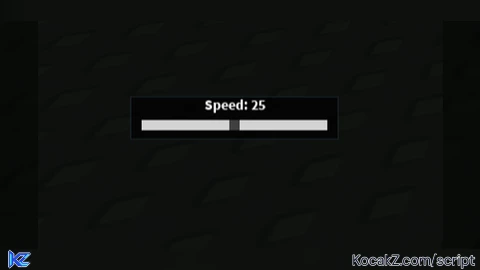
    local SpeedLabel = Instance.new("TextLabel", SliderFrame)
    SpeedLabel.Size = UDim2.new(1, 0, 0.4, 0)
    SpeedLabel.BackgroundTransparency = 1
    SpeedLabel.Text = "Speed: " .. speed
    SpeedLabel.TextColor3 = Color3.new(1, 1, 1)
    SpeedLabel.TextScaled = true
    SpeedLabel.Font = Enum.Font.SourceSansBold

    local SliderBar = Instance.new("Frame", SliderFrame)
    SliderBar.Position = UDim2.new(0.05, 0, 0.55, 0)
    SliderBar.Size = UDim2.new(0.9, 0, 0, 10)
    SliderBar.BackgroundColor3 = Color3.fromRGB(211, 211, 211)
    SliderBar.BorderSizePixel = 0

    local SliderHandle = Instance.new("Frame", SliderBar)
    SliderHandle.BackgroundColor3 = Color3.fromRGB(64, 64, 64)
    SliderHandle.Size = UDim2.new(0, 10, 1, 0)
    SliderHandle.AnchorPoint = Vector2.new(0.5, 0)
    SliderHandle.Position = UDim2.new(0.5, 0, 0, 0)
    SliderHandle.BorderSizePixel = 0

    local sliderDragging = false

    -- Function to update speed based on slider position
    local function updateSpeedFromSlider(inputX)
        local sliderAbsolutePos = SliderBar.AbsolutePosition.X
        local sliderWidth = SliderBar.AbsoluteSize.X
        local relativePos = math.clamp(inputX - sliderAbsolutePos, 0, sliderWidth)
        local percent = relativePos / sliderWidth
        speed = math.floor(1 + (percent * 100))
        SpeedLabel.Text = "Speed: " .. speed
        SliderHandle.Position = UDim2.new(percent, 0, 0, 0)
    end

    -- Handle mouse button down on slider bar
    SliderBar.InputBegan:Connect(function(input)
        if input.UserInputType == Enum.UserInputType.MouseButton1 then
            sliderDragging = true
            updateSpeedFromSlider(input.Position.X)
        end
    end)

    -- Handle mouse movement when dragging
    SliderBar.InputChanged:Connect(function(input)
        if sliderDragging and input.UserInputType == Enum.UserInputType.MouseMovement then
            updateSpeedFromSlider(input.Position.X)
        end
    end)

    -- Handle mouse button release (end of dragging)
    SliderBar.InputEnded:Connect(function(input)
        if input.UserInputType == Enum.UserInputType.MouseButton1 then
            sliderDragging = false
        end
    end)
end

-- Create GUI at startup
createGUI()

-- Recreate GUI when respawned
player.CharacterAdded:Connect(function(char)
    character = char
    HRP = character:WaitForChild("HumanoidRootPart")
    createGUI()
end)

-- Flying Logic
local function startFlying()
    if flying then return end
    flying = true

    BodyGyro = Instance.new("BodyGyro", HRP)
    BodyGyro.P = 9e4
    BodyGyro.maxTorque = Vector3.new(9e4, 9e4, 9e4)
    BodyGyro.CFrame = workspace.CurrentCamera.CFrame

    BodyVelocity = Instance.new("BodyVelocity", HRP)
    BodyVelocity.maxForce = Vector3.new(9e4, 9e4, 9e4)
    BodyVelocity.velocity = Vector3.new(0, 0, 0)

    local moveDirection = Vector3.new()

    RunService:BindToRenderStep("FlyStep", Enum.RenderPriority.Character.Value, function()
        local cam = workspace.CurrentCamera
        local forward = cam.CFrame.LookVector
        local right = cam.CFrame.RightVector
        local inputDirection = Vector3.new()

        if UserInputService:IsKeyDown(Enum.KeyCode.W) then
            inputDirection = inputDirection + forward
        end
        if UserInputService:IsKeyDown(Enum.KeyCode.S) then
            inputDirection = inputDirection - forward
        end
        if UserInputService:IsKeyDown(Enum.KeyCode.A) then
            inputDirection = inputDirection - right
        end
        if UserInputService:IsKeyDown(Enum.KeyCode.D) then
            inputDirection = inputDirection + right
        end

        if inputDirection.Magnitude > 0 then
            moveDirection = inputDirection.Unit
        else
            moveDirection = Vector3.new()
        end

        BodyGyro.CFrame = cam.CFrame
        BodyVelocity.velocity = moveDirection * speed
    end)
end

local function stopFlying()
    if not flying then return end
    flying = false
    if BodyGyro then BodyGyro:Destroy() end
    if BodyVelocity then BodyVelocity:Destroy() end
    RunService:UnbindFromRenderStep("FlyStep")
end

UserInputService.InputBegan:Connect(function(input, gameProcessed)
    if gameProcessed then return end
    if input.KeyCode == Enum.KeyCode.E then
        if not flying then
            startFlying()
        else
            stopFlying()
        end
    end
end)


Enjoy buds
nice