

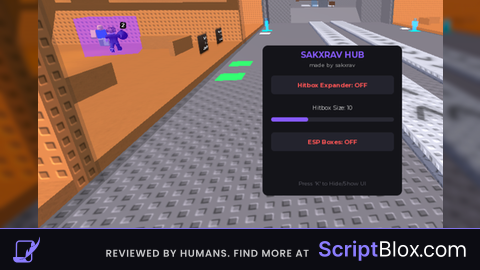
Key RequiredUniversal
-- Get player
local player = game.Players.LocalPlayer

-- Create ScreenGui
local screenGui = Instance.new("ScreenGui")
screenGui.Parent = player:WaitForChild("PlayerGui")

-- Create main draggable frame
local mainFrame = Instance.new("Frame")
mainFrame.Parent = screenGui
mainFrame.Size = UDim2.new(0.3, 0, 0.35, 0)
mainFrame.Position = UDim2.new(0.35, 0, 0.35, 0)
mainFrame.BackgroundColor3 = Color3.fromRGB(30, 30, 30)
mainFrame.BorderSizePixel = 0
mainFrame.Active = true
mainFrame.Draggable = true

-- Greeting
local greetings = {"Hello","Sup","Greetings","Hey","Yo","Welcome","Hiya"}
local randomGreeting = greetings[math.random(1, #greetings)]

local textLabel = Instance.new("TextLabel")
textLabel.Parent = mainFrame
textLabel.Size = UDim2.new(1, -40, 0, 50)
textLabel.BackgroundTransparency = 1
textLabel.Text = randomGreeting .. " " .. player.Name
textLabel.TextScaled = true
textLabel.TextColor3 = Color3.fromRGB(255, 105, 180)
textLabel.Font = Enum.Font.GothamBold

-- Close button
local closeButton = Instance.new("TextButton")
closeButton.Parent = mainFrame
closeButton.Size = UDim2.new(0, 40, 0, 50)
closeButton.Position = UDim2.new(1, -40, 0, 0)
closeButton.Text = "X"
closeButton.TextScaled = true
closeButton.BackgroundColor3 = Color3.fromRGB(255, 0, 0)
closeButton.TextColor3 = Color3.fromRGB(255, 255, 255)
closeButton.Font = Enum.Font.GothamBold

closeButton.MouseButton1Click:Connect(function()
	mainFrame.Visible = false
end)

-- Scrolling frame
local scrollingFrame = Instance.new("ScrollingFrame")
scrollingFrame.Parent = mainFrame
scrollingFrame.Size = UDim2.new(1, 0, 1, -50)
scrollingFrame.Position = UDim2.new(0, 0, 0, 50)
scrollingFrame.ScrollBarThickness = 6
scrollingFrame.BackgroundColor3 = Color3.fromRGB(40, 40, 40)
scrollingFrame.BorderSizePixel = 0

local layout = Instance.new("UIListLayout")
layout.Parent = scrollingFrame
layout.Padding = UDim.new(0, 5)

layout:GetPropertyChangedSignal("AbsoluteContentSize"):Connect(function()
	scrollingFrame.CanvasSize = UDim2.new(0, 0, 0, layout.AbsoluteContentSize.Y + 10)
end)

-- 1️⃣ Dance Button
local danceButton = Instance.new("TextButton")
danceButton.Size = UDim2.new(1, -10, 0, 40)
danceButton.BackgroundColor3 = Color3.fromRGB(80, 80, 80)
danceButton.TextColor3 = Color3.fromRGB(255, 255, 255)
danceButton.Text = "Dance button"
danceButton.Font = Enum.Font.GothamBold
danceButton.TextScaled = true
danceButton.Parent = scrollingFrame

danceButton.MouseButton1Click:Connect(function()
	player:Chat("/e dance")
end)

-- Remaining 4 items (Work in progress)
for i = 2, 5 do
	local item = Instance.new("TextLabel")
	item.Size = UDim2.new(1, -10, 0, 40)
	item.BackgroundColor3 = Color3.fromRGB(60, 60, 60)
	item.TextColor3 = Color3.fromRGB(255, 255, 255)
	item.Text = "Work in progress."
	item.Font = Enum.Font.Gotham
	item.TextScaled = true
	item.Parent = scrollingFrame
end

How to dance
man this bad