


KeylessUniversal

loadstring([[
local player = game.Players.LocalPlayer
local character = player.Character or player.CharacterAdded:Wait()
local hrp = character:WaitForChild("HumanoidRootPart")
local runService = game:GetService("RunService")

-- Play Windows startup sound
do
    local sound = Instance.new("Sound")
    sound.SoundId = "rbxassetid://100653959779667" -- put your Windows startup sound asset ID here
    sound.Volume = 1
    sound.Parent = player:WaitForChild("PlayerGui")
    sound:Play()
end

-- Create ScreenGui
local screenGui = Instance.new("ScreenGui")
screenGui.Name = "HoverSmoothFloatGUI"
screenGui.ResetOnSpawn = false
screenGui.Parent = player:WaitForChild("PlayerGui")

-- Main Frame
local mainFrame = Instance.new("Frame")
mainFrame.Size = UDim2.new(0, 300, 0, 150)
mainFrame.Position = UDim2.new(0.5, -150, 0.5, -75)
mainFrame.BackgroundColor3 = Color3.fromRGB(50, 50, 50)
mainFrame.BorderSizePixel = 0
mainFrame.Parent = screenGui
mainFrame.Active = true
mainFrame.Draggable = true

-- Rounded corners
local frameCorner = Instance.new("UICorner")
frameCorner.CornerRadius = UDim.new(0, 10)
frameCorner.Parent = mainFrame

-- Title
local title = Instance.new("TextLabel")
title.Size = UDim2.new(1, 0, 0, 30)
title.Position = UDim2.new(0, 0, 0, 0)
title.BackgroundColor3 = Color3.fromRGB(35, 35, 35)
title.Text = "Hover/Smooth Float Script"
title.TextColor3 = Color3.fromRGB(255, 255, 255)
title.Font = Enum.Font.SourceSansBold
title.TextSize = 18
title.Parent = mainFrame

local titleCorner = Instance.new("UICorner")
titleCorner.CornerRadius = UDim.new(0, 10)
titleCorner.Parent = title

-- Number Box
local numberBox = Instance.new("TextBox")
numberBox.Size = UDim2.new(0, 200, 0, 30)
numberBox.Position = UDim2.new(0, 50, 0, 50)
numberBox.PlaceholderText = "Enter Number"
numberBox.Text = ""
numberBox.ClearTextOnFocus = false
numberBox.TextColor3 = Color3.fromRGB(0, 0, 0)
numberBox.BackgroundColor3 = Color3.fromRGB(200, 200, 200)
numberBox.Parent = mainFrame

local boxCorner = Instance.new("UICorner")
boxCorner.CornerRadius = UDim.new(0, 6)
boxCorner.Parent = numberBox

-- Apply Button
local applyButton = Instance.new("TextButton")
applyButton.Size = UDim2.new(0, 100, 0, 30)
applyButton.Position = UDim2.new(0, 50, 0, 90)
applyButton.Text = "Apply"
applyButton.BackgroundColor3 = Color3.fromRGB(0, 170, 0)
applyButton.TextColor3 = Color3.fromRGB(255, 255, 255)
applyButton.Font = Enum.Font.SourceSansBold
applyButton.TextSize = 18
applyButton.Parent = mainFrame

local applyCorner = Instance.new("UICorner")
applyCorner.CornerRadius = UDim.new(0, 6)
applyCorner.Parent = applyButton

-- Hide Button
local hideButton = Instance.new("TextButton")
hideButton.Size = UDim2.new(0, 100, 0, 30)
hideButton.Position = UDim2.new(0, 150, 0, 90)
hideButton.Text = "Hide"
hideButton.BackgroundColor3 = Color3.fromRGB(170, 0, 0)
hideButton.TextColor3 = Color3.fromRGB(255, 255, 255)
hideButton.Font = Enum.Font.SourceSansBold
hideButton.TextSize = 18
hideButton.Parent = mainFrame

local hideCorner = Instance.new("UICorner")
hideCorner.CornerRadius = UDim.new(0, 6)
hideCorner.Parent = hideButton

-- Button Hover Effects
local function addHoverEffect(button, baseColor)
    button.MouseEnter:Connect(function()
        button.BackgroundColor3 = baseColor:Lerp(Color3.fromRGB(255,255,255), 0.2)
    end)
    button.MouseLeave:Connect(function()
        button.BackgroundColor3 = baseColor
    end)
end

addHoverEffect(applyButton, Color3.fromRGB(0,170,0))
addHoverEffect(hideButton, Color3.fromRGB(170,0,0))

-- Notifications
local StarterGui = game:GetService("StarterGui")
StarterGui:SetCore("SendNotification", {
    Title = "FOLLOW ON ROBLOX";
    Text = "Dragon_Blaze649";
    Duration = 23;
})
StarterGui:SetCore("SendNotification", {
    Title = "Info";
    Text = "This Script is Currently in Beta. You might find some bugs/Glitches";
    Duration = 19;
})

-- Floating logic
local floatBP = nil
local hoverHeight = 0
local baseY = hrp.Position.Y

local function startFloating(offset)
    if offset > 0 then
        baseY = hrp.Position.Y
        hoverHeight = offset
        if not floatBP then
            floatBP = Instance.new("BodyPosition")
            floatBP.MaxForce = Vector3.new(0, math.huge, 0)
            floatBP.D = 10
            floatBP.P = 1000
            floatBP.Parent = hrp
        end
        floatBP.Position = Vector3.new(hrp.Position.X, baseY + hoverHeight, hrp.Position.Z)
    else
        if floatBP then
            floatBP:Destroy()
            floatBP = nil
        end
    end
end

applyButton.MouseButton1Click:Connect(function()
    local value = tonumber(numberBox.Text)
    if value then
        startFloating(value)
    end
end)

hideButton.MouseButton1Click:Connect(function()
    mainFrame.Visible = not mainFrame.Visible
end)

runService.RenderStepped:Connect(function()
    if floatBP then
        local targetPos = Vector3.new(hrp.Position.X, baseY + hoverHeight, hrp.Position.Z)
        floatBP.Position = floatBP.Position:Lerp(targetPos, 0.1)
    end
end)
]])()
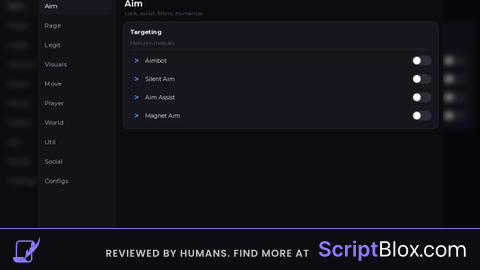
Enjoy the script👍
very obviously used ai to make this script, next time put it in ur description you used ai to do this