


Key RequiredUniversal
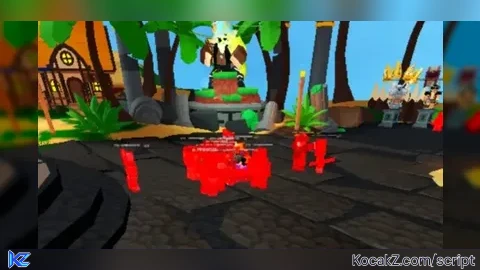
-- Create a function to draw an ESP box
local function drawESP(character)
    for _, part in ipairs(character:GetDescendants()) do
        if part:IsA("BasePart") then
            local box = Instance.new("BoxHandleAdornment")
            box.Size = part.Size + Vector3.new(0.1, 0.1, 0.1) -- Add a small margin around the part
            box.Adornee = part
            box.Parent = part

            -- Customize the appearance of the box
            box.Color3 = Color3.fromRGB(255, 0, 0)
            box.Transparency = 0.5
            box.ZIndex = 1
        end
    end
end

-- Function to execute the ESP script
local function executeESP()
    -- Loop through all player characters and add an ESP box to each part
    for _, player in ipairs(game.Players:GetPlayers()) do
        local character = player.Character
        if character then
            drawESP(character)
        end
    end
end

-- Check if the device is mobile
local isMobile = game:GetService("UserInputService").TouchEnabled

if isMobile then
    -- Create a ScreenGui to hold the execute button
    local gui = Instance.new("ScreenGui")
    gui.Name = "MobileESPGui"
    gui.Parent = game.Players.LocalPlayer.PlayerGui

    -- Create a TextButton as the execute button
    local executeButton = Instance.new("TextButton")
    executeButton.Size = UDim2.new(0, 100, 0, 50)
    executeButton.Position = UDim2.new(0.5, -50, 0.8, -25)
    executeButton.Text = "Execute ESP"
    executeButton.Parent = gui

    -- Bind the executeESP function to the button<s MouseButton1Click event
    executeButton.MouseButton1Click:Connect(executeESP)
else
    -- If not on mobile, execute the ESP script immediately
    executeESP()
end


This one doesn't highlight u if your playing arsenal -- Create a function to draw an ESP box local function drawESP(character) -- Check if the character is not the local player if character ~= game.Players.LocalPlayer.Character then for _, part in ipairs(character:GetDescendants()) do if part:IsA("BasePart") then local box = Instance.new("BoxHandleAdornment") box.Size = part.Size + Vector3.new(0.1, 0.1, 0.1) -- Add a small margin around the part box.Adornee = part box.Parent = part -- Customize the appearance of the box box.Color3 = Color3.fromRGB(255, 0, 0) box.Transparency = 0.5 box.ZIndex = 1 end end end end -- Function to execute the ESP script local function executeESP() -- Loop through all player characters and add an ESP box to each part for _, player in ipairs(game.Players:GetPlayers()) do local character = player.Character if character then drawESP(character) end end end -- Check if the device is mobile local isMobile = game:GetService("UserInputService").TouchEnabled if isMobile then -- Create a ScreenGui to hold the execute button local gui = Instance.new("ScreenGui") gui.Name = "MobileESPGui" gui.Parent = game.Players.LocalPlayer.PlayerGui -- Create a TextButton as the execute button local executeButton = Instance.new("TextButton") executeButton.Size = UDim2.new(0, 100, 0, 50) executeButton.Position = UDim2.new(0.5, -50, 0.8, -25) executeButton.Text = "Execute ESP" executeButton.Parent = gui -- Bind the executeESP function to the button<s MouseButton1Click event executeButton.MouseButton1Click:Connect(executeESP) else -- If not on mobile, execute the ESP script immediately executeESP() end