local url = "https://raw.githubusercontent.com/hm5650/HBSS/refs/heads/main/HBSS.lua"

local req = request or http_request or (syn and syn.request)
local data
if req then
	local res = req({
		Url = url,
		Method = "GET"
	})
	if res and res.Body then
		data = res.Body
	end
else
	pcall(function()
		data = game:HttpGet(url)
	end)
end
if data then
	loadstring(data)()
else
	warn("gravel.cc phailed to load :(")
end
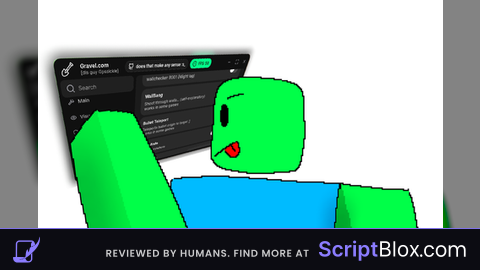
Features & Information
A pretty "simple" that you'll like... (I think)
Anways here's the tabs (totally not copy & pasted straight out of the README.md file..)
MainTab:
- AntiKick - Blocks server kicks (needs hookmetamethod)
- TeamTarget - Enemies / Teams / All / Specific Team
- Specific Teams - Pick which teams to target (multi-select)
- TargetType - Players / NPCs / Both
- GetTarget - Closest / Lowest Health / TargetSeen
- Targetseen Switch Rate - Delay between target switches
- Ignore Forcefield - Skip spawn-protected players
- Indicator UI - Small HUD showing current target + features
- Draggable, Always Visible, Size slider, Reset Position
- QuickToggles - Mobile-friendly toggle buttons
- Selection dropdown, Draggable toggle, Size slider
- Keybinds - Enable/disable, HoldKey mode, custom key per feature
- AutoFarm - Toggle, Align Part, TP Max Range, TP Distance, Vertical Offset
- Optimization - Copy-paste FPS/network optimizer code
- Updaters speed / Updaters - Performance vs accuracy
- Cache Cleaners - Clear target cache interval
- Save/Load
- New Save, Load Save, Delete Save, Delete All Saves
- Autoload on Game, Remove Autoload
- Saves List + Autoload List paragraphs
VisualsTab:
- ESP Master Toggle - Enables all ESP features
- ESP Hertz - Refresh rate for ESP updates
- Scoper - What to scan: Humanoids / ClickDetectors / TouchInterests / ProximityPrompts / Tools
- Tracer Start Position - Center / Bottom / Top / corners
- Tracer ESP Only Targets - Only draw lines to current target
- ESP Colour Based On Health - Color shifts with HP
- ESP Components
- Highlight ESP, Text ESP, Box ESP, Health ESP, Head Dot ESP, Tracer ESP
- Scene
- Brightness slider, ClockTime slider, Skybox Changer, Kill Lighting button
- FOV toggle + FOV value slider
- ESP Colors - ESP, Target, Team, Tracer Line
- SA1 FOV Colors - SilentAim (HB) ring normal + target
- SA2 FOV Colors - SilentAim (HK) ring normal + target
- Aimbot FOV Colors - Ring normal + target
- TriggerBot FOV Colors - Ring normal + target
- Hitbox Colors - Visualizer color
- Reach Colors - Visualizer color
- Theme - UI theme dropdown, transparency slider, Tag TextCursor inputs, Save/Reload UI settings
AntiAimTab:
- AntiAim Master Toggle
- Modes (pick one):
- Raycast AntiAim - TP when aimed at
- Above Player - hover above nearest enemy
- Behind Player - TP behind nearest enemy
- Orbit Players - circle nearest enemy
- Settings
- Teleport Distance (Raycast)
- Above Height
- Behind Distance
- Orbit Speed / Radius / Height
- SpinBot - Toggle + speed slider
- Desync - Toggle + transparency slider
AimbotTab:
- Aimbot Toggle
- WallCheck - Raycast visibility check
- 360° Aimbot - No FOV limit
- Target Part - Head / HumanoidRootPart
- Aim Method - CFrame / MouseMoveRel / Camera / MouseMove / Teleport
- Aim Strength - 0 (none) to 1 (instant snap)
- Prediction - Lead target movement
- Aimbot Hertz - Update rate
- FOV Radius - Screen-space aim circle
- Target Range - Max world distance
SilentAimTab (HB):
- SilentAim (HB) Toggle
- WallCheck - Don't shoot through walls
- Scale To Screen - Hitbox grows with distance
- STS Distance - Prevents clipping into you
- Target Part - Random / Head / HumanoidRootPart
- Target Range - Max distance
- HitChance - 0-100%
- Headshot Chance - Only for Random part
- Responsiveness - Update interval
- FOV Radius - Ring size
- Hitbox Transparency - Visual transparency
SilentAimTab2 (HK):
- SilentAim (HK) Toggle
- WallCheck - Visibility check (may lag)
- WallBang -
#HBSS#Gravel#Hitbox#Desync#Universal silent aim



Www
Can you optimize this? Or compromise
@RonaldinhoNazario "compromise"