

KeylessUniversal
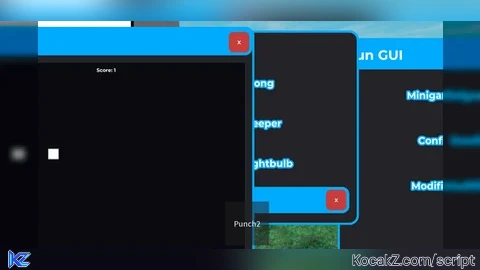
-- FunGui.lua (LocalScript)
-- Place in StarterPlayerScripts

local Players = game:GetService("Players")
local TweenService = game:GetService("TweenService")
local RunService = game:GetService("RunService")
local UserInputService = game:GetService("UserInputService")

local player = Players.LocalPlayer
local playerGui = player:WaitForChild("PlayerGui")

----------------------------------------------------------------
-- CONFIG STATE
----------------------------------------------------------------
local Config = {
	BorderColor = Color3.fromRGB(0, 170, 255),
	BackgroundColor = Color3.fromRGB(35, 35, 40),
	RGBBorder = false,
	Font = Enum.Font.GothamBold,
}

local Modifiers = {
	LimitedVision = false,
	QuickClick = false,
	SoundCue = false,
	SillyPopup = false,
}

local activeConnections = {} -- track loops so we can cancel them on "remove modifiers"

----------------------------------------------------------------
-- ROOT GUI
----------------------------------------------------------------
local screenGui = Instance.new("ScreenGui")
screenGui.Name = "FunGui"
screenGui.ResetOnSpawn = false
screenGui.ZIndexBehavior = Enum.ZIndexBehavior.Sibling
screenGui.Parent = playerGui

----------------------------------------------------------------
-- MODAL / INPUT BLOCKER SYSTEM
-- While a minigame window is open, this transparent frame sits
-- above every other button and eats their clicks. The game
-- window itself is given a higher ZIndex so it stays usable.
----------------------------------------------------------------
local blocker = Instance.new("Frame")
blocker.Name = "InputBlocker"
blocker.Size = UDim2.new(1, 0, 1, 0)
blocker.BackgroundTransparency = 1
blocker.Active = true
blocker.Visible = false
blocker.ZIndex = 90
blocker.Parent = screenGui

local currentGame = nil

local function isGameActive()
	return currentGame ~= nil and currentGame.Parent ~= nil
end

local function setGameActive(active, window)
	blocker.Visible = active
	if active then
		currentGame = window
		if window then
			window.ZIndex = 100
		end
	else
		currentGame = nil
	end
end

----------------------------------------------------------------
-- UTILITY
----------------------------------------------------------------
local function makeDraggable(topBar, frame)
	local dragging, dragInput, dragStart, startPos

	topBar.InputBegan:Connect(function(input)
		if input.UserInputType == Enum.UserInputType.MouseButton1 or input.UserInputType == Enum.UserInputType.Touch then
			dragging = true
			dragStart = input.Position
			startPos = frame.Position
			input.Changed:Connect(function()
				if input.UserInputState == Enum.UserInputState.End then
					dragging = false
				end
			end)
		end
	end)

	topBar.InputChanged:Connect(function(input)
		if input.UserInputType == Enum.UserInputType.MouseMovement or input.UserInputType == Enum.UserInputType.Touch then
			dragInput = input
		end
	end)

	UserInputService.InputChanged:Connect(function(input)
		if input == dragInput and dragging then
			local delta = input.Position - dragStart
			frame.Position = UDim2.new(
				startPos.X.Scale, startPos.X.Offset + delta.X,
				startPos.Y.Scale, startPos.Y.Offset + delta.Y
			)
		end
	end)
end

local function newWindow(name, size, title)
	local frame = Instance.new("Frame")
	frame.Name = name
	frame.Size = size
	frame.Position = UDim2.new(0.5, -size.X.Offset / 2, 0.5, -size.Y.Offset / 2)
	frame.BackgroundColor3 = Config.BackgroundColor
	frame.BorderSizePixel = 0
	frame.Parent = screenGui

	local corner = Instance.new("UICorner")
	corner.CornerRadius = UDim.new(0, 10)
	corner.Parent = frame

	local stroke = Instance.new("UIStroke")
	stroke.Thickness = 3
	stroke.Color = Config.BorderColor
	stroke.Parent = frame

	local topBar = Instance.new("Frame")
	topBar.Name = "TopBar"
	topBar.Size = UDim2.new(1, 0, 0, 36)
	topBar.BackgroundColor3 = Config.BorderColor
	topBar.BorderSizePixel = 0
	topBar.Parent = frame

	local topCorner = Instance.new("UICorner")
	topCorner.CornerRadius = UDim.new(0, 10)
	topCorner.Parent = topBar

	local titleLabel = Instance.new("TextLabel")
	titleLabel.BackgroundTransparency = 1
	titleLabel.Size = UDim2.new(1, -40, 1, 0)
	titleLabel.Position = UDim2.new(0, 10, 0, 0)
	titleLabel.Font = Config.Font
	titleLabel.Text = title
	titleLabel.TextColor3 = Color3.new(1, 1, 1)
	titleLabel.TextXAlignment = Enum.TextXAlignment.Left
	titleLabel.TextSize = 18
	titleLabel.Parent = topBar

	local closeBtn = Instance.new("TextButton")
	closeBtn.Name = "CloseButton"
	closeBtn.Size = UDim2.new(0, 28, 0, 28)
	closeBtn.Position = UDim2.new(1, -32, 0, 4)
	closeBtn.BackgroundColor3 = Color3.fromRGB(200, 60, 60)
	closeBtn.Text = "X"
	closeBtn.Font = Config.Font
	closeBtn.TextColor3 = Color3.new(1, 1, 1)
	closeBtn.Parent = topBar

	local closeCorner = Instance.new("UICorner")
	closeCorner.CornerRadius = UDim.new(0, 6)
	closeCorner.Parent = closeBtn

	closeBtn.MouseButton1Click:Connect(function()
		frame:Destroy()
	end)

	makeDraggable(topBar, frame)

	return frame, stroke, titleLabel
end

local function newButton(parent, text, size, pos)
	local btn = Instance.new("TextButton")
	btn.Size = size
	btn.Position = pos
	btn.BackgroundColor3 = Config.BackgroundColor
	btn.Text = text
	btn.Font = Config.Font
	btn.TextColor3 = Color3.new(1, 1, 1)
	btn.TextSize = 16
	btn.Parent = parent

	local stroke = Instance.new("UIStroke")
	stroke.Thickness = 2
	stroke.Color = Config.BorderColor
	stroke.Parent = btn

	local corner = Instance.new("UICorner")
	corner.CornerRadius = UDim.new(0, 8)
	corner.Parent = btn

	return btn
end

----------------------------------------------------------------
-- MAIN GUI
----------------------------------------------------------------
local main = Instance.new("Frame")
main.Name = "MainWindow"
main.Size = UDim2.new(0, 260, 0, 340)
main.Position = UDim2.new(0.02, 0, 0.2, 0)
main.BackgroundColor3 = Config.BackgroundColor
main.BorderSizePixel = 0
main.Parent = screenGui

local mainCorner = Instance.new("UICorner")
mainCorner.CornerRadius = UDim.new(0, 10)
mainCorner.Parent = main

local mainStroke = Instance.new("UIStroke")
mainStroke.Thickness = 3
mainStroke.Color = Config.BorderColor
mainStroke.Parent = main

local mainTop = Instance.new("Frame")
mainTop.Size = UDim2.new(1, 0, 0, 40)
mainTop.BackgroundColor3 = Config.BorderColor
mainTop.BorderSizePixel = 0
mainTop.Parent = main

local mainTopCorner = Instance.new("UICorner")
mainTopCorner.CornerRadius = UDim.new(0, 10)
mainTopCorner.Parent = mainTop

local titleText = Instance.new("TextLabel")
titleText.BackgroundTransparency = 1
titleText.Size = UDim2.new(1, -40, 1, 0)
titleText.Position = UDim2.new(0, 10, 0, 0)
titleText.Font = Config.Font
titleText.Text = "Fun GUI"
titleText.TextColor3 = Color3.new(1, 1, 1)
titleText.TextSize = 22
titleText.TextXAlignment = Enum.TextXAlignment.Left
titleText.Parent = mainTop

-- Close button for the main window
local mainCloseBtn = Instance.new("TextButton")
mainCloseBtn.Size = UDim2.new(0, 28, 0, 28)
mainCloseBtn.Position = UDim2.new(1, -34, 0, 6)
mainCloseBtn.BackgroundColor3 = Color3.fromRGB(200, 60, 60)
mainCloseBtn.Text = "X"
mainCloseBtn.Font = Config.Font
mainCloseBtn.TextColor3 = Color3.new(1, 1, 1)
mainCloseBtn.Parent = mainTop

local mainCloseCorner = Instance.new("UICorner")
mainCloseCorner.CornerRadius = UDim.new(0, 6)
mainCloseCorner.Parent = mainCloseBtn

mainCloseBtn.MouseButton1Click:Connect(function()
	screenGui:Destroy()
end)

makeDraggable(mainTop, main)

local scrollFrame = Instance.new("ScrollingFrame")
scrollFrame.Size = UDim2.new(1, -20, 1, -60)
scrollFrame.Position = UDim2.new(0, 10, 0, 50)
scrollFrame.BackgroundTransparency = 1
scrollFrame.BorderSizePixel = 0
scrollFrame.ScrollBarThickness = 6
scrollFrame.CanvasSize = UDim2.new(0, 0, 0, 220)
scrollFrame.Parent = main

local layout = Instance.new("UIListLayout")
layout.Padding = UDim.new(0, 12)
layout.Parent = scrollFrame

local minigamesBtn = newButton(scrollFrame, "Minigames", UDim2.new(1, 0, 0, 50), UDim2.new(0, 0, 0, 0))
local configBtn = newButton(scrollFrame, "Config", UDim2.new(1, 0, 0, 50), UDim2.new(0, 0, 0, 0))
local modifiersBtn = newButton(scrollFrame, "Modifiers", UDim2.new(1, 0, 0, 50), UDim2.new(0, 0, 0, 0))

----------------------------------------------------------------
-- STYLE REFRESH (applies Config to all live elements)
----------------------------------------------------------------
local allStrokes = {mainStroke}
local allFontObjects = {titleText}
local allBgObjects = {main}
local allTopBars = {mainTop}

local function applyStyle()
	for _, s in ipairs(allStrokes) do
		if s and s.Parent then s.Color = Config.BorderColor end
	end
	for _, t in ipairs(allTopBars) do
		if t and t.Parent then t.BackgroundColor3 = Config.BorderColor end
	end
	for _, f in ipairs(allFontObjects) do
		if f and f.Parent then f.Font = Config.Font end
	end
	for _, b in ipairs(allBgObjects) do
		if b and b.Parent then b.BackgroundColor3 = Config.BackgroundColor end
	end
end

----------------------------------------------------------------
-- RGB BORDER LOOP
----------------------------------------------------------------
local rgbConn
local function startRGB()
	if rgbConn then return end
	local hue = 0
	rgbConn = RunService.RenderStepped:Connect(function(dt)
		if not Config.RGBBorder then return end
		hue = (hue + dt * 0.15) % 1
		Config.BorderColor = Color3.fromHSV(hue, 1, 1)
		applyStyle()
	end)
end
startRGB()

----------------------------------------------------------------
-- CONFIG WINDOW
----------------------------------------------------------------
local function openConfig()
	if screenGui:FindFirstChild("ConfigWindow") then return end
	local win = newWindow("ConfigWindow", UDim2.new(0, 300, 0, 400), "Config")
	table.insert(allStrokes, win.UIStroke)

	local list = Instance.new("UIListLayout")
	list.Padding = UDim.new(0, 10)
	list.Parent = win

	local pad = Instance.new("UIPadding")
	pad.PaddingTop = UDim.new(0, 46)
	pad.PaddingLeft = UDim.new(0, 10)
	pad.PaddingRight = UDim.new(0, 10)
	pad.Parent = win

	local borderColorBtn = newButton(win, "Change Border Color", UDim2.new(1, 0, 0, 40), UDim2.new(0, 0, 0, 0))
	local bgColorBtn = newButton(win, "Change Background Color", UDim2.new(1, 0, 0, 40), UDim2.new(0, 0, 0, 0))
	local rgbBtn = newButton(win, "Toggle RGB Border: OFF", UDim2.new(1, 0, 0, 40), UDim2.new(0, 0, 0, 0))
	local fontBtn = newButton(win, "Change Font", UDim2.new(1, 0, 0, 40), UDim2.new(0, 0, 0, 0))
	local resetBtn = newButton(win, "Remove All Modifiers", UDim2.new(1, 0, 0, 40), UDim2.new(0, 0, 0, 0))

	local colorOptions = {
		Color3.fromRGB(0, 170, 255),
		Color3.fromRGB(255, 60, 60),
		Color3.fromRGB(60, 255, 100),
		Color3.fromRGB(255, 200, 0),
		Color3.fromRGB(180, 80, 255),
	}
	local bgOptions = {
		Color3.fromRGB(35, 35, 40),
		Color3.fromRGB(20, 20, 25),
		Color3.fromRGB(50, 30, 30),
		Color3.fromRGB(25, 45, 35),
	}
	local fontOptions = {
		Enum.Font.GothamBold,
		Enum.Font.SourceSansBold,
		Enum.Font.Cartoon,
		Enum.Font.Fantasy,
		Enum.Font.Code,
	}

	local colorIndex, bgIndex, fontIndex = 1, 1, 1

	borderColorBtn.MouseButton1Click:Connect(function()
		if Config.RGBBorder then return end
		colorIndex = (colorIndex % #colorOptions) + 1
		Config.BorderColor = colorOptions[colorIndex]
		applyStyle()
	end)

	bgColorBtn.MouseButton1Click:Connect(function()
		bgIndex = (bgIndex % #bgOptions) + 1
		Config.BackgroundColor = bgOptions[bgIndex]
		applyStyle()
	end)

	rgbBtn.MouseButton1Click:Connect(function()
		Config.RGBBorder = not Config.RGBBorder
		rgbBtn.Text = "Toggle RGB Border: " .. (Config.RGBBorder and "ON" or "OFF")
	end)

	fontBtn.MouseButton1Click:Connect(function()
		fontIndex = (fontIndex % #fontOptions) + 1
		Config.Font = fontOptions[fontIndex]
		applyStyle()
	end)

	resetBtn.MouseButton1Click:Connect(function()
		for key in pairs(Modifiers) do
			Modifiers[key] = false
		end
		for _, conn in ipairs(activeConnections) do
			if conn then conn:Disconnect() end
		end
		activeConnections = {}

		local overlay = screenGui:FindFirstChild("VisionOverlay")
		if overlay then overlay:Destroy() end

		resetBtn.Text = "Modifiers Removed!"
		task.delay(1.2, function()
			if resetBtn and resetBtn.Parent then
				resetBtn.Text = "Remove All Modifiers"
			end
		end)
	end)
end

----------------------------------------------------------------
-- MODIFIERS WINDOW (all harmless)
----------------------------------------------------------------
local function startQuickClick()
	local conn
	conn = task.spawn(function()
		while Modifiers.QuickClick do
			task.wait(math.random(6, 12))
			if not Modifiers.QuickClick then break end

			local btn = Instance.new("TextButton")
			btn.Size = UDim2.new(0, 70, 0, 70)
			btn.Position = UDim2.new(math.random(10, 80) / 100, 0, math.random(10, 80) / 100, 0)
			btn.BackgroundColor3 = Color3.fromRGB(255, 210, 0)
			btn.Text = "Click!"
			btn.Font = Config.Font
			btn.TextColor3 = Color3.new(0, 0, 0)
			btn.Parent = screenGui

			local corner = Instance.new("UICorner")
			corner.CornerRadius = UDim.new(1, 0)
			corner.Parent = btn

			local clicked = false
			btn.MouseButton1Click:Connect(function()
				clicked = true
				btn:Destroy()
			end)

			task.delay(2, function()
				if not clicked and btn.Parent then
					local tint = Instance.new("Frame")
					tint.Size = UDim2.new(1, 0, 1, 0)
					tint.BackgroundColor3 = Color3.fromRGB(255, 255, 255)
					tint.BackgroundTransparency = 0.85
					tint.ZIndex = 50
					tint.Parent = screenGui
					TweenService:Create(tint, TweenInfo.new(0.6), {BackgroundTransparency = 1}):Play()
					task.delay(0.6, function() tint:Destroy() end)
					btn:Destroy()
				end
			end)
		end
	end)
	table.insert(activeConnections, conn)
end

local function startSoundCue()
	local conn
	conn = task.spawn(function()
		while Modifiers.SoundCue do
			task.wait(math.random(60, 150))
			if not Modifiers.SoundCue then break end
			local sound = Instance.new("Sound")
			sound.SoundId = "rbxassetid://6042053626" -- soft chime, short, not loud
			sound.Volume = 0.4
			sound.Parent = screenGui
			sound:Play()
			game:GetService("Debris"):AddItem(sound, 3)
		end
	end)
	table.insert(activeConnections, conn)
end

local function startSillyPopup()
	local conn
	conn = task.spawn(function()
		while Modifiers.SillyPopup do
			task.wait(math.random(90, 180))
			if not Modifiers.SillyPopup then break end

			local popup = Instance.new("Frame")
			popup.Size = UDim2.new(0, 220, 0, 100)
			popup.Position = UDim2.new(math.random(20, 60) / 100, 0, math.random(20, 60) / 100, 0)
			popup.BackgroundColor3 = Color3.fromRGB(255, 240, 200)
			popup.Parent = screenGui

			local corner = Instance.new("UICorner")
			corner.CornerRadius = UDim.new(0, 10)
			corner.Parent = popup

			local label = Instance.new("TextLabel")
			label.Size = UDim2.new(1, -10, 1, -40)
			label.Position = UDim2.new(0, 5, 0, 5)
			label.BackgroundTransparency = 1
			label.Text = "Gotcha! 😄 Just a silly popup."
			label.Font = Config.Font
			label.TextWrapped = true
			label.TextColor3 = Color3.new(0, 0, 0)
			label.Parent = popup

			local okBtn = newButton(popup, "OK", UDim2.new(0, 80, 0, 28), UDim2.new(0.5, -40, 1, -34))
			okBtn.MouseButton1Click:Connect(function()
				popup:Destroy()
			end)
		end
	end)
	table.insert(activeConnections, conn)
end

local function toggleLimitedVision(on)
	local existing = screenGui:FindFirstChild("VisionOverlay")
	if on then
		if existing then return end
		local overlay = Instance.new("Frame")
		overlay.Name = "VisionOverlay"
		overlay.Size = UDim2.new(0.25, 0, 1, 0)
		overlay.Position = UDim2.new(0.75, 0, 0, 0)
		overlay.BackgroundColor3 = Color3.fromRGB(0, 0, 0)
		overlay.BackgroundTransparency = 0.15
		overlay.BorderSizePixel = 0
		overlay.ZIndex = 40
		overlay.Parent = screenGui
	else
		if existing then existing:Destroy() end
	end
end

local function openModifiers()
	if screenGui:FindFirstChild("ModifiersWindow") then return end
	local win = newWindow("ModifiersWindow", UDim2.new(0, 320, 0, 380), "Modifiers")
	table.insert(allStrokes, win.UIStroke)

	local pad = Instance.new("UIPadding")
	pad.PaddingTop = UDim.new(0, 46)
	pad.PaddingLeft = UDim.new(0, 10)
	pad.PaddingRight = UDim.new(0, 10)
	pad.Parent = win

	local list = Instance.new("UIListLayout")
	list.Padding = UDim.new(0, 10)
	list.Parent = win

	local function makeToggle(name, key, onStart)
		local btn = newButton(win, name .. ": OFF", UDim2.new(1, 0, 0, 45), UDim2.new(0, 0, 0, 0))
		btn.MouseButton1Click:Connect(function()
			Modifiers[key] = not Modifiers[key]
			btn.Text = name .. ": " .. (Modifiers[key] and "ON" or "OFF")
			if Modifiers[key] then
				onStart()
			end
		end)
		return btn
	end

	makeToggle("Limited Vision", "LimitedVision", function()
		toggleLimitedVision(true)
	end)

	makeToggle("Quick Click", "QuickClick", startQuickClick)
	makeToggle("Sound Cue", "SoundCue", startSoundCue)
	makeToggle("Silly Popup", "SillyPopup", startSillyPopup)

	task.spawn(function()
		while win.Parent do
			toggleLimitedVision(Modifiers.LimitedVision)
			task.wait(0.5)
		end
	end)
end

----------------------------------------------------------------
-- MINIGAMES: "PC" LAUNCHER WINDOW
----------------------------------------------------------------

-- PING PONG (rebuilt: proper paddle sync, correct bounce math,
-- cleaned-up connections so it doesn't leak or desync)
local function openPingPong()
	if isGameActive() then return end
	local win = newWindow("PingPongGame", UDim2.new(0, 400, 0, 320), "Ping Pong")
	table.insert(allStrokes, win.UIStroke)
	setGameActive(true, win)

	local court = Instance.new("Frame")
	court.Size = UDim2.new(1, -20, 1, -60)
	court.Position = UDim2.new(0, 10, 0, 46)
	court.BackgroundColor3 = Color3.fromRGB(10, 10, 15)
	court.ClipsDescendants = true
	court.Parent = win

	local paddle = Instance.new("Frame")
	paddle.Size = UDim2.new(0, 10, 0, 60)
	paddle.Position = UDim2.new(0, 10, 0, 0)
	paddle.BackgroundColor3 = Color3.new(1, 1, 1)
	paddle.Parent = court

	local ball = Instance.new("Frame")
	ball.Size = UDim2.new(0, 14, 0, 14)
	ball.BackgroundColor3 = Color3.new(1, 1, 1)
	ball.Parent = court

	local scoreLabel = Instance.new("TextLabel")
	scoreLabel.Size = UDim2.new(1, 0, 0, 20)
	scoreLabel.BackgroundTransparency = 1
	scoreLabel.Text = "Score: 0"
	scoreLabel.Font = Config.Font
	scoreLabel.TextColor3 = Color3.new(1, 1, 1)
	scoreLabel.Parent = court

	local running = true
	local score = 0
	local baseSpeed = Vector2.new(180, 120)
	local velocity = baseSpeed
	local pos = Vector2.new(0, 0)

	-- keep paddle centered on cursor/finger, clamped inside the court
	local inputConn
	inputConn = UserInputService.InputChanged:Connect(function(input)
		if not running then return end
		if input.UserInputType == Enum.UserInputType.MouseMovement
			or input.UserInputType == Enum.UserInputType.Touch then
			local h = paddle.AbsoluteSize.Y
			local courtH = court.AbsoluteSize.Y
			local relY = (input.Position.Y - court.AbsolutePosition.Y) - h / 2
			relY = math.clamp(relY, 0, math.max(0, courtH - h))
			paddle.Position = UDim2.new(0, 10, 0, relY)
		end
	end)

	local hbConn
	local function stopGame()
		if not running then return end
		running = false
		if hbConn then hbConn:Disconnect() end
		if inputConn then inputConn:Disconnect() end
		setGameActive(false)
	end

	win.Destroying:Connect(stopGame)

	-- wait one frame so AbsoluteSize is valid before starting
	task.wait()
	local size = court.AbsoluteSize
	pos = Vector2.new(size.X / 2, size.Y / 2)

	hbConn = RunService.Heartbeat:Connect(function(dt)
		if not running or not win.Parent then return end
		size = court.AbsoluteSize
		if size.X <= 0 or size.Y <= 0 then return end

		pos = pos + velocity * dt

		-- bounce off top/bottom
		if pos.Y <= 7 then
			pos = Vector2.new(pos.X, 7)
			velocity = Vector2.new(velocity.X, math.abs(velocity.Y))
		elseif pos.Y >= size.Y - 7 then
			pos = Vector2.new(pos.X, size.Y - 7)
			velocity = Vector2.new(velocity.X, -math.abs(velocity.Y))
		end

		-- bounce off right wall
		if pos.X >= size.X - 7 then
			pos = Vector2.new(size.X - 7, pos.Y)
			velocity = Vector2.new(-math.abs(velocity.X), velocity.Y)
		end

		-- paddle collision / miss on the left
		if pos.X <= 20 then
			local paddleTop = paddle.Position.Y.Offset
			local paddleBottom = paddleTop + paddle.AbsoluteSize.Y
			if pos.Y >= paddleTop and pos.Y <= paddleBottom then
				pos = Vector2.new(20, pos.Y)
				local newSpeedX = math.min(math.abs(velocity.X) * 1.05, 500)
				velocity = Vector2.new(newSpeedX, velocity.Y)
				score += 1
				scoreLabel.Text = "Score: " .. score
			elseif pos.X <= 0 then
				pos = Vector2.new(size.X / 2, size.Y / 2)
				velocity = baseSpeed
				score = 0
				scoreLabel.Text = "Score: 0 (missed!)"
			end
		end

		ball.Position = UDim2.new(0, pos.X - 7, 0, pos.Y - 7)
	end)
end

-- MINESWEEPER (with a mobile-friendly Flag Mode toggle)
local function openMinesweeper()
	if isGameActive() then return end
	local win = newWindow("MinesweeperGame", UDim2.new(0, 340, 0, 440), "Minesweeper")
	table.insert(allStrokes, win.UIStroke)
	setGameActive(true, win)
	win.Destroying:Connect(function() setGameActive(false) end)

	local flagMode = false
	local flagModeBtn = Instance.new("TextButton")
	flagModeBtn.Size = UDim2.new(1, -20, 0, 34)
	flagModeBtn.Position = UDim2.new(0, 10, 0, 44)
	flagModeBtn.BackgroundColor3 = Config.BackgroundColor
	flagModeBtn.Text = "Flag Mode: OFF (tap to toggle)"
	flagModeBtn.Font = Config.Font
	flagModeBtn.TextColor3 = Color3.new(1, 1, 1)
	flagModeBtn.TextSize = 14
	flagModeBtn.Parent = win

	local flagStroke = Instance.new("UIStroke")
	flagStroke.Thickness = 2
	flagStroke.Color = Config.BorderColor
	flagStroke.Parent = flagModeBtn
	table.insert(allStrokes, flagStroke)

	local flagCorner = Instance.new("UICorner")
	flagCorner.CornerRadius = UDim.new(0, 8)
	flagCorner.Parent = flagModeBtn

	local grid = Instance.new("Frame")
	grid.Size = UDim2.new(1, -20, 1, -130)
	grid.Position = UDim2.new(0, 10, 0, 86)
	grid.BackgroundTransparency = 1
	grid.Parent = win

	local gridLayout = Instance.new("UIGridLayout")
	gridLayout.CellSize = UDim2.new(0, 36, 0, 36)
	gridLayout.CellPadding = UDim2.new(0, 2, 0, 2)
	gridLayout.Parent = grid

	flagModeBtn.MouseButton1Click:Connect(function()
		flagMode = not flagMode
		flagModeBtn.Text = flagMode
			and "Flag Mode: ON (tap tiles to flag)"
			or "Flag Mode: OFF (tap to toggle)"
		flagModeBtn.BackgroundColor3 = flagMode and Color3.fromRGB(90, 70, 20) or Config.BackgroundColor
	end)

	local size = 8
	local mineCount = 10
	local cells = {}
	local mines = {}

	for i = 1, mineCount do
		local p
		repeat
			p = math.random(1, size * size)
		until not mines[p]
		mines[p] = true
	end

	local function neighbors(index)
		local x = (index - 1) % size
		local y = math.floor((index - 1) / size)
		local result = {}
		for dx = -1, 1 do
			for dy = -1, 1 do
				if not (dx == 0 and dy == 0) then
					local nx, ny = x + dx, y + dy
					if nx >= 0 and nx < size and ny >= 0 and ny < size then
						table.insert(result, ny * size + nx + 1)
					end
				end
			end
		end
		return result
	end

	local gameOver = false

	local function reveal(index)
		if gameOver then return end
		local cellData = cells[index]
		if cellData.revealed or cellData.flagged then return end
		cellData.revealed = true

		if mines[index] then
			cellData.button.BackgroundColor3 = Color3.fromRGB(255, 80, 80)
			cellData.button.Text = "*"
			gameOver = true
			for i, c in pairs(cells) do
				if mines[i] then
					c.button.Text = "*"
				end
			end
			return
		end

		local count = 0
		for _, n in ipairs(neighbors(index)) do
			if mines[n] then count += 1 end
		end

		cellData.button.BackgroundColor3 = Color3.fromRGB(60, 60, 70)
		cellData.button.Text = count > 0 and tostring(count) or ""

		if count == 0 then
			for _, n in ipairs(neighbors(index)) do
				reveal(n)
			end
		end
	end

	for i = 1, size * size do
		local btn = Instance.new("TextButton")
		btn.BackgroundColor3 = Color3.fromRGB(90, 90, 100)
		btn.Text = ""
		btn.Font = Config.Font
		btn.TextColor3 = Color3.new(1, 1, 1)
		btn.LayoutOrder = i
		btn.Parent = grid

		local corner = Instance.new("UICorner")
		corner.CornerRadius = UDim.new(0, 4)
		corner.Parent = btn

		cells[i] = {button = btn, revealed = false, flagged = false}

		btn.MouseButton1Click:Connect(function()
			if flagMode then
				if gameOver or cells[i].revealed then return end
				cells[i].flagged = not cells[i].flagged
				btn.Text = cells[i].flagged and "F" or ""
			else
				reveal(i)
			end
		end)

		-- desktop right-click flagging still works regardless of Flag Mode
		btn.MouseButton2Click:Connect(function()
			if gameOver or cells[i].revealed then return end
			cells[i].flagged = not cells[i].flagged
			btn.Text = cells[i].flagged and "F" or ""
		end)
	end
end

-- CATCH THE LIGHTBULB
local function openCatchLightbulb()
	if isGameActive() then return end
	local win = newWindow("CatchLightbulbGame", UDim2.new(0, 380, 0, 320), "Catch the Lightbulb")
	table.insert(allStrokes, win.UIStroke)
	setGameActive(true, win)

	local area = Instance.new("Frame")
	area.Size = UDim2.new(1, -20, 1, -70)
	area.Position = UDim2.new(0, 10, 0, 46)
	area.BackgroundColor3 = Color3.fromRGB(15, 15, 20)
	area.ClipsDescendants = true
	area.Parent = win

	local scoreLabel = Instance.new("TextLabel")
	scoreLabel.Size = UDim2.new(1, 0, 0, 20)
	scoreLabel.Position = UDim2.new(0, 0, 1, -20)
	scoreLabel.BackgroundTransparency = 1
	scoreLabel.Text = "Score: 0"
	scoreLabel.Font = Config.Font
	scoreLabel.TextColor3 = Color3.new(1, 1, 1)
	scoreLabel.Parent = win

	local bulb = Instance.new("TextButton")
	bulb.Size = UDim2.new(0, 50, 0, 50)
	bulb.BackgroundColor3 = Color3.fromRGB(255, 230, 100)
	bulb.Text = "💡"
	bulb.TextSize = 24
	bulb.Parent = area

	local bulbCorner = Instance.new("UICorner")
	bulbCorner.CornerRadius = UDim.new(1, 0)
	bulbCorner.Parent = bulb

	local score = 0
	local running = true

	win.Destroying:Connect(function()
		running = false
		setGameActive(false)
	end)

	local function moveBulb()
		local x = math.random(0, math.max(0, area.AbsoluteSize.X - 50))
		local y = math.random(0, math.max(0, area.AbsoluteSize.Y - 50))
		bulb.Position = UDim2.new(0, x, 0, y)
	end

	bulb.MouseButton1Click:Connect(function()
		score += 1
		scoreLabel.Text = "Score: " .. score
		moveBulb()
	end)

	task.spawn(function()
		while running and win.Parent do
			task.wait(1.5)
			if running and win.Parent then
				moveBulb()
			end
		end
	end)

	moveBulb()
end

local function openMinigames()
	if screenGui:FindFirstChild("MinigamesLauncher") then return end
	local win = newWindow("MinigamesLauncher", UDim2.new(0, 300, 0, 260), "Minigames PC")
	table.insert(allStrokes, win.UIStroke)

	local pad = Instance.new("UIPadding")
	pad.PaddingTop = UDim.new(0, 46)
	pad.PaddingLeft = UDim.new(0, 10)
	pad.PaddingRight = UDim.new(0, 10)
	pad.Parent = win

	local list = Instance.new("UIListLayout")
	list.Padding = UDim.new(0, 10)
	list.Parent = win

	local pingBtn = newButton(win, "Ping Pong", UDim2.new(1, 0, 0, 45), UDim2.new(0, 0, 0, 0))
	local mineBtn = newButton(win, "Minesweeper", UDim2.new(1, 0, 0, 45), UDim2.new(0, 0, 0, 0))
	local bulbBtn = newButton(win, "Catch a Lightbulb", UDim2.new(1, 0, 0, 45), UDim2.new(0, 0, 0, 0))

	pingBtn.MouseButton1Click:Connect(openPingPong)
	mineBtn.MouseButton1Click:Connect(openMinesweeper)
	bulbBtn.MouseButton1Click:Connect(openCatchLightbulb)
end

----------------------------------------------------------------
-- WIRE UP MAIN BUTTONS
----------------------------------------------------------------
minigamesBtn.MouseButton1Click:Connect(openMinigames)
configBtn.MouseButton1Click:Connect(openConfig)
modifiersBtn.MouseButton1Click:Connect(openModifiers)No comments yet for this script.


