
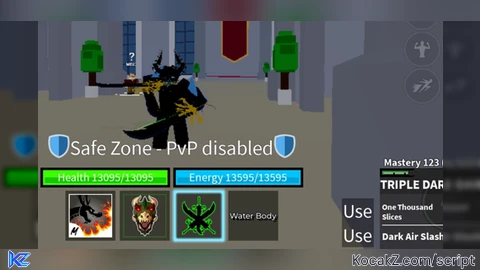

local player = game.Players.LocalPlayer
local gui = player:WaitForChild("PlayerGui")
    :WaitForChild("Main")
local label = gui:WaitForChild("[OLD]Radar")
local codes_button = gui:WaitForChild("Code")
local settings_button = gui:WaitForChild("Settings")
local dmg_counter_button = settings_button:WaitForChild("Buttons")
    :WaitForChild("DmgCounterButton")
local script_enabled = "Script enabled successfully."
local notifier_enabled = "Notifier enabled successfully."
local notifier_disabled = "Notifier disabled successfully."
local description = "Shows spawned fruits location."
local on = "Notifier (ON)"
local off = "Notifier (OFF)"
local location = "FRUIT DETECTED: "
local magnitude = "m away."
local collected = "Fruit despawned/collected."

if (game:GetService("LocalizationService").RobloxLocaleId == "pt-br") then
    script_enabled = "Script ativado com sucesso."
    notifier_enabled = "Notificador ativado com sucesso."
    notifier_disabled = "Notificador desativado com sucesso."
    description = "Mostra a localização das frutas spawnadas."
    on = "Notificador (ATIVADO)"
    off = "Notificador (DESATIVADO)"
    location = "FRUTA DETECTADA: "
    magnitude = "m de distância."
    collected = "Fruta despawnada/coletada."
end

-- if executed twice or more
if codes_button:FindFirstChild("NotifierLed") then
    return
end

-- creates led to indicate notifier status
local led = Instance.new("Frame")
led.BackgroundColor3 = Color3.fromRGB(255, 0, 0)
led.BackgroundTransparency = 0.3
led.Position = UDim2.new(1.3, 0, 0.35, 0)
led.Size = UDim2.new(0, 8, 0, 8)
led.Name = "NotifierLed"
led.Parent = codes_button
local border = Instance.new("UICorner", led)
border.CornerRadius = UDim.new(1)

-- creates notifier switch by making a copy of an existent blox fruits switch
local switch = dmg_counter_button:Clone()
switch.Notify.Text = description
switch.TextLabel.Text = off
switch.Name = "NotifierSwitch"
switch.Parent = dmg_counter_button.Parent

settings_button.Activated:Connect(function()
    switch.Visible = dmg_counter_button.Visible
end)

-- stores the connection, so after we can disconnect
-- on switch click (also used to check switch state)
local workspace_connection

-- displays text on the label that locates fruits
local function showText(text, time)
    label.Text = text
    label.Visible = true
    if (time ~= 0) then
        task.wait(time)
        label.Visible = false
    end
end

-- used when a fruit spawns
local function playSound(asset_id, pb_speed)
    local sound = Instance.new("Sound", workspace)
    sound.SoundId = asset_id
    sound.Volume = 1
    sound.PlaybackSpeed = pb_speed
    sound:Play()
    sound.Ended:Connect(function()
        sound:Destroy()
    end)
end

-- called when a fruit spawns
local function enableNotifier(fruit)
    local handle = fruit:WaitForChild("Handle")
    local fruit_alive = true
    playSound("rbxassetid://3997124966", 4)

    -- keeps updating the distance if fruit is alive and switch is on
    while fruit_alive and workspace_connection do
        local dist = math.floor((player.Character:WaitForChild("HumanoidRootPart").Position - handle.Position)
            .Magnitude * 0.15)
        showText(location .. dist .. magnitude, 0)
        task.wait(0.2)
        fruit_alive = workspace:FindFirstChild(fruit.Name)
    end

    if not fruit_alive then
        playSound("rbxassetid://4612375233", 1)
        showText(collected, 3)
    end
end

local function onSwitchClick()
    -- enables/disables workspace connection listening for children added
    if workspace_connection then          -- check if we are connected
        workspace_connection:Disconnect() -- disconnect the event and stop listening
        workspace_connection = nil
        led.BackgroundColor3 = Color3.fromRGB(255, 0, 0)
        switch.TextLabel.Text = off
        showText(notifier_disabled, 2)
    else
        led.BackgroundColor3 = Color3.fromRGB(0, 255, 0)
        switch.TextLabel.Text = on
        showText(notifier_enabled, 2)

        -- connect event and starts listening
        workspace_connection = workspace.ChildAdded:Connect(function(child)
            if child.Name == "Fruit " then -- intended space
                task.spawn(enableNotifier, child)
            end
        end)

        -- looks for an already spawned fruit (need workspace_connection)
        local fruit = workspace:FindFirstChild("Fruit ") -- intended space
        if fruit then
            task.spawn(enableNotifier, fruit)
        end
    end
end

showText(script_enabled, 3)
onSwitchClick()
switch.Activated:Connect(onSwitchClick)

-- euyogi
How to Execute Universal Script – Fruit notifier
Step 1: Copy Code: Click the Copy Code button in the viewer above to grab the clean Lua loadstring.
Step 2: Launch Executor: Open a compatible, unpatched executor. If you need one, check our Roblox Executors Directory.
Step 3: Join Experience: Launch Roblox and join Universal Script.
Step 4: Attach & Run: Attach/inject your executor into the Roblox process, paste the code into the script tab, and press Execute.
Features & Information
Script Changelog (1)
Community Comments (3)
Frequently Asked Questions
How do I execute Universal Script – Fruit notifier in Roblox?
To run Universal Script – Fruit notifier, copy the Lua loadstring from the code viewer above, launch Roblox and join Universal Script, attach a working executor (such as Potassium, Solara, or Delta from our Executors directory), paste the code into your executor console, and click Execute.
Is Universal Script – Fruit notifier keyless or does it require an access key?
Universal Script – Fruit notifier requires an access key. You can retrieve the official key directly using the Get Script Key link provided above.
Is Universal Script – Fruit notifier currently safe and working?
This script is active and operational. Always test scripts using a secondary (alt) Roblox account to safeguard your main profile against anti-cheat bans.


![Ez Hub [Open Source] [150+ games] - Verified script for Universal Script](https://media.kocakz.me/b74a9ac15370ba766b2fa9531f17c9dad2c0befb2b951693ae723e4c7d2c3fb6.webp)



![[KEYLESS] Moondiety Script | 20+ supported Games - Verified script for Universal Script](https://media.kocakz.me/6834c33a36c9fbe66afae4c6754c2b80386ce636b2f972464a95866f4b6a42eb.webp)




Xeno
How to use it?
i need an executor, can anyone pls help me?