loadstring(game:HttpGet("https://glot.io/snippets/h76idkfka7/raw/fle.ts"))()

-- Current Version : 7.2
-- Click the icon for available file in FileExec folder!
-- skid? nah bro you can't
-- why are you skidding other people's scripts? does it look good like that? if you want, learn, don't skid other people's scripts.
Features & Information
# FileExec
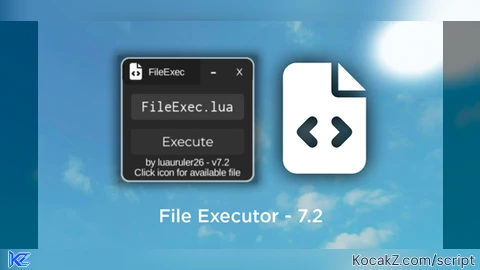
You can use this script to execute large scripts, but in file extension .
# How to Use?
First execute the script before adding the file in the "FileExec" folder, then, you have to go to your executor folder, and to the workspace folder, then find the "FileExec" folder and enter the file, and put the large script file into the folder, don't name the file too difficultly, then execute the script again after you put the script file in, write the file name in the Textbox, and press the execute button, it will execute the script in a jiffy, btw you can click the icon in titlebar for available file
# Documentation
You can learn how to create such a file system at this link:
https://github.com/unified-naming-convention/NamingStandard/blob/main/api/filesystem.md
# Credits
Assisted by @Xymatekidd0
Script made by me (@luauruler26)
i'm tired of writing
btw srry guys, this time not open source :(
100% made by me, not using chatgpt or other ai
#file#fileexecutor#modern#filesystem#humanmade






cool!
@Xymatekidd ty bro
Cool
change font and add an internal ui script executor, good release
What does this do?
Gpt lol
@Guyguywhonameroblox read desc
@CapyBurger nah bro
@L0stVeil dm me at this email: randomizedcode18@gmail.com
@luaruler26 why the heck i should email you
@L0stVeil yeah bro, i can't accept your request here
@luauruler26 it's got im viewed source ahhaha
@CapyBurger old version ahhaha