


KeylessUniversal
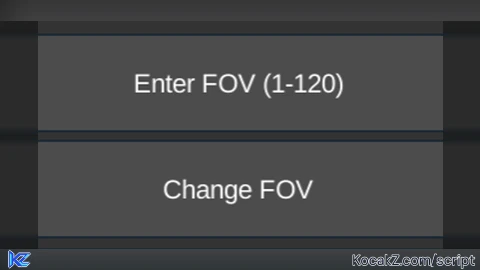
-- Create a ScreenGui
local screenGui = Instance.new("ScreenGui")
screenGui.Name = "FOVChanger"
screenGui.Parent = game.Players.LocalPlayer:WaitForChild("PlayerGui")

-- Create a Frame
local frame = Instance.new("Frame")
frame.Size = UDim2.new(0, 200, 0, 100)
frame.Position = UDim2.new(0.5, -100, 0.5, -50)
frame.BackgroundColor3 = Color3.new(0.2, 0.2, 0.2)
frame.Parent = screenGui

-- Create a TextBox
local textBox = Instance.new("TextBox")
textBox.Size = UDim2.new(0, 180, 0, 40)
textBox.Position = UDim2.new(0, 10, 0, 10)
textBox.Text = "Enter FOV (1-120)"
textBox.TextColor3 = Color3.new(1, 1, 1)
textBox.BackgroundColor3 = Color3.new(0.3, 0.3, 0.3)
textBox.ClearTextOnFocus = true
textBox.Parent = frame

-- Create a Button
local button = Instance.new("TextButton")
button.Size = UDim2.new(0, 180, 0, 40)
button.Position = UDim2.new(0, 10, 0, 55)
button.Text = "Change FOV"
button.TextColor3 = Color3.new(1, 1, 1)
button.BackgroundColor3 = Color3.new(0.3, 0.3, 0.3)
button.Parent = frame

-- Function to change FOV
local function changeFOV()
    local input = tonumber(textBox.Text)
    if input and input >= 1 and input <= 120 then
        game.Workspace.CurrentCamera.FieldOfView = input
        textBox.Text = "FOV set to " .. input
    else
        textBox.Text = "Invalid FOV! (1-120)"
    end
end

-- Connect the button to the function
button.MouseButton1Click:Connect(changeFOV)


Now work
I trust you
I change my mind I do not trust you
BRO I CANNOT MOVE THE * IT