
Key RequiredUniversal
-- Create the ScreenGui

local gui = gethui() -- Gets the hidden UI layer

-- Create the ScreenGui
local screenGui = Instance.new("ScreenGui")
screenGui.Parent = gui

-- Create the exit button
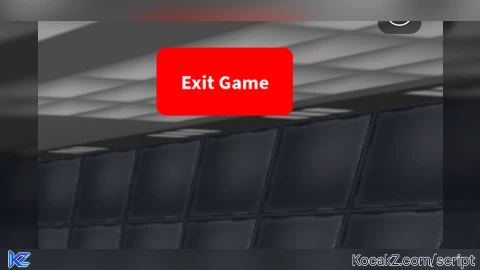
local exitButton = Instance.new("TextButton")
exitButton.Name = "ExitButton"
exitButton.Text = "Exit Game"
exitButton.Size = UDim2.new(0, 100, 0, 50)
exitButton.Position = UDim2.new(1, -110, 0, 10)
exitButton.AnchorPoint = Vector2.new(1, 0)
exitButton.BackgroundColor3 = Color3.fromRGB(255, 0, 0)
exitButton.TextColor3 = Color3.fromRGB(255, 255, 255)
exitButton.Font = Enum.Font.SourceSansBold
exitButton.TextSize = 18
exitButton.Parent = screenGui

-- Add corner radius to the button
local cornerRadius = Instance.new("UICorner")
cornerRadius.CornerRadius = UDim.new(0, 8)
cornerRadius.Parent = exitButton

-- Function to exit the game
local function exitGame()
    game:Shutdown()
end

-- Connect the button click to the exit function
exitButton.MouseButton1Click:Connect(exitGame)No comments yet for this script.