
Keyless VerifiedUniversal

-- LocalScript inside StarterGui

-- Create the ScreenGui
local player = game.Players.LocalPlayer
local screenGui = Instance.new("ScreenGui")
screenGui.Parent = player.PlayerGui  -- Parent it to PlayerGui

-- Create the Background Frame
local background = Instance.new("Frame")
background.Size = UDim2.new(0, 400, 0, 250)
background.Position = UDim2.new(0.5, -200, 0.5, -125)
background.BackgroundColor3 = Color3.fromRGB(50, 50, 50)  -- Grey/Blackish color
background.BorderSizePixel = 0
background.BackgroundTransparency = 0.5
background.BorderRadius = UDim.new(0, 10)  -- Smooth rounded edges
background.Parent = screenGui

-- Create Title TextLabel (E0POP)
local titleLabel = Instance.new("TextLabel")
titleLabel.Size = UDim2.new(0, 200, 0, 50)
titleLabel.Position = UDim2.new(0, 100, 0, 10)
titleLabel.Text = "E0POP"
titleLabel.TextColor3 = Color3.fromRGB(255, 255, 255)
titleLabel.BackgroundTransparency = 1
titleLabel.TextScaled = true
titleLabel.Font = Enum.Font.GothamBold
titleLabel.Parent = background

-- Rainbow Text effect for Title
local function rainbowText(label)
    local hue = 0
    game:GetService("RunService").RenderStepped:Connect(function()
        hue = (hue + 0.001) % 1
        label.TextColor3 = Color3.fromHSV(hue, 1, 1)
    end)
end
rainbowText(titleLabel)

-- Create the TextBox under the title
local textBox = Instance.new("TextBox")
textBox.Size = UDim2.new(0, 200, 0, 40)
textBox.Position = UDim2.new(0, 100, 0, 70)
textBox.PlaceholderText = "Enter code here"
textBox.BackgroundColor3 = Color3.fromRGB(30, 30, 30)
textBox.TextColor3 = Color3.fromRGB(255, 255, 255)
textBox.TextScaled = true
textBox.BorderSizePixel = 0
textBox.Parent = background

-- Create Inject Button
local injectButton = Instance.new("TextButton")
injectButton.Size = UDim2.new(0, 200, 0, 50)
injectButton.Position = UDim2.new(0, 100, 0, 120)
injectButton.Text = "Inject"
injectButton.BackgroundColor3 = Color3.fromRGB(100, 100, 100)
injectButton.TextColor3 = Color3.fromRGB(255, 255, 255)
injectButton.TextScaled = true
injectButton.Font = Enum.Font.GothamBold
injectButton.BorderSizePixel = 0
injectButton.Parent = background

-- Inject Button Functionality: Shows fake badge and enlarges the textbox
injectButton.MouseButton1Click:Connect(function()
    local badge = Instance.new("TextLabel")
    badge.Size = UDim2.new(0, 300, 0, 30)
    badge.Position = UDim2.new(0, 50, 0, 180)
    badge.Text = "E0POP Injected to Roblox"
    badge.BackgroundTransparency = 1
    badge.TextColor3 = Color3.fromRGB(255, 255, 255)
    badge.TextScaled = true
    badge.Parent = background

    -- Enlarge the TextBox
    textBox.Size = UDim2.new(0, 300, 0, 50)
end)

-- Create Execute Button
local executeButton = Instance.new("TextButton")
executeButton.Size = UDim2.new(0, 100, 0, 50)
executeButton.Position = UDim2.new(0, 10, 0, 200)
executeButton.Text = "Execute"
executeButton.BackgroundColor3 = Color3.fromRGB(100, 100, 100)
executeButton.TextColor3 = Color3.fromRGB(255, 255, 255)
executeButton.TextScaled = true
executeButton.Font = Enum.Font.GothamBold
executeButton.BorderSizePixel = 0
executeButton.Parent = screenGui

-- Execute Button Functionality: Executes the code from the textbox
executeButton.MouseButton1Click:Connect(function()
    local code = textBox.Text
    if code and code ~= "" then
        local success, errorMessage = pcall(loadstring(code))
        if not success then
            warn("Error executing code: " .. errorMessage)
        end
    end
end)

-- Create ESP Button
local espButton = Instance.new("TextButton")
espButton.Size = UDim2.new(0, 100, 0, 50)
espButton.Position = UDim2.new(0, 10, 0, 260)
espButton.Text = "ESP"
espButton.BackgroundColor3 = Color3.fromRGB(100, 100, 100)
espButton.TextColor3 = Color3.fromRGB(255, 255, 255)
espButton.TextScaled = true
espButton.Font = Enum.Font.GothamBold
espButton.BorderSizePixel = 0
espButton.Parent = screenGui

-- ESP Functionality: Highlights players with rainbow outlines and shows username
local function showESP()
    for _, player in ipairs(game.Players:GetPlayers()) do
        if player.Character and player.Character:FindFirstChild("Head") then
            local espPart = Instance.new("Frame")
            espPart.Size = UDim2.new(0, 2, 0, 2)
            espPart.Position = UDim2.new(0, 100, 0, 100)
            espPart.BackgroundColor3 = Color3.fromHSV(math.random(), 1, 1)  -- Rainbow color
            espPart.Parent = player.Character.Head
            espPart.ZIndex = 10  -- Ensure it's on top of everything

            -- Create a text label for the player's username
            local usernameLabel = Instance.new("TextLabel")
            usernameLabel.Size = UDim2.new(0, 100, 0, 20)
            usernameLabel.Position = UDim2.new(0, 0, 0, -20)
            usernameLabel.Text = player.Name
            usernameLabel.BackgroundTransparency = 1
            usernameLabel.TextColor3 = Color3.fromRGB(255, 255, 255)
            usernameLabel.TextScaled = true
            usernameLabel.Parent = espPart
        end
    end
end

-- ESP Button Click Event
espButton.MouseButton1Click:Connect(function()
    showESP()  -- Trigger ESP when button is clicked
end)

-- Make the background draggable
local dragging
local dragInput
local dragStart
local startPos

-- Function to update position while dragging
local function updateInput(input)
    local delta = input.Position - dragStart
    background.Position = UDim2.new(startPos.X.Scale, startPos.X.Offset + delta.X, startPos.Y.Scale, startPos.Y.Offset + delta.Y)
end

-- Mouse Input Detection
background.InputBegan:Connect(function(input)
    if input.UserInputType == Enum.UserInputType.MouseButton1 then
        dragging = true
        dragStart = input.Position
        startPos = background.Position
        input.Changed:Connect(function()
            if input.UserInputState == Enum.UserInputState.End then
                dragging = false
            end
        end)
    end
end)

-- Update position while dragging
background.InputChanged:Connect(function(input)
    if dragging and input.UserInputType == Enum.UserInputType.MouseMovement then
        updateInput(input)
    end
end)

--ik its not good ITS A WIP DUMBASS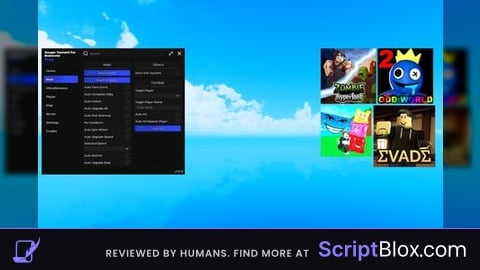

I just noticed the gui wasnt opening i will rework it