

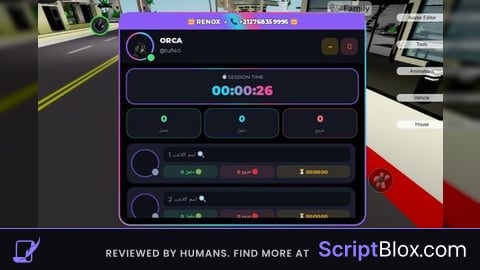
KeylessUniversal

-- CurseCombo Executer Script
-- Place this in a LocalScript inside StarterPlayer > StarterPlayerScripts or execute via an executor

local Players = game:GetService("Players")
local UserInputService = game:GetService("UserInputService")
local TweenService = game:GetService("TweenService")

local player = Players.LocalPlayer
local playerGui = player:WaitForChild("PlayerGui")

-- Create ScreenGui
local screenGui = Instance.new("ScreenGui")
screenGui.Name = "CurseCombo's Executer"
screenGui.Parent = playerGui
screenGui.ResetOnSpawn = false  -- Persist across respawns

-- Create main Frame
local mainFrame = Instance.new("Frame")
mainFrame.Name = "MainFrame"
mainFrame.Size = UDim2.new(0, 400, 0, 300)
mainFrame.Position = UDim2.new(0.5, -200, 0.5, -150)  -- Center on screen
mainFrame.BackgroundColor3 = Color3.fromRGB(35, 35, 35)
mainFrame.BorderSizePixel = 0
mainFrame.Visible = true
mainFrame.Parent = screenGui

-- Add corner rounding
local corner = Instance.new("UICorner")
corner.CornerRadius = UDim.new(0, 8)
corner.Parent = mainFrame

-- Title Label
local titleLabel = Instance.new("TextLabel")
titleLabel.Name = "Title"
titleLabel.Size = UDim2.new(1, 0, 0, 40)
titleLabel.Position = UDim2.new(0, 0, 0, 0)
titleLabel.BackgroundColor3 = Color3.fromRGB(25, 25, 25)
titleLabel.BorderSizePixel = 0
titleLabel.Text = "CurseCombo's Executer"
titleLabel.TextColor3 = Color3.fromRGB(255, 255, 255)
titleLabel.TextScaled = true
titleLabel.Font = Enum.Font.GothamBold
titleLabel.Parent = mainFrame

local titleCorner = Instance.new("UICorner")
titleCorner.CornerRadius = UDim.new(0, 8)
titleCorner.Parent = titleLabel

-- Close Button
local closeButton = Instance.new("TextButton")
closeButton.Name = "CloseButton"
closeButton.Size = UDim2.new(0, 30, 0, 30)
closeButton.Position = UDim2.new(1, -35, 0, 5)
closeButton.BackgroundColor3 = Color3.fromRGB(255, 85, 85)
closeButton.BorderSizePixel = 0
closeButton.Text = "X"
closeButton.TextColor3 = Color3.fromRGB(255, 255, 255)
closeButton.TextScaled = true
closeButton.Font = Enum.Font.GothamBold
closeButton.Parent = titleLabel

local closeCorner = Instance.new("UICorner")
closeCorner.CornerRadius = UDim.new(0, 4)
closeCorner.Parent = closeButton

-- Script TextBox
local scriptBox = Instance.new("TextBox")
scriptBox.Name = "ScriptBox"
scriptBox.Size = UDim2.new(1, -20, 1, -80)
scriptBox.Position = UDim2.new(0, 10, 0, 50)
scriptBox.BackgroundColor3 = Color3.fromRGB(45, 45, 45)
scriptBox.BorderSizePixel = 0
scriptBox.Text = "-- Enter your script here\n-- Example:\nprint('Hello from CurseCombo!')"
scriptBox.TextColor3 = Color3.fromRGB(255, 255, 255)
scriptBox.TextScaled = false
scriptBox.TextSize = 14
scriptBox.Font = Enum.Font.Code
scriptBox.MultiLine = true
scriptBox.ClearTextOnFocus = false
scriptBox.Parent = mainFrame

local scriptCorner = Instance.new("UICorner")
scriptCorner.CornerRadius = UDim.new(0, 4)
scriptCorner.Parent = scriptBox

-- Execute Button
local executeButton = Instance.new("TextButton")
executeButton.Name = "ExecuteButton"
executeButton.Size = UDim2.new(1, -20, 0, 30)
executeButton.Position = UDim2.new(0, 10, 1, -40)
executeButton.BackgroundColor3 = Color3.fromRGB(85, 255, 85)
executeButton.BorderSizePixel = 0
executeButton.Text = "Execute Script"
executeButton.TextColor3 = Color3.fromRGB(0, 0, 0)
executeButton.TextScaled = true
executeButton.Font = Enum.Font.GothamBold
executeButton.Parent = mainFrame

local executeCorner = Instance.new("UICorner")
executeCorner.CornerRadius = UDim.new(0, 4)
executeCorner.Parent = executeButton

-- Toggle Button (Open CurseCombo's Executer)
local toggleButton = Instance.new("TextButton")
toggleButton.Name = "ToggleButton"
toggleButton.Size = UDim2.new(0, 150, 0, 40)
toggleButton.Position = UDim2.new(1, -160, 1, -50)  -- Bottom-right corner
toggleButton.BackgroundColor3 = Color3.fromRGB(25, 25, 25)
toggleButton.BorderSizePixel = 0
toggleButton.Text = "Open CurseCombo's Executer"
toggleButton.TextColor3 = Color3.fromRGB(255, 255, 255)
toggleButton.TextScaled = true
toggleButton.Font = Enum.Font.GothamBold
toggleButton.Visible = false
toggleButton.Parent = screenGui

local toggleCorner = Instance.new("UICorner")
toggleCorner.CornerRadius = UDim.new(0, 6)
toggleCorner.Parent = toggleButton

-- Dragging functionality for mainFrame
local dragging = false
local dragStart = nil
local startPos = nil

local function updateInput(input)
    local delta = input.Position - dragStart
    mainFrame.Position = UDim2.new(startPos.X.Scale, startPos.X.Offset + delta.X, startPos.Y.Scale, startPos.Y.Offset + delta.Y)
end

titleLabel.InputBegan:Connect(function(input)
    if input.UserInputType == Enum.UserInputType.MouseButton1 then
        dragging = true
        dragStart = input.Position
        startPos = mainFrame.Position
        input.Changed:Connect(function()
            if input.UserInputState == Enum.UserInputState.End then
                dragging = false
            end
        end)
    end
end)

titleLabel.InputChanged:Connect(function(input)
    if input.UserInputType == Enum.UserInputType.MouseMovement and dragging then
        updateInput(input)
    end
end)

-- Close button functionality (hide main, show toggle)
closeButton.MouseButton1Click:Connect(function()
    mainFrame.Visible = false
    toggleButton.Visible = true
end)

-- Toggle button functionality (show main, hide toggle)
toggleButton.MouseButton1Click:Connect(function()
    toggleButton.Visible = false
    mainFrame.Visible = true
    -- Reset position and animate pop-up
    mainFrame.Size = UDim2.new(0, 0, 0, 0)
    mainFrame.Position = UDim2.new(0.5, 0, 0.5, 0)
    local tween = TweenService:Create(mainFrame, TweenInfo.new(0.3, Enum.EasingStyle.Back), {
        Size = UDim2.new(0, 400, 0, 300),
        Position = UDim2.new(0.5, -200, 0.5, -150)
    })
    tween:Play()
end)

-- Execute button functionality
executeButton.MouseButton1Click:Connect(function()
    local scriptText = scriptBox.Text
    if scriptText and scriptText ~= "" then
        local success, error = pcall(function()
            loadstring(scriptText)()
        end)
        if not success then
            warn("Script execution error: " .. tostring(error))
            -- Optional: Show error in GUI (you can add a label for errors)
        end
    end
end)

-- Initial pop-up animation
mainFrame.Size = UDim2.new(0, 0, 0, 0)
mainFrame.Position = UDim2.new(0.5, 0, 0.5, 0)
local initialTween = TweenService:Create(mainFrame, TweenInfo.new(0.3, Enum.EasingStyle.Back), {
    Size = UDim2.new(0, 400, 0, 300),
    Position = UDim2.new(0.5, -200, 0.5, -150)
})
initialTween:Play()
ai?
@Kyoto_ ye made with ai
Try it
@Kyoto_ made with ai and edited.
@CursedScripts yes it cool and sometimes it does not execute the script