
KeylessUniversal
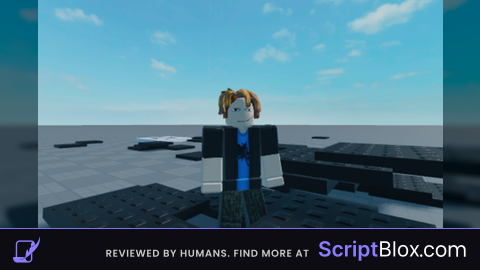
-- LocalScript in StarterPlayerScripts (Mobile/PC Compatible)

local Player = game.Players.LocalPlayer
local Mouse = Player:GetMouse()
local UIS = game:GetService("UserInputService")
local Workspace = game:GetService("Workspace")

-- Part constants
local SIZE = Vector3.new(5, 0.5, 5) -- 0.5 studs flat
local BLACK = Color3.new(0, 0, 0)

local function onClick(input, GPE)
    -- Check for left click OR touch input, and ensure no UI blocking (GPE)
    local isPrimaryAction = (input.UserInputType == Enum.UserInputType.MouseButton1) or
    (input.UserInputType == Enum.UserInputType.Touch and input.UserInputState == Enum.UserInputState.Begin)

    if isPrimaryAction and not GPE then

        -- Check if the mouse/touch is pointing at a physical object (not the sky)
        local target = Mouse.Target
        if target then
            local p = Instance.new("Part")
            p.Size = SIZE
            p.Color = BLACK
            p.Anchored = true

            -- Place the part centered on the click spot, offset half its thickness up
            local pos = Mouse.Hit.Position + Vector3.new(0, SIZE.Y / 2, 0)
            p.CFrame = CFrame.new(pos)

            p.Parent = Workspace
        end
    end
end

UIS.InputBegan:Connect(onClick)

bro ia why is ia the script says local script in staterplayerscript