

KeylessUniversal
local TweenService = game:GetService("TweenService")
local Players = game:GetService("Players")
local UserInputService = game:GetService("UserInputService")
local Player = Players.LocalPlayer
local PlayerGui = Player:WaitForChild("PlayerGui")

-- Wait for PlayerGui to be ready
if not PlayerGui then
	Player.CharacterAdded:Wait()
	PlayerGui = Player:WaitForChild("PlayerGui")
end

-- Create ScreenGui
local gui = Instance.new("ScreenGui")
gui.Name = "AnimatedToggleGUI"
gui.ResetOnSpawn = false
gui.Parent = PlayerGui

-- Create Main Frame
local main = Instance.new("Frame")
main.Size = UDim2.new(0, 150, 0, 50)
main.Position = UDim2.new(0.5, -75, 0.5, -25)
main.BackgroundColor3 = Color3.fromRGB(25, 25, 25)
main.BorderSizePixel = 0
main.AnchorPoint = Vector2.new(0.5, 0.5)
main.Active = true -- Required for draggable
main.Draggable = true -- Makes the frame draggable
main.Parent = gui

-- Add corner to the main frame
local mainCorner = Instance.new("UICorner")
mainCorner.CornerRadius = UDim.new(0, 8)
mainCorner.Parent = main

-- Create Label
local label = Instance.new("TextLabel")
label.Size = UDim2.new(1, -60, 1, 0)
label.Position = UDim2.new(0, 10, 0, 0)
label.BackgroundTransparency = 1
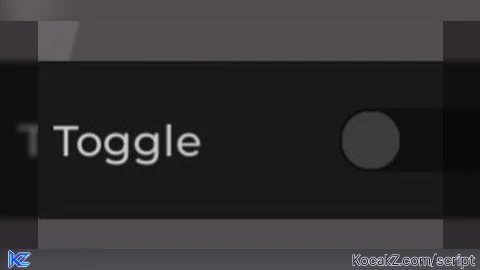
label.Text = "Toggle"
label.TextColor3 = Color3.fromRGB(200, 200, 200)
label.Font = Enum.Font.GothamSemibold
label.TextSize = 16
label.TextXAlignment = Enum.TextXAlignment.Left
label.TextYAlignment = Enum.TextYAlignment.Center
label.Parent = main

-- Create Toggle Background
local toggleBg = Instance.new("Frame")
toggleBg.Size = UDim2.new(0, 40, 0, 20)
toggleBg.Position = UDim2.new(1, -50, 0.5, -10)
toggleBg.BackgroundColor3 = Color3.fromRGB(15, 15, 15)
toggleBg.BorderSizePixel = 0
toggleBg.BackgroundTransparency = 0
toggleBg.ClipsDescendants = false -- Set to false for better visuals
toggleBg.Parent = main

-- Create corner on the toggle
local toggleCorner = Instance.new("UICorner")
toggleCorner.CornerRadius = UDim.new(0, 10)
toggleCorner.Parent = toggleBg

-- Create toggle circle
local circle = Instance.new("Frame")
circle.Size = UDim2.new(0, 18, 0, 18)
circle.Position = UDim2.new(0, 1, 0, 1)
circle.BackgroundColor3 = Color3.fromRGB(60, 60, 60) -- Dark gray (OFF)
circle.BorderSizePixel = 0
circle.Parent = toggleBg

local circleCorner = Instance.new("UICorner")
circleCorner.CornerRadius = UDim.new(1, 0)
circleCorner.Parent = circle

-- Toggle state
local toggled = false
local isAnimating = false

-- Tween Info
local tweenInfo = TweenInfo.new(0.25, Enum.EasingStyle.Quart, Enum.EasingDirection.Out)

-- Tween positions
local onTween = TweenService:Create(circle, tweenInfo, {
	Position = UDim2.new(1, -19, 0, 1),
	BackgroundColor3 = Color3.fromRGB(0, 170, 0) -- Soft green (ON)
})

local offTween = TweenService:Create(circle, tweenInfo, {
	Position = UDim2.new(0, 1, 0, 1),
	BackgroundColor3 = Color3.fromRGB(60, 60, 60) -- Dark gray (OFF)
})

-- Background color tweens
local bgOnTween = TweenService:Create(toggleBg, tweenInfo, {
	BackgroundColor3 = Color3.fromRGB(0, 100, 0) -- Dark green background
})

local bgOffTween = TweenService:Create(toggleBg, tweenInfo, {
	BackgroundColor3 = Color3.fromRGB(15, 15, 15) -- Very dark gray background
})

-- Toggle function
local function toggle()
	if isAnimating then return end -- Prevents spam clicking

	isAnimating = true
	toggled = not toggled

	if toggled then
		onTween:Play()
		bgOnTween:Play()
		print("Toggle ON") -- Debug
	else
		offTween:Play()
		bgOffTween:Play()
		print("Toggle OFF") -- Debug
	end

	-- Reset animation flag
	onTween.Completed:Connect(function()
		isAnimating = false
	end)
	offTween.Completed:Connect(function()
		isAnimating = false
	end)
end

-- Connect input events
toggleBg.InputBegan:Connect(function(input)
	if input.UserInputType == Enum.UserInputType.MouseButton1 or input.UserInputType == Enum.UserInputType.Touch then
		toggle()
	end
end)

-- Add mobile (touch) support
circle.InputBegan:Connect(function(input)
	if input.UserInputType == Enum.UserInputType.MouseButton1 or input.UserInputType == Enum.UserInputType.Touch then
		toggle()
	end
end)

-- Function to get the current toggle state (useful for other scripts)
function getToggleState()
	return toggled
end

-- Function to programmatically set the toggle state
function setToggleState(state)
	if state ~= toggled then
		toggle()
	end
end

-- Cleanup when the player leaves
Players.PlayerRemoving:Connect(function(player)
	if player == Player then
		gui:Destroy()
	end
end)No comments yet for this script.
![[KEYLESS] Moondiety Script | 17+ supported Games](https://scriptblox.com/images/sb/0-1753093706828.png)

