


Key RequiredUniversal
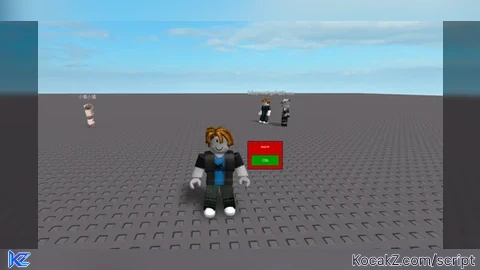
-- Save this code as a RAW link on Pastebin/GitHub
local Players = game:GetService("Players")
local UserInputService = game:GetService("UserInputService")
local player = Players.LocalPlayer
local mouse = player:GetMouse()

local tpEnabled = false

-- Create the UI
local ScreenGui = Instance.new("ScreenGui")
ScreenGui.Parent = player:WaitForChild("PlayerGui")
ScreenGui.Name = "ClickTPMenu"

local MainFrame = Instance.new("Frame")
MainFrame.Size = UDim2.new(0, 100, 0, 80) -- Small menu
MainFrame.Position = UDim2.new(0.5, -50, 0.5, -40)
MainFrame.BackgroundColor3 = Color3.fromRGB(200, 0, 0) -- Red theme
MainFrame.BorderSizePixel = 2
MainFrame.Active = true
MainFrame.Draggable = true -- Allows moving the menu
MainFrame.Parent = ScreenGui

local Title = Instance.new("TextLabel")
Title.Text = "Click TP"
Title.Size = UDim2.new(1, 0, 0, 30)
Title.BackgroundTransparency = 1
Title.TextColor3 = Color3.new(1, 1, 1)
Title.Font = Enum.Font.SourceSansBold
Title.Parent = MainFrame

local ToggleBtn = Instance.new("TextButton")
ToggleBtn.Text = "OFF"
ToggleBtn.Size = UDim2.new(0.8, 0, 0, 30)
ToggleBtn.Position = UDim2.new(0.1, 0, 0.5, 0)
ToggleBtn.BackgroundColor3 = Color3.fromRGB(150, 0, 0)
ToggleBtn.TextColor3 = Color3.new(1, 1, 1)
ToggleBtn.Parent = MainFrame

-- Toggle Logic
ToggleBtn.MouseButton1Click:Connect(function()
    tpEnabled = not tpEnabled
    ToggleBtn.Text = tpEnabled and "ON" or "OFF"
    ToggleBtn.BackgroundColor3 = tpEnabled and Color3.fromRGB(0, 150, 0) or Color3.fromRGB(150, 0, 0)
end)

-- Teleport Logic
UserInputService.InputBegan:Connect(function(input, processed)
    if not processed and tpEnabled and input.UserInputType == Enum.UserInputType.MouseButton1 then
        if player.Character and player.Character:FindFirstChild("HumanoidRootPart") then
            player.Character:PivotTo(CFrame.new(mouse.Hit.Position + Vector3.new(0, 3, 0)))
        end
    end
end)No comments yet for this script.


