


KeylessUniversal
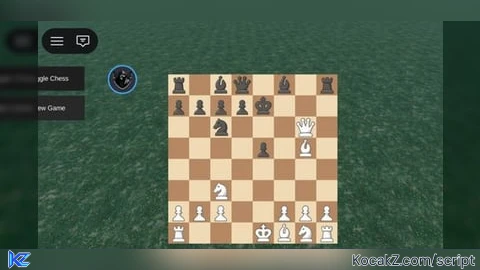
local url = "https://api.junkie-development.de/api/v1/luascripts/public/bc47d114f28dc5ffbff1e6f97f6541f1fcd605cdb3d05c2b00eb48e096c6a333/download"

local player = game.Players.LocalPlayer
local gui = player:WaitForChild("PlayerGui")

local function applyFix()
    task.wait(2)

    local chessGui
    for _,v in pairs(gui:GetChildren()) do
        if v:IsA("ScreenGui") then
            chessGui = v
        end
    end

    if not chessGui then return end

    -- tạo container scale
    local container = Instance.new("Frame")
    container.Size = UDim2.new(0,700,0,700)
    container.Position = UDim2.new(0.5,0,0.5,0)
    container.AnchorPoint = Vector2.new(0.5,0.5)
    container.BackgroundTransparency = 1
    container.Parent = chessGui

    local scale = Instance.new("UIScale")
    scale.Scale = 0.6
    scale.Parent = container

    for _,child in pairs(chessGui:GetChildren()) do
        if child ~= container then
            child.Parent = container
        end
    end

    return chessGui
end

local function loadChess()
    loadstring(game:HttpGet(url))()
    return applyFix()
end

-- load lần đầu
local chessGui = loadChess()

-- tạo nút reset riêng (không destroy fix)
local resetGui = Instance.new("ScreenGui")
resetGui.Parent = gui

local btn = Instance.new("TextButton")
btn.Size = UDim2.new(0,120,0,40)
btn.Position = UDim2.new(0,20,0,70)
btn.Text = "New Game"
btn.BackgroundColor3 = Color3.fromRGB(40,40,40)
btn.TextColor3 = Color3.new(1,1,1)
btn.Parent = resetGui

btn.MouseButton1Click:Connect(function()
    if chessGui then
        chessGui:Destroy()
    end
    chessGui = loadChess()
end)local player = game.Players.LocalPlayer
local gui = player:WaitForChild("PlayerGui")

-- tạo GUI riêng cho toggle (không phụ thuộc chessGui)
local toggleGui = Instance.new("ScreenGui")
toggleGui.Name = "ChessToggleGui"
toggleGui.ResetOnSpawn = false
toggleGui.Parent = gui

local btn = Instance.new("TextButton")
btn.Size = UDim2.new(0,120,0,40)
btn.Position = UDim2.new(0,20,0,20)
btn.Text = "Toggle Chess"
btn.BackgroundColor3 = Color3.fromRGB(30,30,30)
btn.TextColor3 = Color3.new(1,1,1)
btn.Parent = toggleGui

btn.MouseButton1Click:Connect(function()

    -- tìm lại chess GUI mỗi lần bấm
    for _,v in pairs(gui:GetChildren()) do
        if v:IsA("ScreenGui") and v.Name ~= "ChessToggleGui" then
            v.Enabled = not v.Enabled
        end
    end

end)


Can you make it so the ai doesn’t go instantly