


KeylessUniversal
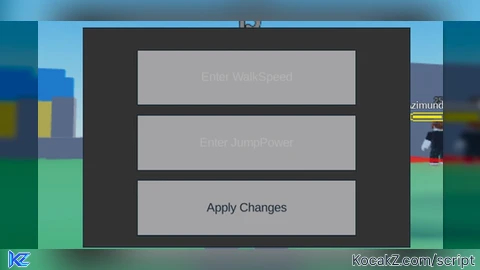
local screenGui = Instance.new("ScreenGui")
screenGui.Parent = game.Players.LocalPlayer:WaitForChild("PlayerGui")


local frame = Instance.new("Frame")
frame.Size = UDim2.new(0, 300, 0, 200)
frame.Position = UDim2.new(0.5, -150, 0.5, -100)
frame.BackgroundColor3 = Color3.fromRGB(50, 50, 50)
frame.Active = true -- This enables user input on the frame
frame.Draggable = true -- This makes the frame draggable
frame.Parent = screenGui


local walkSpeedBox = Instance.new("TextBox")
walkSpeedBox.Size = UDim2.new(0, 200, 0, 50)
walkSpeedBox.Position = UDim2.new(0, 50, 0, 20)
walkSpeedBox.PlaceholderText = "Enter WalkSpeed"
walkSpeedBox.Text = ""
walkSpeedBox.Parent = frame

local jumpPowerBox = Instance.new("TextBox")
jumpPowerBox.Size = UDim2.new(0, 200, 0, 50)
jumpPowerBox.Position = UDim2.new(0, 50, 0, 80)
jumpPowerBox.PlaceholderText = "Enter JumpPower"
jumpPowerBox.Text = ""
jumpPowerBox.Parent = frame


local applyButton = Instance.new("TextButton")
applyButton.Size = UDim2.new(0, 200, 0, 50)
applyButton.Position = UDim2.new(0, 50, 0, 140)
applyButton.Text = "Apply Changes"
applyButton.Parent = frame


applyButton.MouseButton1Click:Connect(function()
    local player = game.Players.LocalPlayer
    if player.Character then
        local humanoid = player.Character:FindFirstChildOfClass("Humanoid")
        if humanoid then
            local walkSpeed = tonumber(walkSpeedBox.Text)
            local jumpPower = tonumber(jumpPowerBox.Text)

            if walkSpeed then
                humanoid.WalkSpeed = walkSpeed
            else
                warn("Invalid WalkSpeed input")
            end

            if jumpPower then
                humanoid.UseJumpPower =
                humanoid.JumpPower = jumpPower
            else
                warn("Invalid JumpPower input")
            end
        end
    end
end)
--made by Jacob
--UPDATE


I like it