


KeylessUniversal
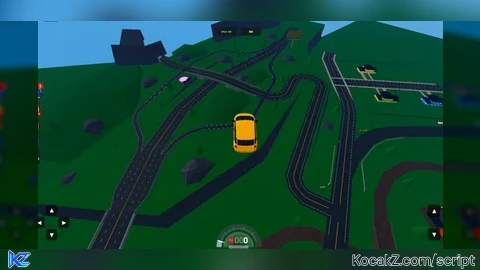
local Players = game:GetService("Players")
local RunService = game:GetService("RunService")
local UIS = game:GetService("UserInputService")

local player = Players.LocalPlayer
local camera = workspace.CurrentCamera

local flying = false
local scriptEnabled = true
_G.VehicleFlySpeed = 60

local attachment, linearVelocity, currentSeat, screenGui
local currentInputs = {w = false, s = false, a = false, d = false, up = false, down = false}

local function stopVFly()
    flying = false
    if _G.VFlyConnection then
        _G.VFlyConnection:Disconnect()
        _G.VFlyConnection = nil
    end
    if attachment then pcall(function() attachment:Destroy() end) end
    if linearVelocity then pcall(function() linearVelocity:Destroy() end) end
    attachment, linearVelocity, currentSeat = nil, nil, nil
end

local function startVFly(seat)
    if flying then stopVFly() end
    if not scriptEnabled then return end
    currentSeat = seat
    flying = true

    pcall(function()
        attachment = Instance.new("Attachment", seat)

        linearVelocity = Instance.new("LinearVelocity")
        linearVelocity.Attachment0 = attachment
        linearVelocity.MaxForce = 9e5
        linearVelocity.VectorVelocity = Vector3.zero
        linearVelocity.Parent = seat
    end)

    _G.VFlyConnection = RunService.RenderStepped:Connect(function()
        if not flying or not currentSeat or not currentSeat:IsDescendantOf(workspace) then
            stopVFly()
            return
        end

        local moveDirection = Vector3.zero

        if UIS:IsKeyDown(Enum.KeyCode.W) or currentInputs.w then moveDirection = moveDirection + camera.CFrame.LookVector end
        if UIS:IsKeyDown(Enum.KeyCode.S) or currentInputs.s then moveDirection = moveDirection - camera.CFrame.LookVector end
        if UIS:IsKeyDown(Enum.KeyCode.A) or currentInputs.a then moveDirection = moveDirection - camera.CFrame.RightVector end
        if UIS:IsKeyDown(Enum.KeyCode.D) or currentInputs.d then moveDirection = moveDirection + camera.CFrame.RightVector end
        if UIS:IsKeyDown(Enum.KeyCode.Space) or currentInputs.up then moveDirection = moveDirection + Vector3.new(0, 1, 0) end
        if UIS:IsKeyDown(Enum.KeyCode.LeftShift) or currentInputs.down then moveDirection = moveDirection - Vector3.new(0, 1, 0) end

        if linearVelocity then
            if moveDirection.Magnitude > 0 then
                linearVelocity.VectorVelocity = moveDirection.Unit * _G.VehicleFlySpeed
            else
                linearVelocity.VectorVelocity = Vector3.zero
            end

            pcall(function()
                currentSeat.AssemblyLinearVelocity = linearVelocity.VectorVelocity

                local currentCFrame = currentSeat.CFrame
                local _, yRotation, _ = camera.CFrame:ToOrientation()

                currentSeat.CFrame = CFrame.new(currentCFrame.Position) * CFrame.fromOrientation(0, yRotation, 0)
                currentSeat.AssemblyAngularVelocity = Vector3.zero
            end)
        end
    end)
end

local function createMobileUI()
    if screenGui then screenGui:Destroy() end

    screenGui = Instance.new("ScreenGui")
    screenGui.Name = "VFlyMobileUI"
    screenGui.ResetOnSpawn = false
    screenGui.ZIndexBehavior = Enum.ZIndexBehavior.Sibling

    local dPad = Instance.new("Frame")
    dPad.Name = "DPad"
    dPad.Size = UDim2.new(0, 160, 0, 160)
    dPad.Position = UDim2.new(0, 40, 1, -200)
    dPad.BackgroundTransparency = 1
    dPad.Parent = screenGui

    local actionPad = Instance.new("Frame")
    actionPad.Name = "ActionPad"
    actionPad.Size = UDim2.new(0, 70, 0, 160)
    actionPad.Position = UDim2.new(1, -110, 1, -200)
    actionPad.BackgroundTransparency = 1
    actionPad.Parent = screenGui

    local function makeBtn(name, text, size, pos, parent, key)
        local btn = Instance.new("TextButton")
        btn.Name = name
        btn.Size = size
        btn.Position = pos
        btn.BackgroundColor3 = Color3.fromRGB(0, 0, 0)
        btn.BackgroundTransparency = 0.4
        btn.Text = text
        btn.TextColor3 = Color3.fromRGB(255, 255, 255)
        btn.TextSize = 24
        btn.Font = Enum.Font.SourceSansBold
        btn.Parent = parent

        local corner = Instance.new("UICorner")
        corner.CornerRadius = UDim.new(0, 12)
        corner.Parent = btn

        local stroke = Instance.new("UIStroke")
        stroke.Color = Color3.fromRGB(255, 255, 255)
        stroke.Thickness = 1.5
        stroke.Transparency = 0.5
        stroke.Parent = btn

        btn.MouseButton1Down:Connect(function()
            currentInputs[key] = true
            btn.BackgroundTransparency = 0.1
            btn.TextColor3 = Color3.fromRGB(255, 250, 150)
        end)

        btn.MouseButton1Up:Connect(function()
            currentInputs[key] = false
            btn.BackgroundTransparency = 0.4
            btn.TextColor3 = Color3.fromRGB(255, 255, 255)
        end)

        btn.MouseLeave:Connect(function()
            currentInputs[key] = false
            btn.BackgroundTransparency = 0.4
            btn.TextColor3 = Color3.fromRGB(255, 255, 255)
        end)
    end

    makeBtn("W", "▲", UDim2.new(0, 50, 0, 50), UDim2.new(0.5, -25, 0, 0), dPad, "w")
    makeBtn("S", "▼", UDim2.new(0, 50, 0, 50), UDim2.new(0.5, -25, 1, -50), dPad, "s")
    makeBtn("A", "◀", UDim2.new(0, 50, 0, 50), UDim2.new(0, 0, 0.5, -25), dPad, "a")
    makeBtn("D", "▶", UDim2.new(0, 50, 0, 50), UDim2.new(1, -50, 0.5, -25), dPad, "d")

    makeBtn("Up", "▲", UDim2.new(0, 55, 0, 55), UDim2.new(0, 0, 0, 0), actionPad, "up")
    makeBtn("Down", "▼", UDim2.new(0, 55, 0, 55), UDim2.new(0, 0, 1, -55), actionPad, "down")

    local toggleBtn = Instance.new("TextButton")
    toggleBtn.Name = "Toggle"
    toggleBtn.Size = UDim2.new(0, 90, 0, 38)
    toggleBtn.Position = UDim2.new(0.5, -100, 0, 25)
    toggleBtn.BackgroundColor3 = Color3.fromRGB(20, 20, 20)
    toggleBtn.BackgroundTransparency = 0.3
    toggleBtn.Text = "VFLY: ON"
    toggleBtn.TextColor3 = Color3.fromRGB(100, 255, 100)
    toggleBtn.TextSize = 14
    toggleBtn.Font = Enum.Font.SourceSansBold
    toggleBtn.Parent = screenGui

    local toggleCorner = Instance.new("UICorner")
    toggleCorner.CornerRadius = UDim.new(0, 6)
    toggleCorner.Parent = toggleBtn

    local speedInput = Instance.new("TextBox")
    speedInput.Name = "SpeedInput"
    speedInput.Size = UDim2.new(0, 90, 0, 38)
    speedInput.Position = UDim2.new(0.5, 10, 0, 25)
    speedInput.BackgroundColor3 = Color3.fromRGB(20, 20, 20)
    speedInput.BackgroundTransparency = 0.3
    speedInput.Text = tostring(_G.VehicleFlySpeed)
    speedInput.TextColor3 = Color3.fromRGB(255, 255, 100)
    speedInput.TextSize = 14
    speedInput.Font = Enum.Font.SourceSansBold
    speedInput.ClearTextOnFocus = false
    speedInput.Parent = screenGui

    local speedCorner = Instance.new("UICorner")
    speedCorner.CornerRadius = UDim.new(0, 6)
    speedCorner.Parent = speedInput

    local speedStroke = Instance.new("UIStroke")
    speedStroke.Color = Color3.fromRGB(255, 255, 255)
    speedStroke.Thickness = 1
    speedStroke.Transparency = 0.7
    speedStroke.Parent = speedInput

    speedInput.FocusLost:Connect(function(enterPressed)
        local num = tonumber(speedInput.Text)
        if num then
            _G.VehicleFlySpeed = num
        else
            speedInput.Text = tostring(_G.VehicleFlySpeed)
        end
    end)

    toggleBtn.Activated:Connect(function()
        scriptEnabled = not scriptEnabled
        if scriptEnabled then
            toggleBtn.Text = "VFLY: ON"
            toggleBtn.TextColor3 = Color3.fromRGB(100, 255, 100)
            local char = player.Character
            local humanoid = char and char:FindFirstChildOfClass("Humanoid")
            local seat = humanoid and humanoid.SeatPart
            if seat and seat:IsA("VehicleSeat") then startVFly(seat) end
        else
            toggleBtn.Text = "VFLY: OFF"
            toggleBtn.TextColor3 = Color3.fromRGB(255, 100, 100)
            stopVFly()
        end
    end)

    screenGui.Parent = player:WaitForChild("PlayerGui")
end

UIS.InputBegan:Connect(function(input, gameProcessed)
    if gameProcessed then return end
    if input.KeyCode == Enum.KeyCode.R then
        scriptEnabled = not scriptEnabled
        local char = player.Character
        local humanoid = char and char:FindFirstChildOfClass("Humanoid")
        local seat = humanoid and humanoid.SeatPart

        if scriptEnabled then
            if seat and seat:IsA("VehicleSeat") then startVFly(seat) end
        else
            stopVFly()
        end
    end
end)

local function setupCharacter(char)
    local humanoid = char:FindFirstChildOfClass("Humanoid")
    while not humanoid and char:IsDescendantOf(workspace) do
        task.wait(0.1)
        humanoid = char:FindFirstChildOfClass("Humanoid")
    end
    if not humanoid then return end

    if humanoid.SeatPart and humanoid.SeatPart:IsA("VehicleSeat") then
        startVFly(humanoid.SeatPart)
    end

    humanoid:GetPropertyChangedSignal("SeatPart"):Connect(function()
        local seat = humanoid.SeatPart
        if seat and seat:IsA("VehicleSeat") then
            startVFly(seat)
        else
            stopVFly()
        end
    end)
end

createMobileUI()
if player.Character then task.spawn(setupCharacter, player.Character) end
player.CharacterAdded:Connect(function(char)
    createMobileUI()
    setupCharacter(char)
end)No comments yet for this script.


