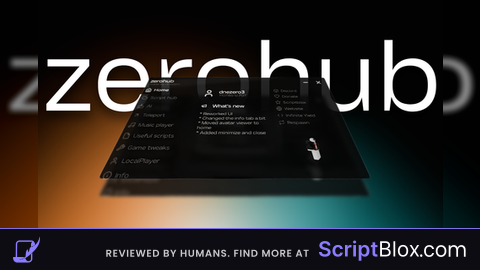
KeylessUniversal
local StarterGui = game:GetService("StarterGui")
local Players = game:GetService("Players")

local LocalPlayers = Players.LocalPlayer
StarterGui:SetCore("SendNotification", {
	Title = "Hello, " .. LocalPlayers.Name .. "!";
	Text = "Welcome to Thanhtai Scriptblox";
	Duration = 5; -- seconds
	Icon = "rbxassetid://5157788105"
})


-- GUI to Lua
-- Version: 0.0.3

-- Instances:

local ScreenGui = Instance.new("ScreenGui")
local Frame_1 = Instance.new("Frame")
local UICorner_1 = Instance.new("UICorner")
local UIStroke_1 = Instance.new("UIStroke")
local TextButton_1 = Instance.new("TextButton")
local UIStroke_2 = Instance.new("UIStroke")
local UICorner_2 = Instance.new("UICorner")
local TextLabel_1 = Instance.new("TextLabel")
local Epic_1 = Instance.new("TextLabel")
local TextButton2_1 = Instance.new("TextButton")
local UIStroke_3 = Instance.new("UIStroke")
local UICorner_3 = Instance.new("UICorner")
local ThisisButton_1 = Instance.new("TextButton")
local UIStroke_4 = Instance.new("UIStroke")
local UICorner_4 = Instance.new("UICorner")

-- Properties:
ScreenGui.Parent = game.Players.LocalPlayer:WaitForChild("PlayerGui")
ScreenGui.ResetOnSpawn = false
ScreenGui.ZIndexBehavior = Enum.ZIndexBehavior.Global

Frame_1.Parent = ScreenGui
Frame_1.BackgroundColor3 = Color3.fromRGB(56,56,56)
Frame_1.BackgroundTransparency = 0.10000000149011612
Frame_1.BorderColor3 = Color3.fromRGB(0,0,0)
Frame_1.BorderSizePixel = 0
Frame_1.Position = UDim2.new(0.304307103, 0,0.212100133, 0)
Frame_1.Size = UDim2.new(0, 333,0, 331)
Frame_1.Visible = false

UICorner_1.Parent = Frame_1

UIStroke_1.Parent = Frame_1
UIStroke_1.Color = Color3.fromRGB(26,26,26)
UIStroke_1.Thickness = 8.300000190734863

TextButton_1.Parent = Frame_1
TextButton_1.Active = true
TextButton_1.BackgroundColor3 = Color3.fromRGB(70,70,70)
TextButton_1.BackgroundTransparency = 0.10000000149011612
TextButton_1.BorderColor3 = Color3.fromRGB(0,0,0)
TextButton_1.BorderSizePixel = 0
TextButton_1.Position = UDim2.new(0.123123124, 0,0.577039301, 0)
TextButton_1.Size = UDim2.new(0, 251,0, 75)
TextButton_1.Font = Enum.Font.SourceSans
TextButton_1.Text = "First Person"
TextButton_1.TextColor3 = Color3.fromRGB(200,200,200)
TextButton_1.TextScaled = true
TextButton_1.TextSize = 14
TextButton_1.TextWrapped = true

UIStroke_2.Parent = TextButton_1
UIStroke_2.ApplyStrokeMode = Enum.ApplyStrokeMode.Border
UIStroke_2.Color = Color3.fromRGB(48,48,48)
UIStroke_2.Thickness = 7.300000190734863

UICorner_2.Parent = TextButton_1

TextLabel_1.Parent = Frame_1
TextLabel_1.BackgroundColor3 = Color3.fromRGB(255,255,255)
TextLabel_1.BackgroundTransparency = 1
TextLabel_1.BorderColor3 = Color3.fromRGB(0,0,0)
TextLabel_1.BorderSizePixel = 0
TextLabel_1.Position = UDim2.new(0.0450450443, 0,0, 0)
TextLabel_1.Size = UDim2.new(0, 300,0, 75)
TextLabel_1.Font = Enum.Font.SourceSans
TextLabel_1.Text = "CameraMode"
TextLabel_1.TextColor3 = Color3.fromRGB(200,200,200)
TextLabel_1.TextScaled = true
TextLabel_1.TextSize = 14
TextLabel_1.TextWrapped = true

Epic_1.Name = "Epic"
Epic_1.Parent = Frame_1
Epic_1.BackgroundColor3 = Color3.fromRGB(255,255,255)
Epic_1.BackgroundTransparency = 1
Epic_1.BorderColor3 = Color3.fromRGB(0,0,0)
Epic_1.BorderSizePixel = 0
Epic_1.Position = UDim2.new(0.720720649, 0,0.92749244, 0)
Epic_1.Size = UDim2.new(0, 93,0, 24)
Epic_1.Font = Enum.Font.SourceSans
Epic_1.Text = "Safety Script"
Epic_1.TextColor3 = Color3.fromRGB(200,200,200)
Epic_1.TextScaled = true
Epic_1.TextSize = 14
Epic_1.TextWrapped = true

TextButton2_1.Name = "TextButton2"
TextButton2_1.Parent = Frame_1
TextButton2_1.Active = true
TextButton2_1.BackgroundColor3 = Color3.fromRGB(70,70,70)
TextButton2_1.BackgroundTransparency = 0.10000000149011612
TextButton2_1.BorderColor3 = Color3.fromRGB(0,0,0)
TextButton2_1.BorderSizePixel = 0
TextButton2_1.Position = UDim2.new(0.123123124, 0,0.256797582, 0)
TextButton2_1.Size = UDim2.new(0, 251,0, 75)
TextButton2_1.Font = Enum.Font.SourceSans
TextButton2_1.Text = "Third Person"
TextButton2_1.TextColor3 = Color3.fromRGB(200,200,200)
TextButton2_1.TextScaled = true
TextButton2_1.TextSize = 14
TextButton2_1.TextWrapped = true

UIStroke_3.Parent = TextButton2_1
UIStroke_3.ApplyStrokeMode = Enum.ApplyStrokeMode.Border
UIStroke_3.Color = Color3.fromRGB(48,48,48)
UIStroke_3.Thickness = 7.300000190734863

UICorner_3.Parent = TextButton2_1

ThisisButton_1.Name = "ThisisButton"
ThisisButton_1.Parent = ScreenGui
ThisisButton_1.Active = true
ThisisButton_1.BackgroundColor3 = Color3.fromRGB(70,70,70)
ThisisButton_1.BackgroundTransparency = 0.10000000149011612
ThisisButton_1.BorderColor3 = Color3.fromRGB(0,0,0)
ThisisButton_1.BorderSizePixel = 0
ThisisButton_1.Position = UDim2.new(-0.000714843627, 0,0.49142611, 0)
ThisisButton_1.Size = UDim2.new(0, 200,0, 50)
ThisisButton_1.Font = Enum.Font.SourceSans
ThisisButton_1.Text = "Open"
ThisisButton_1.TextColor3 = Color3.fromRGB(200,200,200)
ThisisButton_1.TextScaled = true
ThisisButton_1.TextSize = 14
ThisisButton_1.TextWrapped = true

UIStroke_4.Parent = ThisisButton_1
UIStroke_4.ApplyStrokeMode = Enum.ApplyStrokeMode.Border
UIStroke_4.Color = Color3.fromRGB(48,48,48)
UIStroke_4.Thickness = 7.300000190734863

UICorner_4.Parent = ThisisButton_1

local function oqddmBbiNDpJUqpH()
local script = Instance.new("LocalScript",Frame_1)
local thirdperson = script.Parent.TextButton2
local firstperson = script.Parent.TextButton

firstperson.MouseButton1Down:Connect(function()
	game.Players.LocalPlayer.CameraMode = Enum.CameraMode.LockFirstPerson
end)

thirdperson.MouseButton1Down:Connect(function()
	game.Players.LocalPlayer.CameraMode = Enum.CameraMode.Classic
end)
end
coroutine.wrap(oqddmBbiNDpJUqpH)()


local function TnJouNrUGiavYkvv()
local script = Instance.new("LocalScript",Frame_1)
local frame = script.Parent  -- The frame that you want to make draggable
local dragToggle = nil  -- Boolean to track if the drag has started
local dragStart = nil  -- Store the initial position of the mouse
local startPos = nil  -- Store the initial position of the frame

-- Create a tween service for smooth movement
local tweenService = game:GetService("TweenService")

-- Function to handle mouse input for dragging
frame.InputBegan:Connect(function(input, gameProcessed)
	if gameProcessed then return end

	-- Check if the input is a left mouse button press
	if input.UserInputType == Enum.UserInputType.MouseButton1 then
		dragToggle = true
		dragStart = input.Position  -- Capture the mouse's starting position
		startPos = frame.Position  -- Capture the frame's starting position
	end
end)

frame.InputEnded:Connect(function(input)
	if input.UserInputType == Enum.UserInputType.MouseButton1 then
		dragToggle = false
	end
end)

game:GetService("UserInputService").InputChanged:Connect(function(input)
	if dragToggle and input.UserInputType == Enum.UserInputType.MouseMovement then
		-- Calculate the difference in mouse position from the start
		local delta = input.Position - dragStart
		-- Calculate the target position
		local targetPosition = UDim2.new(startPos.X.Scale, startPos.X.Offset + delta.X, startPos.Y.Scale, startPos.Y.Offset + delta.Y)

		-- Create a tween for smooth movement
		local tweenInfo = TweenInfo.new(0.2, Enum.EasingStyle.Quad, Enum.EasingDirection.Out)  -- 0.2 seconds, quad easing out
		local tween = tweenService:Create(frame, tweenInfo, {Position = targetPosition})

		-- Play the tween to smoothly move the frame
		tween:Play()
	end
end)

end
coroutine.wrap(TnJouNrUGiavYkvv)()


local function ZyFPNbpCrELXWIUp()
local script = Instance.new("LocalScript",ThisisButton_1)
local button = script.Parent
local Frame = script.Parent.Parent.Frame

button.MouseButton1Down:Connect(function()
	-- Toggle frame visibility
	if Frame.Visible then
		-- If the frame is visible, hide it
		Frame.Visible = false
		button.Text = "Open"
	else
		-- If the frame is hidden, show it
		Frame.Visible = true
		button.Text = "Close"
	end
end)

end
coroutine.wrap(ZyFPNbpCrELXWIUp)()No comments yet for this script.