


KeylessUniversal
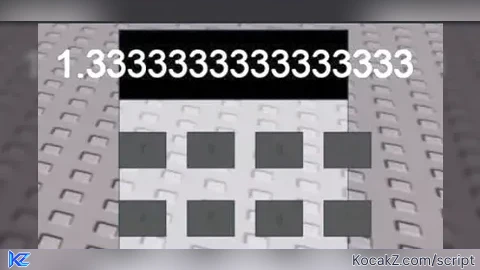
local player = game.Players.LocalPlayer
local gui = Instance.new("ScreenGui")
local frame = Instance.new("Frame")
local display = Instance.new("TextLabel")
local buttons = {}
local isDragging = false
local offset = Vector2.new()

-- Stellen Sie die GUI-Elemente ein
gui.Parent = player.PlayerGui
gui.Name = "CalculatorGUI"
frame.Parent = gui
frame.Size = UDim2.new(0, 200, 0, 300)
frame.Position = UDim2.new(0.5, -100, 0.5, -150)
frame.BackgroundTransparency = 0.5

display.Parent = frame
display.Size = UDim2.new(1, 0, 0.2, 0)
display.TextSize = 24
display.BackgroundColor3 = Color3.new(0, 0, 0)
display.TextColor3 = Color3.new(1, 1, 1)
display.Text = "0"

-- Funktion zum Hinzufügen von Schaltflächen
local function addButton(text, x, y)
    local button = Instance.new("TextButton")
    button.Parent = frame
    button.Size = UDim2.new(0.2, 0, 0.1, 0)
    button.Position = UDim2.new(x, 0, y, 0)
    button.BackgroundColor3 = Color3.new(0.2, 0.2, 0.2)
    button.Text = text
    button.MouseButton1Click:Connect(function()
        -- Hier fügen Sie die Logik für die Schaltflächen hinzu
        if text == "=" then
            -- Berechnung durchführen und Ergebnis anzeigen
            local result = loadstring("return " .. display.Text)()
            display.Text = tostring(result)
        elseif text == "C" then
            -- Löschen Sie den Anzeigetext
            display.Text = "0"
        else
            -- Zahlen und Operatoren hinzufügen
            if display.Text == "0" then
                display.Text = text
            else
                display.Text = display.Text .. text
            end
        end
    end)
    table.insert(buttons, button)
end

-- Erstellen Sie Schaltflächen
addButton("7", 0, 0.3)
addButton("8", 0.3, 0.3)
addButton("9", 0.6, 0.3)
addButton("/", 0.9, 0.3)
addButton("4", 0, 0.5)
addButton("5", 0.3, 0.5)
addButton("6", 0.6, 0.5)
addButton("*", 0.9, 0.5)
addButton("1", 0, 0.7)
addButton("2", 0.3, 0.7)
addButton("3", 0.6, 0.7)
addButton("-", 0.9, 0.7)
addButton("0", 0, 0.9)
addButton("C", 0.3, 0.9)
addButton("=", 0.6, 0.9)
addButton("+", 0.9, 0.9)

-- Implementieren Sie die Mausverschiebung
frame.InputBegan:Connect(function(input)
    if input.UserInputType == Enum.UserInputType.MouseButton1 then
        isDragging = true
        offset = frame.Position - UDim2.new(0, input.Position.X, 0, input.Position.Y)
    end
end)

frame.InputEnded:Connect(function(input)
    if input.UserInputType == Enum.UserInputType.MouseButton1 then
        isDragging = false
    end
end)

game:GetService("UserInputService").InputChanged:Connect(function(input)
    if isDragging and input.UserInputType == Enum.UserInputType.MouseMovement then
        frame.Position = UDim2.new(0, input.Position.X, 0, input.Position.Y) + offset
    end
end)


why would i use this booolshhhhhhit
gonna use this for my school 🔥
@v3r_ lol
Wtf is that UI Lmfao
who tf needs chat gpt calculator 😭😭😭😭😭😭 gonna use it for my college 🔥🔥🔥🔥
@expirevamp FR
@DaNoob i know its you and your done for good
@CrazyNooby, go find a batch of grass
and yeah ill leave you alone if you leave me alone so its settled, don't trash talk on my script page, and i wont on yours
@Danoob alright but remove the comments then + i dont TALK Trash talk watch ur self bro u just ruined ur profile
@DaNoob just dont spam NOT FE NOT FE NOT FE in comments just add NOT FE
who the fück would want this shït