


Key Required VerifiedUniversal
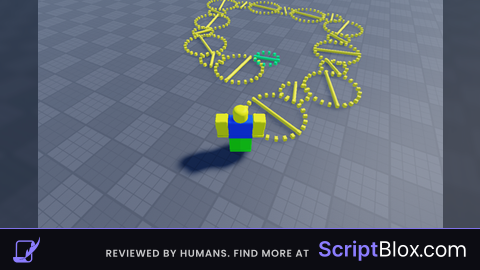
--// Precise Physics Offset GUI
local ScreenGui = Instance.new("ScreenGui")
local Frame = Instance.new("Frame")
local TextBox = Instance.new("TextBox")
local ApplyButton = Instance.new("TextButton")
local Status = Instance.new("TextLabel")

--// GUI Setup
ScreenGui.Parent = game:GetService("CoreGui")
Frame.Parent = ScreenGui
Frame.BackgroundColor3 = Color3.fromRGB(25, 25, 25)
Frame.Position = UDim2.new(0.5, -100, 0.5, -75)
Frame.Size = UDim2.new(0, 200, 0, 150)
Frame.Active = true
Frame.Draggable = true

TextBox.Parent = Frame
TextBox.Size = UDim2.new(0.8, 0, 0, 30)
TextBox.Position = UDim2.new(0.1, 0, 0.2, 0)
TextBox.PlaceholderText = "X, Y, Z (Ex: 0, -0.35, -0.25)"
TextBox.Text = "1.5, -0.5, 0"

ApplyButton.Parent = Frame
ApplyButton.Size = UDim2.new(0.8, 0, 0, 40)
ApplyButton.Position = UDim2.new(0.1, 0, 0.5, 0)
ApplyButton.Text = "Spawn Precise Weight"
ApplyButton.BackgroundColor3 = Color3.fromRGB(40, 90, 40)
ApplyButton.TextColor3 = Color3.new(1, 1, 1)

Status.Parent = Frame
Status.Size = UDim2.new(1, 0, 0, 20)
Status.Position = UDim2.new(0, 0, 0.85, 0)
Status.Text = "Ready"
Status.BackgroundTransparency = 1
Status.TextColor3 = Color3.new(0.7, 0.7, 0.7)

--// Logic
ApplyButton.MouseButton1Click:Connect(function()
    local char = game.Players.LocalPlayer.Character
    local root = char and char:FindFirstChild("HumanoidRootPart")

    if root then
        -- 1. Parse text and fix spacing
        local input = TextBox.Text:gsub("%s+", "")
        local values = string.split(input, ",")

        local x = tonumber(values[1]) or 0
        local y = tonumber(values[2]) or 0
        local z = tonumber(values[3]) or 0
        local offset = Vector3.new(x, y, z)

        -- 2. Cleanup old part
        if char:FindFirstChild("PhysicsGlitchPart") then char.PhysicsGlitchPart:Destroy() end

        -- 3. Create the Part
        local p = Instance.new("Part")
        p.Name = "PhysicsGlitchPart"
        p.Size = Vector3.new(0.5, 0.5, 0.5)
        p.Transparency = 1
        p.CanCollide = false
        p.Anchored = false
        p.Massless = false -- Part must have mass to affect physics
        p.Parent = char

        -- High Density shifts the Center of Mass effectively
        p.CustomPhysicalProperties = PhysicalProperties.new(200, 0.5, 0.5)

        -- 4. Position it EXACTLY at the offset relative to root
        p.CFrame = root.CFrame * CFrame.new(offset)

        -- 5. Weld it so it stays at that EXACT spot
        local weld = Instance.new("WeldConstraint")
        weld.Part0 = root
        weld.Part1 = p
        weld.Parent = p

        Status.Text = "Set to: " .. tostring(offset)
        Status.TextColor3 = Color3.new(0, 1, 0)
    else
        Status.Text = "Error: Character Not Found"
        Status.TextColor3 = Color3.new(1, 0, 0)
    end
end)

Uhmmm idk what to comment i gess test
@Alexkaboom ur that one YouTube guy u hack??