


KeylessUniversal
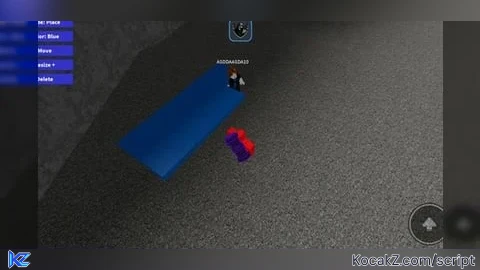
local Players = game:GetService("Players")
local ReplicatedStorage = game:GetService("ReplicatedStorage")
local player = Players.LocalPlayer
local mouse = player:GetMouse()

-- 💡 Auto-create BuildPart if it doesn't exist
local buildPart = ReplicatedStorage:FindFirstChild("BuildPart")
if not buildPart then
	buildPart = Instance.new("Part")
	buildPart.Name = "BuildPart"
	buildPart.Size = Vector3.new(4,1,4)
	buildPart.Anchored = true
	buildPart.Material = Enum.Material.SmoothPlastic
	buildPart.TopSurface = Enum.SurfaceType.Smooth
	buildPart.BottomSurface = Enum.SurfaceType.Smooth
	buildPart.BrickColor = BrickColor.Blue()
	buildPart.CanCollide = true
	buildPart.Parent = ReplicatedStorage
end

-- 🧰 Build Tool setup
local equipped = false

local tool = Instance.new("Tool")
tool.Name = "Build Tool"
tool.RequiresHandle = false
tool.Parent = player:WaitForChild("Backpack")

-- Settings
local gridSize = 4
local currentColor = BrickColor.Blue()
local colorOptions = {
	BrickColor.Blue(), BrickColor.Red(), BrickColor.Green(),
	BrickColor.Yellow(), BrickColor.White(), BrickColor.Black()
}
local colorIndex = 1

-- State
local placing = true
local selected
local selectionBox
local waitingToMove = false

-- UI setup (GUI hidden at first)
local gui = Instance.new("ScreenGui", player:WaitForChild("PlayerGui"))
gui.Name = "BuildGui"
gui.Enabled = false

local function makeBtn(name, text, y)
	local btn = Instance.new("TextButton")
	btn.Name = name
	btn.Size = UDim2.new(0, 160, 0, 30)
	btn.Position = UDim2.new(0, 10, 0, y)
	btn.Text = text
	btn.BackgroundColor3 = Color3.fromRGB(50, 50, 200)
	btn.TextColor3 = Color3.new(1,1,1)
	btn.Font = Enum.Font.SourceSansBold
	btn.TextSize = 20
	btn.Parent = gui
	return btn
end

local modeBtn = makeBtn("Mode", "Mode: Place", 10)
local colorBtn = makeBtn("Color", "Color: Blue", 50)
local moveBtn = makeBtn("Move", "Move", 90)
local resizeBtn = makeBtn("Resize", "Resize +", 130)
local deleteBtn = makeBtn("Delete", "Delete", 170)

-- Tool equip / unequip logic
tool.Equipped:Connect(function()
	equipped = true
	gui.Enabled = true
end)

tool.Unequipped:Connect(function()
	equipped = false
	gui.Enabled = false
	clearSelection()
	waitingToMove = false
end)

-- Helpers
local function snap(pos)
	return Vector3.new(
		math.floor(pos.X / gridSize + 0.5) * gridSize,
		math.floor(pos.Y / gridSize + 0.5) * gridSize,
		math.floor(pos.Z / gridSize + 0.5) * gridSize
	)
end

local function placePart(pos)
	local clone = buildPart:Clone()
	local p = snap(pos)
	clone.Position = Vector3.new(p.X, p.Y + clone.Size.Y/2, p.Z)
	clone.BrickColor = currentColor
	clone.Parent = workspace
end

local function selectPart(part)
	if selectionBox then selectionBox:Destroy() end
	selected = part
	selectionBox = Instance.new("SelectionBox")
	selectionBox.Adornee = part
	selectionBox.Color3 = Color3.new(1,1,0)
	selectionBox.Parent = part
end

local function clearSelection()
	if selectionBox then selectionBox:Destroy() end
	selected = nil
end

-- Mouse input
mouse.Button1Down:Connect(function()
	if not equipped then return end

	local pos = mouse.Hit.Position
	local target = mouse.Target

	if waitingToMove and selected then
		selected.Position = Vector3.new(snap(pos).X, snap(pos).Y + selected.Size.Y/2, snap(pos).Z)
		waitingToMove = false
		return
	end

	if placing then
		if target then
			local topY = target.Position.Y + target.Size.Y / 2
			local snapped = snap(Vector3.new(pos.X, topY, pos.Z))
			placePart(Vector3.new(snapped.X, snapped.Y, snapped.Z))
		else
			placePart(pos)
		end
	elseif target and target.Name == "BuildPart" then
		selectPart(target)
	end
end)

-- Button logic
modeBtn.MouseButton1Click:Connect(function()
	placing = not placing
	modeBtn.Text = placing and "Mode: Place" or "Mode: Select"
	if placing then clearSelection() end
end)

colorBtn.MouseButton1Click:Connect(function()
	colorIndex += 1
	if colorIndex > #colorOptions then colorIndex = 1 end
	currentColor = colorOptions[colorIndex]
	colorBtn.Text = "Color: " .. tostring(currentColor)
	if selected then selected.BrickColor = currentColor end
end)

moveBtn.MouseButton1Click:Connect(function()
	if selected then waitingToMove = true end
end)

resizeBtn.MouseButton1Click:Connect(function()
	if selected then
		selected.Size += Vector3.new(1,1,1)
		selected.Position += Vector3.new(0,0.5,0)
	end
end)

deleteBtn.MouseButton1Click:Connect(function()
	if selected then
		selected:Destroy()
		clearSelection()
	end
end)No comments yet for this script.


