
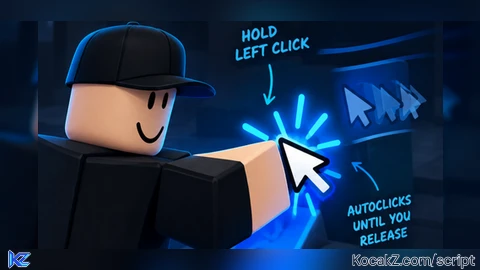

local env = (getgenv and getgenv()) or _G
if env.BetterAutoclickerCleanup then
    pcall(env.BetterAutoclickerCleanup)
end

local WindUI = loadstring(game:HttpGet("https://github.com/Footagesus/WindUI/releases/latest/download/main.lua"))()

local Players = game:GetService("Players")
local UIS = game:GetService("UserInputService")
local RunService = game:GetService("RunService")
local VirtualUser = game:GetService("VirtualUser")
local plr = Players.LocalPlayer
local mouse = plr:GetMouse()

local okVIM, VIM = pcall(function()
    return game:GetService("VirtualInputManager")
end)
if not okVIM then VIM = nil end

local METHODS = { "VirtualInputManager", "VirtualUser", "Tool:Activate()", "Executor (mouse1)" }
local enabled = true
local holdMs = 50
local targetCps = 20
local method = METHODS[1]
local ignoreUI = true
local MAX_PER_FRAME = 10
local PANIC = Enum.KeyCode.RightControl

local curClicks, totalClicks = 0, 0
local downsSeen, upsSeen = 0, 0
local fpsNow = 0
local fpsMax, fpsMin = 0, math.huge
local cpsMax, cpsMin = 0, math.huge
local lastCpf, cpfMax, cpfMin = 0, 0, math.huge

-- rolling 1s window of {time, clicks}, rSum is the live cps
local ring = {}
local rHead, rTail, rSum = 1, 0, 0

local function push(t, n)
    rTail = rTail + 1
    ring[rTail] = { t, n }
    rSum = rSum + n
end

local function prune(t)
    while rHead <= rTail and t - ring[rHead][1] > 1 do
        rSum = rSum - ring[rHead][2]
        ring[rHead] = nil
        rHead = rHead + 1
    end
end

local lmbDown = false
local downAt = 0
local uiPress = false
local needRelease = false
local clicking = false
local clickStart = 0
local acc = 0
local warned = false
local stopWhy = "-"
local frameN = 0
local alive = true
local lastSend = 0
local trustLedger = true
-- synthetic events we sent that UIS hasn't reported back yet
local pendUp, pendDown = 0, 0

local enableTog

local function doClick()
    if method == "VirtualInputManager" then
        if not VIM then
            return false, "VirtualInputManager is not available in this executor"
        end
        local pos = UIS:GetMouseLocation()
        local send = VIM.SendMouseButtonEvent

        -- stray down first so the up has something to release, not tracked
        pcall(send, VIM, pos.X, pos.Y, 0, true, game, 0)

        pendUp = pendUp + 1
        local ok, err = pcall(send, VIM, pos.X, pos.Y, 0, false, game, 0)
        if not ok then
            pendUp = pendUp - 1
            return false, err
        end

        pendDown = pendDown + 1
        ok, err = pcall(send, VIM, pos.X, pos.Y, 0, true, game, 0)
        if not ok then
            pendDown = pendDown - 1
            return false, err
        end

    elseif method == "mouse1press" then
        if not (mouse1release and mouse1press) then
            return false, "mouse1press/mouse1release are not available in this executor"
        end

        pendUp = pendUp + 1
        local ok, err = pcall(mouse1release)
        if not ok then
            pendUp = pendUp - 1
            return false, err
        end

        pendDown = pendDown + 1
        ok, err = pcall(mouse1press)
        if not ok then
            pendDown = pendDown - 1
            return false, err
        end

    elseif method == "Tool:Activate()" then
        local char = plr.Character
        local tool = char and char:FindFirstChildOfClass("Tool")
        if not tool then
            return false, "no tool is equipped"
        end
        tool:Activate()

    else
        VirtualUser:ClickButton1(Vector2.new(mouse.X, mouse.Y))
    end

    lastSend = os.clock()
    return true
end

local function stopClicking(why)
    clicking = false
    stopWhy = why
end

local function startClicking(now)
    clicking = true
    clickStart = now
    curClicks = 0
    upsSeen = 0
    trustLedger = true
    acc = 1 -- so it fires on the very first frame
    stopWhy = "-"
end

local hb = RunService.Heartbeat:Connect(function(dt)
    local now = os.clock()

    frameN = frameN + 1
    if dt > 0 then
        local f = 1 / dt
        if f > fpsMax then fpsMax = f end
        if f < fpsMin then fpsMin = f end
    end

    if not enabled then
        if clicking then stopClicking("disabled") end
        return
    end

    if not clicking then
        -- leftovers from a run that already ended
        if (pendUp > 0 or pendDown > 0) and now - lastSend > 0.5 then
            pendUp = 0
            pendDown = 0
        end

        if lmbDown and not needRelease and now - downAt >= holdMs / 1000 then
            if ignoreUI and uiPress then
                needRelease = true
            else
                startClicking(now)
            end
        end

        if not clicking then return end
    end

    -- been clicking a while and never saw our own release come back, so this
    -- method doesn't loop through UIS. stop swallowing releases or yours gets eaten
    local ledgerMethod = method == "VirtualInputManager" or method == "Executor (mouse1)"
    if ledgerMethod and trustLedger and now - clickStart > 0.6 and curClicks >= 3 and upsSeen == 0 then
        trustLedger = false
        pendUp = 0
        pendDown = 0
    end

    -- runaway guard
    if pendUp > 300 or pendDown > 300 then
        pendUp = 0
        pendDown = 0
    end

    -- clamp dt so a lag spike doesn't dump a pile of clicks at once
    local step = math.min(dt, 0.1)
    acc = acc + targetCps * step
    local n = math.floor(acc)
    acc = acc - n
    if n > MAX_PER_FRAME then n = MAX_PER_FRAME end

    local sent = 0
    for _ = 1, n do
        local ok, res, why = pcall(doClick)
        if not ok then
            why = res
            res = false
        end
        if not res then
            if not warned then
                warned = true
                warn("[Better Autoclicker] Click method '" .. method .. "' failed: " .. tostring(why)
                    .. " - pick a different Click Method.")
            end
            stopWhy = "send failed: " .. tostring(why)
            break
        end
        sent = sent + 1
        curClicks = curClicks + 1
        totalClicks = totalClicks + 1
    end

    push(now, sent)
    prune(now)
    lastCpf = sent
    if sent > cpfMax then cpfMax = sent end
    if sent < cpfMin then cpfMin = sent end

    if now - clickStart >= 1 then
        if rSum > cpsMax then cpsMax = rSum end
        if rSum < cpsMin then cpsMin = rSum end
    end
end)

local inBegan = UIS.InputBegan:Connect(function(input, processed)
    if input.KeyCode == PANIC and not processed then
        enabled = not enabled
        if not enabled and clicking then
            stopClicking("panic key")
        end
        if enableTog then
            pcall(function() enableTog:Set(enabled) end)
        end
        return
    end

    if input.UserInputType ~= Enum.UserInputType.MouseButton1 then return end

    if pendDown > 0 then
        pendDown = pendDown - 1
        downsSeen = downsSeen + 1
        return
    end

    if clicking then return end

    lmbDown = true
    downAt = os.clock()
    uiPress = processed
    needRelease = false
end)

local inEnded = UIS.InputEnded:Connect(function(input)
    if input.UserInputType ~= Enum.UserInputType.MouseButton1 then return end

    if pendUp > 0 and trustLedger then
        pendUp = pendUp - 1
        upsSeen = upsSeen + 1
        return
    end

    lmbDown = false
    needRelease = false
    uiPress = false
    if clicking then
        stopClicking("you released LMB")
    end
end)

local Window = WindUI:CreateWindow({
    Title = "Better Autoclicker",
    Author = "Universal by LEX (CREDITS TO reemeb)",
    Folder = "BetterAutoclicker",
    Icon = "door-open",
    Size = UDim2.fromOffset(480, 480),
})

local MainTab = Window:Tab({
    Title = "Main",
    Icon = "crosshair",
})

enableTog = MainTab:Toggle({
    Title = "Enable Autoclicker",
    Desc = "hold LMB to autoclick. RightControl flips this on/off",
    Type = "Toggle",
    Value = true,
    Callback = function(v)
        enabled = v
    end,
})

MainTab:Slider({
    Title = "Hold Time (ms)",
    Desc = "how long you hold LMB before it kicks in",
    Step = 5,
    Value = { Min = 0, Max = 500, Default = 50 },
    Callback = function(v)
        holdMs = v
    end,
})

MainTab:Slider({
    Title = "Clicks Per Second (CPS)",
    Desc = "clicks per sec while you hold. at 60 fps, 60 cps is roughly 1 click a frame",
    Step = 1,
    Value = { Min = 1, Max = 500, Default = 20 },
    Callback = function(v)
        targetCps = v
    end,
})

MainTab:Dropdown({
    Title = "Click Method",
    Desc = "VirtualInputManager sends real click events, Tool:Activate() just fires whatever you're holding",
    Values = METHODS,
    Value = METHODS[1],
    Callback = function(opt)
        if type(opt) == "table" then
            opt = opt.Title or opt.Name or opt[1]
        end
        if opt then
            method = opt
            warned = false
            pendUp = 0
            pendDown = 0
        end
    end,
})

MainTab:Toggle({
    Title = "Ignore Clicks On UI",
    Desc = "a press that starts on a menu or this window won't trigger it. turn off if it never starts in a game",
    Type = "Checkbox",
    Value = true,
    Callback = function(v)
        ignoreUI = v
    end,
})

local StatsTab = Window:Tab({
    Title = "Stats",
    Icon = "activity",
})

StatsTab:Section({ Title = "Live" })

local lblStatus = StatsTab:Paragraph({ Title = "Status", Desc = "Idle" })
local lblCps = StatsTab:Paragraph({ Title = "CPS (clicks per second)", Desc = "0" })
local lblCpf = StatsTab:Paragraph({ Title = "CPF (clicks per frame)", Desc = "0" })
local lblFps = StatsTab:Paragraph({ Title = "FPS (current)", Desc = "0" })
local lblCur = StatsTab:Paragraph({ Title = "Current Clicks", Desc = "0" })
local lblTotal = StatsTab:Paragraph({ Title = "Total Clicks", Desc = "0" })

StatsTab:Section({ Title = "Highs & Lows" })

local lblFpsMax = StatsTab:Paragraph({ Title = "FPS High", Desc = "0" })
local lblFpsMin = StatsTab:Paragraph({ Title = "FPS Low", Desc = "0" })
local lblCpsMax = StatsTab:Paragraph({ Title = "CPS High", Desc = "0" })
local lblCpsMin = StatsTab:Paragraph({ Title = "CPS Low", Desc = "0" })
local lblCpfMax = StatsTab:Paragraph({ Title = "CPF High", Desc = "0" })
local lblCpfMin = StatsTab:Paragraph({ Title = "CPF Low", Desc = "0" })

StatsTab:Section({ Title = "Diagnostics" })

local lblHeld = StatsTab:Paragraph({ Title = "Your LMB (real events)", Desc = "up" })
local lblStop = StatsTab:Paragraph({ Title = "Last Stop Reason", Desc = "-" })
local lblPend = StatsTab:Paragraph({ Title = "Pending Own Events (up/down)", Desc = "0 / 0" })
local lblTrust = StatsTab:Paragraph({ Title = "Ledger Trusted", Desc = "yes" })
local lblSeen = StatsTab:Paragraph({ Title = "Own Events Seen (releases/presses)", Desc = "0 / 0" })

StatsTab:Button({
    Title = "Reset Stats",
    Desc = "wipes click counts and all the highs/lows",
    Callback = function()
        curClicks = 0
        totalClicks = 0
        downsSeen = 0
        upsSeen = 0
        fpsMax = 0
        fpsMin = math.huge
        cpsMax = 0
        cpsMin = math.huge
        cpfMax = 0
        cpfMin = math.huge
    end,
})

local function put(el, txt)
    pcall(function()
        el:SetDesc(txt)
    end)
end

task.spawn(function()
    local lastT = os.clock()
    local lastN = frameN

    while alive and task.wait(0.2) do
        local now = os.clock()

        local el = now - lastT
        if el > 0 then
            fpsNow = (frameN - lastN) / el
        end
        lastT = now
        lastN = frameN

        prune(now)
        local nFrames = rTail - rHead + 1
        local avgCpf = nFrames > 0 and (rSum / nFrames) or 0

        local status = "Idle"
        if not enabled then
            status = "Disabled"
        elseif clicking then
            status = "AUTOCLICKING"
        elseif lmbDown and needRelease then
            status = "Ignored (press started on UI) - release to reset"
        elseif lmbDown then
            status = "Holding (waiting for hold time)"
        end

        put(lblStatus, status)
        put(lblCps, tostring(rSum))
        put(lblCpf, string.format("%.1f", avgCpf) .. " avg (last frame: " .. lastCpf .. ")")
        put(lblFps, tostring(math.floor(fpsNow + 0.5)))
        put(lblCur, tostring(curClicks))
        put(lblTotal, tostring(totalClicks))

        put(lblFpsMax, tostring(math.floor(fpsMax)))
        put(lblFpsMin, tostring(fpsMin == math.huge and 0 or math.floor(fpsMin)))
        put(lblCpsMax, tostring(cpsMax))
        put(lblCpsMin, tostring(cpsMin == math.huge and 0 or cpsMin))
        put(lblCpfMax, tostring(cpfMax))
        put(lblCpfMin, tostring(cpfMin == math.huge and 0 or cpfMin))

        put(lblHeld, lmbDown and "DOWN" or "up")
        put(lblStop, stopWhy)
        put(lblPend, pendUp .. " / " .. pendDown)
        put(lblTrust, trustLedger and "yes" or "NO (treating every release as yours)")
        put(lblSeen, upsSeen .. " / " .. downsSeen)
    end
end)

env.BetterAutoclickerCleanup = function()
    alive = false
    clicking = false
    hb:Disconnect()
    inBegan:Disconnect()
    inEnded:Disconnect()
    pcall(function() Window:Destroy() end)
end
How to Execute Universal Script – Better AutoClicker++
Step 1: Copy Code: Click the Copy Code button in the viewer above to grab the clean Lua loadstring.
Step 2: Launch Executor: Open a compatible, unpatched executor. If you need one, check our Roblox Executors Directory.
Step 3: Join Experience: Launch Roblox and join Universal Script.
Step 4: Attach & Run: Attach/inject your executor into the Roblox process, paste the code into the script tab, and press Execute.
Features & Information
Script Changelog (1)
Community Comments (0)
No comments yet for this script.
Frequently Asked Questions
How do I execute Universal Script – Better AutoClicker++ in Roblox?
To run Universal Script – Better AutoClicker++, copy the Lua loadstring from the code viewer above, launch Roblox and join Universal Script, attach a working executor (such as Potassium, Solara, or Delta from our Executors directory), paste the code into your executor console, and click Execute.
Is Universal Script – Better AutoClicker++ keyless or does it require an access key?
Universal Script – Better AutoClicker++ requires an access key. You can retrieve the official key directly using the Get Script Key link provided above.
Is Universal Script – Better AutoClicker++ currently safe and working?
This script is active and operational. Always test scripts using a secondary (alt) Roblox account to safeguard your main profile against anti-cheat bans.


![Ez Hub [Open Source] [150+ games] - Verified script for Universal Script](https://media.kocakz.me/b74a9ac15370ba766b2fa9531f17c9dad2c0befb2b951693ae723e4c7d2c3fb6.webp)



![[KEYLESS] Moondiety Script | 20+ supported Games - Verified script for Universal Script](https://media.kocakz.me/6834c33a36c9fbe66afae4c6754c2b80386ce636b2f972464a95866f4b6a42eb.webp)



