


Key RequiredUniversal
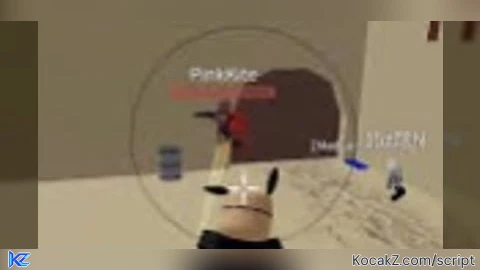
local Players = game:GetService("Players")
local RunService = game:GetService("RunService")
local UserInputService = game:GetService("UserInputService")
local Camera = game.Workspace.CurrentCamera

local LocalPlayer = Players.LocalPlayer
local Mouse = LocalPlayer:GetMouse()

-- Silent Aim Variables
local SilentAimEnabled = false
local AimFOV = 100  -- Adjustable FOV
local FOVColor = Color3.fromRGB(255, 0, 0) -- Default color (Red)

-- GUI Elements
local ScreenGui = Instance.new("ScreenGui", game.CoreGui)

-- Blur Effect for GUI
local BlurEffect = Instance.new("BlurEffect", game.Lighting)
BlurEffect.Size = 5  -- Adjust blur intensity
BlurEffect.Enabled = false  -- Start disabled

-- Main GUI Frame (Transparent & Blurred)
local MainFrame = Instance.new("Frame", ScreenGui)
MainFrame.Size = UDim2.new(0, 250, 0, 200)
MainFrame.Position = UDim2.new(0.1, 0, 0.1, 0)
MainFrame.BackgroundTransparency = 0.4  -- Transparent background
MainFrame.BackgroundColor3 = Color3.fromRGB(30, 30, 30)  -- Dark gray
MainFrame.Active = true
MainFrame.Draggable = true

-- Small Draggable Open/Close Box (With Image)
local OpenButton = Instance.new("ImageButton", ScreenGui)
OpenButton.Size = UDim2.new(0, 50, 0, 50)  -- Small box
OpenButton.Position = UDim2.new(0.05, 0, 0.05, 0)  -- Default position
OpenButton.Image = "rbxassetid://YOUR_IMAGE_ID_HERE"  -- Replace with your Image ID
OpenButton.BackgroundTransparency = 1  -- Invisible background
OpenButton.Visible = false  -- Hidden when GUI is open
OpenButton.Draggable = true  -- Draggable

-- Silent Aim Toggle Button
local ToggleButton = Instance.new("TextButton", MainFrame)
ToggleButton.Size = UDim2.new(0, 230, 0, 30)
ToggleButton.Position = UDim2.new(0, 10, 0, 10)
ToggleButton.Text = "Silent Aim: OFF"
ToggleButton.BackgroundColor3 = Color3.fromRGB(255, 0, 0)

-- FOV Adjustment Box
local FOVSlider = Instance.new("TextBox", MainFrame)
FOVSlider.Size = UDim2.new(0, 230, 0, 30)
FOVSlider.Position = UDim2.new(0, 10, 0, 50)
FOVSlider.Text = tostring(AimFOV)
FOVSlider.BackgroundColor3 = Color3.fromRGB(50, 50, 50)

-- FOV Color Sliders (RGB)
local ColorR = Instance.new("TextBox", MainFrame)
local ColorG = Instance.new("TextBox", MainFrame)
local ColorB = Instance.new("TextBox", MainFrame)

ColorR.Size = UDim2.new(0, 70, 0, 30)
ColorR.Position = UDim2.new(0, 10, 0, 90)
ColorR.Text = "R: " .. tostring(FOVColor.R * 255)
ColorR.BackgroundColor3 = Color3.fromRGB(255, 50, 50)

ColorG.Size = UDim2.new(0, 70, 0, 30)
ColorG.Position = UDim2.new(0, 90, 0, 90)
ColorG.Text = "G: " .. tostring(FOVColor.G * 255)
ColorG.BackgroundColor3 = Color3.fromRGB(50, 255, 50)

ColorB.Size = UDim2.new(0, 70, 0, 30)
ColorB.Position = UDim2.new(0, 170, 0, 90)
ColorB.Text = "B: " .. tostring(FOVColor.B * 255)
ColorB.BackgroundColor3 = Color3.fromRGB(50, 50, 255)

-- Close Button
local CloseButton = Instance.new("TextButton", MainFrame)
CloseButton.Size = UDim2.new(0, 230, 0, 30)
CloseButton.Position = UDim2.new(0, 10, 0, 140)
CloseButton.Text = "Close GUI"
CloseButton.BackgroundColor3 = Color3.fromRGB(200, 50, 50)

-- Toggle Silent Aim
ToggleButton.MouseButton1Click:Connect(function()
    SilentAimEnabled = not SilentAimEnabled
    ToggleButton.Text = "Silent Aim: " .. (SilentAimEnabled and "ON" or "OFF")
    ToggleButton.BackgroundColor3 = SilentAimEnabled and Color3.fromRGB(0, 255, 0) or Color3.fromRGB(255, 0, 0)
end)

-- Adjust FOV
FOVSlider.FocusLost:Connect(function()
    local newFOV = tonumber(FOVSlider.Text)
    if newFOV then
        AimFOV = newFOV
    end
end)

-- Adjust Color
local function UpdateColor()
    local r = tonumber(ColorR.Text:match("%d+")) or 255
    local g = tonumber(ColorG.Text:match("%d+")) or 0
    local b = tonumber(ColorB.Text:match("%d+")) or 0
    FOVColor = Color3.fromRGB(r, g, b)
    FOVCircle.Color = FOVColor
end

ColorR.FocusLost:Connect(UpdateColor)
ColorG.FocusLost:Connect(UpdateColor)
ColorB.FocusLost:Connect(UpdateColor)

-- Close GUI
CloseButton.MouseButton1Click:Connect(function()
    MainFrame.Visible = false
    OpenButton.Visible = true
    BlurEffect.Enabled = false
end)

-- Open GUI
OpenButton.MouseButton1Click:Connect(function()
    MainFrame.Visible = true
    OpenButton.Visible = false
    BlurEffect.Enabled = true
end)

-- Create FOV Circle
local FOVCircle = Drawing.new("Circle")
FOVCircle.Radius = AimFOV
FOVCircle.Thickness = 1
FOVCircle.Filled = false
FOVCircle.Color = FOVColor
FOVCircle.Transparency = 0.5
FOVCircle.Visible = true

-- Update FOV Circle
RunService.RenderStepped:Connect(function()
    FOVCircle.Position = Vector2.new(Mouse.X, Mouse.Y)
    FOVCircle.Radius = AimFOV
    FOVCircle.Color = FOVColor
end)

-- Modify Hit Detection (Silent Aim)
local oldNamecall
oldNamecall = hookmetamethod(game, "__namecall", function(self, ...)
    local method = getnamecallmethod()
    local args = {...}

    if SilentAimEnabled and method == "FindPartOnRayWithIgnoreList" then
        local target = GetClosestTarget()
        if target and target.Character and target.Character:FindFirstChild("HumanoidRootPart") then
            args[1] = Ray.new(Camera.CFrame.Position, (target.Character.HumanoidRootPart.Position - Camera.CFrame.Position).unit * 500)
        end
    end

    return oldNamecall(self, unpack(args))
end)


Ai code 😂. lmaoo
at least it works
its goods
It froze my camera
No work