


KeylessUniversal
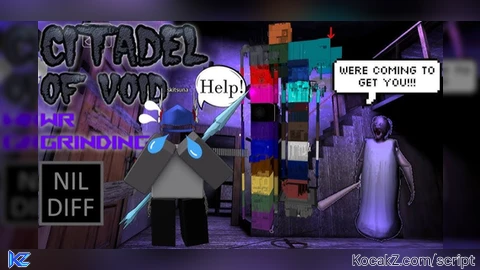
--// NETLESSMADE PRODUCTIONS //--
local player = game.Players.LocalPlayer
local character = player.Character or player.CharacterAdded:Wait()
local head = character:WaitForChild("Head")

-- Function to safely create an attachment
local function createAttachment(name, position)
    local att = Instance.new("Attachment")
    att.Name = name
    att.Position = position
    att.Parent = head
    return att
end

-- Remove old attachments with the same names (to prevent duplicates)
for _, att in pairs(head:GetChildren()) do
    if att:IsA("Attachment") and (
        att.Name == "FaceCenterAttachment" or
        att.Name == "FaceFrontAttachment" or
        att.Name == "HairAttachment" or
        att.Name == "HatAttachment"
    ) then
        att:Destroy()
    end
end

-- Add new attachments
createAttachment("FaceCenterAttachment", Vector3.new(0, 0, 0))
createAttachment("FaceFrontAttachment", Vector3.new(0, 0, -0.6))
createAttachment("HairAttachment", Vector3.new(0, 0.6, 0))
createAttachment("HatAttachment", Vector3.new(0, 0.6, 0))

-- Replace the mesh inside the head
local mesh = head:FindFirstChildOfClass("SpecialMesh")
if not mesh then
    mesh = Instance.new("SpecialMesh")
    mesh.Parent = head
end
mesh.MeshType = Enum.MeshType.FileMesh
mesh.MeshId = "http://www.roblox.com/asset/?id=134079402"
mesh.TextureId = "http://www.roblox.com/asset/?id=133940918"

local player = game.Players.LocalPlayer
local character = player.Character or player.CharacterAdded:Wait()

-- Remove accessories and clothing
for _, item in pairs(character:GetChildren()) do
	if item:IsA("Accessory") or item:IsA("Hat") then
		item:Destroy()
	elseif item:IsA("Shirt") or item:IsA("Pants") or item:IsA("ShirtGraphic") or item:IsA("Clothing") then
		item:Destroy()
	end
end

local player = game.Players.LocalPlayer
local character = player.Character or player.CharacterAdded:Wait()

-- Wait until R6 body parts load
character:WaitForChild("Head")
character:WaitForChild("Torso")
character:WaitForChild("Left Arm")
character:WaitForChild("Right Arm")
character:WaitForChild("Left Leg")
character:WaitForChild("Right Leg")

-- Define colors
local darkStoneGrey = Color3.fromRGB(99, 95, 98)   -- Head, Arms
local mediumStoneGrey = Color3.fromRGB(163, 162, 165) -- Torso
local reallyBlack = Color3.fromRGB(17, 17, 17)     -- Legs

-- Apply colors
character["Head"].Color = darkStoneGrey
character["Left Arm"].Color = darkStoneGrey
character["Right Arm"].Color = darkStoneGrey

character["Torso"].Color = mediumStoneGrey

character["Left Leg"].Color = reallyBlack
character["Right Leg"].Color = reallyBlack

task.wait(0.01)

-- LocalScript (StarterPlayerScripts)

local player = game.Players.LocalPlayer
local character = player.Character or player.CharacterAdded:Wait()
local torso = character:WaitForChild("Torso")
local head = character:WaitForChild("Head")

-- Utility to create StringValue
local function makeStringValue(parent, name, value)
    local s = Instance.new("StringValue")
    s.Name = name
    s.Value = value
    s.Parent = parent
    return s
end

-- SPEAR ACCESSORY
local spear = Instance.new("Accessory")
spear.Name = "Accessory (Spear)"
spear.Parent = character

local spearHandle = Instance.new("Part")
spearHandle.Name = "Handle"
spearHandle.Size = Vector3.new(1, 1, 1)
spearHandle.Color = Color3.fromRGB(163, 162, 165)
spearHandle.Material = Enum.Material.Plastic
spearHandle.Position = Vector3.new(-151.153, 14.262, 3.576)
spearHandle.Orientation = Vector3.new(0, 180, 0)
spearHandle.CanCollide = false
spearHandle.CanTouch = false
spearHandle.Anchored = false
spearHandle.Parent = spear

makeStringValue(spearHandle, "AvatarPartScaleType", "Classic")
makeStringValue(spearHandle, "OriginalSize", "1, 1, 1")

local backAttachment = Instance.new("Attachment")
backAttachment.Name = "BodyBackAttachment"
backAttachment.CFrame = CFrame.new(-0.153, -0.262, 0.076) * CFrame.Angles(0, math.rad(180), 0)
backAttachment.Axis = Vector3.new(-1, 0, 0)
backAttachment.SecondaryAxis = Vector3.new(0, 1, 0)
backAttachment.Parent = spearHandle

makeStringValue(backAttachment, "OriginalPosition", "-0.153, -0.262, 0.076")

local spearMesh = Instance.new("SpecialMesh")
spearMesh.MeshType = Enum.MeshType.FileMesh
spearMesh.MeshId = "rbxassetid://90868085805504"
spearMesh.TextureId = "rbxassetid://136372753544869"
spearMesh.Offset = Vector3.new(0, 0, 0)
spearMesh.Scale = Vector3.new(1, 1, 1)
spearMesh.VertexColor = Vector3.new(1, 1, 1)
spearMesh.Parent = spearHandle

local spearWeld = Instance.new("Weld")
spearWeld.Name = "AccessoryWeld"
spearWeld.C0 = CFrame.new(-0.153, -0.262, 0.076) * CFrame.Angles(0, math.rad(180), 0)
spearWeld.C1 = CFrame.new(0, 0, 0.5)
spearWeld.Part0 = spearHandle
spearWeld.Part1 = torso
spearWeld.Parent = spearHandle

-- VALKYRIE HELM
local helm = Instance.new("Accessory")
helm.Name = "ValkyrieHelm"
helm.Parent = character

local helmHandle = Instance.new("Part")
helmHandle.Name = "Handle"
helmHandle.Size = Vector3.new(1, 0.8, 1)
helmHandle.Color = Color3.fromRGB(163, 162, 165)
helmHandle.Position = Vector3.new(-151, 16.268, 3.319)
helmHandle.Orientation = Vector3.new(14.773, 0, 0)
helmHandle.CanCollide = false
helmHandle.CanTouch = false
helmHandle.Anchored = false
helmHandle.Parent = helm

local hatAttachment = Instance.new("Attachment")
hatAttachment.Name = "HatAttachment"
hatAttachment.CFrame = CFrame.new(0, -0.243, -0.266) * CFrame.Angles(math.rad(-14.773), 0, 0)
hatAttachment.Axis = Vector3.new(1, 0, 0)
hatAttachment.SecondaryAxis = Vector3.new(0, 0.967, -0.25)
hatAttachment.Parent = helmHandle

makeStringValue(hatAttachment, "OriginalPosition", "0, -0.243, -0.266")
makeStringValue(helmHandle, "OriginalSize", "1, 0.8, 1")

local helmMesh = Instance.new("SpecialMesh")
helmMesh.Name = "Mesh"
helmMesh.MeshType = Enum.MeshType.FileMesh
helmMesh.MeshId = "http://www.roblox.com/asset/?id=1365696"
helmMesh.TextureId = "http://www.roblox.com/asset/?id=1365693"
helmMesh.Offset = Vector3.new(0, 0, 0)
helmMesh.Scale = Vector3.new(1, 1, 1.15)
helmMesh.VertexColor = Vector3.new(1, 1, 1)
helmMesh.Parent = helmHandle

local helmWeld = Instance.new("Weld")
helmWeld.Name = "AccessoryWeld"
helmWeld.C0 = CFrame.new(0, -0.243, -0.266) * CFrame.Angles(math.rad(-14.773), 0, 0)
helmWeld.C1 = CFrame.new(0, 0.6, 0)
helmWeld.Part0 = helmHandle
helmWeld.Part1 = head
helmWeld.Parent = helmHandle

-- WAISTCHAINS2
local waist = Instance.new("Accessory")
waist.Name = "WAISTCHAINS2"
waist.Parent = character

local waistHandle = Instance.new("Part")
waistHandle.Name = "Handle"
waistHandle.Size = Vector3.new(1, 1, 1)
waistHandle.Color = Color3.fromRGB(163, 162, 165)
waistHandle.Position = Vector3.new(-151, 12.726, 3)
waistHandle.CanCollide = false
waistHandle.CanTouch = false
waistHandle.Anchored = false
waistHandle.Parent = waist

makeStringValue(waistHandle, "AvatarPartScaleType", "Classic")
makeStringValue(waistHandle, "OriginalSize", "1, 1, 1")

local waistMesh = Instance.new("SpecialMesh")
waistMesh.MeshType = Enum.MeshType.FileMesh
waistMesh.MeshId = "rbxassetid://13217930365"
waistMesh.TextureId = "rbxassetid://13217930622"
waistMesh.Offset = Vector3.new(0, 0, 0)
waistMesh.Scale = Vector3.new(1, 1, 1)
waistMesh.VertexColor = Vector3.new(1, 1, 1)
waistMesh.Parent = waistHandle

local waistAttachment = Instance.new("Attachment")
waistAttachment.Name = "WaistCenterAttachment"
waistAttachment.Position = Vector3.new(0, 0.274, 0)
waistAttachment.Orientation = Vector3.new(0, 0, 0)
waistAttachment.Axis = Vector3.new(1, 0, 0)
waistAttachment.SecondaryAxis = Vector3.new(0, 1, 0)
waistAttachment.Parent = waistHandle

makeStringValue(waistAttachment, "OriginalPosition", "0, 0.274, 0")

local waistWeld = Instance.new("Weld")
waistWeld.Name = "AccessoryWeld"
waistWeld.C0 = CFrame.new(0, 0.274, 0)
waistWeld.C1 = CFrame.new(0, -1, 0)
waistWeld.Part0 = waistHandle
waistWeld.Part1 = torso
waistWeld.Parent = waistHandleNo comments yet for this script.
![[KEYLESS] Moondiety Script | 17+ supported Games](https://scriptblox.com/images/sb/0-1753093706828.png)

