


KeylessUniversal
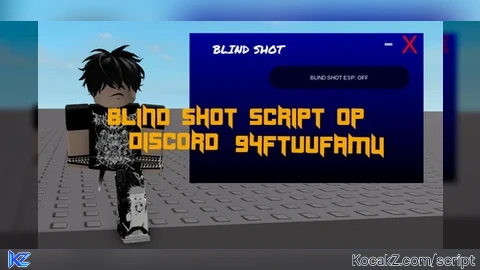
local UserInputService = game:GetService("UserInputService")
local RunService = game:GetService("RunService")
local Players = game:GetService("Players")
local LocalPlayer = Players.LocalPlayer
local Camera = workspace.CurrentCamera


local ScreenGui = Instance.new("ScreenGui", game.CoreGui)
ScreenGui.Name = "BlindShotFinal"
ScreenGui.ResetOnSpawn = false


local ToggleButton = Instance.new("ImageButton", ScreenGui)
ToggleButton.Size = UDim2.new(0, 60, 0, 60)
ToggleButton.Position = UDim2.new(0, 15, 0.5, -30)
ToggleButton.BackgroundColor3 = Color3.fromRGB(130, 210, 255)
Instance.new("UICorner", ToggleButton).CornerRadius = UDim.new(1, 0)


local MainFrame = Instance.new("Frame", ScreenGui)
MainFrame.Size = UDim2.new(0, 500, 0, 320)
MainFrame.Position = UDim2.new(0.5, -250, 0.5, -160)
MainFrame.BackgroundColor3 = Color3.fromRGB(0, 0, 150)
MainFrame.BorderSizePixel = 0
local Gradient = Instance.new("UIGradient", MainFrame)
Gradient.Color = ColorSequence.new(Color3.fromRGB(0, 0, 255), Color3.fromRGB(0, 0, 10))
Gradient.Rotation = 90


local Title = Instance.new("TextLabel", MainFrame)
Title.Text = "BLIND SHOT"; Title.Font = Enum.Font.PermanentMarker; Title.TextSize = 35; Title.TextColor3 = Color3.new(1,1,1); Title.Position = UDim2.new(0.05, 0, 0, 10); Title.Size = UDim2.new(0, 200, 0, 50); Title.BackgroundTransparency = 1

local DestroyBtn = Instance.new("TextButton", MainFrame)
DestroyBtn.Text = "X"; DestroyBtn.TextColor3 = Color3.fromRGB(255, 0, 0); DestroyBtn.TextSize = 40; DestroyBtn.BackgroundTransparency = 1; DestroyBtn.Position = UDim2.new(1, -50, 0, 5); DestroyBtn.Size = UDim2.new(0, 40, 0, 40)

local MinimizeBtn = Instance.new("TextButton", MainFrame)
MinimizeBtn.Text = "-"; MinimizeBtn.TextColor3 = Color3.fromRGB(180, 180, 180); MinimizeBtn.TextSize = 50; MinimizeBtn.BackgroundTransparency = 1; MinimizeBtn.Position = UDim2.new(1, -95, 0, 0); MinimizeBtn.Size = UDim2.new(0, 40, 0, 40)


local ContentArea = Instance.new("Frame", MainFrame)
ContentArea.Size = UDim2.new(0, 300, 1, -70); ContentArea.Position = UDim2.new(0, 170, 0, 70); ContentArea.BackgroundTransparency = 1


local States = {ESP = false}
local espConnections = {}
local torsoLines = {}

local function HealthBarLerp(ratio)
    return Color3.fromRGB(math.floor(255 * (1 - ratio)), math.floor(255 * ratio), 0)
end

local function createESP(player)
    -- ESP Drawings (2D)
    local Box = Drawing.new("Square"); Box.Visible = false; Box.Color = Color3.fromRGB(138, 43, 226); Box.Thickness = 1
    local NameText = Drawing.new("Text"); NameText.Visible = false; NameText.Size = 16; NameText.Center = true; NameText.Outline = true; NameText.Color = Color3.new(1,1,1)
    local HealthBar = Drawing.new("Square"); HealthBar.Visible = false; HealthBar.Filled = true


    local linePart = Instance.new("Part")
    linePart.Name = "PermanentGreenLine"
    linePart.Size = Vector3.new(0.15, 0.15, 150) -- Made even longer (150)
    linePart.Transparency = 0.3
    linePart.Material = Enum.Material.Neon
    linePart.Color = Color3.fromRGB(0, 255, 0)
    linePart.CanCollide = false
    linePart.Parent = workspace

    local weld = Instance.new("Weld")
    weld.Part0 = player.Character:WaitForChild("HumanoidRootPart")
    weld.Part1 = linePart
    weld.C0 = CFrame.new(0, 0, -75) -- Centered for 150 length
    weld.Parent = linePart

    torsoLines[player] = linePart

    local connection = RunService.RenderStepped:Connect(function()
        -- If ESP is toggled off or player dies, hide everything
        if not States.ESP or not player.Character or not player.Character:FindFirstChild("HumanoidRootPart") then
            Box.Visible = false; NameText.Visible = false; HealthBar.Visible = false
            if torsoLines[player] then torsoLines[player].Transparency = 1 end
            return
        end

        local hrp = player.Character.HumanoidRootPart
        local hum = player.Character:FindFirstChild("Humanoid")
        local screenPos, onScreen = Camera:WorldToViewportPoint(hrp.Position)

        -- Always keep the Green Line visible while ESP is ON
        if torsoLines[player] then torsoLines[player].Transparency = 0.3 end

        -- 2D Elements only show when player is on screen
        if onScreen and hum then
            local headPos = Camera:WorldToViewportPoint(hrp.Position + Vector3.new(0, 3, 0))
            local height = math.abs(headPos.Y - screenPos.Y) * 2.2
            local width = height / 1.8

            Box.Size = Vector2.new(width, height); Box.Position = Vector2.new(screenPos.X - width/2, screenPos.Y - height/2); Box.Visible = true
            NameText.Text = player.Name; NameText.Position = Vector2.new(screenPos.X, screenPos.Y - height/2 - 15); NameText.Visible = true
            HealthBar.Size = Vector2.new(2, height * (hum.Health / hum.MaxHealth)); HealthBar.Position = Vector2.new(screenPos.X - width/2 - 5, screenPos.Y - height/2 + (height * (1 - hum.Health/hum.MaxHealth))); HealthBar.Color = HealthBarLerp(hum.Health/hum.MaxHealth); HealthBar.Visible = true
        else
            Box.Visible = false; NameText.Visible = false; HealthBar.Visible = false
        end
    end)

    return {Connection = connection, Drawings = {Box, NameText, HealthBar}}
end

local function CleanupESP()
    for player, data in pairs(espConnections) do
        data.Connection:Disconnect()
        for _, draw in pairs(data.Drawings) do draw:Remove() end
    end
    for _, line in pairs(torsoLines) do line:Destroy() end
    espConnections = {}
    torsoLines = {}
end


local ESPToggle = Instance.new("TextButton", ContentArea)
ESPToggle.Size = UDim2.new(1, 0, 0, 50); ESPToggle.Text = "BLIND SHOT ESP: OFF"; ESPToggle.BackgroundColor3 = Color3.fromRGB(0, 0, 40); ESPToggle.TextColor3 = Color3.new(1,1,1)
Instance.new("UICorner", ESPToggle).CornerRadius = UDim.new(0.5, 0)

ESPToggle.MouseButton1Click:Connect(function()
    States.ESP = not States.ESP
    ESPToggle.Text = "BLIND SHOT ESP: " .. (States.ESP and "ON" or "OFF")
    ESPToggle.BackgroundColor3 = States.ESP and Color3.fromRGB(0, 150, 0) or Color3.fromRGB(0, 0, 40)
    if States.ESP then
        for _, p in pairs(Players:GetPlayers()) do if p ~= LocalPlayer then espConnections[p] = createESP(p) end end
    else
        CleanupESP()
    end
end)


local dragging, dragStart, startPos
MainFrame.InputBegan:Connect(function(i) if i.UserInputType == Enum.UserInputType.MouseButton1 then dragging = true; dragStart = i.Position; startPos = MainFrame.Position end end)
UserInputService.InputChanged:Connect(function(i) if dragging and i.UserInputType == Enum.UserInputType.MouseMovement then
    local delta = i.Position - dragStart; MainFrame.Position = UDim2.new(startPos.X.Scale, startPos.X.Offset + delta.X, startPos.Y.Scale, startPos.Y.Offset + delta.Y)
end end)
UserInputService.InputEnded:Connect(function() dragging = false end)

DestroyBtn.MouseButton1Click:Connect(function() CleanupESP(); ScreenGui:Destroy() end)
MinimizeBtn.MouseButton1Click:Connect(function() MainFrame.Visible = false end)
ToggleButton.MouseButton1Click:Connect(function() MainFrame.Visible = not MainFrame.Visible end)


Nice ai
@Iwashere67 its not LOL