


KeylessUniversal
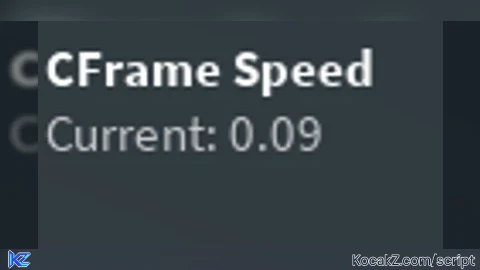
-- LocalScript inside StarterPlayerScripts

local Players = game:GetService("Players")
local RunService = game:GetService("RunService")
local UserInputService = game:GetService("UserInputService")

local player = Players.LocalPlayer

-- Keep references up to date when character spawns
local char = player.Character or player.CharacterAdded:Wait()
local function getHRP(c)
    if not c then return nil end
    return c:FindFirstChild("HumanoidRootPart")
end
local hrp = getHRP(char)

-- GUI creation (reuse if already present)
local playerGui = player:WaitForChild("PlayerGui")
local screenGui = playerGui:FindFirstChild("SpeedControlGui")
if not screenGui then
    screenGui = Instance.new("ScreenGui")
    screenGui.Name = "SpeedControlGui"
    screenGui.ResetOnSpawn = false
    screenGui.Parent = playerGui
end

local frame = screenGui:FindFirstChild("Container")
if not frame then
    frame = Instance.new("Frame")
    frame.Name = "Container"
    frame.Size = UDim2.new(0, 220, 0, 70)
    frame.Position = UDim2.new(0, 12, 0, 12)
    frame.BackgroundTransparency = 0.25
    frame.BackgroundColor3 = Color3.fromRGB(20, 20, 20)
    frame.BorderSizePixel = 0
    frame.Parent = screenGui
end

local function getOrCreate(class, parent, props)
    local obj = parent:FindFirstChild(props.Name)
    if obj and obj:IsA(class) then return obj end
    obj = Instance.new(class)
    for k,v in pairs(props) do
        if k ~= "Name" then obj[k] = v end
    end
    obj.Name = props.Name
    obj.Parent = parent
    return obj
end

-- Title (we'll use this as the drag handle)
local title = getOrCreate("TextLabel", frame, {
    Name = "Title",
    Size = UDim2.new(1, -12, 0, 20),
    Position = UDim2.new(0, 6, 0, 6),
    BackgroundTransparency = 1,
    TextColor3 = Color3.fromRGB(255,255,255),
    Font = Enum.Font.SourceSansBold,
    TextSize = 14,
    Text = "CFrame Speed",
    TextXAlignment = Enum.TextXAlignment.Left
})

local valueLabel = getOrCreate("TextLabel", frame, {
    Name = "ValueLabel",
    Size = UDim2.new(1, -12, 0, 18),
    Position = UDim2.new(0, 6, 0, 26),
    BackgroundTransparency = 1,
    TextColor3 = Color3.fromRGB(200,200,200),
    Font = Enum.Font.SourceSans,
    TextSize = 14,
    Text = "Current: 0.09",
    TextXAlignment = Enum.TextXAlignment.Left
})

local inputBox = getOrCreate("TextBox", frame, {
    Name = "SpeedBox",
    Size = UDim2.new(0, 80, 0, 24),
    Position = UDim2.new(1, -86, 0, 22),
    AnchorPoint = Vector2.new(0,0),
    BackgroundColor3 = Color3.fromRGB(255,255,255),
    BackgroundTransparency = 0.9,
    TextColor3 = Color3.fromRGB(0,0,0),
    Font = Enum.Font.SourceSans,
    TextSize = 14,
    PlaceholderText = "speed",
    ClearTextOnFocus = false
})

-- default global speed
_G.CFrameSpeed = _G.CFrameSpeed or 0.09

-- helper to update GUI display
local function updateGui()
    valueLabel.Text = "Current: " .. tostring(_G.CFrameSpeed)
    if not inputBox:IsFocused() then
        inputBox.Text = tostring(_G.CFrameSpeed)
    end
end

updateGui()

-- validate and apply new speed
local function applySpeed(text)
    local n = tonumber(text)
    if not n then
        updateGui()
        return
    end
    if n < 0 then n = 0 end
    if n > 5 then n = 5 end
    _G.CFrameSpeed = n
    updateGui()
end

inputBox.FocusLost:Connect(function(enterPressed)
    applySpeed(inputBox.Text)
end)

-- Movement keys
local keys = {
    W = false,
    A = false,
    S = false,
    D = false
}

UserInputService.InputBegan:Connect(function(input, gameProcessed)
    if gameProcessed then return end
    if input.UserInputType == Enum.UserInputType.Keyboard then
        local key = input.KeyCode.Name
        if keys[key] ~= nil then
            keys[key] = true
        end
    end
end)

UserInputService.InputEnded:Connect(function(input)
    if input.UserInputType == Enum.UserInputType.Keyboard then
        local key = input.KeyCode.Name
        if keys[key] ~= nil then
            keys[key] = false
        end
    end
end)

player.CharacterAdded:Connect(function(newChar)
    char = newChar
    hrp = char:WaitForChild("HumanoidRootPart")
    pcall(function() UserInputService:SetFocusedTextBox(nil) end)
    for k,_ in pairs(keys) do keys[k] = false end
    updateGui()
end)

-- ⭐ FIXED MOVEMENT LOOP (S key now moves perfectly straight)
RunService.RenderStepped:Connect(function()
    if not hrp or not hrp.Parent then
        char = player.Character or player.CharacterAdded:Wait()
        hrp = char:WaitForChild("HumanoidRootPart")
    end

    local cam = workspace.CurrentCamera

    local forward = cam.CFrame.LookVector
    local right = cam.CFrame.RightVector

    forward = Vector3.new(forward.X, 0, forward.Z).Unit
    right = Vector3.new(right.X, 0, right.Z).Unit

    local move = Vector3.zero

    if keys.W then move += forward end
    if keys.S then move -= forward end
    if keys.A then move -= right end
    if keys.D then move += right end

    if move.Magnitude > 0 then
        hrp.CFrame = hrp.CFrame + move.Unit * _G.CFrameSpeed * 0.1
    end
end)

-- Draggable behavior for the frame using the title as the handle
do
    local dragging = false
    local dragInput = nil
    local dragStart = nil
    local startPos = nil

    local function update(input)
        if not dragging or not dragStart or not startPos then return end
        local delta = input.Position - dragStart
        local newX = startPos.X.Offset + delta.X
        local newY = startPos.Y.Offset + delta.Y
        local screenSize = workspace.CurrentCamera and workspace.CurrentCamera.ViewportSize or Vector2.new(1920,1080)
        local fw = frame.AbsoluteSize.X
        local fh = frame.AbsoluteSize.Y
        if newX < 0 then newX = 0 end
        if newY < 0 then newY = 0 end
        if newX + fw > screenSize.X then newX = screenSize.X - fw end
        if newY + fh > screenSize.Y then newY = screenSize.Y - fh end
        frame.Position = UDim2.new(0, newX, 0, newY)
    end

    title.InputBegan:Connect(function(input)
        if input.UserInputType == Enum.UserInputType.MouseButton1 or input.UserInputType == Enum.UserInputType.Touch then
            dragging = true
            dragStart = input.Position
            startPos = frame.Position
            input.Changed:Connect(function()
                if input.UserInputState == Enum.UserInputState.End then
                    dragging = false
                end
            end)
        end
    end)

    UserInputService.InputChanged:Connect(function(input)
        if dragging and (input.UserInputType == Enum.UserInputType.MouseMovement or input.UserInputType == Enum.UserInputType.Touch) then
            update(input)
        end
    end)

    UserInputService.InputEnded:Connect(function(input)
        if input.UserInputType == Enum.UserInputType.MouseButton1 or input.UserInputType == Enum.UserInputType.Touch then
            dragging = false
        end
    end)
end


my friend asked me to find a cframe speed script and this is the first thing i found, will be updatin whether it works or not
he lowk didnt reply
@Serozz its opened sourced it will work😭