
KeylessUniversal
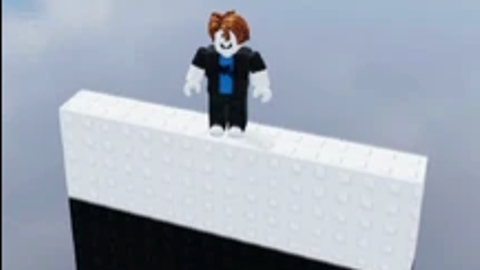
-- free source idrc edit as much as you want!

local Player = game.Players.LocalPlayer
local Mouse = Player:GetMouse()
local RunService = game:GetService("RunService")
local UserInputService = game:GetService("UserInputService")

local selectedColor = nil
local isSelecting = false
local isActive = true
local jumpingEnabled = false
local lastJumpTime = 0
local JUMP_COOLDOWN = 0.5
local BASE_JUMP_VELOCITY = 28
local TOP_BOOST_MULTIPLIER = 2

local PlayerGui = Player:WaitForChild("PlayerGui")
local StarterGui = game:WaitForChild("StarterGui")

StarterGui:SetCore("SendNotification", {
    Title = "Notification",
    Text = "Press Q to enable/disable jump.",
    Duration = 5
})

StarterGui:SetCore("SendNotification", {
    Title = "Notification",
    Text = "Press E to enable/disable select part.",
    Duration = 5
})

local ACtable = {
	game:GetService("Players").LocalPlayer.PlayerScripts:FindFirstChild("QuitsAntiCheatChecker"),
	game:GetService("Players").LocalPlayer.PlayerScripts:FindFirstChild("QuitsAntiCheatLocal"),
	game:GetService("StarterPlayer").StarterPlayerScripts:FindFirstChild("QuitsAntiCheatChecker"),
	game:GetService("StarterPlayer").StarterPlayerScripts:FindFirstChild("QuitsAntiCheatLocal"),
}

for _, v in ACtable do
    v:Destroy()
end

local screenGui = Instance.new("ScreenGui")
screenGui.Name = "AUTOWALLHOPGUI"
screenGui.ResetOnSpawn = false
screenGui.Parent = PlayerGui

local mainFrame = Instance.new("Frame")
mainFrame.Size = UDim2.new(0, 300, 0, 210)
mainFrame.Position = UDim2.new(0.5, -150, 0.8, -210)
mainFrame.BackgroundColor3 = Color3.fromRGB(30, 30, 30)
mainFrame.BorderSizePixel = 2
mainFrame.BorderColor3 = Color3.fromRGB(0, 0, 0)
mainFrame.Parent = screenGui

local titleLabel = Instance.new("TextLabel")
titleLabel.Size = UDim2.new(1, -40, 0, 30)
titleLabel.Position = UDim2.new(0, 10, 0, 5)
titleLabel.BackgroundTransparency = 1
titleLabel.Text = "AUTO WALL HOP"
titleLabel.TextColor3 = Color3.fromRGB(255, 255, 255)
titleLabel.Font = Enum.Font.GothamBold
titleLabel.TextSize = 16
titleLabel.TextXAlignment = Enum.TextXAlignment.Left
titleLabel.Parent = mainFrame

local exitButton = Instance.new("TextButton")
exitButton.Size = UDim2.new(0, 25, 0, 25)
exitButton.Position = UDim2.new(1, -30, 0, 5)
exitButton.Text = "X"
exitButton.TextColor3 = Color3.new(1, 1, 1)
exitButton.BackgroundColor3 = Color3.fromRGB(180, 50, 50)
exitButton.Font = Enum.Font.GothamBold
exitButton.TextSize = 14
exitButton.BorderSizePixel = 0
exitButton.Parent = mainFrame

local selectButton = Instance.new("TextButton")
selectButton.Size = UDim2.new(0, 280, 0, 50)
selectButton.Position = UDim2.new(0.5, -140, 0, 55)
selectButton.Text = "Select a Part"
selectButton.BackgroundColor3 = Color3.fromRGB(45, 45, 45)
selectButton.TextColor3 = Color3.fromRGB(255, 255, 255)
selectButton.Font = Enum.Font.GothamBold
selectButton.TextSize = 18
selectButton.BorderSizePixel = 1
selectButton.BorderColor3 = Color3.fromRGB(0, 0, 0)
selectButton.Parent = mainFrame

local toggleButton = Instance.new("TextButton")
toggleButton.Size = UDim2.new(0, 280, 0, 50)
toggleButton.Position = UDim2.new(0.5, -140, 0, 125)
toggleButton.Text = "Jumping: OFF"
toggleButton.BackgroundColor3 = Color3.fromRGB(80, 40, 40)
toggleButton.TextColor3 = Color3.fromRGB(255, 255, 255)
toggleButton.Font = Enum.Font.GothamBold
toggleButton.TextSize = 18
toggleButton.BorderSizePixel = 1
toggleButton.BorderColor3 = Color3.fromRGB(0, 0, 0)
toggleButton.Parent = mainFrame

local dragging, dragInput, dragStart, startPos
local function update(input)
	local delta = input.Position - dragStart
	mainFrame.Position = UDim2.new(startPos.X.Scale, startPos.X.Offset + delta.X, startPos.Y.Scale, startPos.Y.Offset + delta.Y)
end

mainFrame.InputBegan:Connect(function(input)
	if input.UserInputType == Enum.UserInputType.MouseButton1 or input.UserInputType == Enum.UserInputType.Touch then
		dragging = true
		dragStart = input.Position
		startPos = mainFrame.Position
		input.Changed:Connect(function()
			if input.UserInputState == Enum.UserInputState.End then dragging = false end
		end)
	end
end)
mainFrame.InputChanged:Connect(function(input)
	if input.UserInputType == Enum.UserInputType.MouseMovement or input.UserInputType == Enum.UserInputType.Touch then dragInput = input end
end)
UserInputService.InputChanged:Connect(function(input)
	if input == dragInput and dragging then update(input) end
end)

local function startSelecting()
	if not isActive then return end
	isSelecting = true
	selectButton.Text = "Click a part..."
end

local function toggleJumping()
	jumpingEnabled = not jumpingEnabled
	toggleButton.Text = jumpingEnabled and "Jumping: ON" or "Jumping: OFF"
	toggleButton.BackgroundColor3 = jumpingEnabled and Color3.fromRGB(40, 80, 40) or Color3.fromRGB(80, 40, 40)
end

selectButton.MouseButton1Click:Connect(function()
	startSelecting()
end)

toggleButton.MouseButton1Click:Connect(function()
	toggleJumping()
end)

UserInputService.InputBegan:Connect(function(input, gameProcessed)
	if gameProcessed then return end
	if input.KeyCode == Enum.KeyCode.Q then
		toggleJumping()
	elseif input.KeyCode == Enum.KeyCode.E then
		startSelecting()
	end
end)

Mouse.Button1Down:Connect(function()
	if isSelecting and isActive then
		local target = Mouse.Target
		if target and target:IsA("BasePart") then
			selectedColor = target.Color
			isSelecting = false
			selectButton.Text = "Part's name: " .. target.Name
			selectButton.BackgroundColor3 = selectedColor
			local luminance = (selectedColor.R * 0.299) + (selectedColor.G * 0.587) + (selectedColor.B * 0.114)
			selectButton.TextColor3 = luminance > 0.5 and Color3.new(0,0,0) or Color3.new(1,1,1)
		end
	end
end)

exitButton.MouseButton1Click:Connect(function()
	isActive = false
	screenGui:Destroy()
	script:Destroy()
end)

RunService.Heartbeat:Connect(function()
	if not isActive or not selectedColor or not jumpingEnabled then return end

	local character = Player.Character
	if not character then return end

	local humanoid = character:FindFirstChildOfClass("Humanoid")
	local rootPart = character:FindFirstChild("HumanoidRootPart")

	if humanoid and rootPart and (tick() - lastJumpTime >= JUMP_COOLDOWN) then
		local params = OverlapParams.new()
		params.FilterType = Enum.RaycastFilterType.Exclude
		params.FilterDescendantsInstances = {character}

		local bounds = Vector3.new(3, 5, 3)
		local parts = workspace:GetPartBoundsInBox(rootPart.CFrame, bounds, params)

		local targetPart = nil
		for _, part in pairs(parts) do
			if part:IsA("BasePart") and part.Color == selectedColor then
				targetPart = part
				break
			end
		end

		if targetPart then
			lastJumpTime = tick()

			local jumpVelocity = BASE_JUMP_VELOCITY

			local partTopY = targetPart.Position.Y + (targetPart.Size.Y / 2)
			local playerBottomY = rootPart.Position.Y - (rootPart.Size.Y / 2)

			if math.abs(playerBottomY - partTopY) < 1.5 or playerBottomY > partTopY then
				jumpVelocity = BASE_JUMP_VELOCITY * TOP_BOOST_MULTIPLIER
			end

			rootPart.AssemblyLinearVelocity = Vector3.new(rootPart.AssemblyLinearVelocity.X, jumpVelocity, rootPart.AssemblyLinearVelocity.Z)

			humanoid:ChangeState(Enum.HumanoidStateType.Jumping)
		end
	end
end)


working! thank you like👍
Need the key for it