

KeylessUniversal
--[[
	WARNING: Heads up! This script has not been verified by ScriptBlox. Use at your own risk!
]]
--[[
	WARNING: Heads up! This script has not been verified by ScriptBlox. Use at your own risk!
]]

-- Services
local Players = game:GetService("Players")
local RunService = game:GetService("RunService")
local UserInputService = game:GetService("UserInputService")
local TweenService = game:GetService("TweenService")

local LocalPlayer = Players.LocalPlayer
local Mouse = LocalPlayer:GetMouse()

-- Variables
local AimlockEnabled = false
local lockedTargetPlayer = nil

-- Create GUI
local ScreenGui = Instance.new("ScreenGui")
ScreenGui.Name = "AimlockGui"
ScreenGui.ResetOnSpawn = false
ScreenGui.Parent = game.CoreGui

-- Black overlay for intro
local BlackOverlay = Instance.new("Frame")
BlackOverlay.Size = UDim2.new(1, 0, 1, 0)
BlackOverlay.Position = UDim2.new(0, 0, 0, 0)
BlackOverlay.BackgroundColor3 = Color3.new(0, 0, 0)
BlackOverlay.BorderSizePixel = 0
BlackOverlay.Parent = ScreenGui

-- Intro rainbow text
local IntroText = Instance.new("TextLabel")
IntroText.Size = UDim2.new(1, 0, 1, 0)
IntroText.Position = UDim2.new(0, 0, 0, 0)
IntroText.BackgroundTransparency = 1
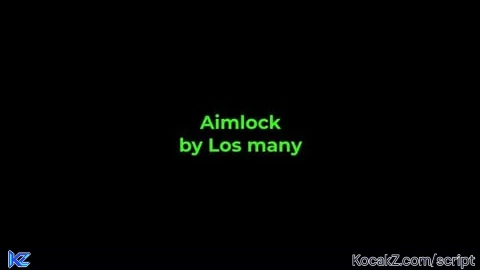
IntroText.Text = "Aimlock\nby Los many"
IntroText.TextColor3 = Color3.new(1, 1, 1)
IntroText.TextStrokeTransparency = 0
IntroText.Font = Enum.Font.GothamBold
IntroText.TextSize = 60
IntroText.TextWrapped = true
IntroText.TextYAlignment = Enum.TextYAlignment.Center
IntroText.Parent = BlackOverlay

-- Rainbow effect for intro text
local hue = 0
local function updateRainbowText()
    hue = (hue + 0.005) % 1
    local rainbowColor = Color3.fromHSV(hue, 1, 1)
    IntroText.TextColor3 = rainbowColor
end

local rainbowConnection = RunService.Heartbeat:Connect(updateRainbowText)

delay(3, function()
    rainbowConnection:Disconnect()
    local tweenInfo = TweenInfo.new(1, Enum.EasingStyle.Quad, Enum.EasingDirection.Out)
    TweenService:Create(BlackOverlay, tweenInfo, {BackgroundTransparency = 1}):Play()
    TweenService:Create(IntroText, tweenInfo, {TextTransparency = 1, TextStrokeTransparency = 1}):Play()
    wait(1)
    BlackOverlay:Destroy()
end)

-- Create the aimlock button
local Button = Instance.new("TextButton")
Button.Size = UDim2.new(0, 140, 0, 45)
Button.Position = UDim2.new(0, 20, 0, 20)
Button.BackgroundColor3 = Color3.fromHSV(0, 1, 1)
Button.Text = "AIM LOCK"
Button.TextColor3 = Color3.new(1, 1, 1)
Button.Font = Enum.Font.GothamBold
Button.TextSize = 22
Button.AutoButtonColor = false
Button.Parent = ScreenGui

-- Rounded corners
local UICorner = Instance.new("UICorner")
UICorner.CornerRadius = UDim.new(0, 12)
UICorner.Parent = Button

-- White outline
local UIStroke = Instance.new("UIStroke")
UIStroke.Color = Color3.new(1, 1, 1)
UIStroke.Thickness = 2
UIStroke.Parent = Button

-- Make button draggable
local dragging = false
local dragStart, startPos

local function updateDrag(input)
    local delta = input.Position - dragStart
    Button.Position = UDim2.new(startPos.X.Scale, startPos.X.Offset + delta.X, startPos.Y.Scale, startPos.Y.Offset + delta.Y)
end

Button.InputBegan:Connect(function(input)
    if input.UserInputType == Enum.UserInputType.MouseButton1 then
        dragging = true
        dragStart = input.Position
        startPos = Button.Position
        input.Changed:Connect(function()
            if input.UserInputState == Enum.UserInputState.End then
                dragging = false
            end
        end)
    end
end)

Button.InputChanged:Connect(function(input)
    if input.UserInputType == Enum.UserInputType.MouseMovement then
        input.Changed:Connect(function()
            if dragging then
                updateDrag(input)
            end
        end)
    end
end)

UserInputService.InputChanged:Connect(function(input)
    if dragging then
        updateDrag(input)
    end
end)

-- Rainbow button effect
RunService.Heartbeat:Connect(function()
    local hue = tick() % 5 / 5
    local color = Color3.fromHSV(hue, 1, 1)
    Button.BackgroundColor3 = color
    Button.TextColor3 = Color3.new(1 - color.R, 1 - color.G, 1 - color.B)
end)

-- Find closest player to the mouse
local function getClosestPlayer()
    local shortestDistance = math.huge
    local closestPlayer = nil
    local camera = workspace.CurrentCamera

    for _, player in pairs(Players:GetPlayers()) do
        if player ~= LocalPlayer and player.Character and player.Character:FindFirstChild("Head") then
            local screenPoint, onScreen = camera:WorldToViewportPoint(player.Character.Head.Position)
            if onScreen then
                local mousePos = Vector2.new(Mouse.X, Mouse.Y)
                local dist = (mousePos - Vector2.new(screenPoint.X, screenPoint.Y)).Magnitude
                if dist < shortestDistance then
                    shortestDistance = dist
                    closestPlayer = player
                end
            end
        end
    end
    return closestPlayer
end

-- Circle indicator for target head
local Circle = Instance.new("Frame")
Circle.Size = UDim2.new(0, 80, 0, 80)
Circle.AnchorPoint = Vector2.new(0.5, 0.5)
Circle.BackgroundTransparency = 1
Circle.BorderSizePixel = 0
Circle.Visible = false
Circle.Parent = ScreenGui

local CircleOutline = Instance.new("UIStroke")
CircleOutline.Thickness = 5
CircleOutline.Color = Color3.new(1, 1, 1)
CircleOutline.Parent = Circle

-- Highlight instance vars
local currentHighlight = nil
local previouslyHighlightedPlayer = nil

local function highlightPlayer(player)
    if previouslyHighlightedPlayer and previouslyHighlightedPlayer ~= player then
        if currentHighlight then
            currentHighlight:Destroy()
            currentHighlight = nil
        end
    end

    if player and player.Character and player.Character:FindFirstChild("HumanoidRootPart") then
        if not currentHighlight then
            currentHighlight = Instance.new("Highlight")
            currentHighlight.FillColor = Color3.fromRGB(255, 0, 0) -- red glow
            currentHighlight.OutlineColor = Color3.new(1, 1, 1) -- white outline
        end
        currentHighlight.Parent = player.Character
    else
        if currentHighlight then
            currentHighlight:Destroy()
            currentHighlight = nil
        end
    end

    previouslyHighlightedPlayer = player
end

-- Display username and displayname label for locked target
local LockedTargetLabel = Instance.new("TextLabel")
LockedTargetLabel.Size = UDim2.new(0, 200, 0, 30)
LockedTargetLabel.Position = UDim2.new(0, 20, 0, 70)  -- below the button
LockedTargetLabel.BackgroundColor3 = Color3.fromRGB(30, 30, 30)
LockedTargetLabel.BackgroundTransparency = 0.5
LockedTargetLabel.TextColor3 = Color3.new(1, 1, 1)
LockedTargetLabel.Font = Enum.Font.GothamBold
LockedTargetLabel.TextSize = 20
LockedTargetLabel.Text = ""
LockedTargetLabel.Visible = false
LockedTargetLabel.Parent = ScreenGui

-- Button toggles aimlock
Button.MouseButton1Click:Connect(function()
    AimlockEnabled = not AimlockEnabled
    Button.Text = AimlockEnabled and "AIM LOCK ON" or "AIM LOCK"

    if AimlockEnabled then
        lockedTargetPlayer = getClosestPlayer()
        Circle.Visible = true
        LockedTargetLabel.Visible = true
    else
        lockedTargetPlayer = nil
        Circle.Visible = false
        LockedTargetLabel.Visible = false
        LockedTargetLabel.Text = ""
    end
end)

-- Main update loop
RunService.RenderStepped:Connect(function()
    local nearestPlayer = getClosestPlayer()

    if AimlockEnabled then
        -- When aimlock is ON: highlight locked target and show label
        highlightPlayer(lockedTargetPlayer)

        if lockedTargetPlayer then
            local displayName = lockedTargetPlayer.DisplayName or ""
            local username = lockedTargetPlayer.Name or ""
            LockedTargetLabel.Text = "Locked: "..displayName.." ("..username..")"
        else
            LockedTargetLabel.Text = "Locked: None"
        end
    else
        -- When aimlock is OFF: highlight nearest player only
        highlightPlayer(nearestPlayer)
        lockedTargetPlayer = nil

        LockedTargetLabel.Visible = false
        LockedTargetLabel.Text = ""
    end

    -- Lock camera onto target if Aimlock ON and valid target
    if AimlockEnabled and lockedTargetPlayer then
        local char = lockedTargetPlayer.Character
        local camera = workspace.CurrentCamera
        if char and char:FindFirstChild("Head") then
            local head = char.Head
            camera.CFrame = CFrame.new(camera.CFrame.Position, head.Position)

            -- Update circle position on screen
            local screenPos, onScreen = camera:WorldToViewportPoint(head.Position)
            if onScreen then
                Circle.Position = UDim2.new(0, screenPos.X, 0, screenPos.Y)
                Circle.Visible = true
            else
                Circle.Visible = false
            end
        else
            Circle.Visible = false
        end
    else
        Circle.Visible = false
    end
end)![[KEYLESS] Moondiety Script | 17+ supported Games](https://scriptblox.com/images/sb/0-1753093706828.png)


Friend, one doubt could it be used but with a key combination?
@ct8901730 why?