

Key Required VerifiedUniversal
-- ULTIMATE HUB SCRIPT (WITH PRANK + IMAGE FACE 158118263)

local Players = game:GetService("Players")
local player = Players.LocalPlayer
local RunService = game:GetService("RunService")

---------------------------------------------------------
-- CREATE UI
---------------------------------------------------------

local screenGui = Instance.new("ScreenGui")
screenGui.Name = "UltimateHub"
screenGui.Parent = player:WaitForChild("PlayerGui")

-- Toggle Button
local toggleButton = Instance.new("TextButton")
toggleButton.Size = UDim2.new(0, 120, 0, 40)
toggleButton.Position = UDim2.new(0, 20, 0, 20)
toggleButton.BackgroundColor3 = Color3.fromRGB(40, 40, 40)
toggleButton.TextColor3 = Color3.fromRGB(255, 255, 255)
toggleButton.Text = "Open Hub"
toggleButton.Parent = screenGui

-- Main Hub Frame
local frame = Instance.new("Frame")
frame.Size = UDim2.new(0, 300, 0, 470)
frame.Position = UDim2.new(0, 20, 0, 70)
frame.BackgroundColor3 = Color3.fromRGB(25, 25, 25)
frame.Visible = false
frame.Active = true
frame.Draggable = true
frame.Parent = screenGui

local function createButton(name, text, y)
    local btn = Instance.new("TextButton")
    btn.Name = name
    btn.Text = text
    btn.Size = UDim2.new(0, 260, 0, 40)
    btn.Position = UDim2.new(0, 20, 0, y)
    btn.BackgroundColor3 = Color3.fromRGB(50, 50, 50)
    btn.TextColor3 = Color3.fromRGB(255, 255, 255)
    btn.Parent = frame
    return btn
end

-- Buttons
local espButton = createButton("ESPButton", "ESP: OFF", 20)
local speedButton = createButton("SpeedButton", "Speed: OFF", 70)
local jumpButton = createButton("JumpButton", "Jump: OFF", 120)
local flyButton = createButton("FlyButton", "Fly: OFF", 170)
local noclipButton = createButton("NoclipButton", "Noclip: OFF", 220)
local tpSpawnButton = createButton("TPSpawnButton", "Teleport to Spawn", 270)
local nightButton = createButton("NightVisionButton", "Night Vision: OFF", 320)
local fovButton = createButton("FOVButton", "FOV: NORMAL", 370)

-- PRANK BUTTON
local prankButton = createButton("PrankButton", "Get Free Robux", 420)

---------------------------------------------------------
-- OPEN / CLOSE HUB
---------------------------------------------------------

toggleButton.MouseButton1Click:Connect(function()
    frame.Visible = not frame.Visible
    toggleButton.Text = frame.Visible and "Close Hub" or "Open Hub"
end)

---------------------------------------------------------
-- ESP SYSTEM
---------------------------------------------------------

local function applyESP(char)
    if not char:FindFirstChild("Highlight") then
        local h = Instance.new("Highlight")
        h.FillColor = Color3.fromRGB(255, 0, 0)
        h.OutlineColor = Color3.fromRGB(255, 255, 255)
        h.FillTransparency = 0.5
        h.Parent = char
    end
end

local function removeESP(char)
    local h = char:FindFirstChild("Highlight")
    if h then h:Destroy() end
end

local espEnabled = false

espButton.MouseButton1Click:Connect(function()
    espEnabled = not espEnabled
    espButton.Text = espEnabled and "ESP: ON" or "ESP: OFF"

    for _, plr in pairs(Players:GetPlayers()) do
        if plr.Character then
            if espEnabled then applyESP(plr.Character) else removeESP(plr.Character) end
        end
        plr.CharacterAdded:Connect(function(char)
            if espEnabled then applyESP(char) end
        end)
    end
end)

---------------------------------------------------------
-- SPEED
---------------------------------------------------------

local speedOn = false

speedButton.MouseButton1Click:Connect(function()
    local hum = player.Character:WaitForChild("Humanoid")
    speedOn = not speedOn
    hum.WalkSpeed = speedOn and 50 or 16
    speedButton.Text = speedOn and "Speed: ON" or "Speed: OFF"
end)

---------------------------------------------------------
-- JUMP
---------------------------------------------------------

local jumpOn = false

jumpButton.MouseButton1Click:Connect(function()
    local hum = player.Character:WaitForChild("Humanoid")
    jumpOn = not jumpOn
    hum.JumpPower = jumpOn and 120 or 50
    jumpButton.Text = jumpOn and "Jump: ON" or "Jump: OFF"
end)

---------------------------------------------------------
-- FLY
---------------------------------------------------------

local flying = false
local flySpeed = 2

flyButton.MouseButton1Click:Connect(function()
    flying = not flying
    flyButton.Text = flying and "Fly: ON" or "Fly: OFF"

    if flying then
        RunService.RenderStepped:Connect(function()
            if flying then
                local char = player.Character
                if char and char:FindFirstChild("HumanoidRootPart") then
                    char.HumanoidRootPart.Velocity = Vector3.new(0, flySpeed, 0)
                end
            end
        end)
    end
end)

---------------------------------------------------------
-- NOCLIP
---------------------------------------------------------

local noclip = false

noclipButton.MouseButton1Click:Connect(function()
    noclip = not noclip
    noclipButton.Text = noclip and "Noclip: ON" or "Noclip: OFF"
end)

RunService.Stepped:Connect(function()
    if noclip and player.Character then
        for _, part in pairs(player.Character:GetDescendants()) do
            if part:IsA("BasePart") then
                part.CanCollide = false
            end
        end
    end
end)

---------------------------------------------------------
-- TELEPORT TO SPAWN
---------------------------------------------------------

tpSpawnButton.MouseButton1Click:Connect(function()
    local spawn = workspace:FindFirstChildOfClass("SpawnLocation")
    if spawn then
        player.Character:WaitForChild("HumanoidRootPart").CFrame = spawn.CFrame + Vector3.new(0, 3, 0)
    end
end)

---------------------------------------------------------
-- NIGHT VISION
---------------------------------------------------------

local nightOn = false

nightButton.MouseButton1Click:Connect(function()
    nightOn = not nightOn
    nightButton.Text = nightOn and "Night Vision: ON" or "Night Vision: OFF"

    game.Lighting.Brightness = nightOn and 3 or 1
    game.Lighting.Ambient = nightOn and Color3.new(1,1,1) or Color3.new(0,0,0)
end)

---------------------------------------------------------
-- FOV CHANGER
---------------------------------------------------------

local fovNormal = 70
local fovWide = 120
local fovOn = false

fovButton.MouseButton1Click:Connect(function()
    fovOn = not fovOn
    workspace.CurrentCamera.FieldOfView = fovOn and fovWide or fovNormal
    fovButton.Text = fovOn and "FOV: WIDE" or "FOV: NORMAL"
end)

---------------------------------------------------------
-- PRANK SYSTEM (IMAGE FACE + FLASHING SCREEN)
---------------------------------------------------------

local SoundId = "rbxassetid://3200130016"

local prankGui = Instance.new("Frame")
prankGui.Size = UDim2.new(1, 0, 1, 0)
prankGui.BackgroundColor3 = Color3.new(0, 0, 0)
prankGui.BackgroundTransparency = 1
prankGui.Visible = false
prankGui.ZIndex = 50
prankGui.Parent = screenGui

-- IMAGE-BASED FACE
local face = Instance.new("ImageLabel")
face.Size = UDim2.new(0, 300, 0, 300)
face.Position = UDim2.new(0.5, -150, 0.5, -150)
face.BackgroundTransparency = 1
face.Image = "rbxassetid://158118263" -- your image ID
face.Visible = false
face.ZIndex = 51
face.Parent = prankGui

local corner = Instance.new("UICorner")
corner.CornerRadius = UDim.new(1, 0)
corner.Parent = face

-- TEXT
local idiotText = Instance.new("TextLabel")
idiotText.Size = UDim2.new(1, 0, 0, 200)
idiotText.Position = UDim2.new(0, 0, 0.2, 0)
idiotText.BackgroundTransparency = 1
idiotText.Text = "YOU ARE AN IDIOT"
idiotText.TextColor3 = Color3.new(1, 1, 1)
idiotText.TextScaled = true
idiotText.Font = Enum.Font.GothamBlack
idiotText.Visible = false
idiotText.ZIndex = 51
idiotText.Parent = prankGui

local prankSound = Instance.new("Sound")
prankSound.SoundId = SoundId
prankSound.Volume = 3
prankSound.Parent = screenGui

-- SCREEN SHAKE
local function shakeScreen(duration)
    local cam = workspace.CurrentCamera
    local start = tick()
    while tick() - start < duration do
        cam.CFrame = cam.CFrame * CFrame.new(
            math.random(-1,1) * 0.3,
            math.random(-1,1) * 0.3,
            0
        )
        task.wait(0.02)
    end
end

-- FACE FLASHING
local function flashFace(duration)
    local start = tick()
    face.Visible = true
    while tick() - start < duration do
        face.ImageColor3 = Color3.new(math.random(), math.random(), math.random())
        task.wait(0.05)
    end
    face.Visible = false
end

-- FULL PRANK SEQUENCE
local function runPrank()
    prankGui.Visible = true

    -- Fade in
    for i = 1, 20 do
        prankGui.BackgroundTransparency = 1 - (i / 20)
        task.wait(0.02)
    end

    idiotText.Visible = true
    prankSound:Play()

    task.spawn(function() shakeScreen(5) end)
    task.spawn(function() flashFace(5) end)

    -- Screen flashing black/white
    task.spawn(function()
        local start = tick()
        while tick() - start < 5 do
            prankGui.BackgroundColor3 = Color3.new(0, 0, 0)
            task.wait(0.05)
            prankGui.BackgroundColor3 = Color3.new(1, 1, 1)
            task.wait(0.05)
        end
        prankGui.BackgroundColor3 = Color3.new(0, 0, 0)
    end)

    task.wait(5)

    -- Fade out
    for i = 1, 20 do
        prankGui.BackgroundTransparency = i / 20
        task.wait(0.02)
    end

    idiotText.Visible = false
    prankGui.Visible = false
end

prankButton.MouseButton1Click:Connect(function()
    runPrank()
end)
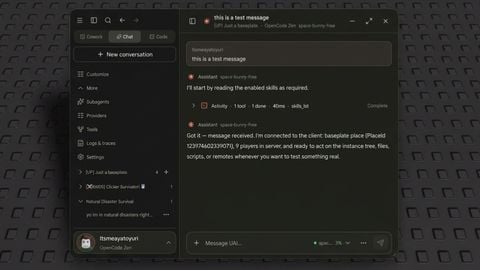
Lil bro use ai
@Lego80 it's my first time ever 😞✌️
@Tyler5465788 fair
@Tyler5465788 ai name
@Askwjwjnsns copilot or chat gpt
@Tyler5465788 everyone starts somewhere, using ai for your first script isn’t a bad thing—just learn what it does and you’ll improve fast "dont let people bully you like everyone says your haters are your biggest fans"
@INRI Nah if you don't make script by yourself, you don't learn anything
@Lego80 called tut and some ai help if you don't know what to do and learn
@INRI I can help if you ... Give me something idk
Add my discord is rbx_le_go89
Bro script is full ai don't even delete the comments on the script ;-; and he doesn't understand anything on it