


KeylessUniversal
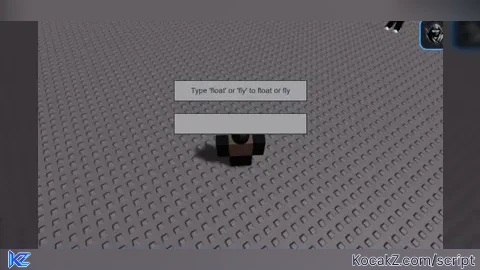
-- Get necessary Roblox services
local Players = game:GetService("Players")
local UserInputService = game:GetService("UserInputService")

-- Define GUI elements
local screenGui = Instance.new("ScreenGui")
screenGui.Parent = game.Players.LocalPlayer:WaitForChild("PlayerGui")

local title = Instance.new("TextLabel")
title.Text = "Type 'float' or 'fly' to float or fly"
title.Size = UDim2.new(0, 200, 0, 30)
title.Position = UDim2.new(0.5, -100, 0.5, -100)
title.Parent = screenGui

local textBox = Instance.new("TextBox")
textBox.Size = UDim2.new(0, 200, 0, 30)
textBox.Position = UDim2.new(0.5, -100, 0.5, -50)
textBox.Parent = screenGui

-- Define function to handle user input
local function onInput(enteredText)
    local text = enteredText:lower()
    if text == "float" then
        game.Players.LocalPlayer.Character.HumanoidRootPart.Anchored = false
        game.Players.LocalPlayer.Character.HumanoidRootPart.Velocity = Vector3.new(0, 50, 0)
    elseif text == "fly" then
        game.Players.LocalPlayer.Character.HumanoidRootPart.Anchored = false
        game.Players.LocalPlayer.Character.HumanoidRootPart.Velocity = Vector3.new(0, 100, 0)
    end
end

-- Connect input event
textBox.FocusLost:Connect(function(enterPressed)
    if enterPressed then
        onInput(textBox.Text)
        textBox.Text = ""  -- Clear text box after input
    end
end)No comments yet for this script.


