

KeylessUniversal
--[[
	WARNING: Heads up! This script has not been verified by ScriptBlox. Use at your own risk!
]]
if isfolder and makefolder and writefile and readfile then
	if not isfolder("5x5x5x50 executor") then
		makefolder("5x5x5x50 executor")
		makefolder("5x5x5x50 executor/scripts")
		writefile("SynapseY/scripts/Infinite Yield.lua", "loadstring(game:HttpGet(\"https://raw.githubusercontent.com/EdgeIY/infiniteyield/master/source\"))()")
	end
end

local GUI
local Scripts = {}
local highlightSyntax
local what
local tsv = "Main"
local synapse: table = setmetatable({}, {
	__call = function(t, _type, ...)
		if (_type == "AddScript") then
			local title, source = ({...})[1], ({...})[2]
			local newscript = Instance.new("TextButton")
			newscript.Name = title
			newscript.Parent = GUI.draggablebarparent.Frame.ScriptsHolder.ScrollingFrame
			newscript.Active = true
			newscript.BackgroundColor3 = Color3.fromRGB(27, 27, 27)
			newscript.BorderColor3 = Color3.fromRGB(0, 0, 0)
			newscript.BorderSizePixel = 0
			newscript.Size = UDim2.new(1, 0, 0.0088888891, 16)
			newscript.AutoButtonColor = false
			newscript.Font = Enum.Font.SourceSans
			newscript.Text = title
			newscript.TextColor3 = Color3.fromRGB(223, 223, 223)
			newscript.TextSize = 14.000
			newscript.MouseButton1Click:Connect(function()
				loadstring(source)()
			end)
		elseif (_type == "AddTab") then
			GUI.choosename.Visible = true
			GUI.choosename.choosename.choosename:CaptureFocus()
			GUI.draggablebarparent.Visible = false
		end
	end
})
synapse.__index = synapse

GUI = Instance.new("ScreenGui")
local draggablebarparent = Instance.new("Frame")
local Frame = Instance.new("Frame")
local DropShadowHolder = Instance.new("Frame")
local DropShadow = Instance.new("ImageLabel")
local UICorner = Instance.new("UICorner")
local ScriptsHolder = Instance.new("Frame")
local ScrollingFrame = Instance.new("ScrollingFrame")
local UIListLayout = Instance.new("UIListLayout")
local ScriptTitle = Instance.new("TextLabel")
local TextBox = Instance.new("TextBox")
local TextLabel = Instance.new("TextLabel")
local buttonexecute = Instance.new("TextButton")
local UICorner_2 = Instance.new("UICorner")
local buttonclear = Instance.new("TextButton")
local UICorner_3 = Instance.new("UICorner")
local buttonsave = Instance.new("TextButton")
local buttonsaveto = Instance.new("TextButton")
local UICorner_4 = Instance.new("UICorner")
local UICorner_5 = Instance.new("UICorner")
local tabsscr = Instance.new("Frame")
local tabsscr_2 = Instance.new("Frame")
local UIListLayout_2 = Instance.new("UIListLayout")
local addtab = Instance.new("TextButton")
local choosename = Instance.new("Frame")
local choosename_2 = Instance.new("Frame")
local choosename_3 = Instance.new("TextBox")

choosename.Name = "choosename"
choosename.Parent = GUI
choosename.AnchorPoint = Vector2.new(0.5, 0.5)
choosename.BackgroundColor3 = Color3.fromRGB(13, 13, 13)
choosename.BackgroundTransparency = 0.500
choosename.BorderColor3 = Color3.fromRGB(0, 0, 0)
choosename.Position = UDim2.new(0.5, 0, 0.5, 0)
choosename.Size = UDim2.new(1, 0, 0, 50)
choosename.Visible = false

choosename_2.Name = "choosename"
choosename_2.Parent = choosename
choosename_2.AnchorPoint = Vector2.new(0.5, 0.5)
choosename_2.BackgroundColor3 = Color3.fromRGB(13, 13, 13)
choosename_2.BackgroundTransparency = 0.500
choosename_2.BorderColor3 = Color3.fromRGB(0, 0, 0)
choosename_2.Position = UDim2.new(0.5, 0, 0.5, 0)
choosename_2.Size = UDim2.new(1, 0, 0.600000024, 0)

choosename_3.Name = "choosename"
choosename_3.Parent = choosename_2
choosename_3.BackgroundColor3 = Color3.fromRGB(255, 255, 255)
choosename_3.BackgroundTransparency = 1.000
choosename_3.BorderColor3 = Color3.fromRGB(0, 0, 0)
choosename_3.BorderSizePixel = 0
choosename_3.Size = UDim2.new(1, 0, 1, 0)
choosename_3.Font = Enum.Font.SourceSans
choosename_3.PlaceholderText = "Script Name"
choosename_3.Text = ""
choosename_3.TextColor3 = Color3.fromRGB(255, 255, 255)
choosename_3.TextSize = 14.000

function uhhtab(eh)
	local Tab1 = Instance.new("TextButton")
	Tab1.Name = "Tab1"
	Tab1.Parent = GUI.draggablebarparent.Frame.tabsscr.tabsscr
	Tab1.BackgroundColor3 = Color3.fromRGB(24, 24, 24)
	Tab1.BorderColor3 = Color3.fromRGB(0, 0, 0)
	Tab1.BorderSizePixel = 0
	Tab1.Size = UDim2.new(0, 76, 1, 0)
	Tab1.AutoButtonColor = false
	Tab1.Font = Enum.Font.SourceSans
	Tab1.Text = eh
	Tab1.TextColor3 = Color3.fromRGB(186, 186, 186)
	Tab1.TextSize = 14.000
	local sourceinput = Instance.new("ScrollingFrame")
	local sourceinput2 = Instance.new("ScrollingFrame")
	local TextBox = Instance.new("TextBox")
	local TextLabel = Instance.new("TextLabel")
	sourceinput.Name = "sourceinput"
	sourceinput.Parent = GUI.draggablebarparent.Frame
	sourceinput.Active = true
	sourceinput.BackgroundColor3 = Color3.fromRGB(17, 17, 17)
	sourceinput.BorderColor3 = Color3.fromRGB(0, 0, 0)
	sourceinput.BorderSizePixel = 0
	sourceinput.Position = UDim2.new(0.277999997, 0, 0.203999996, 0)
	sourceinput.Size = UDim2.new(0, 351, 0, 158)
	sourceinput.CanvasSize = UDim2.new(0, 0, 0, 0)
	sourceinput.ScrollBarThickness = 0

	sourceinput2.Name = "sourceinput2"
	sourceinput2.Parent = sourceinput
	sourceinput2.Active = true
	sourceinput2.BackgroundColor3 = Color3.fromRGB(21, 21, 21)
	sourceinput2.BackgroundTransparency = 1.000
	sourceinput2.BorderColor3 = Color3.fromRGB(0, 0, 0)
	sourceinput2.BorderSizePixel = 0
	sourceinput2.Position = UDim2.new(0.0284900293, 0, 0.0326086134, 0)
	sourceinput2.Size = UDim2.new(0, 333, 0, 146)
	sourceinput2.CanvasSize = UDim2.new(0, 0, 0, 0)
	sourceinput2.ScrollBarThickness = 3
	sourceinput2.AutomaticCanvasSize = Enum.AutomaticSize.XY

	TextBox.Parent = sourceinput2
	TextBox.BackgroundColor3 = Color3.fromRGB(255, 255, 255)
	TextBox.BackgroundTransparency = 1.000
	TextBox.BorderColor3 = Color3.fromRGB(0, 0, 0)
	TextBox.BorderSizePixel = 0
	TextBox.Size = UDim2.new(0, 200, 0, 50)
	TextBox.ZIndex = 2
	TextBox.ClearTextOnFocus = false
	TextBox.Font = Enum.Font.Arial
	TextBox.MultiLine = true
	TextBox.PlaceholderColor3 = Color3.fromRGB(178, 178, 178)
	TextBox.PlaceholderText = "print(\"Hello Synapse!\")"
	TextBox.Text = "print(\"Hello Synapse!\")"
	TextBox.TextColor3 = Color3.fromRGB(255, 255, 255)
	TextBox.TextSize = 15.000
	TextBox.TextTransparency = 1.000
	TextBox.TextXAlignment = Enum.TextXAlignment.Left
	TextBox.TextYAlignment = Enum.TextYAlignment.Top
	TextBox.AutomaticSize = Enum.AutomaticSize.XY

	TextLabel.Parent = sourceinput2
	TextLabel.BackgroundColor3 = Color3.fromRGB(255, 255, 255)
	TextLabel.BackgroundTransparency = 1.000
	TextLabel.BorderColor3 = Color3.fromRGB(0, 0, 0)
	TextLabel.BorderSizePixel = 0
	TextLabel.Size = UDim2.new(0, 200, 0, 50)
	TextLabel.Font = Enum.Font.Arial
	TextLabel.Text = highlightSyntax("print(\"Hello Synapse!\")")
	TextLabel.TextColor3 = Color3.fromRGB(255, 255, 255)
	TextLabel.TextSize = 15.000
	TextLabel.TextXAlignment = Enum.TextXAlignment.Left
	TextLabel.TextYAlignment = Enum.TextYAlignment.Top
	TextLabel.AutomaticSize = Enum.AutomaticSize.XY
	TextLabel.RichText = true

	TextBox:GetPropertyChangedSignal("Text"):Connect(function()
		TextLabel.Text = highlightSyntax(TextBox.Text)
	end)
	what = TextBox
	tsv = eh
	Scripts[Tab1] = sourceinput
	Tab1.MouseButton1Click:Connect(function()
		Scripts[Tab1].Visible = true
		what = TextBox
		tsv = eh
		for i, v in Scripts do
			if v ~= sourceinput then
				v.Visible = false
			end
		end
	end)
end
choosename_3.FocusLost:Connect(function()
	if choosename_3.Text == "" then
		game.StarterGui:SetCore("SendNotification", {
			Title = "Please input text",
			Text = "Cannot create without name"
		})
		choosename_3:CaptureFocus()
		return
	end
	if table.find(choosename_3.Text:split(""), {"\\", "/", "<", ">", ":", "*", "?", "\"", "|"}) then
		game.StarterGui:SetCore("SendNotification", {
			Title = "Cannot use special characters",
			Text = "Cannot create with this name"
		})
		choosename_3:CaptureFocus()
		return
	end
	uhhtab(choosename_3.Text)
	choosename_3.Text = ""
	GUI.draggablebarparent.Visible = true
	choosename.Visible = false
end)
draggablebarparent.Name = "draggablebarparent"
draggablebarparent.Parent = GUI
draggablebarparent.AnchorPoint = Vector2.new(0.5, 0.5)
draggablebarparent.BackgroundColor3 = Color3.fromRGB(255, 255, 255)
draggablebarparent.BackgroundTransparency = 1.000
draggablebarparent.BorderColor3 = Color3.fromRGB(0, 0, 0)
draggablebarparent.BorderSizePixel = 0
draggablebarparent.Position = UDim2.new(0.5, 0, 0.5, 0)
draggablebarparent.Size = UDim2.new(0, 500, 0, 25)
draggablebarparent.ZIndex = 2

GUI.ZIndexBehavior = Enum.ZIndexBehavior.Global
GUI.ResetOnSpawn = false
GUI.Parent = game.Players.LocalPlayer:WaitForChild("PlayerGui")

Frame.Parent = draggablebarparent
Frame.BackgroundColor3 = Color3.fromRGB(18, 18, 18)
Frame.BorderColor3 = Color3.fromRGB(0, 0, 0)
Frame.BorderSizePixel = 0
Frame.Size = UDim2.new(0, 500, 0, 250)

DropShadowHolder.Name = "DropShadowHolder"
DropShadowHolder.Parent = Frame
DropShadowHolder.BackgroundTransparency = 1.000
DropShadowHolder.BorderSizePixel = 0
DropShadowHolder.Size = UDim2.new(1, 0, 1, 0)
DropShadowHolder.ZIndex = 0

DropShadow.Name = "DropShadow"
DropShadow.Parent = DropShadowHolder
DropShadow.AnchorPoint = Vector2.new(0.5, 0.5)
DropShadow.BackgroundTransparency = 1.000
DropShadow.BorderSizePixel = 0
DropShadow.Position = UDim2.new(0.5, 0, 0.5, 0)
DropShadow.Size = UDim2.new(1, 47, 1, 47)
DropShadow.ZIndex = 0
DropShadow.Image = "rbxassetid://111546215405171"
DropShadow.ImageColor3 = Color3.fromRGB(0, 0, 0)
DropShadow.ImageTransparency = 0.500
DropShadow.ScaleType = Enum.ScaleType.Slice
DropShadow.SliceCenter = Rect.new(49, 49, 450, 450)

UICorner.Parent = Frame

ScriptsHolder.Name = "ScriptsHolder"
ScriptsHolder.Parent = Frame
ScriptsHolder.BackgroundColor3 = Color3.fromRGB(255, 255, 255)
ScriptsHolder.BackgroundTransparency = 1.000
ScriptsHolder.BorderColor3 = Color3.fromRGB(0, 0, 0)
ScriptsHolder.BorderSizePixel = 0
ScriptsHolder.Position = UDim2.new(0, 0, 0.100000001, 0)
ScriptsHolder.Size = UDim2.new(0, 129, 0, 225)

ScrollingFrame.Parent = ScriptsHolder
ScrollingFrame.BackgroundColor3 = Color3.fromRGB(17, 17, 17)
ScrollingFrame.BorderColor3 = Color3.fromRGB(0, 0, 0)
ScrollingFrame.BorderSizePixel = 0
ScrollingFrame.Size = UDim2.new(1, 0, 1, 0)
ScrollingFrame.BottomImage = "rbxasset://textures/ui/Scroll/scroll-middle.png"
ScrollingFrame.CanvasSize = UDim2.new(0, 0, 0, 0)
ScrollingFrame.ScrollBarThickness = 0
ScrollingFrame.TopImage = "rbxasset://textures/ui/Scroll/scroll-middle.png"
ScrollingFrame.AutomaticCanvasSize = Enum.AutomaticSize.Y

UIListLayout.Parent = ScrollingFrame
UIListLayout.SortOrder = Enum.SortOrder.LayoutOrder
UIListLayout.Padding = UDim.new(0, 1)
UIListLayout.FillDirection = Enum.FillDirection.Vertical

ScriptTitle.Name = "ScriptTitle"
ScriptTitle.Parent = Frame
ScriptTitle.BackgroundColor3 = Color3.fromRGB(255, 255, 255)
ScriptTitle.BackgroundTransparency = 1.000
ScriptTitle.BorderColor3 = Color3.fromRGB(0, 0, 0)
ScriptTitle.BorderSizePixel = 0
ScriptTitle.Size = UDim2.new(0, 200, 0, 25)
ScriptTitle.Font = Enum.Font.Arial
ScriptTitle.Text = "  5x5x5x50 executor 69.4.20"
ScriptTitle.TextColor3 = Color3.fromRGB(255, 255, 255)
ScriptTitle.TextSize = 16.000
ScriptTitle.TextXAlignment = Enum.TextXAlignment.Left

buttonexecute.Name = "button.execute"
buttonexecute.Parent = Frame
buttonexecute.Active = false
buttonexecute.BackgroundColor3 = Color3.fromRGB(16, 16, 16)
buttonexecute.BorderColor3 = Color3.fromRGB(0, 0, 0)
buttonexecute.BorderSizePixel = 0
buttonexecute.Position = UDim2.new(0.278, 0,0.868, 0)
buttonexecute.Size = UDim2.new(0, 68, 0, 27)
buttonexecute.AutoButtonColor = false
buttonexecute.Font = Enum.Font.Arial
buttonexecute.Text = "Execute"
buttonexecute.TextColor3 = Color3.fromRGB(255, 255, 255)
buttonexecute.TextSize = 14.000
buttonexecute.TextStrokeTransparency = 0.000

UICorner_2.Parent = buttonexecute

buttonclear.Name = "button.clear"
buttonclear.Parent = Frame
buttonclear.Active = false
buttonclear.BackgroundColor3 = Color3.fromRGB(16, 16, 16)
buttonclear.BorderColor3 = Color3.fromRGB(0, 0, 0)
buttonclear.BorderSizePixel = 0
buttonclear.Position = UDim2.new(0.432, 0,0.868, 0)
buttonclear.Size = UDim2.new(0, 68, 0, 27)
buttonclear.AutoButtonColor = false
buttonclear.Font = Enum.Font.Arial
buttonclear.Text = "Clear"
buttonclear.TextColor3 = Color3.fromRGB(255, 255, 255)
buttonclear.TextSize = 14.000
buttonclear.TextStrokeTransparency = 0.000

UICorner_3.Parent = buttonclear

buttonsave.Name = "button.save"
buttonsave.Parent = Frame
buttonsave.Active = false
buttonsave.BackgroundColor3 = Color3.fromRGB(16, 16, 16)
buttonsave.BorderColor3 = Color3.fromRGB(0, 0, 0)
buttonsave.BorderSizePixel = 0
buttonsave.Position = UDim2.new(0.586, 0,0.868, 0)
buttonsave.Size = UDim2.new(0, 68, 0, 27)
buttonsave.AutoButtonColor = false
buttonsave.Font = Enum.Font.Arial
buttonsave.Text = "Save File"
buttonsave.TextColor3 = Color3.fromRGB(255, 255, 255)
buttonsave.TextSize = 14.000
buttonsave.TextStrokeTransparency = 0.000

buttonsaveto.Name = "button.saveto"
buttonsaveto.Parent = Frame
buttonsaveto.Active = false
buttonsaveto.BackgroundColor3 = Color3.fromRGB(16, 16, 16)
buttonsaveto.BorderColor3 = Color3.fromRGB(0, 0, 0)
buttonsaveto.BorderSizePixel = 0
buttonsaveto.Position = UDim2.new(0.74, 0,0.868, 0)
buttonsaveto.Size = UDim2.new(0, 68, 0, 27)
buttonsaveto.AutoButtonColor = false
buttonsaveto.Font = Enum.Font.Arial
buttonsaveto.Text = "Save File"
buttonsaveto.TextColor3 = Color3.fromRGB(255, 255, 255)
buttonsaveto.TextSize = 14.000
buttonsaveto.TextStrokeTransparency = 0.000

UICorner_4.Parent = buttonsave

UICorner_5.Parent = buttonsaveto

tabsscr.Name = "tabsscr"
tabsscr.Parent = Frame
tabsscr.BackgroundColor3 = Color3.fromRGB(255, 255, 255)
tabsscr.BackgroundTransparency = 1.000
tabsscr.BorderColor3 = Color3.fromRGB(0, 0, 0)
tabsscr.BorderSizePixel = 0
tabsscr.Position = UDim2.new(0.277999997, 0, 0.100000001, 0)
tabsscr.Size = UDim2.new(0, 351, 0, 18)

tabsscr_2.Name = "tabsscr"
tabsscr_2.Parent = tabsscr
tabsscr_2.BackgroundColor3 = Color3.fromRGB(255, 255, 255)
tabsscr_2.BackgroundTransparency = 1.000
tabsscr_2.BorderColor3 = Color3.fromRGB(0, 0, 0)
tabsscr_2.BorderSizePixel = 0
tabsscr_2.Size = UDim2.new(0, 312, 0, 18)

UIListLayout_2.Parent = tabsscr_2
UIListLayout_2.FillDirection = Enum.FillDirection.Horizontal
UIListLayout_2.SortOrder = Enum.SortOrder.LayoutOrder
UIListLayout_2.Padding = UDim.new(0, 3)

addtab.Name = "addtab"
addtab.Parent = tabsscr
addtab.BackgroundColor3 = Color3.fromRGB(24, 24, 24)
addtab.BorderColor3 = Color3.fromRGB(0, 0, 0)
addtab.BorderSizePixel = 0
addtab.Position = UDim2.new(0.948717952, 0, 0, 0)
addtab.Size = UDim2.new(0, 18, 0, 18)
addtab.AutoButtonColor = false
addtab.Font = Enum.Font.SourceSans
addtab.Text = "+"
addtab.TextColor3 = Color3.fromRGB(255, 255, 255)
addtab.TextSize = 14.000

local UIS = game:GetService("UserInputService")
function dragify(Frame)
	dragToggle = nil
	dragSpeed = 0.15
	dragInput = nil
	dragStart = nil
	dragPos = nil
	function updateInput(input)
		Delta = input.Position - dragStart
		Position = UDim2.new(startPos.X.Scale, startPos.X.Offset + Delta.X, startPos.Y.Scale, startPos.Y.Offset + Delta.Y)
		game:GetService("TweenService"):Create(Frame, TweenInfo.new(0.15), {Position = Position}):Play()
	end
	Frame.InputBegan:Connect(function(input)
		if (input.UserInputType == Enum.UserInputType.MouseButton1 or input.UserInputType == Enum.UserInputType.Touch) and UIS:GetFocusedTextBox() == nil then
			dragToggle = true
			dragStart = input.Position
			startPos = Frame.Position
			input.Changed:Connect(function()
				if input.UserInputState == Enum.UserInputState.End then
					dragToggle = false
				end
			end)
		end
	end)
	Frame.InputChanged:Connect(function(input)
		if input.UserInputType == Enum.UserInputType.MouseMovement or input.UserInputType == Enum.UserInputType.Touch then
			dragInput = input
		end
	end)
	game:GetService("UserInputService").InputChanged:Connect(function(input)
		if input == dragInput and dragToggle then
			updateInput(input)
		end
	end)
end
dragify(draggablebarparent)


local function isKeyword(word)
	local keywords = {
		["local"] = true, ["function"] = true, ["end"] = true, ["if"] = true,
		["then"] = true, ["else"] = true, ["return"] = true, ["for"] = true,
		["while"] = true, ["do"] = true, ["in"] = true, ["nil"] = true,
		["true"] = true, ["false"] = true, ["repeat"] = true, ["until"] = true,
		["break"] = true,
	}
	return keywords[word] ~= nil
end

highlightSyntax = function(code)
	local result = ""
	local inString = false
	local inComment = false
	local i = 1

	while i <= #code do
		local char = code:sub(i, i)

		-- Handle string literals
		if char == "\"" or char == "\'" then
			inString = not inString
			result = result .. "<font color=\"#D69D85\">" .. char .. "</font>"  -- Strings: Light Red
		elseif inString then
			result = result .. "<font color=\"#D69D85\">" .. char .. "</font>"  -- Strings: Light Red
		elseif char == "-" and code:sub(i + 1, i + 1) == "-" then
			-- Handle comments (single-line)
			inComment = true
			result = result .. "<font color=\"#6A9955\">--"  -- Comments: Green
			i = i + 1
		elseif inComment then
			if char == "\n" then
				inComment = false
				result = result .. "</font>"
			else
				result = result .. char
			end
		else
			-- Check for operators (+=, -=, /=, *=)
			local operator = code:match("^%+=", i) or code:match("^%-=", i) or code:match("^/=", i) or code:match("^%*=", i)
			if operator then
				result = result .. "<font color=\"#C586C0\">" .. operator .. "</font>"  -- Operators: Purple
				i = i + #operator - 1  -- Skip the length of the operator
			else
				-- Tokenize and highlight keywords
				local word = code:match("^%w+", i)  -- match full word starting at i
				if word and isKeyword(word) then
					-- Check if it's a standalone word, surrounded by non-word characters or boundaries
					local nextChar = code:sub(i + #word, i + #word)
					local prevChar = code:sub(i - 1, i - 1)

					if (nextChar == "" or not nextChar:match("%w")) and (prevChar == "" or not prevChar:match("%w")) then
						-- Highlight keyword
						result = result .. "<font color=\"#569CD6\">" .. word .. "</font>"  -- Keywords: Blue
						i = i + #word - 1  -- Skip the length of the word
					else
						-- If it's part of a larger word, just add it normally
						result = result .. word
						i = i + #word - 1
					end
				else
					-- Check for function calls (word followed by '(')
					local functionName = code:match("^%w+", i)
					if functionName and code:sub(i + #functionName, i + #functionName) == "(" then
						result = result .. "<font color=\"#4EC9B0\">" .. functionName .. "</font>"  -- Function calls: Cyan
						i = i + #functionName - 1  -- Skip the length of the function name
					else
						-- Check for numbers (integers or floats)
						local number = code:match("^%d+%.?%d*", i)
						if number then
							result = result .. "<font color=\"#B5CEA8\">" .. number .. "</font>"  -- Numbers: Light Blue
							i = i + #number - 1  -- Skip the length of the number
						else
							-- Add other characters as normal
							result = result .. char
						end
					end
				end
			end
		end
		i = i + 1
	end

	return result
end
function scriptbarrefresh()
	if listfiles then
		for i, v in listfiles("5x5x5x50 executor/scripts") do
			synapse("AddScript", v:sub(18), readfile(v))
		end
	end
end
buttonexecute.MouseButton1Click:Connect(function()
	loadstring(what.Text)()
end)
buttonclear.MouseButton1Click:Connect(function()
	what.Text = ""
end)
buttonsave.MouseButton1Click:Connect(function()
	writefile(tsv..".lua", what.Text)
	game.StarterGui:SetCore("SendNotification", {
		Title = "Saved File",
		Text = `Saved to workspace as:\n{tsv}.lua`
	})
end)
buttonsaveto.MouseButton1Click:Connect(function()
	writefile("5x5x5x50 executor/scripts/"..tsv..".lua", what.Text)
	game.StarterGui:SetCore("SendNotification", {
		Title = "Saved",
		Text = `Saved to scripts`
	})
end)

addtab.MouseButton1Click:Connect(function()
	synapse("AddTab")
end)
scriptbarrefresh()
uhhtab("Main")
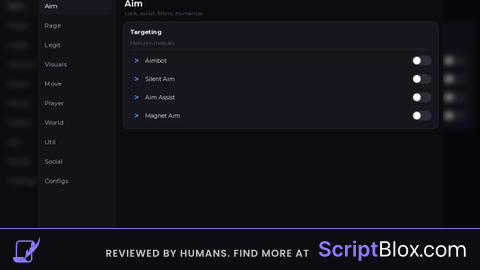
Could you make it more smaller since it fking breaks my key board