
KeylessUniversal
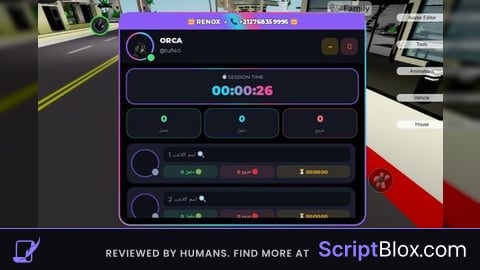
![(OP) Speed control GUI [KEYLESS]](https://scriptblox.com/images/sb/0-1786996215256.png)
--[[
    Roblox Speed Control & Lock Script with Toggleable UI & Custom Logo
    Compatible with standard Roblox Executors
]]--

local Players = game:GetService("Players")
local RunService = game:GetService("RunService")
local player = Players.LocalPlayer

-- Configuration Variables
local targetSpeed = 16
local speedLocked = false
local isUIVisible = true

-- Create ScreenGui
local screenGui = Instance.new("ScreenGui")
screenGui.Name = "SpeedControllerGUI"
screenGui.ResetOnSpawn = false
screenGui.Parent = player:WaitForChild("PlayerGui")

-- Main Draggable Window Frame
local mainFrame = Instance.new("Frame")
mainFrame.Size = UDim2.new(0, 220, 0, 190)
mainFrame.Position = UDim2.new(0.05, 0, 0.4, 0)
mainFrame.BackgroundColor3 = Color3.fromRGB(30, 30, 30)
mainFrame.BorderSizePixel = 0
mainFrame.Active = true
mainFrame.Draggable = true
mainFrame.Parent = screenGui

local corner = Instance.new("UICorner")
corner.CornerRadius = UDim.new(0, 8)
corner.Parent = mainFrame

-- Title Bar Container
local title = Instance.new("Frame")
title.Size = UDim2.new(1, 0, 0, 40)
title.BackgroundColor3 = Color3.fromRGB(45, 45, 45)
title.BorderSizePixel = 0
title.Parent = mainFrame

local titleCorner = Instance.new("UICorner")
titleCorner.CornerRadius = UDim.new(0, 8)
titleCorner.Parent = title

-- Fix bottom corners of title bar so it looks flush with the main frame
local titleFix = Instance.new("Frame")
titleFix.Size = UDim2.new(1, 0, 0, 10)
titleFix.Position = UDim2.new(0, 0, 1, -10)
titleFix.BackgroundColor3 = Color3.fromRGB(45, 45, 45)
titleFix.BorderSizePixel = 0
titleFix.Parent = title

-- Custom Image Logo from Internet (Roblox Asset ID)
local logo = Instance.new("ImageLabel")
logo.Size = UDim2.new(0, 26, 0, 26)
logo.Position = UDim2.new(0, 8, 0.5, -13)
logo.BackgroundTransparency = 1
-- Verified Roblox Asset logo ID
logo.Image = "rbxassetid://6034293994"
logo.Parent = title

-- Title Text Label
local titleText = Instance.new("TextLabel")
titleText.Size = UDim2.new(1, -45, 1, 0)
titleText.Position = UDim2.new(0, 42, 0, 0)
titleText.BackgroundTransparency = 1
titleText.TextColor3 = Color3.fromRGB(255, 255, 255)
titleText.TextSize = 14
titleText.Font = Enum.Font.SourceSansBold
titleText.Text = "Speed Lock GUI"
titleText.TextXAlignment = Enum.TextXAlignment.Left
titleText.Parent = title

-- Content Container (Holds elements to be hidden/shown when toggling UI)
local contentContainer = Instance.new("Frame")
contentContainer.Size = UDim2.new(1, 0, 1, -40)
contentContainer.Position = UDim2.new(0, 0, 0, 40)
contentContainer.BackgroundTransparency = 1
contentContainer.Parent = mainFrame

-- TextBox for entering custom speed
local speedBox = Instance.new("TextBox")
speedBox.Size = UDim2.new(0.8, 0, 0, 35)
speedBox.Position = UDim2.new(0.1, 0, 0.15, 0)
speedBox.BackgroundColor3 = Color3.fromRGB(50, 50, 50)
speedBox.TextColor3 = Color3.fromRGB(255, 255, 255)
speedBox.TextSize = 14
speedBox.Font = Enum.Font.SourceSans
speedBox.Text = tostring(targetSpeed)
speedBox.PlaceholderText = "Enter Speed"
speedBox.Parent = contentContainer

local boxCorner = Instance.new("UICorner")
boxCorner.CornerRadius = UDim.new(0, 6)
boxCorner.Parent = speedBox

-- Toggle Button for Locking Speed
local toggleBtn = Instance.new("TextButton")
toggleBtn.Size = UDim2.new(0.8, 0, 0, 35)
toggleBtn.Position = UDim2.new(0.1, 0, 0.52, 0)
toggleBtn.BackgroundColor3 = Color3.fromRGB(180, 50, 50)
toggleBtn.TextColor3 = Color3.fromRGB(255, 255, 255)
toggleBtn.TextSize = 14
toggleBtn.Font = Enum.Font.SourceSansBold
toggleBtn.Text = "Speed Lock: OFF"
toggleBtn.Parent = contentContainer

local btnCorner = Instance.new("UICorner")
btnCorner.CornerRadius = UDim.new(0, 6)
btnCorner.Parent = toggleBtn

-- Hide/Minimize Button (placed in the top right of the title bar)
local hideBtn = Instance.new("TextButton")
hideBtn.Size = UDim2.new(0, 26, 0, 26)
hideBtn.Position = UDim2.new(1, -32, 0.5, -13)
hideBtn.BackgroundColor3 = Color3.fromRGB(60, 60, 60)
hideBtn.TextColor3 = Color3.fromRGB(255, 255, 255)
hideBtn.TextSize = 12
hideBtn.Font = Enum.Font.SourceSansBold
hideBtn.Text = "-"
hideBtn.Parent = title

local hideCorner = Instance.new("UICorner")
hideCorner.CornerRadius = UDim.new(0, 4)
hideCorner.Parent = hideBtn

-- Floating Open Button (Visible on screen when the main panel is hidden)
local openBtn = Instance.new("TextButton")
openBtn.Size = UDim2.new(0, 45, 0, 45)
openBtn.Position = UDim2.new(0.02, 0, 0.4, 0)
openBtn.BackgroundColor3 = Color3.fromRGB(35, 35, 35)
openBtn.TextColor3 = Color3.fromRGB(255, 255, 255)
openBtn.TextSize = 12
openBtn.Font = Enum.Font.SourceSansBold
openBtn.Text = "OPEN"
openBtn.Visible = false
openBtn.Active = true
openBtn.Draggable = true
openBtn.Parent = screenGui

local openCorner = Instance.new("UICorner")
openCorner.CornerRadius = UDim.new(0, 8)
openCorner.Parent = openBtn

-- Logic for Hide / Show toggle
hideBtn.MouseButton1Click:Connect(function()
    isUIVisible = false
    contentContainer.Visible = false
    mainFrame.Size = UDim2.new(0, 220, 0, 40) -- Shrink to just show title bar
    hideBtn.Visible = false
    openBtn.Visible = true -- Show floating open button
end)

openBtn.MouseButton1Click:Connect(function()
    isUIVisible = true
    mainFrame.Size = UDim2.new(0, 220, 0, 190) -- Restore size
    contentContainer.Visible = true
    hideBtn.Visible = true
    openBtn.Visible = false -- Hide floating open button
end)

-- Input Handlers
speedBox.FocusLost:Connect(function(enterPressed)
    local newSpeed = tonumber(speedBox.Text)
    if newSpeed then
        targetSpeed = newSpeed
    else
        speedBox.Text = tostring(targetSpeed)
    end
end)

toggleBtn.MouseButton1Click:Connect(function()
    speedLocked = not speedLocked
    if speedLocked then
        toggleBtn.Text = "Speed Lock: ON"
        toggleBtn.BackgroundColor3 = Color3.fromRGB(50, 180, 50)
    else
        toggleBtn.Text = "Speed Lock: OFF"
        toggleBtn.BackgroundColor3 = Color3.fromRGB(180, 50, 50)
    end
end)

-- Continuous Bypass Loop (Fires every frame to prevent game anti-cheat overrides)
RunService.RenderStepped:Connect(function()
    if speedLocked then
        local character = player.Character
        if character then
            local humanoid = character:FindFirstChildOfClass("Humanoid")
            if humanoid then
                if humanoid.WalkSpeed ~= targetSpeed then
                    humanoid.WalkSpeed = targetSpeed
                end
            end
        end
    end
end)No comments yet for this script.