
Keyless

local Players = game:GetService("Players")
local player = Players.LocalPlayer

local function disableGameplayPaused()
    if player.GameplayPaused then
        player.GameplayPaused = false
    end
end

player:GetPropertyChangedSignal("GameplayPaused"):Connect(disableGameplayPaused)
disableGameplayPaused()

loadstring(game:HttpGet("https://raw.githubusercontent.com/Pixeluted/adoniscries/main/Source.lua", true))()

local screenGui = Instance.new("ScreenGui")
screenGui.Name = "ActionGui"
screenGui.Parent = player:WaitForChild("PlayerGui")

local scrollingFrame = Instance.new("ScrollingFrame")
scrollingFrame.Name = "ScrollingFrame"
scrollingFrame.Size = UDim2.new(0, 100, 0, 200)  -- Adjust size as needed
scrollingFrame.Position = UDim2.new(0, 10, 0.4, 10)
scrollingFrame.BackgroundColor3 = Color3.fromRGB(255, 255, 255)
scrollingFrame.Visible = true
scrollingFrame.Parent = screenGui

-- Set properties for scrolling
scrollingFrame.ScrollBarThickness = 10
scrollingFrame.CanvasSize = UDim2.new(0, 0, 0, 300)  -- Adjust based on total button height

local TweenService = game:GetService("TweenService")

local function toggleScrollingFrameVisibility()
    local tweenInfo = TweenInfo.new(1.5, Enum.EasingStyle.Quad, Enum.EasingDirection.Out)

    if scrollingFrame.Position.X.Scale == 0 then
        local tweenHide = TweenService:Create(scrollingFrame, tweenInfo, {Position = UDim2.new(-1, 0, scrollingFrame.Position.Y.Scale, scrollingFrame.Position.Y.Offset)})
        tweenHide:Play()
    else
        local tweenShow = TweenService:Create(scrollingFrame, tweenInfo, {Position = UDim2.new(0, 10, scrollingFrame.Position.Y.Scale, scrollingFrame.Position.Y.Offset)})
        tweenShow:Play()
    end
end

-- Example toggle button
local toggleButton = Instance.new("TextButton")
toggleButton.Name = "ToggleButton"
toggleButton.Size = UDim2.new(0, 80, 0, 30)
toggleButton.Position = UDim2.new(0, 120, 0.4, 10)
toggleButton.Text = "Toggle"
toggleButton.BackgroundColor3 = Color3.fromRGB(200, 200, 200)
toggleButton.Parent = screenGui

toggleButton.MouseButton1Click:Connect(toggleScrollingFrameVisibility)

-- Function to create buttons
local function createButton(name, position, color, callback)
    local button = Instance.new("TextButton")
    button.Name = name
    button.Size = UDim2.new(0, 80, 0, 30)
    button.Position = position
    button.Text = name
    button.BackgroundColor3 = color
    button.BorderColor3 = Color3.fromRGB(0, 0, 0)
    button.Parent = scrollingFrame

    button.MouseButton1Click:Connect(callback)
end

-- Button logic
local dieAnimationId = "rbxassetid://18730125626"
local slashAnimationId = "rbxassetid://18730125626" -- replace with correct slash animation ID
local deathAnimLoopId = "rbxassetid://18730146052"
local getUpAnimationId = "rbxassetid://17879623956"
local isDead = false
local slashTrack
local deathTrack
local deathLoopTrack

local function onDieButtonClicked()
    local character = player.Character or player.CharacterAdded:Wait()
    local humanoid = character:WaitForChild("Humanoid")
    local animator = humanoid:FindFirstChild("Animator") or Instance.new("Animator", humanoid)

    if not isDead then
        local slashAnimation = Instance.new("Animation")
        slashAnimation.AnimationId = slashAnimationId
        slashTrack = animator:LoadAnimation(slashAnimation)

        local dieAnimation = Instance.new("Animation")
        dieAnimation.AnimationId = dieAnimationId
        deathTrack = animator:LoadAnimation(dieAnimation)

        local deathAnimLoop = Instance.new("Animation")
        deathAnimLoop.AnimationId = deathAnimLoopId
        deathLoopTrack = animator:LoadAnimation(deathAnimLoop)

        slashTrack:Play()
        slashTrack.Stopped:Connect(function()
            deathTrack:Play()
            deathTrack.Stopped:Connect(function()
                deathLoopTrack:Play()
                deathLoopTrack.Looped = true
            end)
        end)

        isDead = true
    else
        if deathLoopTrack then
            deathLoopTrack:Stop()
        end

        local getUpAnimation = Instance.new("Animation")
        getUpAnimation.AnimationId = getUpAnimationId
        local getUpTrack = animator:LoadAnimation(getUpAnimation)

        getUpTrack:Play()
        getUpTrack.Stopped:Connect(function()
            isDead = false
        end)
    end
end

-- Other button functions
local function onNukeButtonClicked()
    local args = { [1] = "FinalHollowPurple" }
    game:GetService("ReplicatedStorage").Events.Abilitys.Gojo:FireServer(unpack(args))
end

local function onBlueButtonClicked()
    local blueAnimationId = "18696047955"
    local character = player.Character or player.CharacterAdded:Wait()
    local humanoid = character:WaitForChild("Humanoid")

    local animation = Instance.new("Animation")
    animation.AnimationId = "rbxassetid://" .. blueAnimationId
    local animator = humanoid:FindFirstChild("Animator") or humanoid:WaitForChild("Animator")

    local animationTrack = animator:LoadAnimation(animation)
    animationTrack:Play()
    animationTrack:AdjustSpeed(0.5)

    local args = {
        [1] = {
            ["Function"] = "Fire",
            ["Name"] = "BlueMo",
            ["rootpos"] = CFrame.new(-1828.1572265625, 175.3323974609375, -2659.400634765625) * CFrame.Angles(0, -0.5812909007072449, 0)
        }
    }
    game:GetService("ReplicatedStorage").Server:InvokeServer(unpack(args))
end

local function onBeatdownButtonClicked()
    local character = player.Character or player.CharacterAdded:Wait()
    local humanoid = character:WaitForChild("Humanoid")
    local animator = humanoid:FindFirstChild("Animator") or Instance.new("Animator", humanoid)

    local missAnimation = Instance.new("Animation")
    missAnimation.AnimationId = "rbxassetid://18722653305"
    local missTrack = animator:LoadAnimation(missAnimation)

    local hitAnimation = Instance.new("Animation")
    hitAnimation.AnimationId = "rbxassetid://18722647752"
    local hitTrack = animator:LoadAnimation(hitAnimation)

    missTrack.Stopped:Connect(function()
        hitTrack:Play()
    end)

    missTrack:Play()
    game:GetService("Players").LocalPlayer.PlayerGui.GUI.Animations.ScrollingFrame.Beatdown.Skill.Beatdown:FireServer()
end

local function onDomainButtonClicked()
    local args = {
    [1] = "First"
}

    local domainAnimationId = "rbxassetid://18699099033"
    local character = player.Character or player.CharacterAdded:Wait()
    local humanoid = character:WaitForChild("Humanoid")

    local animation = Instance.new("Animation")
    animation.AnimationId = domainAnimationId
    local animator = humanoid:FindFirstChild("Animator") or humanoid:WaitForChild("Animator")

    local animationTrack = animator:LoadAnimation(animation)
    animationTrack:Play()
    animationTrack:AdjustSpeed(1.1)

    game:GetService("ReplicatedStorage").MalevolentShrineRemote:FireServer(unpack(args))
end

local function onPurpleButtonClicked()
    local purpleAnimationId = "rbxassetid://18690259328"
    local character = player.Character or player.CharacterAdded:Wait()
    local humanoid = character:WaitForChild("Humanoid")

    local animation = Instance.new("Animation")
    animation.AnimationId = purpleAnimationId
    local animator = humanoid:FindFirstChild("Animator") or humanoid:WaitForChild("Animator")

    local animationTrack = animator:LoadAnimation(animation)
    animationTrack:Play()
    animationTrack:AdjustSpeed(1)

    local humRootPart = character:WaitForChild("HumanoidRootPart")
    local redOrb = Instance.new("Part")
    local blueOrb = Instance.new("Part")
    local hollowPurple = Instance.new("Part")

    redOrb.CFrame = humRootPart.CFrame * CFrame.new(-5, 0, 5)
    blueOrb.CFrame = humRootPart.CFrame * CFrame.new(5, 0, 5)
    hollowPurple.CFrame = humRootPart.CFrame * CFrame.new(0, 0, -10)

    -- Define your effects and movement functions here
    -- (You would need to implement these as per your game design)

    -- Clean up the orbs after some time
    game:GetService("Debris"):AddItem(redOrb, 5)
    game:GetService("Debris"):AddItem(blueOrb, 5)
    game:GetService("Debris"):AddItem(hollowPurple, 5)
end

-- Create action buttons
-- Create action buttons
createButton("Nuke", UDim2.new(0, 10, 0, 10), Color3.fromRGB(148, 0, 211), onNukeButtonClicked)
createButton("Blue", UDim2.new(0, 10, 0, 50), Color3.fromRGB(0, 0, 255), onBlueButtonClicked)
createButton("Beatdown", UDim2.new(0, 10, 0, 90), Color3.fromRGB(128, 128, 128), onBeatdownButtonClicked)
createButton("Domain", UDim2.new(0, 10, 0, 130), Color3.fromRGB(75, 0, 130), onDomainButtonClicked)
createButton("Purple", UDim2.new(0, 10, 0, 170), Color3.fromRGB(128, 0, 128), onPurpleButtonClicked)
createButton("Die", UDim2.new(0, 10, 0, 210), Color3.fromRGB(255, 0, 0), onDieButtonClicked)

-- Replace idle and walk animations
local idleAnimationId = "rbxassetid://18416769632"
local walkAnimationId = "rbxassetid://129089316408575"
local character = player.Character or player.CharacterAdded:Wait()

local animateScript = character:FindFirstChild("Animate")
if animateScript then
    local idleAnimation = animateScript:FindFirstChild("idle")
    if idleAnimation then
        for _, anim in pairs(idleAnimation:GetChildren()) do
            if anim:IsA("Animation") then
                anim.AnimationId = idleAnimationId
            end
        end
    end

    local walkAnimation = animateScript:FindFirstChild("walk")
    if walkAnimation then
        for _, anim in pairs(walkAnimation:GetChildren()) do
            if anim:IsA("Animation") then
                anim.AnimationId = walkAnimationId
            end
        end
    end
end
nah trash which just laggs the game
your executor sucks probably. i used delta and it worked fine for me
Cool. But I don't know if it's client or not.
is this FE
its fe guys, dont worry
Nuke doesnt work, please fix i use KRNL!
I don't think nuke is working on all executors. Using delta right now and it wont work
@tfmr2004 are u able to check if it works on xeno?
i said it in the description, nuke dosent work.
You can Make Rework Gojo Cameraman?
Bro how to download delta script I am a noob please help
They when admin charaters
Now admin charaters use yet
cool bro
U should make an Yuji itadori
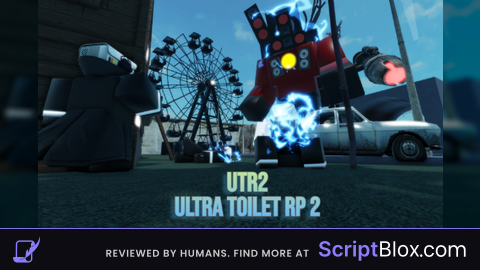
Próximo script para Ultra toilet roleplay 2 free gamepass por favor /Next script For Ultra toilet roleplay 2 free gamepass pls
can you make ad new animations?
nuke is not working please update ! My executor: KRLN
Can you make a new script for this game?
Can you make other scripts with this game?
I wont be updating this script anymore
Nuke was removed from the game
@Your_Local_Exploiter it still in the game use dex and final hollowpurple or finalpurple or finalhollow i found it in the game
@Your_Local_Exploiter id for nuke muhehe: rbx*etid://125766631073429
@Admin_animationRP Alr then ill fix it
If possible can you also add the gojo camraman caracter like the gl*es the clothes when ever you click execute you will also get the caracter
can yo make a pc one pls
Whats the raw link pls
it doesnt even work