

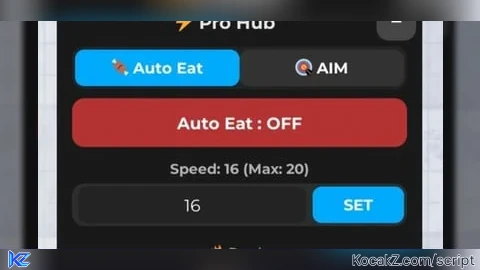
Key RequiredUniversal
-- LocalScript: Aimbot com painel móvel para PC + MOBILE
-- Coloque em StarterPlayerScripts

local Players = game:GetService("Players")
local RunService = game:GetService("RunService")
local UserInputService = game:GetService("UserInputService")

local LP = Players.LocalPlayer

-- GUI
local ScreenGui = Instance.new("ScreenGui", game.CoreGui)
ScreenGui.Name = "AimbotGUI"

local Btn = Instance.new("TextButton", ScreenGui)
Btn.Size = UDim2.fromOffset(180,60)
Btn.Position = UDim2.fromScale(0.03,0.35)
Btn.BackgroundColor3 = Color3.fromRGB(150,0,0)
Btn.TextColor3 = Color3.fromRGB(255,255,255)
Btn.TextScaled = true
Btn.Text = "Aimbot OFF"

local UICorner = Instance.new("UICorner", Btn)
UICorner.CornerRadius = UDim.new(0,10)

local enabled = false

-- Função para achar player mais próximo
local function getClosestPlayer()
	local closestDist = math.huge
	local closestPlr = nil
	if not LP.Character or not LP.Character:FindFirstChild("HumanoidRootPart") then return nil end
	local myPos = LP.Character.HumanoidRootPart.Position

	for _, plr in ipairs(Players:GetPlayers()) do
		if plr ~= LP and plr.Character and plr.Character:FindFirstChild("HumanoidRootPart") then
			local dist = (plr.Character.HumanoidRootPart.Position - myPos).Magnitude
			if dist < closestDist then
				closestDist = dist
				closestPlr = plr
			end
		end
	end
	return closestPlr
end

-- Ativar / desativar aimbot
Btn.MouseButton1Click:Connect(function()
	enabled = not enabled
	Btn.Text = enabled and "Aimbot ON" or "Aimbot OFF"
	Btn.BackgroundColor3 = enabled and Color3.fromRGB(0,180,0) or Color3.fromRGB(150,0,0)
end)

-- Aimbot
RunService.RenderStepped:Connect(function()
	if not enabled then return end
	local target = getClosestPlayer()
	if not target or not target.Character then return end

	local myChar = LP.Character
	if not myChar then return end

	local hrp = myChar:FindFirstChild("HumanoidRootPart")
	local thrp = target.Character:FindFirstChild("HumanoidRootPart")
	if not hrp or not thrp then return end

	hrp.CFrame = CFrame.lookAt(hrp.Position, thrp.Position)
end)

------------------------------------------------
-- PAINEL MÓVEL (PC + CELULAR)
------------------------------------------------

local dragging = false
local dragInput, dragStart, startPos

Btn.InputBegan:Connect(function(input)
	if input.UserInputType == Enum.UserInputType.MouseButton1
	or input.UserInputType == Enum.UserInputType.Touch then

		dragging = true
		dragStart = input.Position
		startPos = Btn.Position

		input.Changed:Connect(function()
			if input.UserInputState == Enum.UserInputState.End then
				dragging = false
			end
		end)
	end
end)

Btn.InputChanged:Connect(function(input)
	if input.UserInputType == Enum.UserInputType.MouseMovement
	or input.UserInputType == Enum.UserInputType.Touch then
		dragInput = input
	end
end)

UserInputService.InputChanged:Connect(function(input)
	if dragging and input == dragInput then
		local delta = input.Position - dragStart
		Btn.Position = UDim2.new(
			startPos.X.Scale,
			startPos.X.Offset + delta.X,
			startPos.Y.Scale,
			startPos.Y.Offset + delta.Y
		)
	end
end)
Leave a like if you found it useful!👍
Work - like script
so i clicked the executive now i am confused.
off on panel