
--[[ WARNING: ÐаÑтроено Ñпециально Ð´Ð»Ñ Ð¼Ð¾Ð±Ð¸Ð»ÑŒÐ½Ð¾Ð³Ð¾ ÑкÑикьютора Delta ]]
local Players = game:GetService("Players")
local Lighting = game:GetService("Lighting")
local Workspace = game:GetService("Workspace")
local TweenService = game:GetService("TweenService")
local UserInputService = game:GetService("UserInputService")
local LocalPlayer = Players.LocalPlayer
local PlayerGui = LocalPlayer:WaitForChild("PlayerGui", 10)
if not PlayerGui then return end
-- УдалÑем Ñтарую копию Ñкрипта перед перезапуÑками
if PlayerGui:FindFirstChild("TrollGuiContainer") then
PlayerGui.TrollGuiContainer:Destroy()
end
-- Создание интерфейÑа (контейнер)
local ScreenGui = Instance.new("ScreenGui")
ScreenGui.Name = "TrollGuiContainer"
ScreenGui.ResetOnSpawn = false
ScreenGui.ZIndexBehavior = Enum.ZIndexBehavior.Sibling
ScreenGui.Parent = PlayerGui
-- Главное окно
local Frame = Instance.new("Frame")
Frame.Parent = ScreenGui
Frame.BackgroundColor3 = Color3.fromRGB(0, 0, 0)
Frame.BorderColor3 = Color3.fromRGB(179, 0, 0)
Frame.BorderSizePixel = 5
Frame.Position = UDim2.new(0.25, 0, 0.35, 0)
Frame.Size = UDim2.new(0, 220, 0, 260)
local TextLabel = Instance.new("TextLabel")
TextLabel.Parent = Frame
TextLabel.BackgroundTransparency = 1
TextLabel.Position = UDim2.new(0.05, 0, 0.05, 0)
TextLabel.Size = UDim2.new(0, 200, 0, 30)
TextLabel.Font = Enum.Font.SourceSans
TextLabel.Text = "Jahnbert Troll gui"
TextLabel.TextColor3 = Color3.fromRGB(255, 255, 255)
TextLabel.TextSize = 33
local TextLabel_2 = Instance.new("TextLabel")
TextLabel_2.Parent = Frame
TextLabel_2.BackgroundTransparency = 1
TextLabel_2.Position = UDim2.new(0, 0, 0.18, 0)
TextLabel_2.Size = UDim2.new(0, 220, 0, 30)
TextLabel_2.Font = Enum.Font.SourceSans
TextLabel_2.Text = "Jahnbert Executor Stable"
TextLabel_2.TextColor3 = Color3.fromRGB(200, 200, 200)
TextLabel_2.TextSize = 18
-- Ð¤ÑƒÐ½ÐºÑ†Ð¸Ñ Ð¿ÐµÑ€ÐµÑ‚Ð°ÑÐºÐ¸Ð²Ð°Ð½Ð¸Ñ (оптимизирована под ÑенÑорный ввод Delta)
local function dragify(Main)
local dragToggle, dragInput, dragStart, startPos
Main.InputBegan:Connect(function(input)
if input.UserInputType == Enum.UserInputType.MouseButton1 or input.UserInputType == Enum.UserInputType.Touch then
dragToggle = true
dragStart = input.Position
startPos = Main.Position
input.Changed:Connect(function()
if input.UserInputState == Enum.UserInputState.End then dragToggle = false end
end)
end
end)
Main.InputChanged:Connect(function(input)
if input.UserInputType == Enum.UserInputType.MouseMovement or input.UserInputType == Enum.UserInputType.Touch then
dragInput = input
end
end)
UserInputService.InputChanged:Connect(function(input)
if input == dragInput and dragToggle then
local Delta = input.Position - dragStart
local Position = UDim2.new(startPos.X.Scale, startPos.X.Offset + Delta.X, startPos.Y.Scale, startPos.Y.Offset + Delta.Y)
TweenService:Create(Main, TweenInfo.new(0.1, Enum.EasingStyle.Linear), {Position = Position}):Play()
end
end)
end
dragify(Frame)
-- КонÑтруктор кнопок
local function createButton(name, text, pos, size)
local btn = Instance.new("TextButton")
btn.Name = name
btn.Parent = Frame
btn.BackgroundColor3 = Color3.fromRGB(34, 34, 34)
btn.BorderColor3 = Color3.fromRGB(165, 3, 2)
btn.BorderSizePixel = 3
btn.Position = pos
btn.Size = size
btn.Font = Enum.Font.SourceSans
btn.Text = text
btn.TextColor3 = Color3.fromRGB(255, 255, 255)
btn.TextScaled = true
return btn
end
local decalspam = createButton("decalspam", "decal spam", UDim2.new(0.05, 0, 0.35, 0), UDim2.new(0, 90, 0, 25))
local skybox = createButton("skybox", "skybox", UDim2.new(0.53, 0, 0.35, 0), UDim2.new(0, 90, 0, 25))
local hint = createButton("hint", "hint", UDim2.new(0.05, 0, 0.48, 0), UDim2.new(0, 90, 0, 25))
local jumpscare1 = createButton("jumpscare1", "jumpscare 1", UDim2.new(0.53, 0, 0.48, 0), UDim2.new(0, 90, 0, 25))
local disco = createButton("disco", "disco", UDim2.new(0.05, 0, 0.61, 0), UDim2.new(0, 90, 0, 25))
local jumpscare2 = createButton("jumpscare2", "jumpscare 2", UDim2.new(0.53, 0, 0.61, 0), UDim2.new(0, 90, 0, 25))
local music2 = createButton("music2", "theme", UDim2.new(0.05, 0, 0.74, 0), UDim2.new(0, 90, 0, 22))
local musicstop = createButton("musicstop", "stop music", UDim2.new(0.53, 0, 0.74, 0), UDim2.new(0, 90, 0, 22))
local particlesspam = createButton("particlesspam", "particles spam", UDim2.new(0.05, 0, 0.86, 0), UDim2.new(0, 195, 0, 25))
-- ==================== ФУÐКЦИОÐÐЛ КÐОПОК ====================
-- 1. СПÐÐœ ДЕКÐЛЯМИ ÐРБЛОКИ
decalspam.MouseButton1Click:Connect(function()
local function applyDecals(root)
for _, v in pairs(root:GetChildren()) do
if v:IsA("BasePart") then
v.Material = Enum.Material.Plastic
v.Transparency = 0
local faces = {Enum.NormalId.Front, Enum.NormalId.Back, Enum.NormalId.Right, Enum.NormalId.Left, Enum.NormalId.Top, Enum.NormalId.Bottom}
for _, face in pairs(faces) do
local d = Instance.new("Decal")
d.Texture = "rbxassetid://14799621400"
d.Face = face
d.Parent = v
end
end
applyDecals(v)
end
end
applyDecals(Workspace)
end)
-- 2. ИЗМЕÐЕÐИЕ ÐЕБР(SKYBOX)
skybox.MouseButton1Click:Connect(function()
local s = Instance.new("Sky")
s.Name = "JahnbertSky"
s.SkyboxBk = "rbxassetid://14799621400"
s.SkyboxDn = "rbxassetid://14799621400"
s.SkyboxFt = "rbxassetid://14799621400"
s.SkyboxLf = "rbxassetid://14799621400"
s.SkyboxRt = "rbxassetid://14799621400"
s.SkyboxUp = "rbxassetid://14799621400"
s.Parent = Lighting
Lighting.TimeOfDay = "12:00:00"
end)
-- 3. ВСПЛЫВÐЮЩÐЯ ПОДСКÐЗКР(HINT)
hint.MouseButton1Click:Connect(function()
local m = Instance.new("Hint")
m.Text = "Team Jahnbert Join Today!"
m.Parent = Workspace
task.wait(5)
m:Destroy()
end)
-- 4. Ð ÐДУЖÐÐЯ ДИСКОТЕКÐ
local discoActive = false
disco.MouseButton1Click:Connect(function()
if discoActive then return end
discoActive = true
local cc = Instance.new("ColorCorrectionEffect", Lighting)
local counter = 0
task.spawn(function()
while discoActive do
local color = Color3.fromHSV(math.acos(math.cos(counter * math.pi)) / math.pi, 1, 1)
cc.TintColor = color
Lighting.Ambient = color
counter = counter + 0.01
task.wait(0.05)
end
end)
end)
-- 5. ГРОМКÐЯ МУЗЫКР(1839247124, ГромкоÑÑ‚ÑŒ 99999)
local currentSound
music2.MouseButton1Click:Connect(function()
if currentSound then currentSound:Destroy() end
currentSound = Instance.new("Sound")
currentSound.SoundId = "rbxassetid://1839247124"
currentSound.Volume = 99999
currentSound.Looped = true
currentSound.Parent = Workspace
currentSound:Play()
end)
-- СТОП МУЗЫКРИ ДИСКО
musicstop.MouseButton1Click:Connect(function()
if currentSound then currentSound:Stop() currentSound:Destroy() end
discoActive = false
for _, v in pairs(Lighting:GetChildren()) do
if v:IsA("ColorCorrectionEffect") then v:Destroy() end
end
end)
-- 6. СПÐÐœ ЛЕТÐЮЩИМИ ЧÐСТИЦÐМИ ÐРГОЛОВЫ
particlesspam.MouseButton1Click:Connect(function()
for _, p in pairs(Players:GetPlayers()) do
if p.Character and p.Character:FindFirstChild("Head") then
local emit = Instance.new("ParticleEmitter")
emit.Texture = "rbxassetid://14799621400"
emit.VelocitySpread = 180
emit.Speed = NumberRange.new(5, 10)
emit.Parent = p.Character.Head
end
end
end)
-- 7. СКРИМЕРЫ (С оригинальными ID звуков и громкоÑтью 99999)
local function runScreamer(soundId)
local scr = Instance.new("ScreenGui", PlayerGui)
scr.Name = "ActiveScreamer"
local img = Instance.new("ImageLabel", scr)
img.Image = "rbxassetid://14799621400"
img.Size = UDim2.new(1, 0, 1, 0)
img.Position = UDim2.new(0, 0, 0, 0)
local s = Instance.new("Sound", scr)
s.SoundId = "rbxassetid://" .. soundId
s.Volume = 99999
s:Play()
task.wait(4)
scr:Destroy()
end
jumpscare1.MouseButton1Click:Connect(function()
runScreamer("8280196339") -- Вернул оригинальный звук 1
end)
jumpscare2.MouseButton1Click:Connect(function()
runScreamer("613960902") -- Вернул оригинальный звук 2
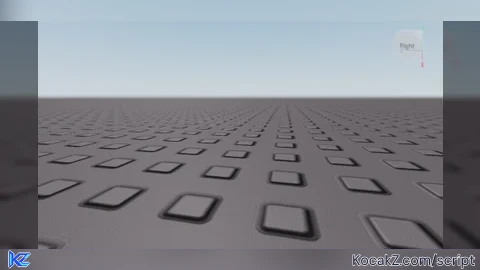
end)How to Execute Just a baseplate. Script – Jahnbert Troll Gui
Step 1: Copy Code: Click the Copy Code button in the viewer above to grab the clean Lua loadstring.
Step 2: Launch Executor: Open a compatible, unpatched executor. If you need one, check our Roblox Executors Directory.
Step 3: Join Experience: Launch Roblox and join Just a baseplate..
Step 4: Attach & Run: Attach/inject your executor into the Roblox process, paste the code into the script tab, and press Execute.
![[UP] Just a baseplate.](https://media.kocakz.me/a5956579a57eb73394583fda4a4d217b8cd99b9685a144bf5afbd6d71dc2e1bd.webp)
Features & Information
Script Changelog (1)
Community Comments (0)
No comments yet for this script.
Frequently Asked Questions
How do I execute Just a baseplate. Script – Jahnbert Troll Gui in Roblox?
To run Just a baseplate. Script – Jahnbert Troll Gui, copy the Lua loadstring from the code viewer above, launch Roblox and join Just a baseplate., attach a working executor (such as Potassium, Solara, or Delta from our Executors directory), paste the code into your executor console, and click Execute.
Is Just a baseplate. Script – Jahnbert Troll Gui keyless or does it require an access key?
Just a baseplate. Script – Jahnbert Troll Gui requires an access key. You can retrieve the official key directly using the Get Script Key link provided above.
Is Just a baseplate. Script – Jahnbert Troll Gui currently safe and working?
This script is active and operational. Always test scripts using a secondary (alt) Roblox account to safeguard your main profile against anti-cheat bans.

![Ather Hub Blox Fruits [Cracked] - Verified script for Just a baseplate.](https://media.kocakz.me/dc8e8947d0c3cbf97daf9a9f7c2e8b888bd507031ca7d1d57b411415c434e2a9.webp)