

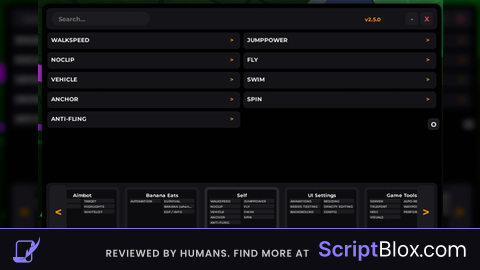
Key Required VerifiedUniversal
---------- [ Library ] ----------
local Library = loadstring(game:HttpGet("https://pastebin.com/raw/b5QLVFiM"))()
---------- [ Window ] ----------
local Window = Library:CreateWindow('JustShare - Hub')
---------- [ Create Tab ] ----------
local Tab = {
Home = Window:addTab('•Home + Settings'),
ESP = Window:addTab('•Esp'),
Troll = Window:addTab('•Troll'),
Tools = Window:addTab('•Tool'),
}
---------- [ Home Tab Section ] ----------
local Home_Right = Tab.Home:addSection()
local Main_Home = Home_Right:addMenu("#Home")
---------- [ Variables ] ----------
local Farm = false
local Rebirth = false
local IsSelling = false
local AutoFarmAI = false
local ESPEnabled = false
local FarmPaused = false
local XRayEnabled = false
local AutoSellEnabled = false
local ESPPlayerEnabled = false
local VisualEffectsEnabled = true
local ToolDestroyerEnabled = false
local CurrentChest = nil
local FarmingSpeed = 0.001
local UserInputService = game:GetService("UserInputService")
local PathfindingService = game:GetService("PathfindingService")
local VirtualInputManager = game:GetService("VirtualInputManager")
local XRayTransparency = 0.2
local PlayerHighlights = {}
local ChestHighlights = {}
local Players = game:GetService("Players")
local StarterGui = game:GetService("StarterGui")
local player = Players.LocalPlayer
local character = player.Character or player.CharacterAdded:Wait()
local humanoid = character:FindFirstChildOfClass("Humanoid")
local backpack = player:FindFirstChild("Backpack")
local rootPart = character:FindFirstChild("HumanoidRootPart")
---------- [ Notify Function ] ----------
local function notify(title, text)
StarterGui:SetCore("SendNotification", {
Title = title,
Text = text,
Duration = 5,
})
end
---------- [ Destroy Tool Function ] ----------
local function DestroyTools()
while ToolDestroyerEnabled do
if character then
for _, tool in pairs(character:GetChildren()) do
if tool:IsA("Tool") then
pcall(function()
tool:Destroy()
end)
end
end
end
-- Hapus tool di Backpack
if backpack then
for _, tool in pairs(backpack:GetChildren()) do
if tool:IsA("Tool") then
pcall(function()
tool:Destroy()
end)
end
end
end
task.wait(0.1) -- Hindari lag dengan jeda waktu
end
end
---------- [ Sell Function ] ----------
local function Sell()
if IsSelling then return end
IsSelling = true
local OldPos = game.Players.LocalPlayer.Character.HumanoidRootPart.CFrame
game.Players.LocalPlayer.Character.HumanoidRootPart.CFrame = CFrame.new(3, 10, -160)
wait(0.1)
game.ReplicatedStorage.Events.AreaSell:FireServer()
wait(0.1)
game.Players.LocalPlayer.Character.HumanoidRootPart.CFrame = OldPos
IsSelling = false
end
---------- [ Auto Farm Loop ] ----------
local function AutoFarmLoop()
while Farm do
if FarmPaused then
wait(0.3)
else
-- Memastikan tool ada di tangan
local tool = game.Players.LocalPlayer.Character:FindFirstChildOfClass("Tool") or
game.Players.LocalPlayer.Backpack:FindFirstChildOfClass("Tool")
-- Pastikan tool tersedia sebelum melanjutkan
if not tool then
game:GetService("StarterGui"):SetCore("SendNotification", {
Title = "Error!",
Text = "No tool found! Disabling Auto Farm.",
Duration = 5,
})
Farm = false
return
elseif not game.Players.LocalPlayer.Character:FindFirstChildOfClass("Tool") then
game.Players.LocalPlayer.Character.Humanoid:EquipTool(tool)
wait(0.1)
end
-- Fokuskan posisi karakter hanya pada chest yang sedang di-farm
if CurrentChest and CurrentChest.Parent then
local humanoidRootPart = game.Players.LocalPlayer.Character.HumanoidRootPart
local targetPosition = CurrentChest.Position
-- Pindahkan karakter ke chest dengan kecepatan lebih tinggi
if (humanoidRootPart.Position - targetPosition).Magnitude > 0.5 then
humanoidRootPart.CFrame = CFrame.new(targetPosition)
end
tool.RemoteClick:FireServer(CurrentChest)
wait(FarmingSpeed)
-- Cek apakah Backpack penuh dan jual otomatis jika perlu
if AutoSellEnabled and game.Players.LocalPlayer.PlayerGui.Gui.Popups.BackpackFull.Visible then
FarmPaused = true
Sell()
FarmPaused = false
end
else
-- Jika Chest tidak ditemukan, lakukan pencarian chest baru
CurrentChest = nil
for _, v in pairs(game.Workspace.SandBlocks:GetChildren()) do
if not Farm then break end
if v:FindFirstChild("Chest") then
CurrentChest = v
v.CanCollide = false
local character = game.Players.LocalPlayer.Character
if character then
-- Fokuskan posisi karakter pada chest baru
local humanoidRootPart = game.Players.LocalPlayer.Character.HumanoidRootPart
local targetPosition = v.Position
-- Pindahkan posisi karakter hanya jika diperlukan
if (humanoidRootPart.Position - targetPosition).Magnitude > 0.5 then
humanoidRootPart.CFrame = CFrame.new(targetPosition)
end
tool.RemoteClick:FireServer(v)
wait(0.05)
end
break
end
end
end
end
wait(0.05)
end
end
---------- [ Toggling Features ] ----------
-- Auto Farm Toggle
Main_Home:addToggle('Auto Farm', false, function(state)
Farm = state
if state then
local tool = game.Players.LocalPlayer.Character:FindFirstChildOfClass("Tool")
if not tool then
tool = game.Players.LocalPlayer.Backpack:FindFirstChildOfClass("Tool")
end
if not tool then
game:GetService("StarterGui"):SetCore("SendNotification", {
Title = "Error!",
Text = "No tool found! Auto Farm disabled.",
Duration = 5,
})
Farm = false
return
end
if not game.Players.LocalPlayer.Character:FindFirstChildOfClass("Tool") then
game.Players.LocalPlayer.Character.Humanoid:EquipTool(tool)
wait(0.1)
end
game:GetService("StarterGui"):SetCore("SendNotification", {
Title = "Success!",
Text = "Auto Farm enabled.",
Duration = 5,
})
spawn(AutoFarmLoop)
else
game:GetService("StarterGui"):SetCore("SendNotification", {
Title = "Info!",
Text = "Auto Farm disabled.",
Duration = 5,
})
end
end)
---------- [ Auto Farm Ai ] ----------
-- DEFINISI AWAL
local Players = game:GetService("Players")
local PathfindingService = game:GetService("PathfindingService")
local TweenService = game:GetService("TweenService")
local StarterGui = game:GetService("StarterGui")
local player = Players.LocalPlayer
-- Fungsi untuk mendapatkan karakter, humanoid, dan HumanoidRootPart secara dinamis
local function getCharacterComponents()
local char = player.Character or player.CharacterAdded:Wait()
local hum = char:FindFirstChildOfClass("Humanoid") or char:WaitForChild("Humanoid")
local hrp = char:FindFirstChild("HumanoidRootPart") or char:WaitForChild("HumanoidRootPart")
return char, hum, hrp
end
---------------------------------------------------
-- Fungsi untuk menggerakkan karakter ke target (menggunakan Pathfinding)
local function MoveToTarget(target)
local character, humanoid, rootPart = getCharacterComponents()
if not character or not humanoid or not rootPart then return end
local path = PathfindingService:CreatePath({
AgentRadius = 2,
AgentHeight = 5,
AgentCanJump = true,
AgentJumpHeight = 10,
AgentWalkableClimb = 2
})
path:ComputeAsync(rootPart.Position, target.Position)
if path.Status == Enum.PathStatus.Success then
local waypoints = path:GetWaypoints()
for _, waypoint in ipairs(waypoints) do
humanoid:MoveTo(waypoint.Position)
local reached = humanoid.MoveToFinished:Wait()
if not reached then
break
end
end
else
warn("Pathfinding failed!")
end
end
---------------------------------------------------
-- Fungsi untuk mencari target terdekat (Sand atau Chest)
local function FindNearestSandOrChest()
local character, humanoid, rootPart = getCharacterComponents()
if not rootPart then return nil end
local nearestSand, nearestChest, shortestDistance = nil, nil, math.huge
-- Asumsi: semua blok pasir dan chest berada di dalam workspace.SandBlocks
for _, block in pairs(workspace.SandBlocks:GetChildren()) do
if block:IsA("BasePart") then
local distance = (block.Position - rootPart.Position).Magnitude
if distance < shortestDistance then
nearestSand = block
shortestDistance = distance
end
if block:FindFirstChild("Chest") then
nearestChest = block
end
end
end
return nearestChest or nearestSand
end
---------------------------------------------------
-- Fungsi utama Auto Farm AI Loop
local function AutoFarmAILoop()
while AutoFarmAI do
local character, humanoid, rootPart = getCharacterComponents()
local target = FindNearestSandOrChest()
if target then
MoveToTarget(target)
wait(0.1) -- jeda singkat
-- Interaksi: Menggali atau membuka chest menggunakan tool RemoteClick
local tool = character:FindFirstChildOfClass("Tool") or player.Backpack:FindFirstChildOfClass("Tool")
if tool and tool:FindFirstChild("RemoteClick") then
tool.RemoteClick:FireServer(target.Position)
end
end
wait(FarmingSpeed) -- Jeda sebelum iterasi selanjutnya
end
end
---------------------------------------------------
-- Toggle untuk Auto Farm AI
Main_Home:addToggle('Auto Farm With AI', false, function(state)
AutoFarmAI = state
if AutoFarmAI then
notify("Auto Farm AI Enabled", "Auto Farm AI is now active.")
task.spawn(AutoFarmAILoop)
else
notify("Auto Farm AI Disabled", "Auto Farm AI is now disabled.")
end
end)
---------- [ Auto Sell Toggle ] ----------
Main_Home:addToggle('Auto Sell', false, function(state)
AutoSellEnabled = state
game:GetService("StarterGui"):SetCore("SendNotification", {
Title = state and "Success!" or "Succes!",
Text = "Auto Sell " .. (state and "enabled." or "disabled."),
Duration = 5,
})
end)
---------- [ Auto Rebirth ] ----------
Main_Home:addToggle('Auto Rebirth', false, function(state)
Rebirth = state
if Rebirth then
task.spawn(function()
while Rebirth do
wait(1)
local aText = game.Players.LocalPlayer.PlayerGui.Gui.Buttons.Coins.Amount.Text
local bText = game.Players.LocalPlayer.PlayerGui.Gui.Rebirth.Needed.Coins.Amount.Text
local a = tonumber(aText:gsub(",", ""))
local b = tonumber(bText:gsub(",", ""))
if a and b and a >= b then
warn("Calculation Complete! Melakukan Rebirth...")
game.ReplicatedStorage.Events.Rebirth:FireServer()
repeat wait(0.1) until game.Players.LocalPlayer.PlayerGui.Gui.Popups.GiveReward.Visible == true
game.Players.LocalPlayer.PlayerGui.Gui.Popups.GiveReward.Visible = false
wait(1)
end
end
end)
end
end)
---------- [ X-Ray ] ----------
local function SetXRayTransparency(object, transparency)
if object:IsA("BasePart") and object.Transparency ~= transparency then
object.Transparency = transparency
end
for _, child in pairs(object:GetChildren()) do
SetXRayTransparency(child, transparency)
end
end
local function EnableXRay()
for _, object in pairs(workspace:GetDescendants()) do
if object:IsA("BasePart") and not object:IsDescendantOf(game.Players.LocalPlayer.Character) then
SetXRayTransparency(object, XRayTransparency)
end
end
end
local function DisableXRay()
for _, object in pairs(workspace:GetDescendants()) do
if object:IsA("BasePart") then
SetXRayTransparency(object, 0)
end
end
end
Main_Home:addToggle('X-Ray', false, function(state)
XRayEnabled = state
if XRayEnabled then
EnableXRay()
game:GetService("StarterGui"):SetCore("SendNotification", {
Title = "X-Ray Enabled",
Text = "Objects are now transparent.",
Duration = 5,
})
else
DisableXRay()
game:GetService("StarterGui"):SetCore("SendNotification", {
Title = "X-Ray Disabled",
Text = "Objects are now back to normal.",
Duration = 5,
})
end
end)
---------- [ Misc Tab Section ] ----------
local Misc_Left = Tab.Home:addSection()
local Main_Misc = Misc_Left:addMenu("#Settings")
---------- [ Misc - Farming Speed Textbox ] ----------
Main_Misc:addTextbox('Farming Speed', tostring(FarmingSpeed), function(value)
local newFarmingSpeed = tonumber(value)
if newFarmingSpeed and newFarmingSpeed > 0 then
FarmingSpeed = newFarmingSpeed
game:GetService("StarterGui"):SetCore("SendNotification", {
Title = "Farming Speed Updated!",
Text = "Farming speed set to: " .. tostring(newFarmingSpeed),
Duration = 5,
})
else
game:GetService("StarterGui"):SetCore("SendNotification", {
Title = "Invalid Input",
Text = "Please enter a valid positive number for Farming Speed.",
Duration = 5,
})
end
end)
---------- [ ESP Tab Section ] ----------
local ESP_Left = Tab.ESP:addSection()
local Main_ESP = ESP_Left:addMenu("#ESP")
---------- [ ESP Player Toggle ] ----------
-- Fungsi untuk menambahkan highlight pada player
local function AddPlayerESP(player)
if player.Character and player.Character:FindFirstChild("HumanoidRootPart") then
local highlight = Instance.new("Highlight")
highlight.Parent = player.Character
highlight.Adornee = player.Character.HumanoidRootPart
highlight.FillColor = Color3.fromRGB(255, 0, 0) -- Highlight berwarna merah
highlight.FillTransparency = 0.5
highlight.OutlineColor = Color3.fromRGB(255, 255, 255) -- Outline berwarna putih
highlight.OutlineTransparency = 0.5
-- Menambahkan nama player di atas highlight
local nameLabel = Instance.new("BillboardGui")
nameLabel.Parent = player.Character
nameLabel.Adornee = player.Character.HumanoidRootPart
nameLabel.Size = UDim2.new(0, 100, 0, 50)
nameLabel.StudsOffset = Vector3.new(0, 3, 0)
nameLabel.AlwaysOnTop = true
local textLabel = Instance.new("TextLabel")
textLabel.Parent = nameLabel
textLabel.Size = UDim2.new(1, 0, 1, 0)
textLabel.Text = player.Name
textLabel.TextColor3 = Color3.fromRGB(255, 255, 255)
textLabel.BackgroundTransparency = 1
textLabel.TextStrokeTransparency = 0.5
-- Menambahkan jarak di atas nama player
local distanceLabel = Instance.new("TextLabel")
distanceLabel.Parent = nameLabel
distanceLabel.Size = UDim2.new(1, 0, 1, 20)
distanceLabel.Position = UDim2.new(0, 0, 1, 0)
distanceLabel.TextColor3 = Color3.fromRGB(255, 255, 255)
distanceLabel.BackgroundTransparency = 1
distanceLabel.TextStrokeTransparency = 0.5
-- Update jarak setiap detik
spawn(function()
while ESPPlayerEnabled do
local distance = (player.Character.HumanoidRootPart.Position - game.Players.LocalPlayer.Character.HumanoidRootPart.Position).Magnitude
distanceLabel.Text = string.format("Distance: %.2f", distance)
wait(1)
end
end)
-- Simpan highlight dan label player dalam tabel
table.insert(PlayerHighlights, {player = player, highlight = highlight, nameLabel = nameLabel})
end
end
-- Fungsi untuk menghapus ESP player
local function RemovePlayerESP(player)
for _, esp in pairs(PlayerHighlights) do
if esp.player == player then
esp.highlight:Destroy()
esp.nameLabel:Destroy()
table.remove(PlayerHighlights, _)
break
end
end
end
-- Fungsi untuk mengaktifkan ESP Player
local function EnableESPPlayer()
for _, player in pairs(game.Players:GetPlayers()) do
if player ~= game.Players.LocalPlayer then
AddPlayerESP(player)
end
end
-- Tambahkan ESP ketika pemain baru bergabung
game.Players.PlayerAdded:Connect(function(player)
if player ~= game.Players.LocalPlayer then
AddPlayerESP(player)
end
end)
-- Hapus ESP ketika pemain meninggalkan permainan
game.Players.PlayerRemoving:Connect(function(player)
RemovePlayerESP(player)
end)
end
-- Fungsi untuk menonaktifkan ESP Player
local function DisableESPPlayer()
for _, esp in pairs(PlayerHighlights) do
esp.highlight:Destroy()
esp.nameLabel:Destroy()
end
PlayerHighlights = {}
end
-- Toggle untuk mengaktifkan dan menonaktifkan ESP Player
Main_ESP:addToggle('ESP Player', false, function(state)
ESPPlayerEnabled = state
if ESPPlayerEnabled then
game:GetService("StarterGui"):SetCore("SendNotification", {
Title = "ESP Player Enabled",
Text = "Player highlights and distances are now visible.",
Duration = 5,
})
EnableESPPlayer()
else
game:GetService("StarterGui"):SetCore("SendNotification", {
Title = "ESP Player Disabled",
Text = "Player highlights and distances are now hidden.",
Duration = 5,
})
DisableESPPlayer()
end
end)
---------- [ Misc - ESP Chest Toggle ] ----------
Main_ESP:addToggle('ESP Chest', false, function(state)
ESPEnabled = state
if state then
for _, v in pairs(game.Workspace.SandBlocks:GetChildren()) do
if v:FindFirstChild("Chest") then
local highlight = Instance.new("Highlight")
highlight.Parent = v
highlight.Adornee = v
highlight.FillColor = Color3.fromRGB(255, 0, 0)
highlight.FillTransparency = 0.5
highlight.OutlineColor = Color3.fromRGB(255, 255, 255)
highlight.OutlineTransparency = 0.5
table.insert(ChestHighlights, highlight)
end
end
else
for _, highlight in pairs(ChestHighlights) do
highlight:Destroy()
end
ChestHighlights = {}
end
end)
-- Update ESP
spawn(function()
while true do
if ESPEnabled then
for _, v in pairs(game.Workspace.SandBlocks:GetChildren()) do
if v:FindFirstChild("Chest") then
local highlightExists = false
for _, highlight in pairs(ChestHighlights) do
if highlight.Adornee == v then
highlightExists = true
break
end
end
if not highlightExists then
local highlight = Instance.new("Highlight")
highlight.Parent = v
highlight.Adornee = v
highlight.FillColor = Color3.fromRGB(255, 0, 0)
highlight.FillTransparency = 0.5
highlight.OutlineColor = Color3.fromRGB(255, 255, 255)
highlight.OutlineTransparency = 0.5
table.insert(ChestHighlights, highlight)
end
end
end
for i = #ChestHighlights, 1, -1 do
local highlight = ChestHighlights[i]
if not highlight.Adornee or not highlight.Adornee.Parent then
highlight:Destroy()
table.remove(ChestHighlights, i)
end
end
end
wait(1)
end
end)
---------- [ Troll Tab Section ] ----------
local Troll_Left = Tab.Troll:addSection()
local Main_Troll = Troll_Left:addMenu("#Troll")
---------- [ Toggle for Tool Destroyer ] ----------
Main_Troll:addToggle('Remove Tool', false, function(state)
ToolDestroyerEnabled = state
if ToolDestroyerEnabled then
notify("Tool Destroyer Enabled", "All tools will be removed automatically.")
task.spawn(DestroyTools)
else
notify("Tool Destroyer Disabled", "Tool removal has been stopped.")
end
end)
---------- [ Toggle for Bring All Players ] ----------
local ReplicatedStorage = game:GetService("ReplicatedStorage")
local Players = game:GetService("Players")
local JoinIslandEvent = ReplicatedStorage:FindFirstChild("Events") and ReplicatedStorage.Events:FindFirstChild("JoinIsland")
-- Cek apakah event JoinIsland ada
if not JoinIslandEvent then
warn("JoinIsland Event tidak ditemukan! Pastikan ada di ReplicatedStorage.Events.")
end
-- Fungsi untuk memindahkan semua pemain ke LocalPlayer
local function BringAllPlayers()
local localPlayer = Players.LocalPlayer
local character = localPlayer.Character
if not character or not character:FindFirstChild("HumanoidRootPart") then return end
local rootPart = character.HumanoidRootPart
for _, player in pairs(Players:GetPlayers()) do
if player ~= localPlayer and player.Character and player.Character:FindFirstChild("HumanoidRootPart") then
-- Gunakan JoinIsland jika ada, jika tidak, gunakan posisi langsung
if JoinIslandEvent then
JoinIslandEvent:FireServer(player)
else
player.Character.HumanoidRootPart.CFrame = rootPart.CFrame + Vector3.new(math.random(-5, 5), 0, math.random(-5, 5))
end
end
end
end
-- Toggle Bring All Players
Main_Troll:addToggle("Bring All Players (Instant)", _G.BringAllPlayers, function(Value)
_G.BringAllPlayers = Value
if _G.BringAllPlayers then
BringAllPlayers()
end
end)
---------- [ Troll Tab Section ] ----------
local Tools_Left = Tab.Tools:addSection()
local Main_Tools = Tools_Left:addMenu("#Tools")
---------- [ Tools - Destroyer Tool ] ----------
-- Services dan variabel awal
local Players = game:GetService("Players")
local TweenService = game:GetService("TweenService")
local ReplicatedStorage = game:GetService("ReplicatedStorage")
local player = Players.LocalPlayer
local mouse = player:GetMouse()
local StarterGui = player:WaitForChild("PlayerGui")
local backpack = player:WaitForChild("Backpack")
-- Variabel untuk mode penghancuran (default off)
local destroyMode = false
local tool = nil -- Akan menampung tool jika dibuat
---------------------------------------------------
-- Fungsi-fungsi pendukung untuk Destroyer Tool
-- Variabel untuk menandai objek yang akan dihapus
local highlightColor = Color3.fromRGB(255, 0, 0) -- Warna merah
local targetObject = nil
local originalColor = nil
-- Fungsi untuk memberi highlight pada objek
local function highlightObject(object)
if object:IsA("BasePart") then
originalColor = object.Color
object.Color = highlightColor
targetObject = object
end
end
-- Fungsi untuk mereset objek (mengembalikan warna asli)
local function resetObject()
if targetObject and targetObject:IsA("BasePart") then
targetObject.Color = originalColor
targetObject = nil
originalColor = nil
end
end
---------------------------------------------------
-- Fungsi untuk melakukan fade-out dan menghapus GUI konfirmasi
local function fadeOutAndDestroy(guiElement)
local tweenInfo = TweenInfo.new(0.5, Enum.EasingStyle.Quad, Enum.EasingDirection.Out)
local tweens = {}
for _, ui in ipairs(guiElement:GetDescendants()) do
if ui:IsA("TextLabel") then
local tween = TweenService:Create(ui, tweenInfo, {TextTransparency = 1})
table.insert(tweens, tween)
elseif ui:IsA("TextButton") then
local tween = TweenService:Create(ui, tweenInfo, {TextTransparency = 1})
table.insert(tweens, tween)
elseif ui:IsA("ImageLabel") then
local tween = TweenService:Create(ui, tweenInfo, {ImageTransparency = 1})
table.insert(tweens, tween)
elseif ui:IsA("Frame") then
local tween = TweenService:Create(ui, tweenInfo, {BackgroundTransparency = 1})
table.insert(tweens, tween)
end
end
for _, tween in ipairs(tweens) do
tween:Play()
end
wait(tweenInfo.Time)
guiElement:Destroy()
end
---------------------------------------------------
-- Fungsi untuk membuat dialog konfirmasi (minimalis, draggable, dengan tombol "X")
local function createConfirmationGUI()
local confirmationGui = Instance.new("ScreenGui")
confirmationGui.Parent = StarterGui
local frame = Instance.new("Frame")
frame.Size = UDim2.new(0, 200, 0, 100)
frame.Position = UDim2.new(0.5, -100, 0.5, -50)
frame.BackgroundColor3 = Color3.fromRGB(30, 30, 30)
frame.BorderSizePixel = 0
frame.Active = true
frame.Draggable = true
frame.Parent = confirmationGui
-- Tombol "X" untuk menutup GUI secara manual
local closeButton = Instance.new("TextButton")
closeButton.Size = UDim2.new(0, 20, 0, 20)
closeButton.Position = UDim2.new(1, -25, 0, 5)
closeButton.BackgroundColor3 = Color3.fromRGB(200, 0, 0)
closeButton.Text = "X"
closeButton.TextColor3 = Color3.new(1, 1, 1)
closeButton.Font = Enum.Font.SourceSansBold
closeButton.TextScaled = true
closeButton.Parent = frame
local label = Instance.new("TextLabel")
label.Size = UDim2.new(1, -10, 0.5, 0)
label.Position = UDim2.new(0, 5, 0, 25)
label.Text = "Delete this object?"
label.TextColor3 = Color3.new(1, 1, 1)
label.BackgroundTransparency = 1
label.Font = Enum.Font.SourceSans
label.TextScaled = true
label.Parent = frame
local yesButton = Instance.new("TextButton")
yesButton.Size = UDim2.new(0.45, 0, 0.3, 0)
yesButton.Position = UDim2.new(0.05, 0, 0.7, 0)
yesButton.Text = "Yes"
yesButton.BackgroundColor3 = Color3.fromRGB(0, 255, 0)
yesButton.TextColor3 = Color3.new(0, 0, 0)
yesButton.Font = Enum.Font.SourceSansBold
yesButton.TextScaled = true
yesButton.Parent = frame
local noButton = Instance.new("TextButton")
noButton.Size = UDim2.new(0.45, 0, 0.3, 0)
noButton.Position = UDim2.new(0.5, 0, 0.7, 0)
noButton.Text = "No"
noButton.BackgroundColor3 = Color3.fromRGB(255, 0, 0)
noButton.TextColor3 = Color3.new(1, 1, 1)
noButton.Font = Enum.Font.SourceSansBold
noButton.TextScaled = true
noButton.Parent = frame
-- Event untuk tombol "X" yang menutup GUI secara manual
closeButton.MouseButton1Click:Connect(function()
fadeOutAndDestroy(confirmationGui)
end)
yesButton.MouseButton1Click:Connect(function()
if targetObject then
targetObject:Destroy()
end
fadeOutAndDestroy(confirmationGui)
end)
noButton.MouseButton1Click:Connect(function()
resetObject()
fadeOutAndDestroy(confirmationGui)
end)
end
---------------------------------------------------
-- Tambahkan button ke GUI untuk membuat/hapus Destroyer Tool
Main_Tools:addButton("Destroyer Tools", function()
destroyMode = not destroyMode
if destroyMode then
notify("Destroy Tools Activated")
-- Buat tool jika belum ada
if not backpack:FindFirstChild("Destroyer Tool") then
tool = Instance.new("Tool")
tool.Name = "Destroyer Tool"
tool.RequiresHandle = false
tool.Parent = backpack
-- Event saat tool diaktifkan (klik)
tool.Activated:Connect(function()
if destroyMode then
resetObject()
local target = mouse.Target
if target and target:IsA("BasePart") then
highlightObject(target)
createConfirmationGUI()
end
end
end)
end
else
notify("Destroy Tools Deactivated")
local existingTool = backpack:FindFirstChild("Destroyer Tool")
if existingTool then
existingTool:Destroy()
end
end
end)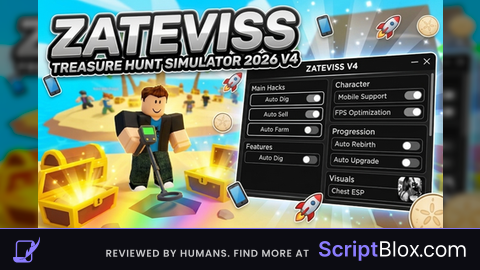
If there is an error please let me know in the comments
Whats the key?
@conart key what?