


Key Required
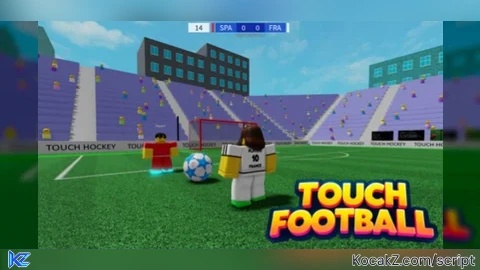
-- Create the GUI
local ScreenGui = Instance.new("ScreenGui")
local Frame = Instance.new("Frame")
local Button = Instance.new("TextButton")
local TextLabel = Instance.new("TextLabel") -- Create TextLabel

-- Properties
ScreenGui.Name = "TeleportBallGui"
ScreenGui.Parent = game.Players.LocalPlayer:WaitForChild("PlayerGui")

Frame.Name = "Frame"
Frame.Parent = ScreenGui
Frame.BackgroundColor3 = Color3.fromRGB(30, 30, 30)
Frame.Position = UDim2.new(0.5, -100, 0.5, -50)
Frame.Size = UDim2.new(0, 200, 0, 100)
Frame.AnchorPoint = Vector2.new(0.5, 0.5)
Frame.Active = true
Frame.Draggable = true

Button.Name = "Button"
Button.Parent = Frame
Button.BackgroundColor3 = Color3.fromRGB(40, 40, 40)
Button.Position = UDim2.new(0.15, 0, 0.35, 0) -- Positioned below the TextLabel
Button.Size = UDim2.new(0.7, 0, 0.55, 0) -- Adjusted size for better layout
Button.Font = Enum.Font.Cartoon
Button.Text = "Teleport Ball"
Button.TextColor3 = Color3.fromRGB(255, 255, 255)
Button.TextScaled = true

-- Create the TextLabel and position it at the top of the Frame
TextLabel.Name = "TextLabel"
TextLabel.Parent = Frame
TextLabel.BackgroundColor3 = Color3.fromRGB(255, 255, 255)
TextLabel.BackgroundTransparency = 1 -- Make the background transparent
TextLabel.Position = UDim2.new(0, 0, 0, 0) -- Positioned at the top of the Frame
TextLabel.Size = UDim2.new(1, 0, 0.3, 0) -- Adjust size to fit at the top
TextLabel.Font = Enum.Font.Cartoon
TextLabel.Text = "Made with hate by Lennox"
TextLabel.TextColor3 = Color3.fromRGB(255, 255, 255)
TextLabel.TextScaled = true

-- Script to handle button click
local function onButtonClick()
    local player = game.Players.LocalPlayer
    local character = player.Character
    local field = game.Workspace:FindFirstChild("FootballField")

    if field then
        local ball = field:FindFirstChild("SoccerBall")

        if character and ball then
            local humRootPart = character:FindFirstChild("HumanoidRootPart")

            if humRootPart then
                -- Calculate the new position slightly in front of the player
                local direction = humRootPart.CFrame.LookVector
                local distance = 3  -- Move the ball 3 units in front of the player
                local newPosition = humRootPart.Position + (direction * distance)

                -- Teleport the ball using CFrame
                ball.CFrame = CFrame.new(newPosition)
            else
                print("HumanoidRootPart not found") -- Output error message for debugging
            end
        else
            print("Character or Ball not found") -- Output error message for debugging
        end
    else
        print("FootballField not found") -- Output error message for debugging
    end
end

Button.MouseButton1Click:Connect(onButtonClick)

bro i love this its so funny to use lol
How i hack
this works and safe
th*********xx
is work on all touch football game
Ty