-- ═══════════════════════════════════════════════════════════════
-- 💣 TimeBomb - Holding & Auto Assist (VEX TOP ONE)
-- ═══════════════════════════════════════════════════════════════

local Players = game:GetService("Players")
local RunService = game:GetService("RunService")
local UserInputService = game:GetService("UserInputService")

local LocalPlayer = Players.LocalPlayer
local PlayerGui = LocalPlayer:WaitForChild("PlayerGui")
local Camera = workspace.CurrentCamera

-- ═══════════════════════════════════════════════════════════════
-- الحالة
-- ═══════════════════════════════════════════════════════════════
local State = {
    AutoAssistEnabled = false,
    HoldingEnabled = false,
    AssistConn = nil,
    HoldingConn = nil
}

-- ═══════════════════════════════════════════════════════════════
-- أدوات مساعدة
-- ═══════════════════════════════════════════════════════════════
local function new(class, props, parent)
    local inst = Instance.new(class)
    if props then
        for k, v in pairs(props) do
            pcall(function() inst[k] = v end)
        end
    end
    if parent then inst.Parent = parent end
    return inst
end

local function corner(p, r)
    return new("UICorner", { CornerRadius = r or UDim.new(0, 10) }, p)
end

local function getHRP(player)
    local c = player.Character
    if not c then return nil end
    return c:FindFirstChild("HumanoidRootPart")
end

local function getHum(player)
    local c = player.Character
    if not c then return nil end
    return c:FindFirstChildOfClass("Humanoid")
end

local function getPlayerInFront()
    local myHRP = getHRP(LocalPlayer)
    if not myHRP then return nil end
    local closest, closestDist = nil, 25
    for _, p in ipairs(Players:GetPlayers()) do
        if p ~= LocalPlayer and p.Character then
            local pHRP = getHRP(p)
            local pHum = getHum(p)
            if pHRP and pHum and pHum.Health > 0 then
                local dist = (pHRP.Position - myHRP.Position).Magnitude
                if dist < closestDist then
                    local directionToPlayer = (pHRP.Position - Camera.CFrame.Position).Unit
                    local cameraLook = Camera.CFrame.LookVector
                    if directionToPlayer:Dot(cameraLook) > 0 then
                        closestDist = dist
                        closest = p
                    end
                end
            end
        end
    end
    return closest
end

local function getClosestPlayer()
    local myHRP = getHRP(LocalPlayer)
    if not myHRP then return nil, math.huge end
    local closest, closestDist = nil, math.huge
    for _, p in ipairs(Players:GetPlayers()) do
        if p ~= LocalPlayer and p.Character then
            local pHRP = getHRP(p)
            local pHum = getHum(p)
            if pHRP and pHum and pHum.Health > 0 then
                local dist = (pHRP.Position - myHRP.Position).Magnitude
                if dist < closestDist then
                    closestDist = dist
                    closest = p
                end
            end
        end
    end
    return closest, closestDist
end

-- ═══════════════════════════════════════════════════════════════
-- 1. HOLDING
-- ═══════════════════════════════════════════════════════════════
local function startHolding()
    if State.HoldingConn then return end
    local myHum = getHum(LocalPlayer)
    if myHum then myHum.AutoRotate = false end

    State.HoldingConn = RunService.RenderStepped:Connect(function()
        if not State.HoldingEnabled then return end
        local target = getPlayerInFront()
        if not target then return end

        local myHRP = getHRP(LocalPlayer)
        local tHRP = getHRP(target)

        if myHRP and tHRP then
            pcall(function()
                local lookDirection = (tHRP.Position - myHRP.Position).Unit
                local reversedDirection = -lookDirection
                myHRP.CFrame = CFrame.new(myHRP.Position, myHRP.Position + reversedDirection)
            end)
        end
    end)
end

local function stopHolding()
    local myHum = getHum(LocalPlayer)
    if myHum then myHum.AutoRotate = true end
    if State.HoldingConn then
        State.HoldingConn:Disconnect()
        State.HoldingConn = nil
    end
end

-- ═══════════════════════════════════════════════════════════════
-- 2. AUTO ASSIST
-- ═══════════════════════════════════════════════════════════════
local function hasTool()
    local char = LocalPlayer.Character
    if not char then return false end
    return char:FindFirstChildOfClass("Tool") ~= nil
end

local function startAutoAssist()
    if State.AssistConn then return end

    State.AssistConn = RunService.Heartbeat:Connect(function()
        if not State.AutoAssistEnabled then return end
        if not hasTool() then return end

        local target, dist = getClosestPlayer()
        local myHum = getHum(LocalPlayer)
        local tHRP = getHRP(target)

        if target and myHum and tHRP then
            if dist > 4 then
                myHum:MoveTo(tHRP.Position)
            end
        end
    end)
end

local function stopAutoAssist()
    if State.AssistConn then
        State.AssistConn:Disconnect()
        State.AssistConn = nil
    end
end

-- ═══════════════════════════════════════════════════════════════
-- واجهة المستخدم
-- ═══════════════════════════════════════════════════════════════
local old = PlayerGui:FindFirstChild("TimeBombButtons")
if old then old:Destroy() end

local gui = new("ScreenGui", {
    Name = "TimeBombButtons",
    ResetOnSpawn = false,
    IgnoreGuiInset = true,
}, PlayerGui)

-- ═══════════════════════════════════════════════════════════════
-- اسم السكربت (VEX TOP ONE)
-- ═══════════════════════════════════════════════════════════════
local titleLabel = new("TextLabel", {
    Size = UDim2.new(0, 400, 0, 60),
    Position = UDim2.new(0.5, -200, 0, 20),
    BackgroundTransparency = 1,
    Text = "VEX TOP ONE",
    Font = Enum.Font.GothamBlack,
    TextSize = 38,
    TextColor3 = Color3.fromRGB(255, 255, 255),
    TextStrokeTransparency = 0,
    TextStrokeColor3 = Color3.fromRGB(0, 0, 0),
}, gui)

local gradient = new("UIGradient", {
    Color = ColorSequence.new({
        ColorSequenceKeypoint.new(0, Color3.fromRGB(255, 105, 180)),
        ColorSequenceKeypoint.new(0.5, Color3.fromRGB(180, 90, 220)),
        ColorSequenceKeypoint.new(1, Color3.fromRGB(100, 150, 240))
    }),
    Rotation = 90,
}, titleLabel)

local shadow = titleLabel:Clone()
shadow.Parent = gui
shadow.Position = UDim2.new(0.5, -200, 0, 23)
shadow.TextColor3 = Color3.fromRGB(0, 0, 0)
shadow.TextTransparency = 0.5
shadow.ZIndex = titleLabel.ZIndex - 1
shadow.TextStrokeTransparency = 1
if shadow:FindFirstChildOfClass("UIGradient") then
    shadow:FindFirstChildOfClass("UIGradient"):Destroy()
end

task.spawn(function()
    while gui.Parent do
        task.wait(0.5)
        titleLabel:TweenSize(UDim2.new(0, 420, 0, 60), Enum.EasingDirection.Out, Enum.EasingStyle.Quad, 0.5, true)
        task.wait(0.5)
        titleLabel:TweenSize(UDim2.new(0, 400, 0, 60), Enum.EasingDirection.In, Enum.EasingStyle.Quad, 0.5, true)
    end
end)

-- ═══════════════════════════════════════════════════════════════
-- الأزرار
-- ═══════════════════════════════════════════════════════════════
local function createButton(text, pos, callback)
    local frame = new("Frame", {
        Size = UDim2.fromOffset(150, 50),
        Position = pos,
        BackgroundColor3 = Color3.fromRGB(255, 105, 180),
        BorderSizePixel = 0,
    }, gui)
    corner(frame, UDim.new(0, 10))
    new("UIStroke", { Color = Color3.fromRGB(255, 255, 255), Thickness = 2 }, frame)

    local btn = new("TextButton", {
        Size = UDim2.fromScale(1, 1),
        BackgroundTransparency = 1,
        Text = text,
        TextColor3 = Color3.fromRGB(255, 255, 255),
        Font = Enum.Font.GothamBold,
        TextSize = 16,
    }, frame)

    local lockBtn = new("TextButton", {
        Size = UDim2.fromOffset(25, 25),
        Position = UDim2.new(1, -30, 0, 5),
        BackgroundColor3 = Color3.fromRGB(30, 30, 40),
        Text = "🔒",
        TextColor3 = Color3.fromRGB(255, 255, 255),
        Font = Enum.Font.GothamBold,
        TextSize = 14,
        BorderSizePixel = 0,
        AutoButtonColor = false,
    }, frame)
    corner(lockBtn, UDim.new(1, 0))

    local dragging, dragStart, startPos
    local isUnlocked = false

    lockBtn.InputBegan:Connect(function(input)
        if input.UserInputType == Enum.UserInputType.MouseButton1 or input.UserInputType == Enum.UserInputType.Touch then
            if isUnlocked then
                dragging = true
                dragStart = input.Position
                startPos = frame.Position
            end
        end
    end)

    UserInputService.InputChanged:Connect(function(input)
        if dragging and (input.UserInputType == Enum.UserInputType.MouseMovement or input.UserInputType == Enum.UserInputType.Touch) then
            local delta = input.Position - dragStart
            frame.Position = UDim2.new(startPos.X.Scale, startPos.X.Offset + delta.X, startPos.Y.Scale, startPos.Y.Offset + delta.Y)
        end
    end)

    UserInputService.InputEnded:Connect(function(input)
        if input.UserInputType == Enum.UserInputType.MouseButton1 or input.UserInputType == Enum.UserInputType.Touch then
            dragging = false
        end
    end)

    lockBtn.MouseButton1Click:Connect(function()
        isUnlocked = not isUnlocked
        if isUnlocked then
            lockBtn.Text = "🔓"
        else
            lockBtn.Text = "🔒"
        end
    end)

    btn.MouseButton1Click:Connect(function()
        callback(btn, frame)
    end)

    return btn, frame
end

local holdBtn, holdFrame = createButton("HOLDING", UDim2.new(0, 20, 0.5, -60), function(btn, frame)
    State.HoldingEnabled = not State.HoldingEnabled
    if State.HoldingEnabled then
        btn.Text = "HOLDING: ON"
        frame.BackgroundColor3 = Color3.fromRGB(50, 205, 50)
        startHolding()
    else
        btn.Text = "HOLDING"
        frame.BackgroundColor3 = Color3.fromRGB(255, 105, 180)
        stopHolding()
    end
end)

local assistBtn, assistFrame = createButton("AUTO ASSIST", UDim2.new(0, 20, 0.5, 0), function(btn, frame)
    State.AutoAssistEnabled = not State.AutoAssistEnabled
    if State.AutoAssistEnabled then
        btn.Text = "AUTO: ON"
        frame.BackgroundColor3 = Color3.fromRGB(50, 205, 50)
        startAutoAssist()
    else
        btn.Text = "AUTO ASSIST"
        frame.BackgroundColor3 = Color3.fromRGB(255, 105, 180)
        stopAutoAssist()
    end
end)

UserInputService.InputBegan:Connect(function(input, processed)
    if processed then return end

    if input.KeyCode == Enum.KeyCode.F then
        State.HoldingEnabled = not State.HoldingEnabled
        if State.HoldingEnabled then
            holdBtn.Text = "HOLDING: ON"
            holdFrame.BackgroundColor3 = Color3.fromRGB(50, 205, 50)
            startHolding()
        else
            holdBtn.Text = "HOLDING"
            holdFrame.BackgroundColor3 = Color3.fromRGB(255, 105, 180)
            stopHolding()
        end
    end

    if input.KeyCode == Enum.KeyCode.T then
        State.AutoAssistEnabled = not State.AutoAssistEnabled
        if State.AutoAssistEnabled then
            assistBtn.Text = "AUTO: ON"
            assistFrame.BackgroundColor3 = Color3.fromRGB(50, 205, 50)
            startAutoAssist()
        else
            assistBtn.Text = "AUTO ASSIST"
            assistFrame.BackgroundColor3 = Color3.fromRGB(255, 105, 180)
            stopAutoAssist()
        end
    end
end)

print("[VEX TOP ONE] تم التحميل بنجاح")
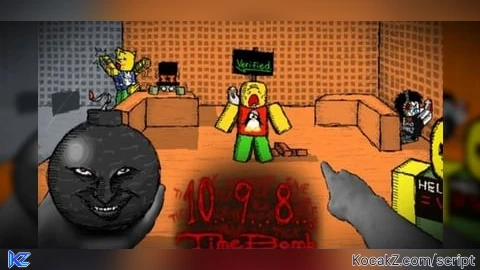
How to Execute Timebomb Duels Script – VEX auto assest (Keyless)
Step 1: Copy Code: Click the Copy Code button in the viewer above to grab the clean Lua loadstring.
Step 2: Launch Executor: Open a compatible, unpatched executor. If you need one, check our Roblox Executors Directory.
Step 3: Join Experience: Launch Roblox and join Timebomb Duels.
Step 4: Attach & Run: Attach/inject your executor into the Roblox process, paste the code into the script tab, and press Execute.
![Timebomb Duels [Alpha]](https://media.kocakz.me/c130ac1cd69ebd60669aad3fd54b72fed48a527e73c749c703ebb99b3c76eb11.webp)
Features & Information
Script Changelog (1)
Community Comments (0)
No comments yet for this script.
Frequently Asked Questions
How do I execute Timebomb Duels Script – VEX auto assest (Keyless) in Roblox?
To run Timebomb Duels Script – VEX auto assest (Keyless), copy the Lua loadstring from the code viewer above, launch Roblox and join Timebomb Duels, attach a working executor (such as Potassium, Solara, or Delta from our Executors directory), paste the code into your executor console, and click Execute.
Is Timebomb Duels Script – VEX auto assest (Keyless) keyless or does it require an access key?
Timebomb Duels Script – VEX auto assest (Keyless) requires an access key. You can retrieve the official key directly using the Get Script Key link provided above.
Is Timebomb Duels Script – VEX auto assest (Keyless) currently safe and working?
This script is active and operational. Always test scripts using a secondary (alt) Roblox account to safeguard your main profile against anti-cheat bans.