

Key Required VerifiedUniversal
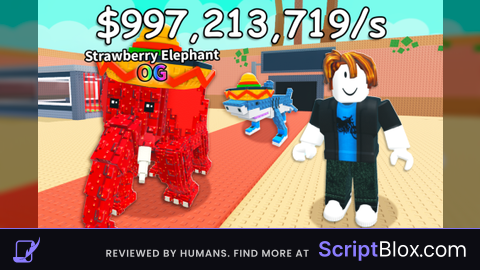
-- Silly Hub GUI (Delta + Mobile Friendly, full merged)
local Players = game:GetService("Players")
local LocalPlayer = Players.LocalPlayer
local RunService = game:GetService("RunService")
local UIS = game:GetService("UserInputService")

-- Helper function
local function createUI(class, props)
    local inst = Instance.new(class)
    for k,v in pairs(props) do inst[k] = v end
    return inst
end

-- Draggable function
local function makeDraggable(frame)
    local dragging, dragInput, dragStart, startPos
    frame.InputBegan:Connect(function(input)
        if input.UserInputType == Enum.UserInputType.MouseButton1 or input.UserInputType == Enum.UserInputType.Touch then
            dragging = true
            dragStart = input.Position
            startPos = frame.Position
            input.Changed:Connect(function()
                if input.UserInputState == Enum.UserInputState.End then dragging = false end
            end)
        end
    end)
    frame.InputChanged:Connect(function(input)
        if input.UserInputType == Enum.UserInputType.MouseMovement or input.UserInputType == Enum.UserInputType.Touch then
            dragInput = input
        end
    end)
    UIS.InputChanged:Connect(function(input)
        if input == dragInput and dragging then
            local delta = input.Position - dragStart
            frame.Position = UDim2.new(startPos.X.Scale, startPos.X.Offset + delta.X,
                                       startPos.Y.Scale, startPos.Y.Offset + delta.Y)
        end
    end)
end

-- Main GUI
local screenGui = createUI("ScreenGui",{Parent=LocalPlayer:WaitForChild("PlayerGui"), Name="SillyHub"})
local mainFrame = createUI("Frame",{
    Parent=screenGui,
    Size=UDim2.new(0,250,0,180),
    Position=UDim2.new(0.5,-125,0.5,-90),
    BackgroundColor3=Color3.fromRGB(0,0,0),
    BorderSizePixel=0
})
createUI("UICorner",{Parent=mainFrame, CornerRadius=UDim.new(0,10)})
makeDraggable(mainFrame)

-- Add red outline to Main GUI
local mainOutline = Instance.new("UIStroke")
mainOutline.Color = Color3.fromRGB(255,0,0)
mainOutline.Thickness = 2
mainOutline.Parent = mainFrame

-- Title
local titleBar = createUI("Frame",{Parent=mainFrame, Size=UDim2.new(1,0,0,30), BackgroundColor3=Color3.fromRGB(139,0,0)})
createUI("UICorner",{Parent=titleBar, CornerRadius=UDim.new(0,10)})
local titleLabel = createUI("TextLabel",{
    Parent = titleBar,
    Size = UDim2.new(1,-30,1,0),
    BackgroundTransparency = 1,
    Text = "Silly Hub",
    TextColor3 = Color3.fromRGB(255,255,255),
    TextSize = 18,
    Font = Enum.Font.SourceSansBold,
    TextXAlignment = Enum.TextXAlignment.Center
})
local closeBtn = createUI("TextButton",{Parent=titleBar, Size=UDim2.new(0,30,1,0), Position=UDim2.new(1,-30,0,0),
    BackgroundTransparency=1, Text="X", TextColor3=Color3.fromRGB(255,255,255), Font=Enum.Font.SourceSansBold, TextSize=18})

-- Red line under title
local lineUnder = createUI("Frame",{Parent=mainFrame, Size=UDim2.new(1,0,0,2), Position=UDim2.new(0,0,0,30), BackgroundColor3=Color3.fromRGB(255,0,0)})

-- Buttons stacked evenly
local buttonHolder = createUI("Frame",{Parent=mainFrame, Size=UDim2.new(1,-20,1,-40-2), Position=UDim2.new(0,10,0,32), BackgroundTransparency=1})
local listLayout = createUI("UIListLayout",{Parent=buttonHolder, FillDirection=Enum.FillDirection.Vertical,
    HorizontalAlignment=Enum.HorizontalAlignment.Center, VerticalAlignment=Enum.VerticalAlignment.Center, Padding=UDim.new(0,10)})

local function createButton(text)
    local btn = createUI("TextButton",{Size=UDim2.new(1,0,0.5,-5), BackgroundColor3=Color3.fromRGB(40,40,40),
        Text=text, TextColor3=Color3.fromRGB(255,255,255), Font=Enum.Font.SourceSansBold, TextSize=18})
    createUI("UICorner",{Parent=btn, CornerRadius=UDim.new(0,8)})
    return btn
end

local floatV1Btn = createButton("Float V1")
floatV1Btn.Parent = buttonHolder
local partFloatBtn = createButton("Part Float")
partFloatBtn.Parent = buttonHolder

-- FLOAT V1 GUI
local floatGui = createUI("Frame",{Parent=screenGui, Size=UDim2.new(0,200,0,120),
    Position=UDim2.new(0.5,-100,0.5,-60), BackgroundColor3=Color3.fromRGB(0,0,0), BorderSizePixel=0, Visible=false})
createUI("UICorner",{Parent=floatGui, CornerRadius=UDim.new(0,10)})
makeDraggable(floatGui)

-- Add red outline to Float V1 GUI
local floatOutline = Instance.new("UIStroke")
floatOutline.Color = Color3.fromRGB(255,0,0)
floatOutline.Thickness = 2
floatOutline.Parent = floatGui

local floatBtn = createButton("Float")
floatBtn.Parent = floatGui
floatBtn.Size = UDim2.new(0.8,0,0.4,0)
floatBtn.Position = UDim2.new(0.1,0,0.3,0)

-- Add red outline to Float button
local floatBtnOutline = Instance.new("UIStroke")
floatBtnOutline.Color = Color3.fromRGB(255,0,0)
floatBtnOutline.Thickness = 2
floatBtnOutline.Parent = floatBtn

-- FLOAT V1 logic (free movement + very slow downward)
local floating = false
local floatConn

local function toggleFloating(state)
    local char = LocalPlayer.Character
    if not char or not char:FindFirstChild("HumanoidRootPart") then return end
    local hrp = char.HumanoidRootPart

    if state then
        floating = true
        floatBtn.Text = "Floating..."
        if hrp:FindFirstChild("FloatBodyVelocity") then hrp.FloatBodyVelocity:Destroy() end

        local bv = Instance.new("BodyVelocity")
        bv.Name = "FloatBodyVelocity"
        bv.MaxForce = Vector3.new(0, math.huge, 0)
        bv.Velocity = Vector3.new(0, -0.05, 0) -- very slow downward
        bv.P = 1000
        bv.Parent = hrp

        floatConn = RunService.Heartbeat:Connect(function()
            if not floating or not hrp or not bv then
                floatConn:Disconnect()
                if bv then bv:Destroy() end
                return
            end
            -- maintain player X/Z movement, Y slowly descends
            local vx = hrp.Velocity.X
            local vz = hrp.Velocity.Z
            bv.Velocity = Vector3.new(vx, -0.05, vz)
        end)
    else
        floating = false
        floatBtn.Text = "Float"
        if floatConn then floatConn:Disconnect() floatConn = nil end
        if hrp:FindFirstChild("FloatBodyVelocity") then hrp.FloatBodyVelocity:Destroy() end
    end
end

floatBtn.MouseButton1Click:Connect(function() toggleFloating(not floating) end)
floatV1Btn.MouseButton1Click:Connect(function() floatGui.Visible = not floatGui.Visible end)

-- PART FLOAT GUI
local partFloatGui = createUI("Frame",{Parent=screenGui, Size=UDim2.new(0,220,0,180),
    Position=UDim2.new(0.5,-110,0.5,-90), BackgroundColor3=Color3.fromRGB(0,0,0), BorderSizePixel=0, Visible=false})
createUI("UICorner",{Parent=partFloatGui, CornerRadius=UDim.new(0,10)})
makeDraggable(partFloatGui)

-- Add red outline to Part Float GUI
local partOutline = Instance.new("UIStroke")
partOutline.Color = Color3.fromRGB(255,0,0)
partOutline.Thickness = 2
partOutline.Parent = partFloatGui

-- Buttons
local pfBtn = createButton("Part Float")
pfBtn.Parent = partFloatGui
pfBtn.Size = UDim2.new(0.8,0,0,50)
pfBtn.Position = UDim2.new(0.1,0,0.1,0)

local upwardsBtn = createButton("Upwards")
upwardsBtn.Parent = partFloatGui
upwardsBtn.Size = UDim2.new(0.8,0,0,40)
upwardsBtn.Position = UDim2.new(0.1,0,0.5,0)
upwardsBtn.BackgroundColor3 = Color3.fromRGB(255,0,0)

local stayLevelBtn = createButton("Stay Level")
stayLevelBtn.Parent = partFloatGui
stayLevelBtn.Size = UDim2.new(0.8,0,0,40)
stayLevelBtn.Position = UDim2.new(0.1,0,0.75,0)
stayLevelBtn.BackgroundColor3 = Color3.fromRGB(255,0,0)

-- Part Float logic
local pfPart, pfConn
local pfActive = false
local pfMode = "stay"
local currentY = 0

local function spawnPart()
    if not pfPart then
        pfPart = Instance.new("Part")
        pfPart.Size = Vector3.new(6,1,6)
        pfPart.Anchored = true
        pfPart.CanCollide = true
        pfPart.Transparency = 0.5
        pfPart.Parent = workspace
    end
end

local function updatePart()
    if pfConn then pfConn:Disconnect() end
    pfConn = RunService.Heartbeat:Connect(function()
        local char = LocalPlayer.Character
        if not pfActive or not char or not char:FindFirstChild("HumanoidRootPart") then return end
        local hrp = char.HumanoidRootPart
        if currentY == 0 then currentY = hrp.Position.Y - 3 end
        if pfMode == "upwards" then currentY = currentY + 0.2 end
        pfPart.Position = Vector3.new(hrp.Position.X, currentY, hrp.Position.Z)
    end)
end

pfBtn.MouseButton1Click:Connect(function()
    pfActive = not pfActive
    if pfActive then
        pfBtn.Text = "Floating with part..."
        spawnPart()
        currentY = 0
        updatePart()
    else
        pfBtn.Text = "Part Float"
        if pfConn then pfConn:Disconnect() pfConn=nil end
        if pfPart then pfPart:Destroy() pfPart=nil end
    end
end)

upwardsBtn.MouseButton1Click:Connect(function() pfMode = "upwards" end)
stayLevelBtn.MouseButton1Click:Connect(function() pfMode = "stay" end)
partFloatBtn.MouseButton1Click:Connect(function() partFloatGui.Visible = not partFloatGui.Visible end)

-- OPEN FLOAT GUI BUTTON when main GUI closed
local openFloatBtn = createButton("Open Main GUI")
openFloatBtn.Parent = screenGui
openFloatBtn.Size = UDim2.new(0,120,0,30)
openFloatBtn.Position = UDim2.new(1,-130,0,10)
makeDraggable(openFloatBtn)
openFloatBtn.Visible = false

closeBtn.MouseButton1Click:Connect(function()
    mainFrame.Visible = false
    openFloatBtn.Visible = true
end)

openFloatBtn.MouseButton1Click:Connect(function()
    mainFrame.Visible = true
    openFloatBtn.Visible = false
end)

![[KEYLESS] Moondiety Script | 17+ supported Games](https://scriptblox.com/images/sb/0-1753093706828.png)
Ilove silly