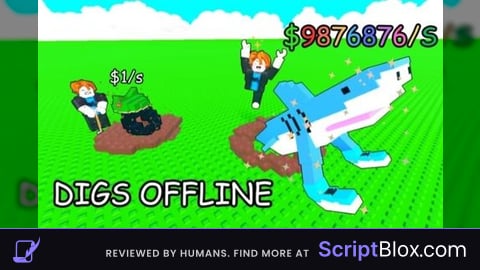
Keyless
-- Op script Shovel a Brainrot GUI
local Players = game:GetService("Players")
local TweenService = game:GetService("TweenService")
local UserInputService = game:GetService("UserInputService")
local RunService = game:GetService("RunService")

local player = Players.LocalPlayer
local playerGui = player:WaitForChild("PlayerGui")

-- Create GUI
local OpScript = Instance.new("ScreenGui")
OpScript.Name = "OpScriptShovelBrainrot"
OpScript.ZIndexBehavior = Enum.ZIndexBehavior.Sibling
OpScript.ResetOnSpawn = false

-- Main Frame
local MainFrame = Instance.new("Frame")
MainFrame.Size = UDim2.new(0, 500, 0, 500)
MainFrame.Position = UDim2.new(0.5, -250, 0.5, -250)
MainFrame.BackgroundColor3 = Color3.fromRGB(20, 20, 25)
MainFrame.BorderSizePixel = 0
MainFrame.ClipsDescendants = true

-- Shadow Effect
local Shadow = Instance.new("ImageLabel")
Shadow.Name = "Shadow"
Shadow.Size = UDim2.new(1, 20, 1, 20)
Shadow.Position = UDim2.new(0, -10, 0, -10)
Shadow.BackgroundTransparency = 1
Shadow.Image = "rbxassetid://1316045217"
Shadow.ImageColor3 = Color3.fromRGB(0, 0, 0)
Shadow.ImageTransparency = 0.8
Shadow.ScaleType = Enum.ScaleType.Slice
Shadow.SliceCenter = Rect.new(10, 10, 118, 118)
Shadow.Parent = MainFrame

-- Corner
local UICorner = Instance.new("UICorner")
UICorner.CornerRadius = UDim.new(0, 12)
UICorner.Parent = MainFrame

-- Header with Gradient
local Header = Instance.new("Frame")
Header.Size = UDim2.new(1, 0, 0, 40)
Header.Position = UDim2.new(0, 0, 0, 0)
Header.BackgroundColor3 = Color3.fromRGB(15, 15, 20)
Header.BorderSizePixel = 0

local HeaderCorner = Instance.new("UICorner")
HeaderCorner.CornerRadius = UDim.new(0, 12)
HeaderCorner.Parent = Header

-- Title
local Title = Instance.new("TextLabel")
Title.Size = UDim2.new(1, -40, 1, 0)
Title.Position = UDim2.new(0, 15, 0, 0)
Title.BackgroundTransparency = 1
Title.Text = "⚡ Op script Shovel a Brainrot"
Title.TextColor3 = Color3.fromRGB(255, 255, 255)
Title.Font = Enum.Font.GothamBold
Title.TextSize = 16
Title.TextXAlignment = Enum.TextXAlignment.Left
Title.Parent = Header

-- Close Button
local CloseButton = Instance.new("TextButton")
CloseButton.Size = UDim2.new(0, 25, 0, 25)
CloseButton.Position = UDim2.new(1, -30, 0.5, -12)
CloseButton.BackgroundColor3 = Color3.fromRGB(45, 45, 50)
CloseButton.BorderSizePixel = 0
CloseButton.Text = "×"
CloseButton.TextColor3 = Color3.fromRGB(255, 255, 255)
CloseButton.Font = Enum.Font.GothamBold
CloseButton.TextSize = 18

local CloseCorner = Instance.new("UICorner")
CloseCorner.CornerRadius = UDim.new(0, 6)
CloseCorner.Parent = CloseButton
CloseButton.Parent = Header

Header.Parent = MainFrame

-- Tabs Container
local TabsContainer = Instance.new("Frame")
TabsContainer.Size = UDim2.new(1, 0, 0, 40)
TabsContainer.Position = UDim2.new(0, 0, 0, 45)
TabsContainer.BackgroundTransparency = 1
TabsContainer.Parent = MainFrame

-- Tab Buttons (NEW ORDER: Player, Misc, Auto Skill, Auto Buy)
local PlayerTab = Instance.new("TextButton")
PlayerTab.Size = UDim2.new(0, 80, 0, 30)
PlayerTab.Position = UDim2.new(0, 15, 0.5, -15)
PlayerTab.BackgroundColor3 = Color3.fromRGB(0, 120, 215)
PlayerTab.BorderSizePixel = 0
PlayerTab.Text = "Player"
PlayerTab.TextColor3 = Color3.fromRGB(255, 255, 255)
PlayerTab.Font = Enum.Font.GothamBold
PlayerTab.TextSize = 14

local MiscTab = Instance.new("TextButton")
MiscTab.Size = UDim2.new(0, 80, 0, 30)
MiscTab.Position = UDim2.new(0, 105, 0.5, -15)
MiscTab.BackgroundColor3 = Color3.fromRGB(60, 60, 70)
MiscTab.BorderSizePixel = 0
MiscTab.Text = "Misc"
MiscTab.TextColor3 = Color3.fromRGB(200, 200, 200)
MiscTab.Font = Enum.Font.GothamBold
MiscTab.TextSize = 14

local AutoSkillTab = Instance.new("TextButton")
AutoSkillTab.Size = UDim2.new(0, 100, 0, 30)
AutoSkillTab.Position = UDim2.new(0, 195, 0.5, -15)
AutoSkillTab.BackgroundColor3 = Color3.fromRGB(60, 60, 70)
AutoSkillTab.BorderSizePixel = 0
AutoSkillTab.Text = "Auto Skill"
AutoSkillTab.TextColor3 = Color3.fromRGB(200, 200, 200)
AutoSkillTab.Font = Enum.Font.GothamBold
AutoSkillTab.TextSize = 14

local AutoBuyTab = Instance.new("TextButton")
AutoBuyTab.Size = UDim2.new(0, 100, 0, 30)
AutoBuyTab.Position = UDim2.new(0, 305, 0.5, -15)
AutoBuyTab.BackgroundColor3 = Color3.fromRGB(60, 60, 70)
AutoBuyTab.BorderSizePixel = 0
AutoBuyTab.Text = "Auto Buy"
AutoBuyTab.TextColor3 = Color3.fromRGB(200, 200, 200)
AutoBuyTab.Font = Enum.Font.GothamBold
AutoBuyTab.TextSize = 14

-- Add corners to tabs
local tabCorners = {PlayerTab, MiscTab, AutoSkillTab, AutoBuyTab}
for _, tab in pairs(tabCorners) do
    local corner = Instance.new("UICorner")
    corner.CornerRadius = UDim.new(0, 6)
    corner.Parent = tab
    tab.Parent = TabsContainer
end

-- Content Area
local Content = Instance.new("Frame")
Content.Size = UDim2.new(1, -20, 1, -100)
Content.Position = UDim2.new(0, 10, 0, 95)
Content.BackgroundTransparency = 1
Content.Parent = MainFrame

-- Tab Contents (NEW ORDER: Player first, then Misc, then Auto Skill, then Auto Buy)
local PlayerContent = Instance.new("Frame")
PlayerContent.Size = UDim2.new(1, 0, 1, 0)
PlayerContent.Position = UDim2.new(0, 0, 0, 0)
PlayerContent.BackgroundTransparency = 1
PlayerContent.Visible = true
PlayerContent.Parent = Content

local MiscContent = Instance.new("Frame")
MiscContent.Size = UDim2.new(1, 0, 1, 0)
MiscContent.Position = UDim2.new(0, 0, 0, 0)
MiscContent.BackgroundTransparency = 1
MiscContent.Visible = false
MiscContent.Parent = Content

local AutoSkillContent = Instance.new("Frame")
AutoSkillContent.Size = UDim2.new(1, 0, 1, 0)
AutoSkillContent.Position = UDim2.new(0, 0, 0, 0)
AutoSkillContent.BackgroundTransparency = 1
AutoSkillContent.Visible = false
AutoSkillContent.Parent = Content

local AutoBuyContent = Instance.new("Frame")
AutoBuyContent.Size = UDim2.new(1, 0, 1, 0)
AutoBuyContent.Position = UDim2.new(0, 0, 0, 0)
AutoBuyContent.BackgroundTransparency = 1
AutoBuyContent.Visible = false
AutoBuyContent.Parent = Content

-- Function to create feature containers
local function createFeatureContainer(name, icon, desc, positionY, parent, hasTextBox)
    local container = Instance.new("Frame")
    container.Size = UDim2.new(1, 0, 0, hasTextBox and 80 or 60)
    container.Position = UDim2.new(0, 0, 0, positionY)
    container.BackgroundColor3 = Color3.fromRGB(30, 30, 35)
    container.BorderSizePixel = 0

    local corner = Instance.new("UICorner")
    corner.CornerRadius = UDim.new(0, 8)
    corner.Parent = container

    -- Icon
    local iconLabel = Instance.new("TextLabel")
    iconLabel.Size = UDim2.new(0, 35, 0, 35)
    iconLabel.Position = UDim2.new(0, 15, 0, hasTextBox and 10 or 12.5)
    iconLabel.BackgroundTransparency = 1
    iconLabel.Text = icon
    iconLabel.TextColor3 = Color3.fromRGB(255, 255, 255)
    iconLabel.Font = Enum.Font.GothamBold
    iconLabel.TextSize = 16
    iconLabel.Parent = container

    -- Label
    local label = Instance.new("TextLabel")
    label.Size = UDim2.new(0.6, -50, 0, 25)
    label.Position = UDim2.new(0, 60, 0, 10)
    label.BackgroundTransparency = 1
    label.Text = name
    label.TextColor3 = Color3.fromRGB(255, 255, 255)
    label.TextXAlignment = Enum.TextXAlignment.Left
    label.Font = Enum.Font.GothamBold
    label.TextSize = 14
    label.Parent = container

    -- Description
    local descLabel = Instance.new("TextLabel")
    descLabel.Size = UDim2.new(0.6, -50, 0, 20)
    descLabel.Position = UDim2.new(0, 60, 0, 35)
    descLabel.BackgroundTransparency = 1
    descLabel.Text = desc
    descLabel.TextColor3 = Color3.fromRGB(200, 200, 200)
    descLabel.TextXAlignment = Enum.TextXAlignment.Left
    descLabel.Font = Enum.Font.Gotham
    descLabel.TextSize = 11
    descLabel.Parent = container

    -- Toggle
    local toggle = Instance.new("TextButton")
    toggle.Size = UDim2.new(0, 50, 0, 26)
    toggle.Position = UDim2.new(1, -65, hasTextBox and 0.3 or 0.5, hasTextBox and -13 or -13)
    toggle.BackgroundColor3 = Color3.fromRGB(80, 80, 85)
    toggle.BorderSizePixel = 0
    toggle.Text = ""
    toggle.Name = name .. "Toggle"

    local toggleCorner = Instance.new("UICorner")
    toggleCorner.CornerRadius = UDim.new(0, 13)
    toggleCorner.Parent = toggle

    -- Toggle Knob
    local knob = Instance.new("Frame")
    knob.Size = UDim2.new(0, 20, 0, 20)
    knob.Position = UDim2.new(0, 3, 0, 3)
    knob.BackgroundColor3 = Color3.fromRGB(255, 255, 255)
    knob.BorderSizePixel = 0
    knob.Name = "Knob"

    local knobCorner = Instance.new("UICorner")
    knobCorner.CornerRadius = UDim.new(0, 10)
    knobCorner.Parent = knob
    knob.Parent = toggle

    toggle.Parent = container

    -- TextBox if needed
    local textBox
    if hasTextBox then
        textBox = Instance.new("TextBox")
        textBox.Size = UDim2.new(0, 80, 0, 25)
        textBox.Position = UDim2.new(1, -150, 0.7, -12)
        textBox.BackgroundColor3 = Color3.fromRGB(50, 50, 55)
        textBox.BorderSizePixel = 0
        textBox.Text = "50"
        textBox.TextColor3 = Color3.fromRGB(255, 255, 255)
        textBox.Font = Enum.Font.Gotham
        textBox.TextSize = 12
        textBox.PlaceholderText = "Value"

        local textBoxCorner = Instance.new("UICorner")
        textBoxCorner.CornerRadius = UDim.new(0, 6)
        textBoxCorner.Parent = textBox
        textBox.Parent = container
    end

    container.Parent = parent
    return toggle, knob, textBox
end

-- Create Player Features (FIRST TAB)
local SpeedToggle, SpeedKnob, SpeedTextBox = createFeatureContainer("Speed", "🏃", "Set walk speed", 10, PlayerContent, true)
local InfJumpToggle, InfJumpKnob = createFeatureContainer("Inf Jump", "🦘", "Super jump power", 100, PlayerContent, false)
local InfYieldToggle, InfYieldKnob = createFeatureContainer("Inf Yield", "⚡", "Load admin commands", 170, PlayerContent, false)

-- Create Misc Features (SECOND TAB)
local InfMoneyToggle, InfMoneyKnob = createFeatureContainer("Inf Money", "💰", "Get unlimited money", 10, MiscContent, false)

-- Create Auto Skill Features (THIRD TAB)
local AutoStrengthToggle, AutoStrengthKnob = createFeatureContainer("Auto Strength", "💪", "Auto upgrade MiningStrength", 10, AutoSkillContent, false)
local AutoMiningSpeedToggle, AutoMiningSpeedKnob = createFeatureContainer("Auto Mining Speed", "⚡", "Auto upgrade MiningSpeed", 80, AutoSkillContent, false)
local AutoFortuneToggle, AutoFortuneKnob = createFeatureContainer("Auto Fortune", "🍀", "Auto upgrade MiningFortune", 150, AutoSkillContent, false)
local AutoSlotToggle, AutoSlotKnob = createFeatureContainer("Auto Slot", "🎒", "Auto upgrade InventorySlots", 220, AutoSkillContent, false)

-- Create Auto Buy Features (FOURTH TAB)
local AutoMagnetToggle, AutoMagnetKnob = createFeatureContainer("Auto Magnet", "🧲", "Auto buy Magnet gear", 10, AutoBuyContent, false)
local AutoBackpackToggle, AutoBackpackKnob = createFeatureContainer("Auto Backpack", "🎒", "Auto buy Backpack gear", 80, AutoBuyContent, false)
local AutoHelmetToggle, AutoHelmetKnob = createFeatureContainer("Auto Helmet", "⛑️", "Auto buy Helmet gear", 150, AutoBuyContent, false)
local AutoGlovesToggle, AutoGlovesKnob = createFeatureContainer("Auto Gloves", "🧤", "Auto buy Gloves gear", 220, AutoBuyContent, false)
local AutoMinerToggle, AutoMinerKnob = createFeatureContainer("Auto Miner", "⛏️", "Auto buy Normal miner", 290, AutoBuyContent, false)

-- Status Label
local StatusLabel = Instance.new("TextLabel")
StatusLabel.Size = UDim2.new(1, 0, 0, 20)
StatusLabel.Position = UDim2.new(0, 0, 0, 450)
StatusLabel.BackgroundTransparency = 1
StatusLabel.Text = "Status: Ready"
StatusLabel.TextColor3 = Color3.fromRGB(200, 200, 200)
StatusLabel.Font = Enum.Font.Gotham
StatusLabel.TextSize = 12
StatusLabel.Parent = Content

-- Add to GUI
MainFrame.Parent = OpScript
OpScript.Parent = playerGui

-- Variables
local infMoneyEnabled = false
local infMoneyConnection
local autoStrengthEnabled = false
local autoMiningSpeedEnabled = false
local autoFortuneEnabled = false
local autoSlotEnabled = false
local speedEnabled = false
local infJumpEnabled = false
local infYieldEnabled = false
local autoMagnetEnabled = false
local autoBackpackEnabled = false
local autoHelmetEnabled = false
local autoGlovesEnabled = false
local autoMinerEnabled = false

local skillConnections = {}
local buyConnections = {}
local originalWalkSpeed = 16
local originalJumpPower = 50

-- Make GUI Draggable
local dragging = false
local dragInput, dragStart, startPos

local function update(input)
    local delta = input.Position - dragStart
    MainFrame.Position = UDim2.new(startPos.X.Scale, startPos.X.Offset + delta.X, startPos.Y.Scale, startPos.Y.Offset + delta.Y)
end

Header.InputBegan:Connect(function(input)
    if input.UserInputType == Enum.UserInputType.MouseButton1 then
        dragging = true
        dragStart = input.Position
        startPos = MainFrame.Position

        input.Changed:Connect(function()
            if input.UserInputState == Enum.UserInputState.End then
                dragging = false
            end
        end)
    end
end)

Header.InputChanged:Connect(function(input)
    if input.UserInputType == Enum.UserInputType.MouseMovement then
        dragInput = input
    end
end)

UserInputService.InputChanged:Connect(function(input)
    if input == dragInput and dragging then
        update(input)
    end
end)

-- Tab Switching Function (UPDATED ORDER)
local function switchToTab(tabName)
    PlayerContent.Visible = (tabName == "Player")
    MiscContent.Visible = (tabName == "Misc")
    AutoSkillContent.Visible = (tabName == "AutoSkill")
    AutoBuyContent.Visible = (tabName == "AutoBuy")

    -- Reset all tab colors
    PlayerTab.BackgroundColor3 = Color3.fromRGB(60, 60, 70)
    MiscTab.BackgroundColor3 = Color3.fromRGB(60, 60, 70)
    AutoSkillTab.BackgroundColor3 = Color3.fromRGB(60, 60, 70)
    AutoBuyTab.BackgroundColor3 = Color3.fromRGB(60, 60, 70)

    -- Set active tab color
    if tabName == "Player" then
        PlayerTab.BackgroundColor3 = Color3.fromRGB(0, 120, 215)
    elseif tabName == "Misc" then
        MiscTab.BackgroundColor3 = Color3.fromRGB(0, 120, 215)
    elseif tabName == "AutoSkill" then
        AutoSkillTab.BackgroundColor3 = Color3.fromRGB(0, 120, 215)
    elseif tabName == "AutoBuy" then
        AutoBuyTab.BackgroundColor3 = Color3.fromRGB(0, 120, 215)
    end
end

PlayerTab.MouseButton1Click:Connect(function() switchToTab("Player") end)
MiscTab.MouseButton1Click:Connect(function() switchToTab("Misc") end)
AutoSkillTab.MouseButton1Click:Connect(function() switchToTab("AutoSkill") end)
AutoBuyTab.MouseButton1Click:Connect(function() switchToTab("AutoBuy") end)

-- Close Button Function
CloseButton.MouseButton1Click:Connect(function()
    if infMoneyConnection then infMoneyConnection:Disconnect() end
    for _, conn in pairs(skillConnections) do
        if conn then conn:Disconnect() end
    end
    for _, conn in pairs(buyConnections) do
        if conn then conn:Disconnect() end
    end

    -- Reset player properties
    if player.Character and player.Character:FindFirstChild("Humanoid") then
        player.Character.Humanoid.WalkSpeed = originalWalkSpeed
        player.Character.Humanoid.JumpPower = originalJumpPower
    end

    TweenService:Create(MainFrame, TweenInfo.new(0.3), {Size = UDim2.new(0, 0, 0, 0)}):Play()
    wait(0.3)
    OpScript:Destroy()
end)

-- Inf Money Function
InfMoneyToggle.MouseButton1Click:Connect(function()
    infMoneyEnabled = not infMoneyEnabled

    if infMoneyEnabled then
        TweenService:Create(InfMoneyKnob, TweenInfo.new(0.2), {Position = UDim2.new(0, 27, 0, 3)}):Play()
        TweenService:Create(InfMoneyToggle, TweenInfo.new(0.2), {BackgroundColor3 = Color3.fromRGB(0, 200, 100)}):Play()

        if infMoneyConnection then infMoneyConnection:Disconnect() end
        infMoneyConnection = task.spawn(function()
            local RS = game:GetService("ReplicatedStorage")
            local UpdateState = RS:WaitForChild("Remotes"):WaitForChild("PlayerData"):WaitForChild("UpdateState")

            while infMoneyEnabled do
                pcall(function()
                    UpdateState:FireServer({currency = "Money", action = "UpdateCurrency", amount = 1e18})
                end)
                task.wait(0.1)
            end
        end)

        StatusLabel.Text = "Inf Money: ENABLED 🤑"
    else
        TweenService:Create(InfMoneyKnob, TweenInfo.new(0.2), {Position = UDim2.new(0, 3, 0, 3)}):Play()
        TweenService:Create(InfMoneyToggle, TweenInfo.new(0.2), {BackgroundColor3 = Color3.fromRGB(80, 80, 85)}):Play()
        if infMoneyConnection then infMoneyConnection:Disconnect() end
        StatusLabel.Text = "Inf Money: DISABLED"
    end
end)

-- Auto Skill Functions
local function setupAutoSkill(toggle, knob, enabledVar, skillName, remoteArg)
    toggle.MouseButton1Click:Connect(function()
        enabledVar = not enabledVar

        if enabledVar then
            knob.Position = UDim2.new(0, 27, 0, 3)
            toggle.BackgroundColor3 = Color3.fromRGB(0, 200, 100)

            if skillConnections[skillName] then skillConnections[skillName]:Disconnect() end
            skillConnections[skillName] = task.spawn(function()
                local RS = game:GetService("ReplicatedStorage")
                local ApplySkillPoint = RS:WaitForChild("Remotes"):WaitForChild("ApplySkillPoint")

                while enabledVar do
                    pcall(function()
                        ApplySkillPoint:FireServer(remoteArg)
                    end)
                    task.wait(0.1)
                end
            end)

            StatusLabel.Text = skillName .. ": ENABLED"
        else
            knob.Position = UDim2.new(0, 3, 0, 3)
            toggle.BackgroundColor3 = Color3.fromRGB(80, 80, 85)
            if skillConnections[skillName] then
                skillConnections[skillName]:Disconnect()
                skillConnections[skillName] = nil
            end
            StatusLabel.Text = skillName .. ": DISABLED"
        end
    end)
end

setupAutoSkill(AutoStrengthToggle, AutoStrengthKnob, autoStrengthEnabled, "Auto Strength", "MiningStrength")
setupAutoSkill(AutoMiningSpeedToggle, AutoMiningSpeedKnob, autoMiningSpeedEnabled, "Auto Mining Speed", "MiningSpeed")
setupAutoSkill(AutoFortuneToggle, AutoFortuneKnob, autoFortuneEnabled, "Auto Fortune", "MiningFortune")
setupAutoSkill(AutoSlotToggle, AutoSlotKnob, autoSlotEnabled, "Auto Slot", "InventorySlots")

-- Player Functions
SpeedToggle.MouseButton1Click:Connect(function()
    speedEnabled = not speedEnabled

    if speedEnabled then
        SpeedKnob.Position = UDim2.new(0, 27, 0, 3)
        SpeedToggle.BackgroundColor3 = Color3.fromRGB(0, 200, 100)

        local speedValue = tonumber(SpeedTextBox.Text) or 50
        if player.Character and player.Character:FindFirstChild("Humanoid") then
            player.Character.Humanoid.WalkSpeed = speedValue
        end
        StatusLabel.Text = "Speed: " .. speedValue
    else
        SpeedKnob.Position = UDim2.new(0, 3, 0, 3)
        SpeedToggle.BackgroundColor3 = Color3.fromRGB(80, 80, 85)
        if player.Character and player.Character:FindFirstChild("Humanoid") then
            player.Character.Humanoid.WalkSpeed = originalWalkSpeed
        end
        StatusLabel.Text = "Speed: DISABLED"
    end
end)

InfJumpToggle.MouseButton1Click:Connect(function()
    infJumpEnabled = not infJumpEnabled

    if infJumpEnabled then
        InfJumpKnob.Position = UDim2.new(0, 27, 0, 3)
        InfJumpToggle.BackgroundColor3 = Color3.fromRGB(0, 200, 100)

        if player.Character and player.Character:FindFirstChild("Humanoid") then
            player.Character.Humanoid.JumpPower = 100
        end
        StatusLabel.Text = "Inf Jump: ENABLED"
    else
        InfJumpKnob.Position = UDim2.new(0, 3, 0, 3)
        InfJumpToggle.BackgroundColor3 = Color3.fromRGB(80, 80, 85)
        if player.Character and player.Character:FindFirstChild("Humanoid") then
            player.Character.Humanoid.JumpPower = originalJumpPower
        end
        StatusLabel.Text = "Inf Jump: DISABLED"
    end
end)

-- Inf Yield Function (Admin Script)
InfYieldToggle.MouseButton1Click:Connect(function()
    infYieldEnabled = not infYieldEnabled

    if infYieldEnabled then
        InfYieldKnob.Position = UDim2.new(0, 27, 0, 3)
        InfYieldToggle.BackgroundColor3 = Color3.fromRGB(0, 200, 100)

        -- Load Infinite Yield admin script
        local success, errorMsg = pcall(function()
            loadstring(game:HttpGet('https://raw.githubusercontent.com/EdgeIY/infiniteyield/master/source'))()
        end)

        if success then
            StatusLabel.Text = "Inf Yield: LOADED ✅"
            StatusLabel.TextColor3 = Color3.fromRGB(0, 255, 0)
        else
            StatusLabel.Text = "Inf Yield: ERROR ❌"
            StatusLabel.TextColor3 = Color3.fromRGB(255, 50, 50)
            -- Reset toggle if failed
            InfYieldKnob.Position = UDim2.new(0, 3, 0, 3)
            InfYieldToggle.BackgroundColor3 = Color3.fromRGB(80, 80, 85)
            infYieldEnabled = false
        end
    else
        InfYieldKnob.Position = UDim2.new(0, 3, 0, 3)
        InfYieldToggle.BackgroundColor3 = Color3.fromRGB(80, 80, 85)
        StatusLabel.Text = "Inf Yield: DISABLED"
        StatusLabel.TextColor3 = Color3.fromRGB(255, 100, 100)
        -- Note: Inf Yield cannot be "unloaded" once loaded, it just toggles the UI visibility
    end
end)

-- Auto Buy Functions
local function setupAutoBuy(toggle, knob, enabledVar, itemName, remoteArg)
    toggle.MouseButton1Click:Connect(function()
        enabledVar = not enabledVar

        if enabledVar then
            knob.Position = UDim2.new(0, 27, 0, 3)
            toggle.BackgroundColor3 = Color3.fromRGB(0, 200, 100)

            if buyConnections[itemName] then buyConnections[itemName]:Disconnect() end
            buyConnections[itemName] = task.spawn(function()
                local RS = game:GetService("ReplicatedStorage")
                local BuyRemote = RS:WaitForChild("Remotes"):WaitForChild(remoteArg.remoteName)

                while enabledVar do
                    pcall(function()
                        BuyRemote:FireServer(remoteArg.itemName)
                    end)
                    task.wait(0.1)
                end
            end)

            StatusLabel.Text = itemName .. ": ENABLED"
        else
            knob.Position = UDim2.new(0, 3, 0, 3)
            toggle.BackgroundColor3 = Color3.fromRGB(80, 80, 85)
            if buyConnections[itemName] then
                buyConnections[itemName]:Disconnect()
                buyConnections[itemName] = nil
            end
            StatusLabel.Text = itemName .. ": DISABLED"
        end
    end)
end

setupAutoBuy(AutoMagnetToggle, AutoMagnetKnob, autoMagnetEnabled, "Auto Magnet", {remoteName = "BuyGear", itemName = "Magnet"})
setupAutoBuy(AutoBackpackToggle, AutoBackpackKnob, autoBackpackEnabled, "Auto Backpack", {remoteName = "BuyGear", itemName = "Backpack"})
setupAutoBuy(AutoHelmetToggle, AutoHelmetKnob, autoHelmetEnabled, "Auto Helmet", {remoteName = "BuyGear", itemName = "Helmet"})
setupAutoBuy(AutoGlovesToggle, AutoGlovesKnob, autoGlovesEnabled, "Auto Gloves", {remoteName = "BuyGear", itemName = "Gloves"})
setupAutoBuy(AutoMinerToggle, AutoMinerKnob, autoMinerEnabled, "Auto Miner", {remoteName = "BuyMiner", itemName = "Normal"})

-- Update speed when textbox changes
SpeedTextBox.FocusLost:Connect(function()
    if speedEnabled then
        local speedValue = tonumber(SpeedTextBox.Text) or 50
        if player.Character and player.Character:FindFirstChild("Humanoid") then
            player.Character.Humanoid.WalkSpeed = speedValue
            StatusLabel.Text = "Speed: " .. speedValue
        end
    end
end)

-- Button Hover Effects
local function addHoverEffects(button)
    button.MouseEnter:Connect(function()
        if button.BackgroundColor3 ~= Color3.fromRGB(0, 200, 100) then
            TweenService:Create(button, TweenInfo.new(0.2), {BackgroundColor3 = Color3.fromRGB(100, 100, 105)}):Play()
        end
    end)

    button.MouseLeave:Connect(function()
        if button.BackgroundColor3 ~= Color3.fromRGB(0, 200, 100) then
            TweenService:Create(button, TweenInfo.new(0.2), {BackgroundColor3 = Color3.fromRGB(80, 80, 85)}):Play()
        end
    end)
end

-- Add hover effects to all toggles
local allToggles = {
    InfMoneyToggle, AutoStrengthToggle, AutoMiningSpeedToggle, AutoFortuneToggle, AutoSlotToggle,
    SpeedToggle, InfJumpToggle, InfYieldToggle, AutoMagnetToggle, AutoBackpackToggle,
    AutoHelmetToggle, AutoGlovesToggle, AutoMinerToggle
}

for _, toggle in pairs(allToggles) do
    addHoverEffects(toggle)
end

-- Tab hover effects
local tabs = {PlayerTab, MiscTab, AutoSkillTab, AutoBuyTab}
for _, tab in pairs(tabs) do
    tab.MouseEnter:Connect(function()
        if tab.BackgroundColor3 ~= Color3.fromRGB(0, 120, 215) then
            TweenService:Create(tab, TweenInfo.new(0.2), {BackgroundColor3 = Color3.fromRGB(80, 80, 90)}):Play()
        end
    end)

    tab.MouseLeave:Connect(function()
        if tab.BackgroundColor3 ~= Color3.fromRGB(0, 120, 215) then
            TweenService:Create(tab, TweenInfo.new(0.2), {BackgroundColor3 = Color3.fromRGB(60, 60, 70)}):Play()
        end
    end)
endNo comments yet for this script.