
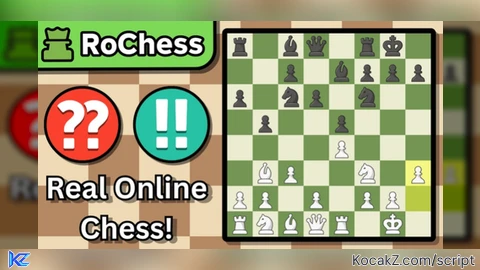

loadstring(game:HttpGet("https://pastebin.com/raw/DcrkhVYh"))()How to Execute RoChess! Script – CHESS ASSIST Stockfish 16, Visual Overlay & Auto Play
Step 1: Copy Code: Click the Copy Code button in the viewer above to grab the clean Lua loadstring.
Step 2: Launch Executor: Open a compatible, unpatched executor. If you need one, check our Roblox Executors Directory.
Step 3: Join Experience: Launch Roblox and join RoChess!.
Step 4: Attach & Run: Attach/inject your executor into the Roblox process, paste the code into the script tab, and press Execute.

Features & Information
Script Changelog (1)
Community Comments (3)
Frequently Asked Questions
How do I execute RoChess! Script – CHESS ASSIST Stockfish 16, Visual Overlay & Auto Play in Roblox?
To run RoChess! Script – CHESS ASSIST Stockfish 16, Visual Overlay & Auto Play, copy the Lua loadstring from the code viewer above, launch Roblox and join RoChess!, attach a working executor (such as Potassium, Solara, or Delta from our Executors directory), paste the code into your executor console, and click Execute.
Is RoChess! Script – CHESS ASSIST Stockfish 16, Visual Overlay & Auto Play keyless or does it require an access key?
RoChess! Script – CHESS ASSIST Stockfish 16, Visual Overlay & Auto Play requires an access key. You can retrieve the official key directly using the Get Script Key link provided above.
Is RoChess! Script – CHESS ASSIST Stockfish 16, Visual Overlay & Auto Play currently safe and working?
This script is active and operational. Always test scripts using a secondary (alt) Roblox account to safeguard your main profile against anti-cheat bans.
![Stockfish | Autoplay | Hints [NO KEY] - Verified script for RoChess!](https://media.kocakz.me/df5638ddc4d0441f76121e03b33bec0d20ce5ef3c7e166f8644fe3d56d57a03e.webp)



![[FREE KEY] BARRAGE | OP AUTO FARM | PERMANENT KEY IN DISCORD - Verified script for RoChess!](https://media.kocakz.me/dcff2732359fd65f83d7952cac805d5d53cf5335f094f556e02650645867b339.webp)

So basically I deobf and managed to get a keyless version, although it's protected using Lua/luau
@Matungtung I'm using my own obfuscator, that's why lol. Welp, I guess I need to change the way I obfuscate my stuff.
@Succuh alr good luck ig, make sure it doesn't get deobfuscated again💔