

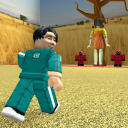
Keyless
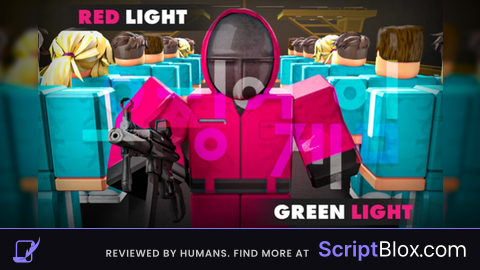
local ScreenGui = Instance.new("ScreenGui")
ScreenGui.Name = "GuardGui"
ScreenGui.Parent = game.Players.LocalPlayer:WaitForChild("PlayerGui")

local Frame = Instance.new("Frame")
Frame.Name = "MainFrame"
Frame.Size = UDim2.new(0, 220, 0, 150)
Frame.Position = UDim2.new(0.5, -110, 0.5, -75)
Frame.BackgroundColor3 = Color3.fromRGB(40, 40, 40)
Frame.BorderSizePixel = 0
Frame.Draggable = true
Frame.Active = true
Frame.Parent = ScreenGui

local Title = Instance.new("TextLabel")
Title.Size = UDim2.new(1, -30, 0, 25)
Title.Position = UDim2.new(0, 5, 0, 0)
Title.BackgroundTransparency = 1
Title.Text = "Red light, Green light Script"
Title.TextColor3 = Color3.new(1, 1, 1)
Title.Font = Enum.Font.SourceSansBold
Title.TextSize = 18
Title.TextXAlignment = Enum.TextXAlignment.Left
Title.Parent = Frame

--// Schließen-Button
local CloseButton = Instance.new("TextButton")
CloseButton.Size = UDim2.new(0, 25, 0, 25)
CloseButton.Position = UDim2.new(1, -30, 0, 0)
CloseButton.BackgroundColor3 = Color3.fromRGB(255, 0, 0)
CloseButton.Text = "X"
CloseButton.TextColor3 = Color3.new(1, 1, 1)
CloseButton.Font = Enum.Font.SourceSansBold
CloseButton.TextSize = 16
CloseButton.Parent = Frame

CloseButton.MouseButton1Click:Connect(function()
    ScreenGui:Destroy()
end)

--// Become Guard Button
local BecomeGuardButton = Instance.new("TextButton")
BecomeGuardButton.Size = UDim2.new(1, -20, 0, 40)
BecomeGuardButton.Position = UDim2.new(0, 10, 0, 30)
BecomeGuardButton.Text = "Become Guard"
BecomeGuardButton.BackgroundColor3 = Color3.fromRGB(0, 170, 255)
BecomeGuardButton.TextColor3 = Color3.new(1, 1, 1)
BecomeGuardButton.Font = Enum.Font.SourceSansBold
BecomeGuardButton.TextSize = 20
BecomeGuardButton.Parent = Frame

--// Become Frontman Button
local BecomeFrontmanButton = Instance.new("TextButton")
BecomeFrontmanButton.Size = UDim2.new(1, -20, 0, 40)
BecomeFrontmanButton.Position = UDim2.new(0, 10, 0, 80)
BecomeFrontmanButton.Text = "Become Frontman"
BecomeFrontmanButton.BackgroundColor3 = Color3.fromRGB(255, 85, 0)
BecomeFrontmanButton.TextColor3 = Color3.new(1, 1, 1)
BecomeFrontmanButton.Font = Enum.Font.SourceSansBold
BecomeFrontmanButton.TextSize = 20
BecomeFrontmanButton.Parent = Frame

--// Funktion für "Become Guard"
BecomeGuardButton.MouseButton1Click:Connect(function()
    local remoteFunc = game:GetService("ReplicatedStorage"):WaitForChild("GuardRemotes"):WaitForChild("BecomeGuard")
    pcall(function()
        remoteFunc:InvokeServer(true)
    end)
end)

--// Funktion für "Become Frontman"
BecomeFrontmanButton.MouseButton1Click:Connect(function()
    local remoteFunc = game:GetService("ReplicatedStorage"):WaitForChild("FrontmanRemotes"):WaitForChild("BecomeFrontman")
    pcall(function()
        remoteFunc:InvokeServer(true)
    end)
end)![Smorg's Hub [OP]](https://scriptblox.com/images/sb/7540891731-1738897288669.png)

w
Very very fun to use as Frontman, this one perfect! (fo me of couse)
@Abigail yeeeeeep