loadstring(game:HttpGet("https://api.jnkie.com/api/v1/luascripts/public/1b9ac88a2e604e6c96b0d98f152587ebe489ee172bf1bbb27e059f0a31591661/download"))()
Features & Information
🎯 Core Features
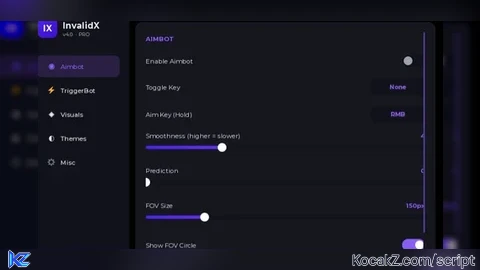
Aimbot
Enable / Disable toggle — pill-switch UI
Custom Aim Key — bind any keyboard key, mouse button, or touch input
Toggle Key — enable/disable aimbot with a hotkey mid-game
Smoothness slider (1–12) — higher = smoother glide, lower = snappier snap
Prediction slider (0–0.5) — leads moving targets by their velocity
FOV Size slider (30–600px) — adjustable aimbot target radius
Visual FOV Circle — on-screen ring showing active targeting range
Wall Check — raycast verification, won't lock through walls
Team Check — ignores teammates
Anti-spin math — viewport-center targeting with per-frame clamp (no upward snap bug)
Deadzone — 2px threshold prevents jitter when already on target
TriggerBot
Enable / Disable toggle
Toggle Key — hotkey bind
Delay slider (0–200ms) — reaction time before firing
Random Delay — randomized timing to feel human
Min / Max Delay sliders — bounds for randomization
Trigger FOV slider (5–50px) — crosshair detection radius
Visual Trigger FOV Circle — toggleable on-screen indicator
Wall Check — won't fire through walls
Team Check — skips teammates
Multi-part targeting — checks Head, UpperTorso, LowerTorso, HumanoidRootPart, Torso
Visuals — ESP
Highlight ESP — colorable player outline with depth mode AlwaysOnTop
Outline Transparency slider — 0 to 1
Fill Transparency slider — 0 to 1
Visuals — Skeleton ESP
Off by default ✅
R6 & R15 support — auto-detects rig type
Thickness slider (1–4px)
Transparency slider (0–1)
Drawing-based rendering — clean bone lines
Visuals — Tracers
Enable toggle
Transparency slider (0–1)
Center-screen origin — lines drawn from viewport center
Visuals — Health ESP
Enable toggle
Text Outline toggle
Dynamic color — green > yellow > red based on health %
Auto-updating text — shows current/max
Visuals — Name Tags
Enable toggle
Text Outline toggle
Gotham Bold font with player name
Visuals — World Time
Enable toggle
Time of Day slider (0–24h)
Auto-tunes Brightness, OutdoorAmbient, and Ambient per time period
Visuals — Aspect Ratio
Enable toggle
Ratio slider (0.5–1.5) — stretch or squish the camera
🎨 UI / UX Features
Theming System
6 preset themes: Violet, Crimson, Emerald, Cyber, Sunset, Mono
Live theme swapping — animated 0.4s color transition on every element
Custom theme builder — create unlimited themes with RGB sliders
Save / Load / Delete custom themes — persisted to InvalidX_Themes.json
RGB preview swatch on every color slider
Hex-style readout (r,g,b values) as you drag
Interface
Modern glass-morphism design — rounded cards, subtle gradients, soft borders
iOS-style pill toggles with animated knob sliding
Purple ring slider thumbs that grow on drag
Animated gradient logo with rotating shimmer
Auto-scaled UI — fits any viewport from 720p up
Draggable menu — click-and-drag any tab of the top bar
Smooth open/close animation — Quart easing with squash effect
Content card — all pages wrapped in a clean elevated panel
Gotham typography — Bold headers, Medium values, Regular body text
Notifications
Slide-in from right with Quart easing
Gradient icon circle matching the notification type
Vertical gradient accent bar on the left
Progress bar that drains over the notification's lifetime
Auto-dismiss with fade + slide-out
Color-coded — green success, red danger, theme-primary info
Fires on every toggle — "Aimbot — Enabled" etc.
Startup notifications — welcome + tip messages
Watermark
Top-left floating badge
Animated
#aimbot#esp#team check#OP#triggerbot

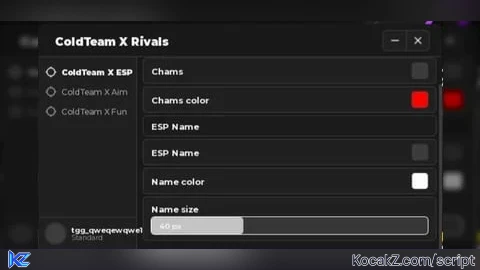

Not keyless
@imn3tche4ting it doesnt say keyless g
wo muss ich das aktiviren